Produktas baigtasview
The Muse M-1280 BT is a versatile Bluetooth tower speaker designed to deliver clear audio with multiple connectivity options. It features A2DP Bluetooth for wireless streaming, a powerful 120W output, a PLL FM radio tuner, and ports for USB and SD card playback. Additionally, it includes a USB charging function and an auxiliary input for wired connections. The speaker is housed in a stylish wooden cabinet and stands approximately 100cm tall, making it a prominent addition to any room.
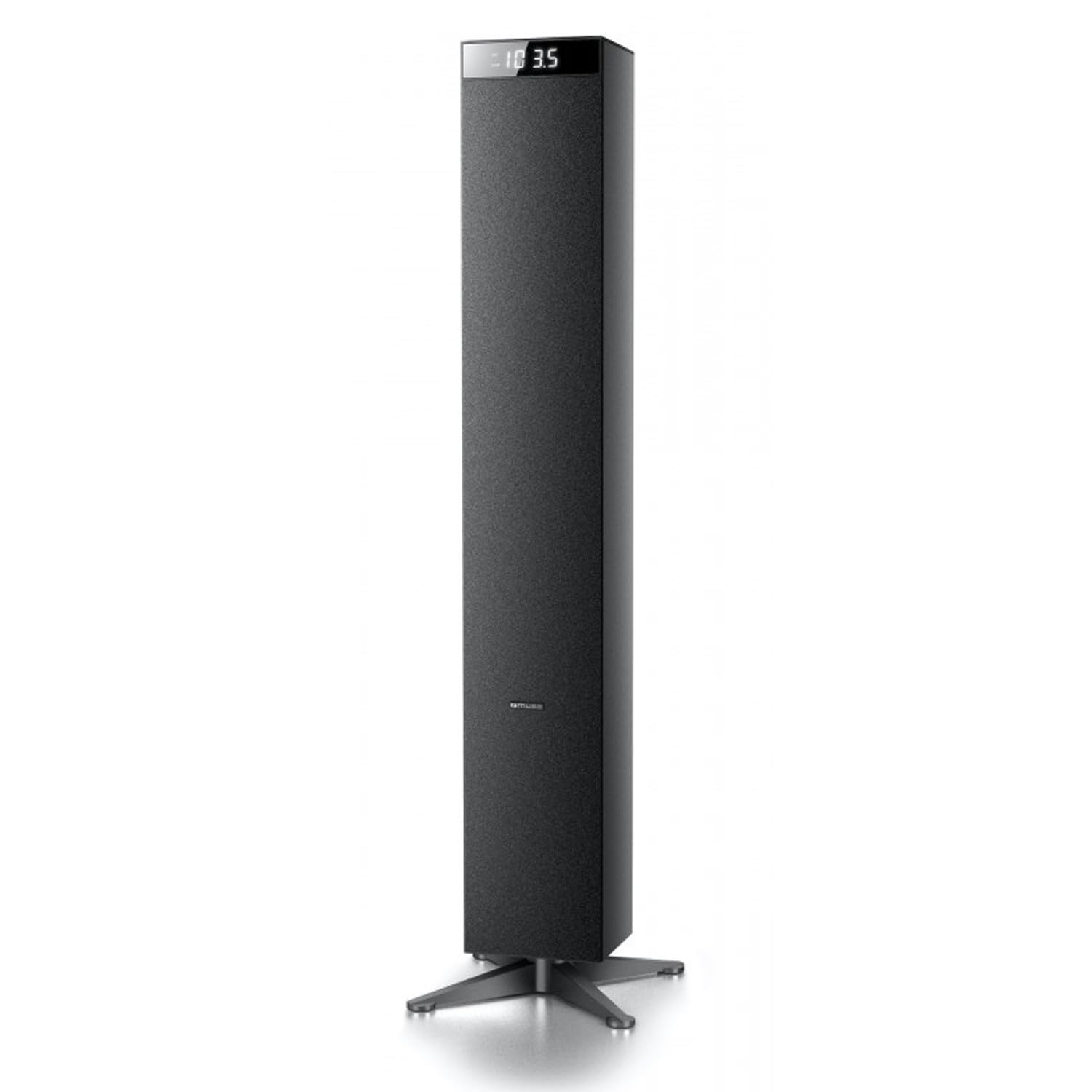
Vaizdas: priekis view of the Muse M-1280 BT Bluetooth Tower Speaker, showcasindėl savo elegantiško juodo dizaino ir integruoto ekrano.
Pakuotės turinys
Prieš pradėdami sąranką, įsitikinkite, kad pakuotėje yra visi reikalingi daiktai:
- Muse M-1280 BT Bluetooth Tower Speaker
- Nuotolinio valdymo pultas
- Aux-In kabelis
- Greitos pradžios vadovas
- Maitinimo kabelis
Sąrankos instrukcijos
- Išpakavimas: Atsargiai išimkite garsiakalbį ir visus priedus iš pakuotės.
- Vieta: Position the M-1280 BT speaker on a stable, flat surface. Ensure it is placed in a location with good ventilation and away from direct sunlight, heat sources, or moisture. The speaker is designed for floor standing.
- Prijunkite maitinimą: Insert the power cable into the AC IN port on the back of the speaker, then plug the other end into a standard wall outlet.
- Pradinis įjungimas: Press the Power button on the top panel or the remote control to turn on the speaker. The display will illuminate.

Image: The Muse M-1280 BT speaker positioned in a room, with a detailed view of its top control panel and phone dock.
Naudojimo instrukcijos
1. Selecting a Source
Paspauskite ŠALTINIS button on the top panel or remote control to cycle through available input modes: Bluetooth, FM Radio, USB, SD, and AUX.
2. „Bluetooth“ režimas
- Pasirinkite Bluetooth mode using the SOURCE button. The display will show "BT" and flash, indicating it's in pairing mode.
- On your smartphone, tablet, laptop, or PC, enable Bluetooth and search for available devices.
- Pasirinkite „M-1280 BT" from the list of devices. Once paired, the speaker will emit a confirmation sound, and "BT" on the display will stop flashing.
- You can now play audio from your connected device. Use the playback controls on your device or the speaker's top panel/remote (Play/Pause, Next/Previous Track) to manage your music.
3. FM radijo režimas
- Pasirinkite FM radijas mode using the SOURCE button.
- Norėdami automatiškai nuskaityti ir išsaugoti stotis, paspauskite ir palaikykite PALEISTI / PAUZĖ button (often labeled as "SCAN" or "AUTO" in radio mode). The speaker will scan for available FM stations and store them.
- Naudokite KITAS / ANKSTESNAS TRASAS mygtukais naršykite po išsaugotas stotis.
- For manual tuning, briefly press the KITAS / ANKSTESNAS TRASAS mygtukais, kad palaipsniui reguliuotumėte dažnį.
4. USB / SD kortelės atkūrimas
- Įdėkite USB atmintinę į USB prievadas arba SD kortelę į SD kortelės lizdas.
- Pasirinkite USB or SD mode using the SOURCE button. The speaker will automatically begin playing compatible audio files.
- Use the playback controls (Play/Pause, Next/Previous Track) on the speaker or remote to control playback.
- Note: The speaker supports common audio file formats. Unsupported file types will not play.
5. AUX įvestis
- Connect one end of the provided Aux-In cable to the Aux in port on the speaker and the other end to the audio output (e.g., headphone jack) of your external audio device.
- Pasirinkite AUX mode using the SOURCE button.
- Play audio from your external device. Volume can be controlled via the speaker or the external device.
6. USB įkrovimas
The USB port on the speaker can also be used to charge compatible devices. Connect your device's USB charging cable to the speaker's USB port.

Image: Close-up of the Muse M-1280 BT speaker's top panel, highlighting the control buttons, digital display, and integrated dock for mobile devices.
Priežiūra
- Valymas: Use a soft, dry cloth to clean the speaker's exterior. Do not use liquid cleaners or abrasive materials, as they may damage the finish.
- Saugykla: Jei garsiakalbį ilgesnį laiką nenaudosite, atjunkite jį nuo maitinimo šaltinio ir laikykite vėsioje, sausoje vietoje.
- Vėdinimas: Įsitikinkite, kad garsiakalbio ventiliacijos angos nėra užblokuotos, kad jis neperkaistų.
Trikčių šalinimas
| Problema | Galima priežastis | Sprendimas |
|---|---|---|
| Nėra galios | Maitinimo laidas neprijungtas; Maitinimo lizdas neaktyvus | Ensure power cable is securely connected to both the speaker and a working wall outlet. |
| Nėra garso | Volume too low; Incorrect source selected; Device not paired (Bluetooth) or connected (AUX) | Increase volume. Select the correct input source. For Bluetooth, ensure device is paired. For AUX, ensure cable is fully inserted. |
| „Bluetooth“ susiejimas nepavyksta | Garsiakalbis neporavimo režime; Įrenginys per toli; Trukdžiai | Ensure speaker is in Bluetooth pairing mode (BT flashing). Move device closer to speaker. Avoid strong electromagnetic interference. |
| Prastas FM radijo priėmimas | Silpnas signalas; Antena neištiesta | Adjust the position of the speaker. Ensure the FM antenna (if external) is fully extended. |
Specifikacijos
- Modelio pavadinimas: M-1280 BT
- Prekinis ženklas: MŪZA
- Garsiakalbio tipas: Bokštas
- Ryšio technologija: Bluetooth (A2DP), USB, SD, AUX
- Išėjimo galia: 120 vatų (maks.)
- Radijo imtuvas: PLL FM
- USB prievadas: Yes (for playback and charging)
- SD kortelių skaitytuvas: Taip
- Maitinimo šaltinis: Elektros kabelis
- Medžiaga: Mediena
- Spalva: Juoda
- Matmenys (P x P x A): 20 x 18 x 101.2 cm (7.87 x 7.09 x 39.84 colio)
- Svoris: 5.3 kilogramų (11.68 svarai)
- Įtraukti komponentai: Aux-In Cable, Quick Start Guide, Remote Control
- Suderinami įrenginiai: Smartphone, Laptop, PC
Garantija ir palaikymas
This Muse M-1280 BT speaker comes with a 1 metų gamintojo garantija nuo pirkimo datos. Prašome išsaugoti pirkimo įrodymą garantiniams reikalavimams.
For technical support, service, or warranty inquiries, please refer to the contact information provided in the Quick Start Guide or visit the official Muse website for your region. Do not attempt to repair the device yourself, as this may void the warranty.


