Įvadas
Thank you for choosing the Altec Lansing iMW475 Mini Life Jacket Bluetooth Speaker. This speaker is designed for portability and durability, featuring a rugged, compact, waterproof, dustproof, and shockproof design. It also floats, making it ideal for outdoor and water-related activities. This manual provides essential information for setting up, operating, and maintaining your speaker.
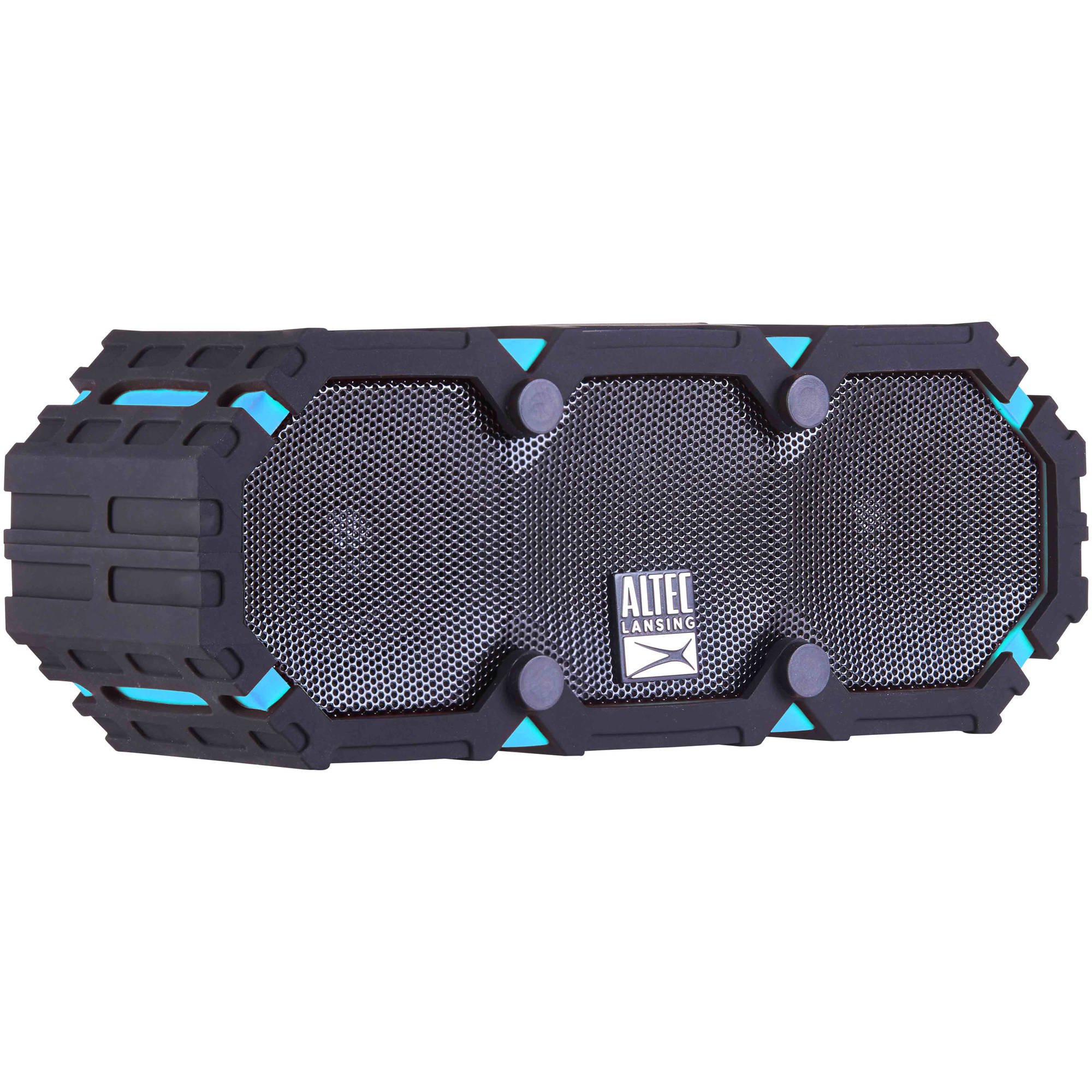
Image: The Altec Lansing iMW475 Mini Life Jacket Bluetooth Speaker, showcasing its compact, rugged design in black and blue.
Pakuotės turinys
- Altec Lansing iMW475 Mini Life Jacket Bluetooth Speaker
- Mounting Bracket
- USB įkrovimo laidas (Note: Specific cable type not detailed in product data, typically Micro-USB or USB-C)
- Auxiliary Cable (Note: Not explicitly listed but common for such speakers)
- Greitas pradmenų gidas (Not explicitly listed but common)
Prieš tęsdami sąranką, įsitikinkite, kad yra visi reikalingi daiktai.
Valdikliai ir indikatoriai
The speaker features intuitive controls for power, volume, and Bluetooth pairing. Specific button layouts may vary slightly, but common functions include:
- Maitinimo mygtukas: Paspauskite ir palaikykite, kad įjungtumėte arba išjungtumėte garsiakalbį.
- Garsumo didinimo / kito takelio mygtukas: Paspauskite, jei norite padidinti garsumą. Palaikykite, jei norite pereiti prie kito takelio.
- Garsumo mažinimo / ankstesnio takelio mygtukas: Paspauskite, jei norite sumažinti garsumą. Palaikykite, jei norite grįžti į ankstesnį takelį.
- Paleidimo / pauzės / skambinimo mygtukas: Press to play or pause audio. Press to answer or end a phone call. Hold to activate voice assistant (if supported by your device).
- „Bluetooth“ poravimo mygtukas: Paspauskite ir palaikykite, kad įjungtumėte Bluetooth poravimo režimą.
- LED indikatorius: Rodo maitinimo būseną, įkrovimo būseną ir „Bluetooth“ ryšio būseną.
Refer to the quick start guide included with your product for a detailed diagram of button placement.
Sąranka
1. Įkraukite garsiakalbį
Before first use, fully charge your Altec Lansing iMW475 speaker. A full charge provides approximately 10 hours of battery life.
- Locate the charging port, usually protected by a waterproof flap.
- Prijunkite pridedamą USB įkrovimo laidą prie garsiakalbio įkrovimo prievado.
- Kitą USB kabelio galą prijunkite prie USB maitinimo adapterio (nepridedamas) arba kompiuterio USB prievado.
- The LED indicator will show the charging status (e.g., solid red while charging, off or green when fully charged).
- Once fully charged, disconnect the cable and ensure the waterproof flap is securely closed.
2. „Bluetooth“ poravimas
Norėdami prijungti garsiakalbį prie „Bluetooth“ įrenginio:
- Įsitikinkite, kad garsiakalbis yra įkrautas ir išjungtas.
- Paspauskite ir palaikykite maitinimo mygtuką, kad įjungtumėte garsiakalbį. LED indikatorius mirksės, rodydamas, kad jis veikia susiejimo režimu.
- On your mobile device (smartphone, tablet, laptop), go to the Bluetooth settings.
- Ieškokite available devices. You should see "iMW475" or a similar name in the list.
- Select "iMW475" to connect. The LED indicator will turn solid when successfully paired.
- A voice prompt may confirm "You are now connected."
- Once paired, the speaker will automatically connect to the last paired device when turned on, if the device is within range (up to 30 feet or 9.14 meters).
Naudojimo instrukcijos
Groja garso įrašą
- After successful Bluetooth pairing, open your preferred music application on your connected device.
- Start playing audio. The sound will be routed through your Altec Lansing iMW475 speaker.
- Use the Volume Up/Down buttons on the speaker or your connected device to adjust the audio level.
- Norėdami pristabdyti arba tęsti atkūrimą, paspauskite mygtuką „Groti / pristabdyti“.
- Hold the Volume Up/Down buttons to skip tracks forward or backward.
Skambinimas laisvų rankų įranga
The speaker features an onboard microphone for hands-free communication.
- When a call comes in, the music will pause, and you will hear a ringtone through the speaker.
- Press the Play/Pause/Call button once to answer the incoming call.
- Speak clearly into the speaker's microphone.
- To end the call, press the Play/Pause/Call button once again.
- To reject an incoming call, press and hold the Play/Pause/Call button.
Pagalbinės įvesties naudojimas
For devices without Bluetooth, you can connect via the auxiliary input.
- Locate the auxiliary input port, usually protected by a waterproof flap.
- Connect one end of a 3.5mm auxiliary cable (not included) to the speaker's AUX port.
- Kitą galą prijunkite prie savo garso įrenginio ausinių lizdo.
- The speaker will automatically switch to AUX mode, or you may need to press the Mode button (if available).
- Valdykite atkūrimą ir garsumą iš prijungto garso įrenginio.
Priežiūra
- Valymas: Nuvalykite garsiakalbį minkšta, damp audinys. Nenaudokite abrazyvinių valiklių ar tirpiklių.
- Vandeniui atspari priežiūra: Ensure all port covers are securely closed before exposing the speaker to water to maintain its waterproof integrity. After exposure to saltwater or chlorinated water, rinse the speaker with fresh water and allow it to air dry completely.
- Saugykla: Garsiakalbį laikykite vėsioje, sausoje vietoje, toliau nuo tiesioginių saulės spindulių ir ekstremalių temperatūrų.
- Akumuliatoriaus priežiūra: Norėdami pailginti baterijos veikimo laiką, venkite dažnai visiškai ją iškrauti. Reguliariai įkraukite garsiakalbį, net jei ilgą laiką jo nenaudojate.
Trikčių šalinimas
| Problema | Sprendimas |
|---|---|
| Garsiakalbis neįsijungia. | Įsitikinkite, kad baterija įkrauta. Prijunkite garsiakalbį prie maitinimo šaltinio naudodami USB įkrovimo laidą. |
| Nėra garso iš garsiakalbio. |
|
| „Bluetooth“ susiejimas nepavyksta. |
|
| Poor audio quality or distortion. |
|
Specifikacijos
- Modelio pavadinimas: iMW475 Mini Life Jacket
- Garsiakalbio tipas: Lauke
- Ypatingos savybės: Waterproof, Dustproof, Shockproof, Floats
- Ryšys: Bluetooth
- „Bluetooth“ diapazonas: Iki 30 pėdų (9.14 metrų)
- Baterijos veikimo laikas: Iki 10 valandų
- Maitinimo šaltinis: Battery and AC (via USB charging)
- Garso išvesties režimas: Stereo
- Didžiausia garsiakalbio išėjimo galia: 10 vatų
- Kontrolės metodas: Balsas, mygtukai
- Įtraukti komponentai: Mounting Bracket
- Gaminio matmenys: 7 x 3 x 4.5 colio
- Prekės svoris: 1 svaras (16 uncijų)
- Atsparumo vandeniui lygis: Atsparus vandeniui
- UPC: 021331205841
Garantija ir palaikymas
Altec Lansing products are designed for reliability and performance. For specific warranty information regarding your iMW475 Mini Life Jacket Bluetooth Speaker, please refer to the warranty card included with your purchase or visit the official Altec Lansing websvetainę.
For technical support, frequently asked questions, or to register your product, please visit the Altec Lansing support page or contact their customer service directly. Contact details are typically available on the manufacturer's websvetainę.
Note: Warranty terms and conditions may vary by region and retailer. Keep your proof of purchase for warranty claims.


