1. Įvadas
The Hiditec GX12 Gaming Mouse is designed for an optimal gaming experience, featuring a comfortable ergonomic design, vibrant RGB lighting, and a high-precision optical sensor. This manual provides detailed instructions for setting up, operating, maintaining, and troubleshooting your GX12 mouse to ensure peak performance.

1 pav.: priekis view of the Hiditec GX12 Gaming Mouse showcasindėl savo dinaminio RGB apšvietimo.
2. Pakuotės turinys
- Hiditec GX12 Gaming Mouse
- Vartotojo vadovas (šis dokumentas)

Figure 2: The retail packaging for the Hiditec GX12 Gaming Mouse, highlighting key features.
3. Sąranka
3.1 Pelės prijungimas
- Locate an available USB port on your computer or compatible gaming console (e.g., XBOX ONE, PS4).
- Insert the USB connector of the GX12 mouse firmly into the USB port.
- The mouse will automatically be recognized by your operating system (Windows, Mac, etc.) and the RGB lighting will illuminate.
3.2 Programinės įrangos diegimas (neprivaloma)
To unlock the full customization capabilities of your GX12 mouse, including macro programming and button remapping, it is recommended to install the official Hiditec software.
- Visit the official Hiditec websvetainė (hiditec.com/en/downloads).
- Navigate to the "Gaming Mice" category and select "GX12".
- Download the "Software GX12 V1.0" (a .zip file).
- Ištraukite .zip turinį file and run the executable (.exe) installer.
- Vykdykite ekrane pateikiamas instrukcijas, kad užbaigtumėte programinės įrangos diegimą.
Pastaba: The software is primarily designed for Windows operating systems. Functionality on macOS may be limited to basic plug-and-play.
4. Naudojimo instrukcijos
4.1 Mygtukų funkcijos
The GX12 mouse features 5 programmable buttons and a scroll wheel for versatile control.
| Mygtukas | Numatytoji funkcija | Aprašymas |
|---|---|---|
| Kairiuoju pelės mygtuku spustelėkite | Primary Click | Standartinis pasirinkimas ir aktyvinimas. |
| Dešiniuoju pelės mygtuku spustelėkite | Secondary Click | Context menu or alternative action. |
| Slinkties ratukas | Scroll / Middle Click | Scrolls content vertically. Pressing acts as middle click. |
| DPI mygtukas | DPI ciklas | Cycles through 4 preset DPI levels (1000/1300/1600/2400). |
| Side Buttons (2) | Pirmyn / Atgal | Navigates forward/backward in web naršyklės arba file explorers. Programmable via software. |

3 pav.: šonas view of the GX12 mouse, illustrating the ergonomic design and side button placement.
4.2 DPI (jautrumo) reguliavimas
The GX12 mouse allows for on-the-fly DPI adjustment. Press the dedicated DPI button (usually located behind the scroll wheel) to cycle through the available sensitivity settings: 1000, 1300, 1600, and 2400 DPI. Each change will typically be indicated by a subtle shift in the RGB lighting pattern or color.
4.3 Customizing with Software
The Hiditec GX12 software provides advanced customization options:
- Mygtuko priskyrimas: Remap any of the 5 buttons to perform specific actions, keyboard shortcuts, or macros.
- Makrokomandos redaktorius: Create complex sequences of commands (macros) and assign them to buttons for quick execution in games or applications.
- DPI nustatymai: Tiksliai sureguliuokite DPI lygius ir sukurkite pasirinktinius profesionalius vaizdusfiles.
- Apšvietimo efektai: While the mouse automatically cycles through six colors, the software may offer additional control over lighting modes or brightness.
5. Funkcijos Overview
- Professional Gaming Mouse: Designed by Hiditec, a leading Spanish manufacturer of gaming peripherals, offering a configurable experience.
- Didelio tikslumo optinis jutiklis: Equipped with a 2400 DPI optical sensor, adjustable across four levels for precise and responsive tracking.
- Omron Technology Buttons: Features Omron switches for superior durability, rated for over 10 million clicks, ensuring long-lasting performance and fast response times.
- Ergonomiškas dizainas: The comfortable design perfectly adapts to your hand, allowing for agile movement during extended gaming sessions.
- Dinaminis RGB apšvietimas: Automatically cycles through six vibrant colors, providing an immersive aesthetic without manual configuration.
- Programuojami mygtukai: Five buttons, including the scroll wheel, can be customized via the dedicated software to suit your gaming and productivity needs.
- Low-Friction Base Pads: Durable base pads ensure smooth gliding and precise mouse movements.
- Platus suderinamumas: Compatible with PC, laptops, and various digital video devices including XBOX ONE and PS4 via USB connection.

4 pav. Kitas view of the GX12 mouse, emphasizing its ergonomic contours and integrated lighting.
6. Priežiūra
Proper maintenance will extend the lifespan of your Hiditec GX12 Gaming Mouse.
- Valymas: Use a soft, dry cloth to wipe down the mouse surface. For stubborn dirt, slightly dampNuvalykite šluostę vandeniu arba švelniu elektronikos valikliu. Venkite stiprių cheminių medžiagų ar abrazyvinių medžiagų.
- Jutiklio valymas: Kartais aplink optinį jutiklį pelės apačioje gali susikaupti dulkių ar šiukšlių. Švelniai nuvalykite jutiklio sritį vatos tamponu arba suslėgtu oru.
- Kabelio priežiūra: Kad nepažeistumėte USB kabelio, venkite staigių lenkimų ar per didelio tempimo.
- Saugykla: Kai ilgesnį laiką nenaudojate pelės, laikykite ją švarioje, sausoje vietoje, toliau nuo tiesioginių saulės spindulių ir ekstremalių temperatūrų.
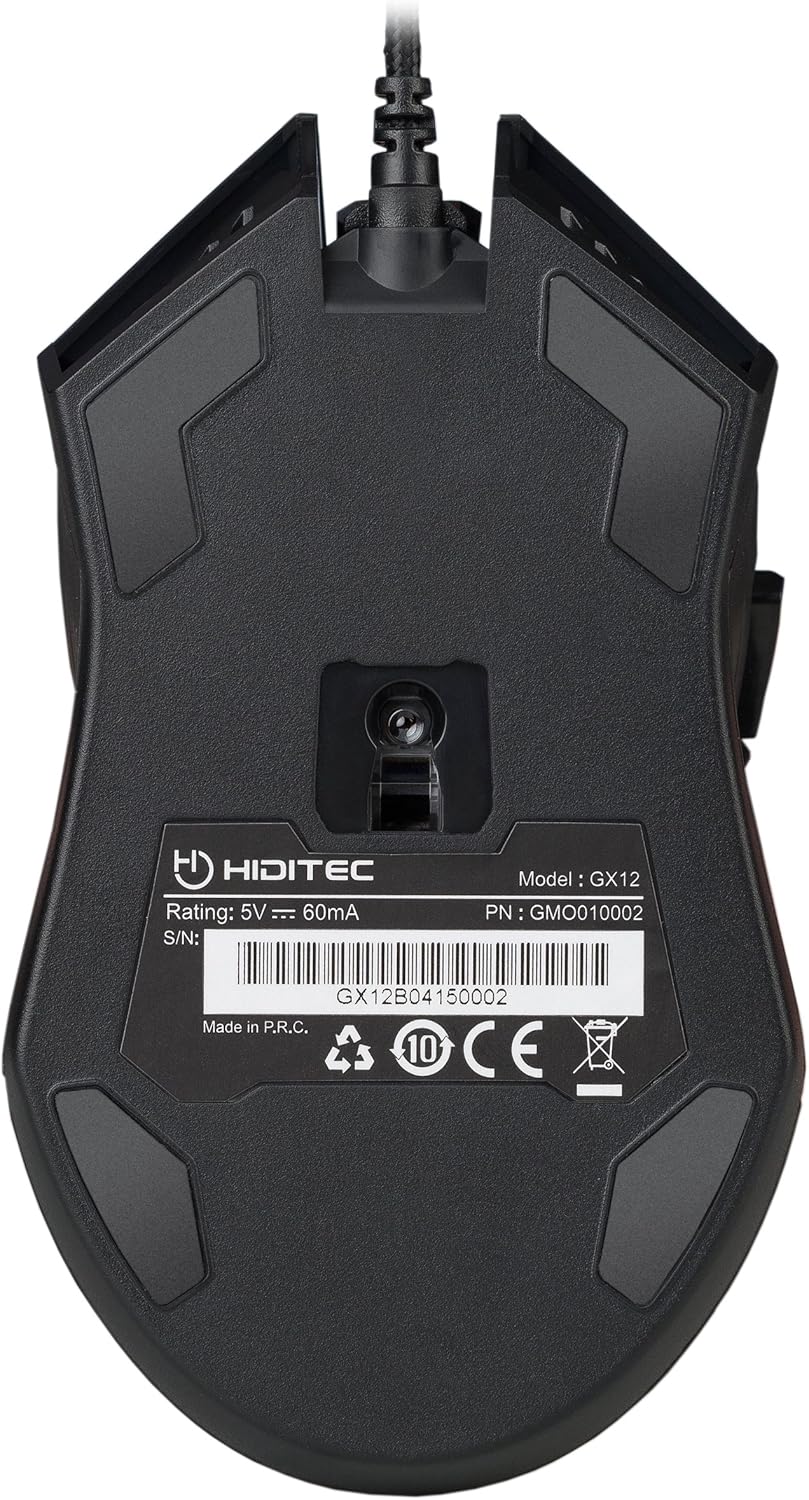
Figure 5: The underside of the GX12 mouse, showing the optical sensor and product information.
7. Problemų sprendimas
If you encounter issues with your GX12 mouse, refer to the following common problems and solutions:
| Problema | Galima priežastis | Sprendimas |
|---|---|---|
| Pelė nereaguoja | Atsilaisvinęs USB ryšys, sugedęs USB prievadas, tvarkyklės problema. |
|
| Inaccurate tracking / Cursor erratic | Dirty optical sensor, unsuitable surface, software settings. |
|
| RGB apšvietimas neveikia | Power issue, software conflict. |
|
| Mygtukai nereaguoja | Programinės įrangos konfliktas, fizinė žala. |
|
8. Specifikacijos
| Funkcija | Detalė |
|---|---|
| Prekės ženklas | Hiditec |
| Modelio pavadinimas | GX12 |
| Prekės modelio numeris | GMO010002 |
| Ryšio technologija | USB (laidinis) |
| Judesio aptikimo technologija | Optinis |
| DPI lygiai | 1000 / 1300 / 1600 / 2400 DPI |
| Mygtukų skaičius | 5 |
| Mygtuko patvarumas | Omron switches, 10 Million Clicks |
| Rankų orientacija | Dešiniarankiams |
| Gaminio matmenys | 12.43 x 7.19 x 4.13 cm (approx. 13 cm x 7 cm) |
| Prekės svoris | 130 g |
| Maitinimo šaltinis | Elektra su laidu (USB) |
| Suderinami įrenginiai | PC, Laptops, XBOX ONE, PS4 |
| Operacinės sistemos suderinamumas | Windows, Mac (basic functionality) |
9. Garantija ir palaikymas
9.1 Informacija apie garantiją
Hiditec provides a dvejų metų garantija on the GX12 Gaming Mouse from the date of purchase. This warranty covers manufacturing defects and ensures the product meets its specified performance. Please retain your proof of purchase for warranty claims.
9.2 Pagalba klientams
For any questions, technical assistance, or warranty claims, please contact Hiditec customer support. You can reach our specialized team through the Amazon messaging system or by visiting our official website for contact details. Our team is ready to assist you with any product-related inquiries.


