Įvadas
Thank you for choosing the Technoline WT 745 Radio Controlled Alarm Clock. This digital alarm clock features precise timekeeping, dual alarms with snooze, date and weekday display, and indoor temperature monitoring. Please read this manual carefully to ensure proper setup and operation.
Pakuotės turinys
- Technoline WT 745 Radio Controlled Alarm Clock
- Vartotojo vadovas
Note: 2x AAA batteries are required and not included.
Produktas baigtasview
Familiarize yourself with the main components of your WT 745 alarm clock.
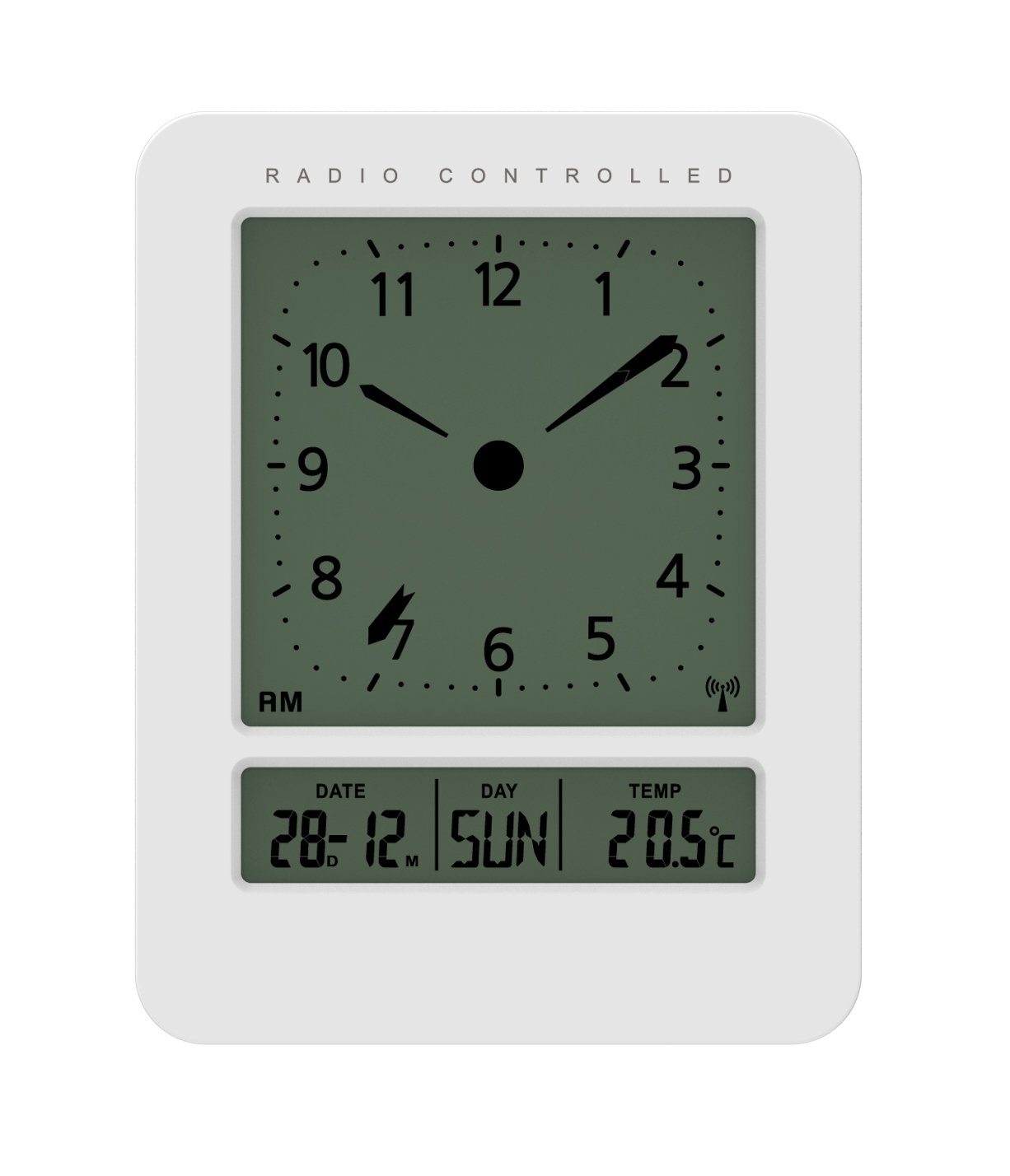
Vaizdas: Priekinė ir šoninė view of the Technoline WT 745 Radio Controlled Alarm Clock, showing the digital display with time, date, day, and temperature, and the analog clock face. The clock is white with a light grey display.
- Analog Clock Face: Displays current time with hour, minute, and second hands.
- Skaitmeninis ekranas: Shows date, day of the week, and indoor temperature.
- Radio Controlled Indicator: Symbol indicating successful radio signal reception.
- Valdymo mygtukai: Buttons for setting time, alarm, and other functions, typically located on the back or side.
- Baterijų skyrius: Yra gale, 2 x AAA baterijoms.
Sąranka
1. Baterijų įdėjimas
- Open the battery compartment cover on the back of the alarm clock.
- Įdėkite 2 naujas AAA baterijas, laikydamiesi teisingo poliškumo (+/-).
- Saugiai uždarykite akumuliatoriaus skyriaus dangtelį.
Note: The clock will automatically start searching for the radio time signal after battery insertion. This process may take several minutes.
2. Initial Radio Signal Reception
- Optimaliam signalo priėmimui laikrodį pastatykite prie lango.
- Venkite laikyti šalia elektroninių prietaisų, kurie gali sukelti trikdžius.
- Once the signal is received, the time, date, and day will be automatically set. The radio controlled indicator will appear on the display.
If the signal is not received within 10 minutes, try repositioning the clock or manually setting the time (see "Manual Time Setting").
Naudojimo instrukcijos
Signalo nustatymas
- Paspauskite ALARM SET button (location not specified, assume standard placement). The alarm time will flash.
- Naudokite UP or ŽEMYN mygtukai valandoms reguliuoti.
- Paspauskite ALARM SET dar kartą, kad patvirtintumėte valandas ir pereitumėte prie minučių.
- Naudokite UP or ŽEMYN mygtukai minutėms reguliuoti.
- Paspauskite ALARM SET , kad išsaugotumėte žadintuvo laiką.
- Norėdami įjungti / išjungti žadintuvą, paspauskite ALARM ON / OFF mygtuką. Ekrane pasirodys / išnyks žadintuvo piktograma.
The WT 745 supports two independent alarms. Repeat the steps above to set the second alarm.
Snaudimo funkcija
- Kai skamba žadintuvas, paspauskite SNAIGĖ button (usually a large button on top). The alarm will pause for approximately 5 minutes and then sound again.
- To stop the alarm completely, press any other button (e.g., ALARM ON/OFF) or let it ring for its full duration.
Backlight Activation
- Paspauskite ŠVIESA or SNAIGĖ button to temporarily illuminate the display for easy viewesant silpnam apšvietimui.
Viewing Date, Day, and Temperature
- The digital display continuously shows the current date, day of the week, and indoor temperature. No specific action is required to view šie.
Manual Time Setting (if radio signal is unavailable)
- Paspauskite ir palaikykite LAIKO NUSTATYMAS button for a few seconds until the hour digits flash.
- Naudokite UP or ŽEMYN mygtukai valandoms reguliuoti.
- Paspauskite LAIKO NUSTATYMAS dar kartą, kad patvirtintumėte valandas ir pereitumėte prie minučių.
- Naudokite UP or ŽEMYN mygtukai minutėms reguliuoti.
- Spauskite toliau LAIKO NUSTATYMAS to cycle through and adjust year, month, and day as needed.
- Paspauskite LAIKO NUSTATYMAS paskutinį kartą, kad išeitumėte iš rankinio nustatymo režimo.
Priežiūra
- Valymas: Laikrodį valykite minkštu, sausu skudurėliu. Nenaudokite abrazyvinių valiklių ar tirpiklių.
- Baterijos keitimas: Replace batteries when the display dims or functions become erratic. Always replace both batteries simultaneously with new ones.
- Saugykla: Jei laikrodį ilgesnį laiką laikysite, išimkite baterijas, kad išvengtumėte pratekėjimo.
- Aplinka: Laikrodį laikykite atokiau nuo tiesioginių saulės spindulių, ekstremalių temperatūrų ir didelės drėgmės.
Trikčių šalinimas
| Problema | Galima priežastis | Sprendimas |
|---|---|---|
| Ekranas tuščias arba blankus. | Baterijos išsikrovė arba įdėtos neteisingai. | Pakeiskite baterijas naujomis AAA baterijomis, užtikrindami teisingą poliškumą. |
| Clock does not receive radio signal. | Interference, poor location, or signal too weak. | Move the clock closer to a window, away from electronic devices. Try manual time setting. |
| Signalizacija neskamba. | Signalizacija neįjungta arba nustatyta neteisingai. | Ensure the alarm icon is visible on the display. Recheck alarm time settings. |
| Rodomas neteisingas laikas. | Radio signal lost or manual time set incorrectly. | Allow the clock to resynchronize with the radio signal. If persistent, manually set the time. |
Specifikacijos
- Modelis: 745 WT
- Prekinis ženklas: Technoline
- Matmenys: 7.1 x 4.5 x 9.2 cm (I x P x A)
- Svoris: 150 g
- Medžiaga: Plastikiniai
- Ekrano tipas: Digital with Analog Clock Face
- Maitinimo šaltinis: 2 x AAA baterijos (į komplektą neįeina)
- Ypatingos savybės: Radio Controlled Time, Dual Alarms, Snooze Function, Date Display, Day of Week Display, Indoor Temperature Display, Backlight.
- Naudojimas: Vidinis
Garantija ir palaikymas
For warranty information or technical support, please refer to the warranty card included with your product or visit the official Technoline websvetainėje. Išsaugokite pirkimo kvitą kaip pirkimo įrodymą.
Oficialus Websvetainė: www.technoline.eu


