Įvadas
Thank you for choosing the MUSE M-1350 BTC Portable Bluetooth Speaker. This manual provides essential information for the safe and efficient operation of your device. Please read it thoroughly before use and retain it for future reference.
The MUSE M-1350 BTC is a versatile audio system featuring Bluetooth A2DP, MP3 CD player, FM PLL tuner, USB port with charging capability, and dual auxiliary inputs. It boasts a robust wooden casing and stands approximately 100cm tall, delivering 120W of power.

Priekyje view of the MUSE M-1350 BTC Portable Bluetooth Speaker.
Saugos informacija
- Saugokite įrenginį nuo lietaus ar drėgmės, kad išvengtumėte gaisro ar elektros smūgio.
- Užtikrinkite tinkamą vėdinimą. Neužblokuokite jokių ventiliacijos angų.
- Padėkite įrenginį ant stabilaus, lygaus paviršiaus.
- Naudokite tik gamintojo nurodytus priedus/priedus.
- Atjunkite įrenginį žaibuojant arba kai nenaudojate ilgą laiką.
- Visus techninės priežiūros darbus patikėkite kvalifikuotam techninės priežiūros personalui.
Produkto savybės ir komponentai
The MUSE M-1350 BTC is designed with user convenience and high-quality audio in mind. Key features include:
- Bluetooth A2DP for wireless audio streaming.
- CD/MP3 player.
- PLL FM Tuner with 30 presets.
- USB port for MP3 playback and device charging.
- Two auxiliary input jacks.
- Integrated subwoofer for strong bass.
- Adjustable Bass & Treble, Loudness control.
- Alarm and Sleep functions.
- NFC for easy Bluetooth pairing.

Key features of the MUSE M-1350 BTC, highlighting Bluetooth connectivity, real wood casing, strong bass, and FM radio.

Išsamus view of the top panel showing the integrated smartphone/tablet dock and CD player, alongside a note about the integrated subwoofer.
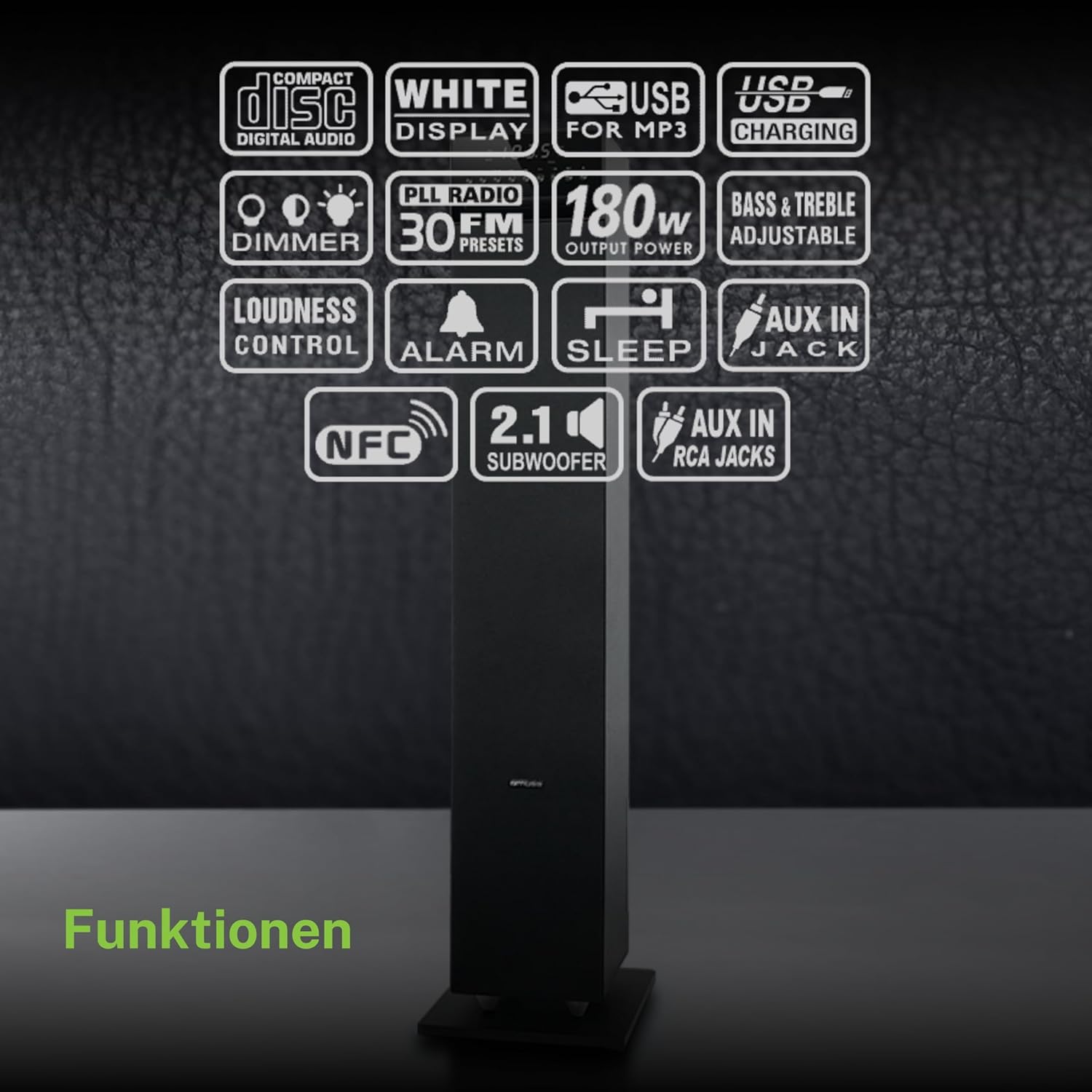
ir baigtaview of the various functions and connectivity options available on the MUSE M-1350 BTC, including CD playback, USB, Bluetooth, FM radio, and audio adjustments.
Sąranka
1. Išpakavimas
Carefully remove the speaker from its packaging. Check for any signs of damage during transit. Retain the packaging for future transport or storage.
2. Įdėjimas
Place the speaker on a firm, level surface. For optimal sound performance, position it in a location free from obstructions and away from direct heat sources or excessive moisture.

The MUSE M-1350 BTC speaker positioned in a living room environment, demonstrating its sleek design.
3. Maitinimo prijungimas
Connect the power cord to the AC inlet on the rear of the speaker, then plug the other end into a suitable wall outlet (AC 230V ~ 50Hz).
4. Išorinių įrenginių prijungimas
- Bluetooth: Ensure Bluetooth is enabled on your device. The speaker will automatically enter pairing mode when Bluetooth is selected.
- AUX įvestis: Use a 3.5mm audio cable to connect external audio devices (e.g., MP3 players, smartphones) to the AUX IN jack.
- USB: Įkiškite USB atmintinę į USB prievadą, kad galėtumėte atkurti MP3 failus.
Naudojimo instrukcijos
1. Maitinimo įjungimas/išjungimas
Press the POWER button on the top panel or remote control to turn the unit on or off.
2. Režimo pasirinkimas
Press the MODE button repeatedly to cycle through available modes: CD, Bluetooth, FM Radio, USB, AUX.
3. „Bluetooth“ poravimas
- Select Bluetooth mode on the speaker. The display will show "BT" and flash, indicating pairing mode.
- On your Bluetooth device, search for "MUSE M-1350 BTC" in the Bluetooth settings.
- Select the speaker to pair. Once connected, the display will stop flashing.
4. CD grojimas
- Pasirinkite CD režimą.
- Insert a CD into the CD slot. The unit will automatically begin playback.
- Use the PLAY/PAUSE, SKIP, and STOP buttons for control.
5. FM radijo stočių derinimas
- Pasirinkite FM režimą.
- Press and hold the SCAN button to automatically scan and store available stations.
- Use the PRESET buttons to navigate through stored stations.
6. USB atkūrimas
- Įdėkite USB atmintinę su MP3 files į USB prievadą.
- Select USB mode. Playback will begin automatically.
- Use the PLAY/PAUSE, SKIP, and STOP buttons for control.
7. AUX įvestis
Connect your external audio device to the AUX IN jack. Select AUX mode on the speaker. Audio will be played through the speaker.
8. Garso reguliavimas
- Apimtis: Use the VOLUME knob or +/- buttons on the remote.
- Žemieji / aukštieji dažniai: Adjust bass and treble levels using the dedicated controls on the remote or top panel.
- Garsumas: Activate the Loudness function for enhanced bass and treble at low volumes.
Priežiūra
Valymas
Wipe the unit with a soft, dry cloth. Do not use abrasive cleaners, waxes, or solvents. For stubborn stains, a slightly damp cloth may be used, followed by a dry cloth.
Sandėliavimas
Jei prietaisas ilgesnį laiką nebus naudojamas, atjunkite jį nuo elektros lizdo ir laikykite vėsioje, sausoje vietoje, toliau nuo tiesioginių saulės spindulių ir ekstremalių temperatūrų.
Trikčių šalinimas
| Problema | Galima priežastis | Sprendimas |
|---|---|---|
| Nėra galios | Maitinimo laidas neprijungtas; Maitinimo lizdas sugedęs | Įsitikinkite, kad maitinimo laidas yra tvirtai prijungtas; Pabandykite kitą lizdą |
| Nėra garso | Volume too low; Incorrect input mode selected; Device not connected properly | Increase volume; Select correct input mode (Bluetooth, CD, AUX, USB); Reconnect device |
| „Bluetooth“ susiejimas nepavyksta | Speaker not in pairing mode; Device too far; Bluetooth not enabled on source device | Ensure speaker is in Bluetooth mode and flashing; Move device closer; Enable Bluetooth on your device |
| CD negroja | CD inserted incorrectly; CD is scratched/dirty; Incorrect mode | Reinsert CD correctly; Clean or replace CD; Select CD mode |
| Prastas FM priėmimas | Antena neištiesta; Silpno signalo zona | Fully extend the FM antenna; Reposition the speaker for better reception |
Specifikacijos
| Funkcija | Detalė |
|---|---|
| Modelio pavadinimas | M-1350 BTC |
| Prekės ženklas | MŪZA |
| Garsiakalbio tipas | Bokštas |
| Ryšio technologija | Bluetooth, USB |
| Maksimali garsiakalbio išvesties galia | 120 vatų |
| Garso išvesties režimas | Stereo |
| Erdvinio garso kanalo konfigūracija | 2.1 |
| Medžiaga | Mediena |
| Spalva | Juoda |
| Gaminio matmenys (DxPxA) | 23.1 x 25.7 x 100.6 cm |
| Prekės svoris | 9.25 kilogramo |
| Iš viso USB prievadų | 1 |
| Suderinami įrenginiai | MP3 players, laptops, tablets, televisions, smartphones |
| Rekomenduojami naudojimo būdai | Išmaniajam telefonui ar planšetiniam kompiuteriui |

Technical drawing illustrating the precise dimensions of the MUSE M-1350 BTC speaker in millimeters.
Garantija ir palaikymas
This product comes with a manufacturer's warranty of 1 year from the date of purchase. Please retain your proof of purchase for warranty claims.
For technical support or service inquiries, please contact your retailer or the official MUSE customer service. Contact information can typically be found on the manufacturer's websvetainėje arba produkto pakuotėje.


