1. Įvadas
This manual provides detailed instructions for the installation, operation, and maintenance of your Zmodo Outdoor Security Camera System, Model ZM-W0002-4. This system offers 1080p Full HD surveillance for your property, featuring night vision, motion detection, and weatherproof construction.
2. Pakuotės turinys
Patikrinkite, ar pakuotėje yra visi reikalingi daiktai:
- 4 x Zmodo Outdoor Security Cameras
- 4 x maitinimo šaltiniai
- 1 x trumpas vadovas
3. Sąranka ir diegimas
Follow these steps to set up your Zmodo security cameras:
3.1. Kameros išdėstymas
Select optimal locations for your cameras. Consider areas that provide a clear view of entry points or critical zones. Ensure the chosen location is within range of your Wi-Fi network and has access to a power outlet.

Image: Zmodo outdoor security camera mounted on a wall, illustrating its weatherproof design and typical installation scenario.
3.2. Maitinimo prijungimas
Connect each camera to its respective power supply and plug it into a standard electrical outlet. The camera will power on automatically.
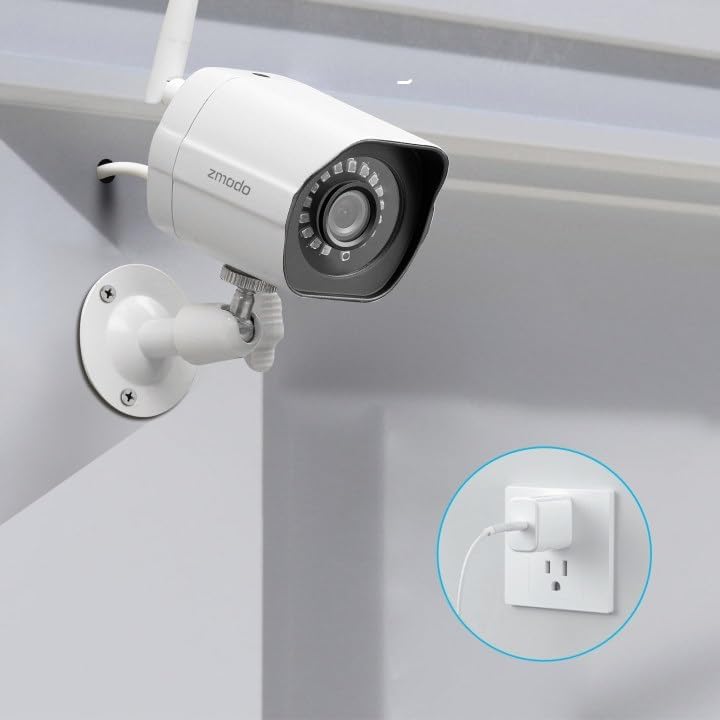
Image: A Zmodo outdoor security camera with its power cable plugged into a wall outlet, demonstrating the power connection process.
3.3. Programėlės atsisiuntimas ir paskyros sukūrimas
Download the Zmodo app from your smartphone's app store (iOS or Android). Create a new account or log in if you already have one.
3.4. Kameros susiejimas
Follow the in-app instructions to add your cameras. Zmodo cameras typically use QR code pairing technology for straightforward setup. Ensure your smartphone is connected to the 2.4GHz Wi-Fi network that the cameras will use.

Image: A set of four Zmodo outdoor security cameras, illustrating the product's appearance and external antenna design for enhanced Wi-Fi signal.
4. Operacija
Once your cameras are set up, you can access and manage them through the Zmodo app.
4.1. Gyvai View
Open the Zmodo app to view live 1080p Full HD video streams from your cameras. You can monitor up to four camera feeds simultaneously on one screen.

Image: A smartphone screen showing a four-panel live video feed from multiple Zmodo cameras, demonstrating the multi-camera viewypatybė.
4.2. Judesio aptikimas ir įspėjimai
The cameras are equipped with motion detection. When motion is detected, you will receive instant alerts on your smartphone. Review recorded clips via the app.

Image: A smartphone displaying a push notification for motion detected by a Zmodo camera, indicating the alert system.

Image: A Zmodo camera with an illustration of AI-powered motion detection, highlighting its ability to accurately detect and identify humans, pets, and vehicles.
4.3. Naktinis matymas
The cameras feature adjustable night vision with built-in IR lights, providing clear images up to 65 feet in low-light conditions.
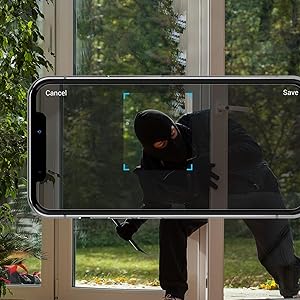
Image: A Zmodo camera mounted outdoors at night, with its red IR lights active, demonstrating its night vision capability.
4.4. Debesų saugykla
Zmodo offers a cloud service for secure storage of your video footage. A subscription plan is required for this feature. This ensures continuous recording and access to past events.
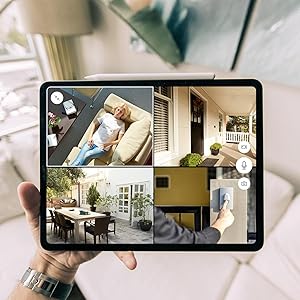
Image: An abstract graphic depicting a secure cloud with a padlock icon, symbolizing the bank-level encryption used for Zmodo's cloud storage service.
4.5. „Alexa“ integracija
The cameras are compatible with Amazon Alexa. Use voice commands like "Alexa, show me the front door" to view live streams on compatible Alexa-enabled devices.

Image: An Amazon Echo Show device displaying a live feed from a Zmodo camera, illustrating the Alexa integration feature.
5. Priežiūra
Regular maintenance helps ensure optimal performance and longevity of your cameras.
- Objektyvo valymas: Reguliariai valykite fotoaparato objektyvą minkšta,amp šluoste pašalinkite dulkes, nešvarumus ar vandens dėmes, kurios gali turėti įtakos vaizdo aiškumui. Venkite abrazyvinių valiklių.
- Maitinimo prijungimo patikrinimas: Ensure power cables are securely connected and free from damage.
- Montavimo stabilumas: Verify that the cameras remain securely mounted to prevent accidental dislodgement.
- Programinės įrangos atnaujinimai: Keep the Zmodo app updated to the latest version for new features and security enhancements.
6. Problemų sprendimas
If you encounter issues with your Zmodo cameras, refer to the following common solutions:
- Fotoaparatas neprisijungęs:
- Patikrinkite maitinimo jungtį, kad įsitikintumėte, jog kamera gauna maitinimą.
- Patikrinkite, ar jūsų „Wi-Fi“ tinklas veikia ir ar kamera yra diapazone.
- Restart the camera by unplugging and replugging its power supply.
- Ensure your router's 2.4GHz Wi-Fi band is enabled and the camera is connected to it.
- Prasta vaizdo kokybė:
- Nuvalykite fotoaparato objektyvą.
- Įsitikinkite, kad kameros matymo lauke nėra jokių kliūčių view.
- Check your Wi-Fi signal strength; a weak signal can affect video streaming quality.
- Judesio aptikimas neveikia:
- Verify motion detection settings are enabled in the Zmodo app.
- Adjust motion sensitivity settings if necessary.
- Įsitikinkite, kad fotoaparatas view nėra trukdoma.
- Negauta jokių įspėjimų:
- Check your smartphone's notification settings for the Zmodo app.
- Įsitikinkite, kad jūsų telefone yra aktyvus interneto ryšys.
7. Specifikacijos
Key technical specifications for the Zmodo Outdoor Security Camera System (Model ZM-W0002-4):
| Funkcija | Detalė |
|---|---|
| Modelio pavadinimas | ZM-W0002-4 |
| Vaizdo įrašymo raiška | 1080p „Full HD“ |
| Naudojimas viduje / lauke | Lauke |
| Ryšio technologija | „Wi-Fi“ (2.4 GHz) |
| Naktinio matymo diapazonas | Iki 65 pėdų |
| Atsparumas oro sąlygoms | IP66 (atsparus oro sąlygoms) |
| Judesio aptikimas | Yes (Motion Only, AI-powered) |
| Suderinami įrenginiai | Išmanusis telefonas, „Amazon Alexa“, „Google Assistant“ |
| Maitinimo šaltinis | Laidinis elektrinis (12 voltų, 5 vatų) |
| Matmenys (I x P x A) | 2.2 x 2.1 x 3.4 colio |
| Prekės svoris | 3.04 pounds (per camera) |
| Kadrų dažnis | 25 kadrų per sekundę |
| Medžiaga | Plastikiniai |
8. Informacija apie garantiją
For specific warranty details regarding your Zmodo Outdoor Security Camera System, please refer to the warranty card included in your product packaging or visit the official Zmodo webApsaugos planai taip pat gali būti prieinami ilgesniam laikotarpiui.
9. Pagalba klientams
If you require further assistance or have questions not covered in this manual, please contact Zmodo customer support through their official website or the Zmodo app. Support resources, including FAQs and troubleshooting guides, are often available online.
Zmodo Official Websvetainė: www.zmodo.com


