Įvadas
Ačiū, kad pirkoteasing the OttLite CY4009-FFP LED Desk Lamp. This manual provides important information regarding the setup, operation, maintenance, and troubleshooting of your new desk lampPrieš naudodami atidžiai perskaitykite šias instrukcijas ir išsaugokite jas ateičiai.
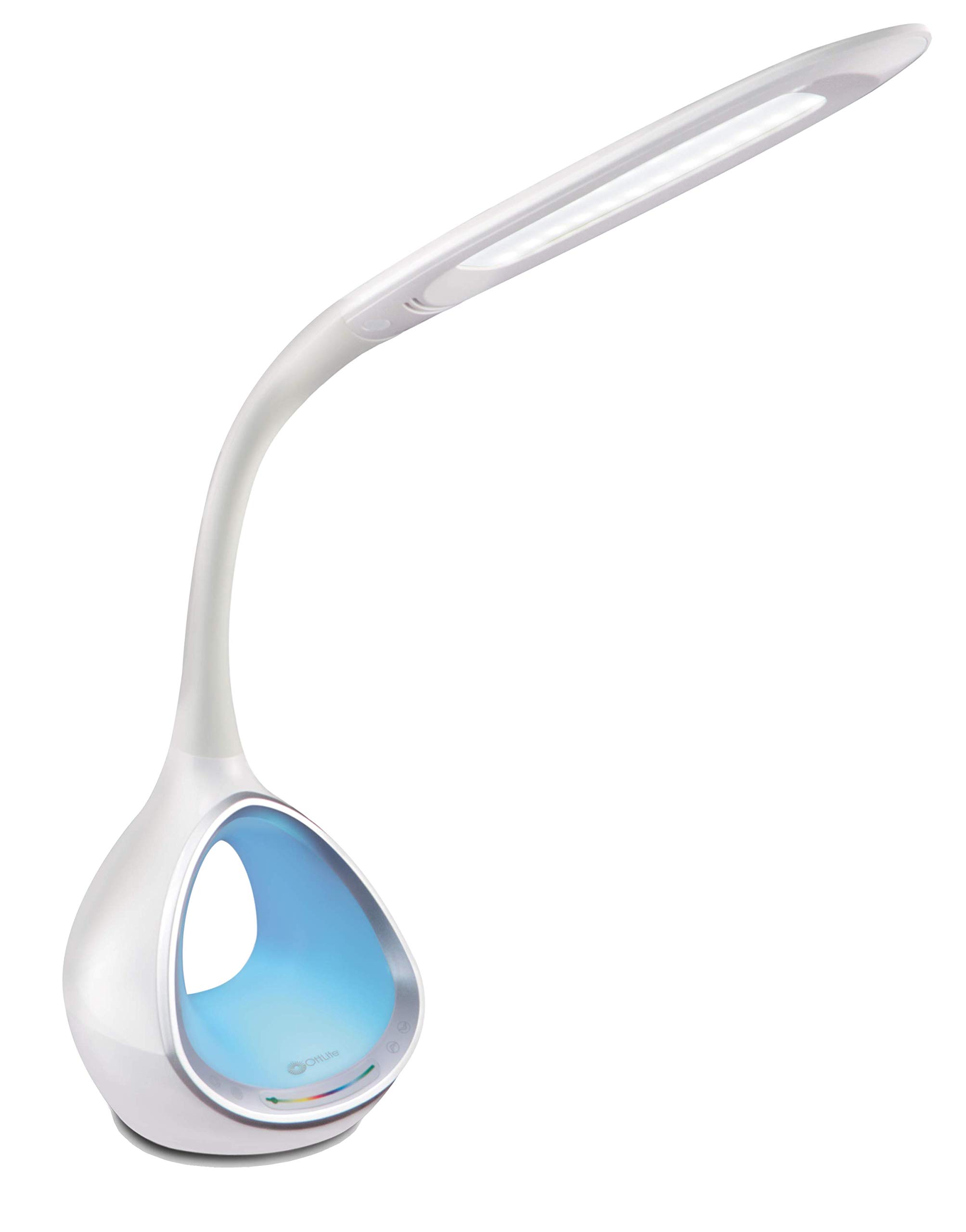
Image: The OttLite CY4009-FFP LED Desk Lamp, šouasing its sleek white design and flexible neck.
Saugos instrukcijos
Norėdami užtikrinti saugų darbą, laikykitės šių atsargumo priemonių:
- Nenaudokite lamp su pažeistu laidu arba kištuku.
- Nekeiskite lamp arba jo komponentai.
- Laikykite lamp away from water or other liquids. This product is not water resistant.
- Įsitikinkite, kad lamp dedamas ant stabilaus, lygaus paviršiaus.
- Atjunkite lamp prieš valydami ar atlikdami bet kokią priežiūrą.
- Šis lamp skirtas naudoti tik patalpose.
Pakuotės turinys
Patikrinkite, ar pakuotėje yra visi reikalingi daiktai:
- OttLite CY4009-FFP LED Desk Lamp
- AC/DC maitinimo adapteris
Produktas baigtasview
Familiarize yourself with the main components of your desk lamp:
- Lankstus kaklas: Allows adjustment of the light head position.
- LED Light Head: Provides natural daylight illumination with adjustable brightness and color temperature.
- Valdymo skydelis: Touch-sensitive buttons for power, brightness, color temperature, and color-changing base.
- Color Changing Tunnel Base: Illuminates with a choice of colors or cycles through the spectrum.
- USB įkrovimo prievadas: Located on the side of the base for charging devices.

Image: The OttLite CY4009-FFP LED Desk Lamp illustrating its adjustable height (11.75 to 16 inches) and base diameter (4.375 inches).
Sąranka
- Atsargiai nuimkite lamp ir visus komponentus iš pakuotės.
- Padėkite lamp ant stabilaus, lygaus paviršiaus.
- Connect the AC/DC power adapter to the power input port located at the back of the lamp bazę.
- Įjunkite maitinimo adapterį į standartinį elektros lizdą.
- Lamp dabar yra paruoštas darbui.
Naudojimo instrukcijos
Pagrindinė šviesos operacija

Image: Close-up of the lamp base showing touch-activated controls for brightness and color settings.
- Maitinimo įjungimas/išjungimas: Palieskite Maitinimo mygtukas on the control panel to turn the main light on or off.
- Sureguliuokite ryškumą: Lamp features 4 brightness settings. Repeatedly touch the Ryškumo mygtukas norėdami perjungti šviesumo lygius.
- Keisti spalvos temperatūrą: Lamp offers 3 color temperature modes. Repeatedly touch the Režimo mygtukas to switch between different light temperatures (e.g., warm white, bright white, cool white).

Image: Three different light outputs from the lamp head, demonstrating the warm, neutral, and cool color temperature settings.
Color Changing Tunnel Base Operation

Paveikslėlis: Keturi buvęamples iš lamp's base glowing in different colors: blue, red, purple, and green.
- Activate Color Base: Palieskite Spalvotas mygtukas on the control panel to turn on the color-changing base.
- Pasirinkite spalvą: Once activated, touch the color spectrum bar on the base to select a specific color.
- Ciklo spalvos: To have the base continuously cycle through the entire color spectrum, touch and hold the Spalvotas mygtukas until the colors begin to transition automatically.
- Turn Off Color Base: Palieskite Spalvotas mygtukas again to turn off the color-changing base.
USB įkrovimo prievadas
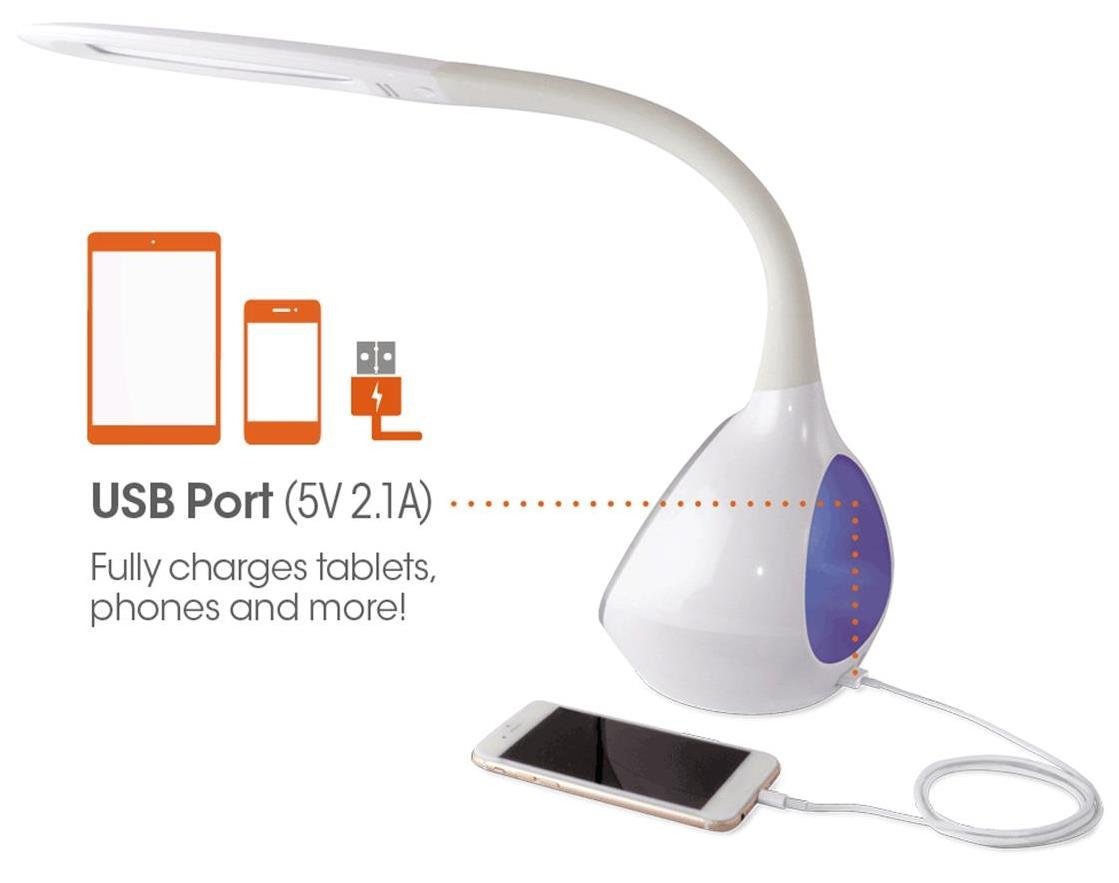
Paveikslėlis: Lamp's base with a smartphone connected to the 5V 2.1A USB charging port, illustrating its charging capability for phones and tablets.
Lamp includes a 5V, 2.1A USB charging port located on the side of the base. This port can be used to charge smartphones, tablets, and other USB-powered devices. Simply connect your device's USB charging cable to the port.
Priežiūra
- Valymas: Įsitikinkite, kad lamp Prieš valydami, prietaisas yra atjungtas nuo elektros tinklo. Nuvalykite jį minkšta, sausa šluoste.amp. Nenaudokite abrazyvinių valiklių ar tirpiklių.
- Šviesos diodai: The integrated LEDs are designed to last up to 40,000 hours and are not replaceable.
- Saugykla: Jei saugote lamp ilgesniam laikui, atjunkite jį nuo elektros tinklo ir laikykite vėsioje, sausoje vietoje.
Trikčių šalinimas
| Problema | Galima priežastis | Sprendimas |
|---|---|---|
| Lamp neįsijungia. | Maitinimo adapteris netinkamai prijungtas arba iš lizdo nėra elektros. | Patikrinkite, ar maitinimo adapteris yra tvirtai prijungtas prie abiejų lizdų.amp ir sieninio lizdo. Išbandykite lizdą su kitu įrenginiu. |
| Main light works, but color-changing base does not. | Color button not activated. | Ensure the Color button on the control panel has been touched to activate the base light. |
| USB įkrovimo prievadas neveikia. | Įrenginys nesuderinamas arba laidas sugedęs. | Ensure your device is compatible with 5V, 2.1A charging. Try a different USB cable. |
| Jutikliniai valdikliai nereaguoja. | Temporary electrical interference or power issue. | Atjunkite lamp from the power outlet for 30 seconds, then plug it back in. |
Specifikacijos
| Modelio numeris: | CY4009-FFP |
| Prekinis ženklas: | „OttLite“ |
| Šviesos šaltinio tipas: | LED |
| Vattage: | 10 vatų |
| Ryškumo nustatymai: | 4 (up to 500 lumens) |
| Spalvų temperatūros: | 3 |
| USB prievado išvestis: | 5V, 2.1A |
| LED tarnavimo laikas: | Iki 40,000 valandų |
| Gaminio matmenys (PxPxA): | 24.1 gylio x 7 pločio x 29.8 aukščio centimetrų |
| Prekės svoris: | 1.32 kg (2.91 svaro) |
| Maitinimo šaltinis: | Su laidu elektra |
| Jungiklio tipas: | Palieskite |
| Spalva: | Baltas |
| Atsparumas vandeniui: | Neatsparus vandeniui |
| UPC: | 761712012346 |
Garantija ir palaikymas
For warranty information or technical support, please refer to the documentation provided with your purchase or visit the official OttLite websvetainėje. Išsaugokite pirkimo įrodymą garantiniams reikalavimams.
Gamintojas: Environmental Lighting Concepts