Logitech K270 belaidė klaviatūra
Vartotojo vadovas
Įvadas
The Logitech K270 Wireless Keyboard offers a full-size traditional keyboard layout, including a numeric pad, designed for efficient and comfortable typing. It features eight hotkeys for instant access to frequently used applications and websites, enhancing productivity.
This keyboard utilizes a tiny Logitech Unifying receiver that plugs into your USB port, allowing connection of up to five additional compatible Logitech devices. The 2.4 GHz wireless technology ensures a reliable signal distance of up to 33 feet, depending on environmental conditions. Built for durability, the K270 features a spill-resistant design and UV-coated keys.
Pakuotės turinys
- Logitech K270 belaidė klaviatūra
- „Logitech Unifying“ imtuvas
- 2 AAA baterijos (iš anksto įdėtos arba pridėtos)
- Vartotojo dokumentacija
Sąranka
- Įdėkite baterijas: If not already installed, open the battery compartment on the underside of the keyboard and insert the two AAA batteries, ensuring correct polarity.
- Prijunkite „Unifying“ imtuvą: Plug the tiny Logitech Unifying receiver into an available USB port on your computer.
- Maitinimas: Turn on the keyboard using the On/Off switch located on the top right side of the keyboard. The keyboard should automatically connect to the receiver.
- Install Logitech Unifying Software (Optional): For advanced customization and to connect additional compatible devices, download and install the Logitech Unifying Software from the official Logitech websvetainę.

Vaizdas: Iš viršaus į apačią view of the Logitech K270 Wireless Keyboard, showing the full layout including the numeric pad and function keys.

Vaizdas: kampuotas view of the Logitech K270 Wireless Keyboard, highlighting its slim profile and key arrangement.
Naudojimo instrukcijos
Pagrindinis klaviatūros naudojimas
The Logitech K270 functions as a standard full-size keyboard. Simply begin typing after successful setup. The 2.4 GHz wireless connection provides a reliable and lag-free experience up to 33 feet (10 meters) from your computer, though actual range may vary based on environmental conditions and computer setup.
Hotkeys and Function Keys
The keyboard features eight dedicated hotkeys located above the function keys (F1-F12) for quick access to common functions:
- Leisti / pristabdyti: Valdykite medijos atkūrimą.
- Nutildyti: Nutildyti garso išvestį.
- Patildyti: Sumažinkite garso garsumą.
- Pagarsink: Padidinkite garso garsumą.
- Pagrindinis puslapis: Atidarykite numatytąjį web browser's home page.
- El. paštas: Open your default email client.
- Kompiuterio miego režimas: Put your computer into sleep mode.
- Skaičiuotuvas: Open the calculator application.
Standard function keys (F1-F12) can be accessed directly or by holding the 'Fn' key, depending on your system's configuration and any Logitech software settings.
„Logitech Unifying“ imtuvas
The included Unifying receiver allows you to connect up to five additional compatible Logitech wireless devices (such as mice or other keyboards) to the same receiver, freeing up USB ports. Use the Logitech Unifying Software to manage and pair additional devices.
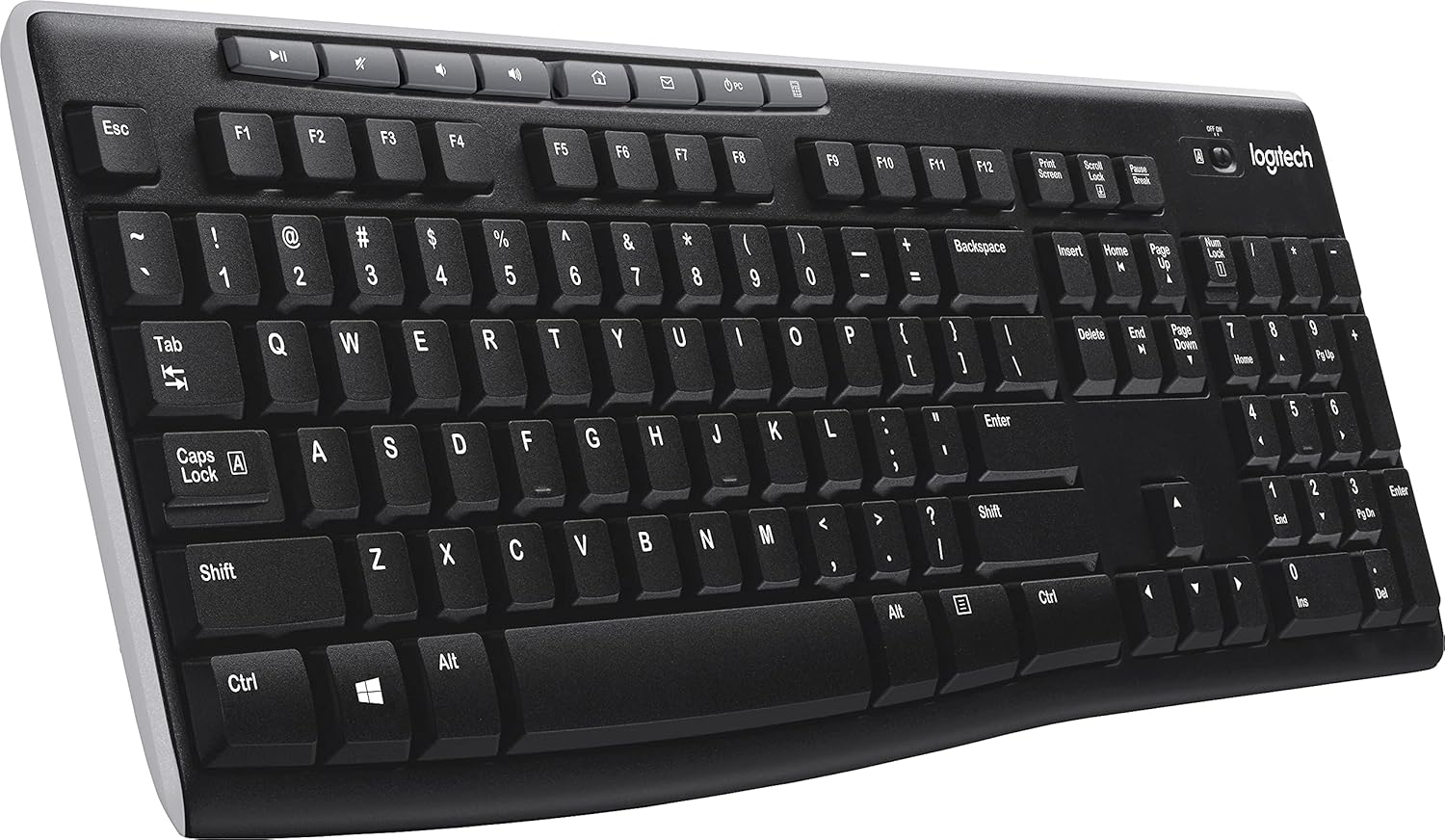
Vaizdas: kampuotas view „Logitech K270“ belaidės klaviatūros demonstravimasasing the right side with the numeric keypad and hotkeys.
Priežiūra
The Logitech K270 keyboard is designed with durability in mind, featuring a spill-resistant design and UV-coated keys to prevent fading.
- Valymas: Norėdami išvalyti klaviatūrą, švelniai nuvalykite paviršių minkšta,amp cloth. Avoid using harsh chemicals or abrasive cleaners. Ensure the keyboard is powered off before cleaning.
- Atsparumas išsiliejimui: While spill-resistant, it is not waterproof. In case of a spill, immediately power off the keyboard, disconnect it from the computer, and allow it to dry completely before re-using. Do not submerge the keyboard in liquid.
- Baterijos keitimas: Replace batteries when the low battery indicator light illuminates or when keyboard performance degrades. Use two AAA alkaline batteries.
Trikčių šalinimas
| Problema | Sprendimas |
|---|---|
| Klaviatūra nereaguoja |
|
| Vėluojantis arba nutrūkstantis ryšys |
|
| Spartieji klavišai neveikia |
|
Specifikacijos
| Prekės ženklas | Logitech |
| Modelio numeris | LOG920003051 |
| Ryšio technologija | Wireless (2.4 GHz, USB Unifying Receiver) |
| Klaviatūros aprašymas | Wireless, Full-size with Numeric Pad |
| Ypatinga funkcija | Spill Resistant, UV-Coated Keys |
| Spalva | Juoda |
| Maitinimo šaltinis | Maitinamas baterijomis (2 x AAA) |
| Operacinės sistemos suderinamumas | Windows Vista, Windows XP, Mac OS X (and newer versions) |
| Prekės svoris | 1.59 svaro (apie 0.72 kg) |
| Gaminio matmenys (IxPxH) | 18.1 x 17.2 x 0.8 colio (apytiksliai 46 x 43.7 x 2 cm) |
Garantija ir palaikymas
Dėl išsamios informacijos apie garantiją, techninės pagalbos ir papildomų išteklių apsilankykite oficialioje „Logitech“ palaikymo svetainėje websvetainėje. Ten galite rasti vairuotojus, DUK ir klientų aptarnavimo kontaktinę informaciją.
„Logitech“ palaikymas Websvetainė: support.logi.com
Please have your product model number (K270 or LOG920003051) and serial number ready when contacting support.


