1. Įvadas
This manual provides essential information for setting up, operating, maintaining, and troubleshooting your new CYBERPOWERPC Luxe Gaming PC. Please read this guide thoroughly before using your system to ensure optimal performance and longevity.
The CYBERPOWERPC Luxe Gaming PC is a high-performance desktop computer designed for gaming and demanding applications. It features an Intel Core i7-12700KF processor, Nvidia GeForce RTX 4060 Ti graphics, 32GB DDR5 RAM, and a 1TB NVMe SSD, all housed in a CyberpowerPC Prism Mid Tower case with advanced cooling.
2. Sistemos sąranka
2.1 Išpakavimas
Carefully remove the PC from its packaging. Retain all packaging materials for future transport or warranty claims. Ensure all accessories, such as power cables, documentation, and any included peripherals, are present.
2.2 Išorinių įrenginių prijungimas
Prieš įjungdami, prijunkite svarbiausius periferinius įrenginius:
- Monitorius: Connect your monitor to the graphics card's DisplayPort or HDMI output. Ensure the cable is securely fastened.
- Klaviatūra ir pelė: Connect your keyboard and mouse to the available USB ports on the rear or top of the PC.
- Garsas: Connect speakers or headphones to the audio output jacks on the rear or front panel.
- Tinklas: For a wired connection, connect an Ethernet cable to the RJ45 port. For wireless, ensure the Wi-Fi antenna (if included) is attached.

2.2.1 vaizdas: priekis view of the CYBERPOWERPC Luxe Gaming PC. This image displays the tempered glass side panel, internal components with RGB lighting, and the overall design of the PC tower.
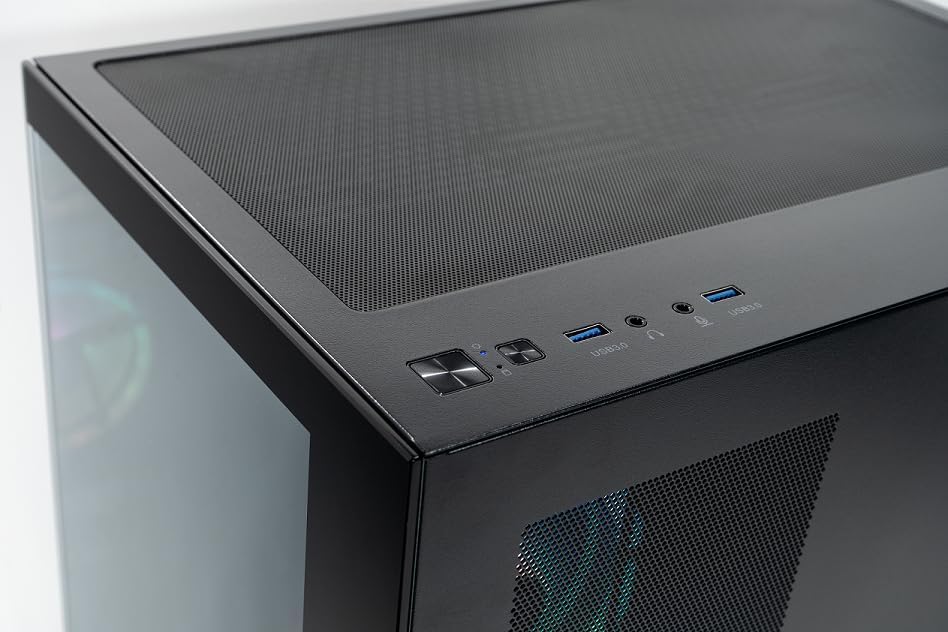
Image 2.2.2: Top panel of the CYBERPOWERPC Luxe Gaming PC. This image highlights the power button, reset button, two USB 3.0 ports, and audio input/output jacks located on the top of the PC case for easy access.
2.3 Maitinimo jungtis
Connect the provided power cable to the power supply unit (PSU) input on the rear of the PC, then plug the other end into a grounded electrical outlet.
3. Naudojimo instrukcijos
3.1 Įjungimas / išjungimas
- Norėdami įjungti: Paspauskite maitinimo mygtuką, esantį kompiuterio viršutiniame skydelyje.
- Norėdami išjungti: From the Windows 11 desktop, click the Start button, then select Power > Shut down. Avoid direct power-off unless necessary to prevent data loss.
3.2 Pradinis paleidimas ir „Windows 11“ sąranka
Upon first power-on, the system will guide you through the Windows 11 Home setup process. Follow the on-screen instructions to configure your region, language, network, and user account.
3.3 Tinklo ryšys
- Laidinis (eternetas): Once the Ethernet cable is connected, Windows 11 should automatically detect and connect to the network.
- Belaidis ryšys („Wi-Fi“): After Windows 11 setup, click the Wi-Fi icon in the taskbar, select your network, and enter the password. The system supports 1200Mbps 802.11ac Wi-Fi.
4. Pagrindiniai komponentai ir funkcijos
Your CYBERPOWERPC Luxe Gaming PC is equipped with the following core components:
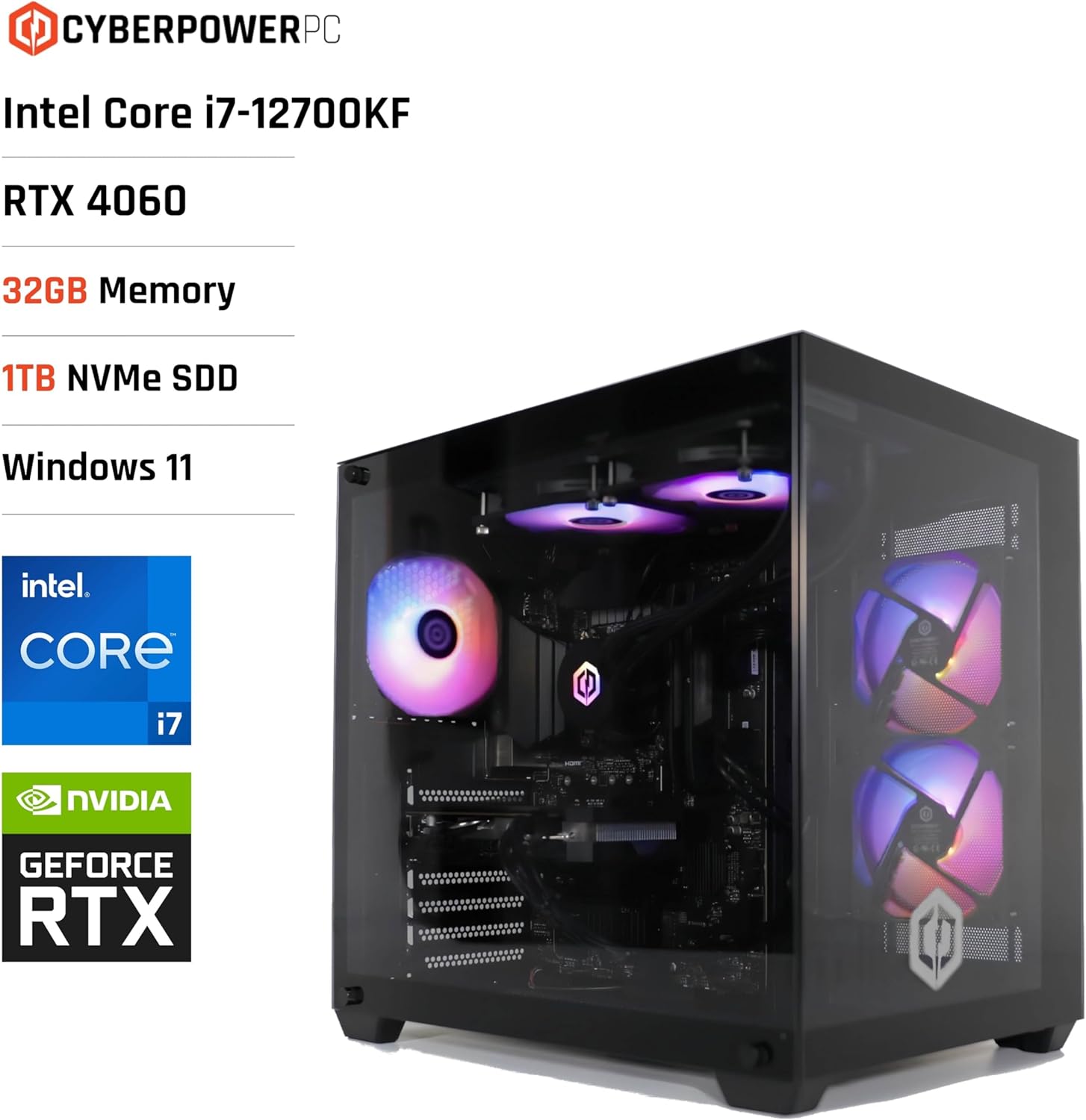
Image 4.1: CYBERPOWERPC Luxe Gaming PC with specifications. This image visually presents the PC alongside text overlays indicating its Intel Core i7-12700KF processor, RTX 4060 graphics, 32GB Memory, 1TB NVMe SSD, and Windows 11 operating system.
- Procesorius: Intel Core i7-12700KF (12 cores, 20 threads, up to 5.00GHz boost, 25MB cache).
- Vaizdo plokštė: Nvidia GeForce RTX 4060 Ti with 8GB GDDR6X memory. Supports DisplayPort v1.4a and HDMI 2.1.
- RAM: 32GB 5200MHz DDR5 RAM.
- Saugykla: 1TB M.2 NVMe Solid State Drive for fast boot times and application loading.
- Pagrindinė plokštė: Intel Z790 chipset motherboard.
- Maitinimas: 650W 80+ certified gaming power supply.
- Aušinimas: 240mm all-in-one CPU water cooler and 6x RGB LED fans for efficient thermal management.
- Operacinė sistema: Windows 11 Home (64-bit) pre-installed.
- Ryšys:
- 4x USB 3.1 prievadai
- 2x USB 2.0 prievadai
- 1x PS/2 KB or mouse port
- 1x RJ45 Ethernet LAN (10/100/1000)
- 1200Mbps 802.11ac Wi-Fi / WLAN
- 7.1 kanalo didelės raiškos garsas

4.2 vaizdas: galinis view of the CYBERPOWERPC Luxe Gaming PC. This image details the various input/output ports available on the back panel, including USB ports, Ethernet, audio jacks, and video outputs from the graphics card.

Image 4.3: Nvidia GeForce RTX logo. This image represents the powerful graphics processing unit integrated into the system.
5. Priežiūra
Regular maintenance helps ensure the longevity and performance of your PC.
- Dulkių valymas: Periodically clean dust from the case fans, CPU cooler, and graphics card heatsink using compressed air. Ensure the PC is powered off and unplugged before cleaning.
- Programinės įrangos atnaujinimai: Keep your Windows operating system, drivers (especially graphics drivers), and applications updated to the latest versions for security and performance improvements.
- Vėdinimas: Ensure the PC is placed in a well-ventilated area, free from obstructions that could block airflow to the intake and exhaust vents.
- Kabelių valdymas: Sutvarkykite vidinius ir išorinius kabelius, kad pagerintumėte oro srautą ir išvengtumėte atsitiktinio atjungimo.
6. Problemų sprendimas
Šiame skyriuje aptariamos dažniausiai pasitaikančios problemos, su kuriomis galite susidurti.
6.1 Nėra galios
- Patikrinkite, ar maitinimo laidas tvirtai prijungtas tiek prie kompiuterio, tiek prie sieninio lizdo.
- Verify the power switch on the PSU (located at the rear of the PC) is in the 'ON' position.
- Patikrinkite lizdą su kitu įrenginiu, kad įsitikintumėte, jog jis veikia.
6.2 Monitoriuje nėra vaizdo
- Ensure the monitor is powered on and the video cable (HDMI/DisplayPort) is securely connected to the graphics card outputs, not the motherboard's integrated video ports.
- Jei įmanoma, išbandykite kitą vaizdo kabelį arba monitorių.
- Confirm the correct input source is selected on your monitor.
6.3 Tinklo ryšio problemos
- Laidinio ryšio atveju patikrinkite eterneto kabelio ir maršrutizatoriaus būseną.
- For Wi-Fi, ensure the Wi-Fi adapter is enabled in Windows settings and you are connected to the correct network with the correct password.
- Restart your router/modem and the PC.
6.4 Sistemos našumo problemos
- Įsitikinkite, kad visos tvarkyklės, ypač grafikos tvarkyklės, yra atnaujintos.
- Naudodami užduočių tvarkytuvę (Ctrl + Shift + Esc), patikrinkite, ar nėra foninių programų, kurios sunaudoja per daug išteklių.
- Verify that the system is not overheating. Monitor CPU and GPU temperatures using appropriate software.
7. Techninės specifikacijos
| Komponentas | Specifikacija |
|---|---|
| Prekės ženklas | CyberpowerPC |
| Operacinė sistema | „Windows 11 Home“ (64 bitų) |
| CPU modelis | Intel Core i7-12700KF |
| CPU greitis | 3.6 GHz (bazinis), iki 5.0 GHz (stiprinimas) |
| CPU branduoliai/gijos | 12 Cores (8 Performance, 4 Efficient) / 20 Threads |
| Talpyklos dydis | 25 MB |
| Vaizdo plokštė | Nvidia GeForce RTX 4060 Ti 8GB GDDR6X |
| RAM | 32GB 5200MHz DDR5 |
| Sandėliavimas | 1 TB M.2 NVMe SSD diskas |
| Motherboard Chipset | Intel Z790 |
| Maitinimo šaltinis | 650W 80+ Gaming PSU |
| Aušinimas | 240mm All-in-One CPU Water Cooler, 6x RGB LED Fans |
| Wi-Fi | 1200Mbps 802.11ac WLAN |
| Ethernet | 10/100/1000 Gigabit LAN |
| Garsas | 7.1 kanalo didelės raiškos garsas |
| USB prievadai | 4x USB 3.1, 2x USB 2.0 |
| Atvejo tipas | CyberpowerPC Prism Mid Tower |
| Specifiniai naudojimo būdai | Žaidimai |
8. Garantija ir palaikymas
Your CYBERPOWERPC Luxe Gaming PC comes with the following warranty and support:
- Komponentų garantija: 2 years for components.
- Manufacturing Warranty: 3 years for manufacturing defects.
- Techninė pagalba: Visą gyvenimą trunkanti techninė pagalba.
- Programinė įranga: Includes 1 Year Norton 360 VPN & Security for Gamers.
For technical assistance or warranty claims, please contact CyberpowerPC customer support through their official websvetainėje arba kontaktinę informaciją, pateiktą jūsų produkto dokumentuose.


