1. Produktas baigtasview
The Vimtag CP1 is a wireless IP video monitoring surveillance security camera designed for remote home or business monitoring. It features high-definition video, pan/tilt functionality, two-way audio, and night vision capabilities.
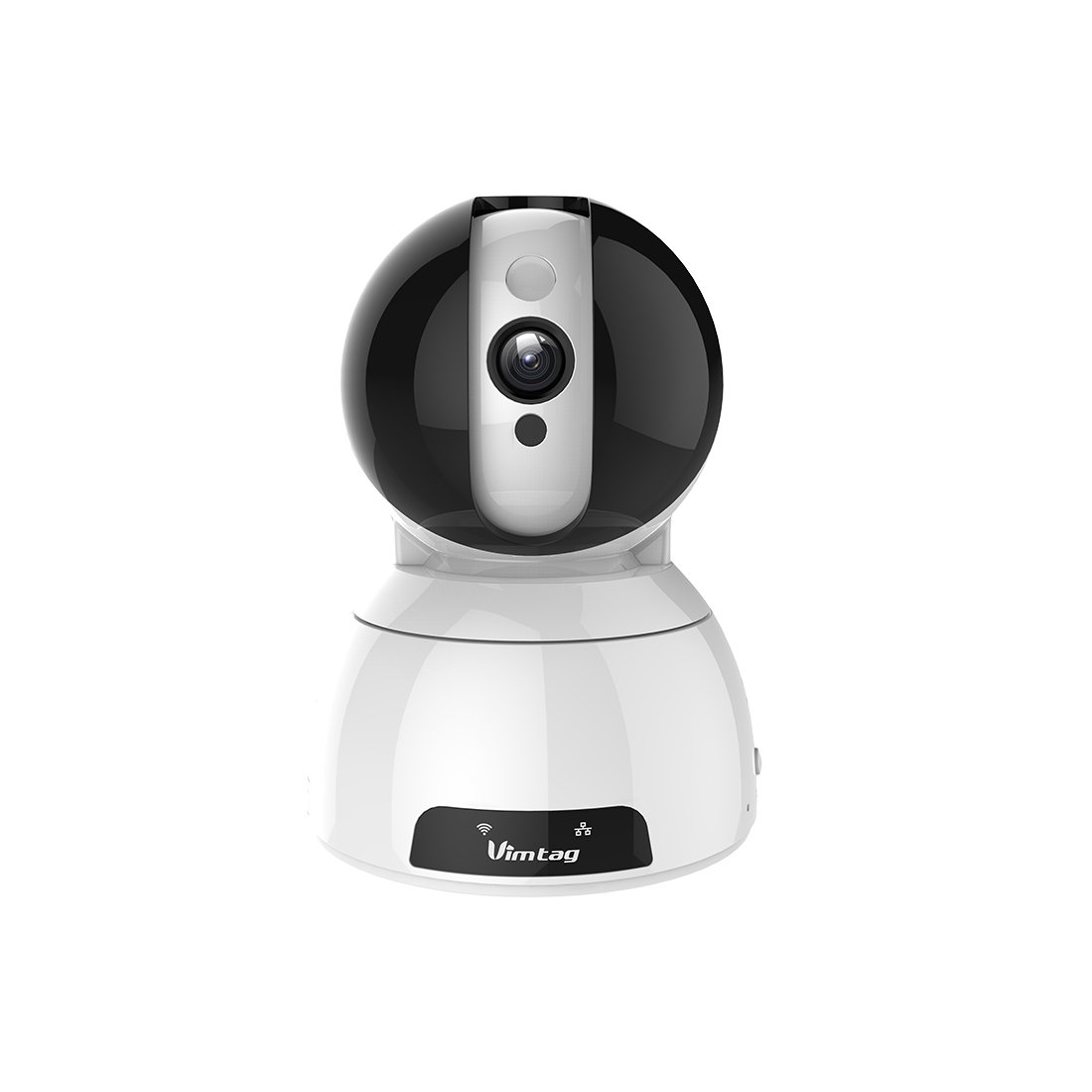
Figure 1: Vimtag CP1 Camera Front View
Pagrindinės funkcijos:
- HD vaizdo kokybė: 1280 x 720p at 25 frames per second for clear monitoring.
- Pakreipimo ir pasukimo funkcija: 350-degree horizontal rotation and 100-degree vertical tilt to cover a wide area.
- Dvipusis garsas: Įmontuotas mikrofonas ir garsiakalbis bendravimui.
- Naktinis matymas: Infrared LEDs provide clear visibility up to 10 meters in low-light conditions.
- Judesio aptikimas: Alerts with snapshots and video clips upon detecting movement.
- Vietinė ir debesų saugykla: Supports Micro SD cards up to 64GB and optional cloud storage.
- Lengvas nustatymas: Quick Wi-Fi setup via the Vimtag mobilioji programa.

Figure 2: Vimtag CP1 Key Features
2. Sąrankos vadovas
2.1 Pakuotės turinys
Prieš pradėdami, įsitikinkite, kad pakuotėje yra visi reikalingi daiktai:
- 1 x Vimtag CP1 Camera
- 1 x Camera Rack
- 1x maitinimo laidas
- 1 x Ethernet kabelis
- 1 x Naudotojo vadovas (šis dokumentas)
2.2 Pradiniai nustatymo žingsniai
- Maitinimas: Connect the power cable to the camera and plug it into a power outlet. The camera will initiate its startup sequence.
- Atsisiųskite programą: Download the free Vimtag app from your smartphone's app store (iOS App Store or Google Play Store).
- Paskyros registracija: Open the Vimtag app and register for a new account or log in if you already have one.
- Pridėti fotoaparatą: Follow the in-app instructions to add your new CP1 camera. This typically involves scanning a QR code on the camera or entering its device ID.
- „Wi-Fi“ konfigūracija: Configure the camera to connect to your Wi-Fi network using the app. Ensure your Wi-Fi network is 2.4GHz, as 5GHz networks may not be supported.
- Montavimas (pasirinktinai): Use the included camera rack to mount the camera on a wall or ceiling if desired.
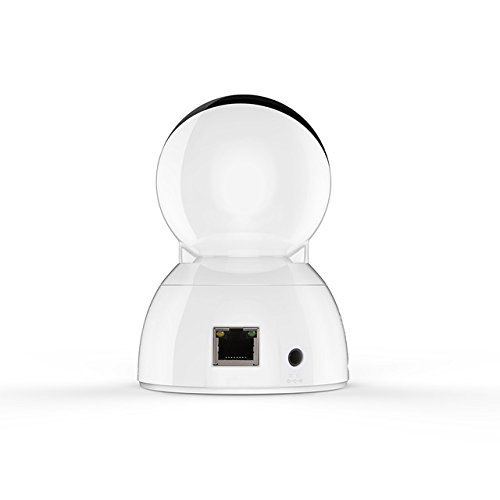
Figure 3: Vimtag CP1 Back View su uostais
For detailed visual guidance, refer to the video tutorials available on the official Vimtag parama websvetainę.
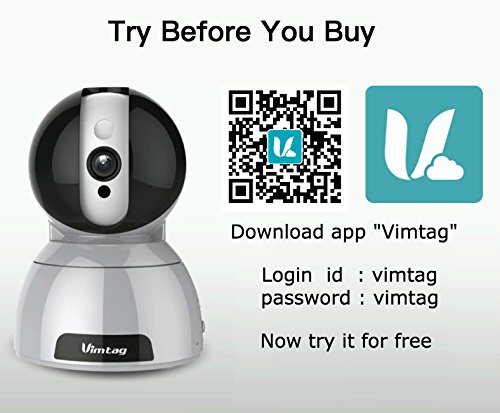
Figure 4: Vimtag App Download and Demo Information
Atsisiųskite Vimtag programa iš vimtag.com/download/.
3. Naudojimo instrukcijos
3.1 Tiesiogiai View ir panoraminio/pakreipimo valdymas
Once the camera is connected, open the Vimtag app to access the live video feed. Use the on-screen controls to pan the camera horizontally (350 degrees) and tilt it vertically (100 degrees) to adjust the viewing kampas.

Figure 5: Pan and Tilt Control via App
3.2 Dvipusis garsas
The camera supports two-way audio. Tap the microphone icon in the app to speak through the camera's speaker, and listen to audio from the camera's built-in microphone.
3.3 Naktinis matymas
The CP1 camera automatically switches to night vision mode in low-light conditions, providing clear black and white video up to 10 meters using its infrared LEDs.
3.4 Judesio aptikimas ir įspėjimai
Configure motion detection settings within the Vimtag app. You can set sensitivity levels and define specific areas for detection. When motion is detected, the camera can send instant notifications to your smartphone, including snapshots or short video clips.
3.5 Vaizdo įrašymas ir saugojimas
Kamera palaiko du pagrindinius saugojimo būdus:
- „Micro SD“ kortelė: Insert a Micro SD card (up to 64GB, not included) into the camera's designated slot for local recording. Recordings can be accessed and managed through the app.
- Saugykla debesyje: Optional cloud storage services are available through Vimtag for remote backup and access to recorded footage.
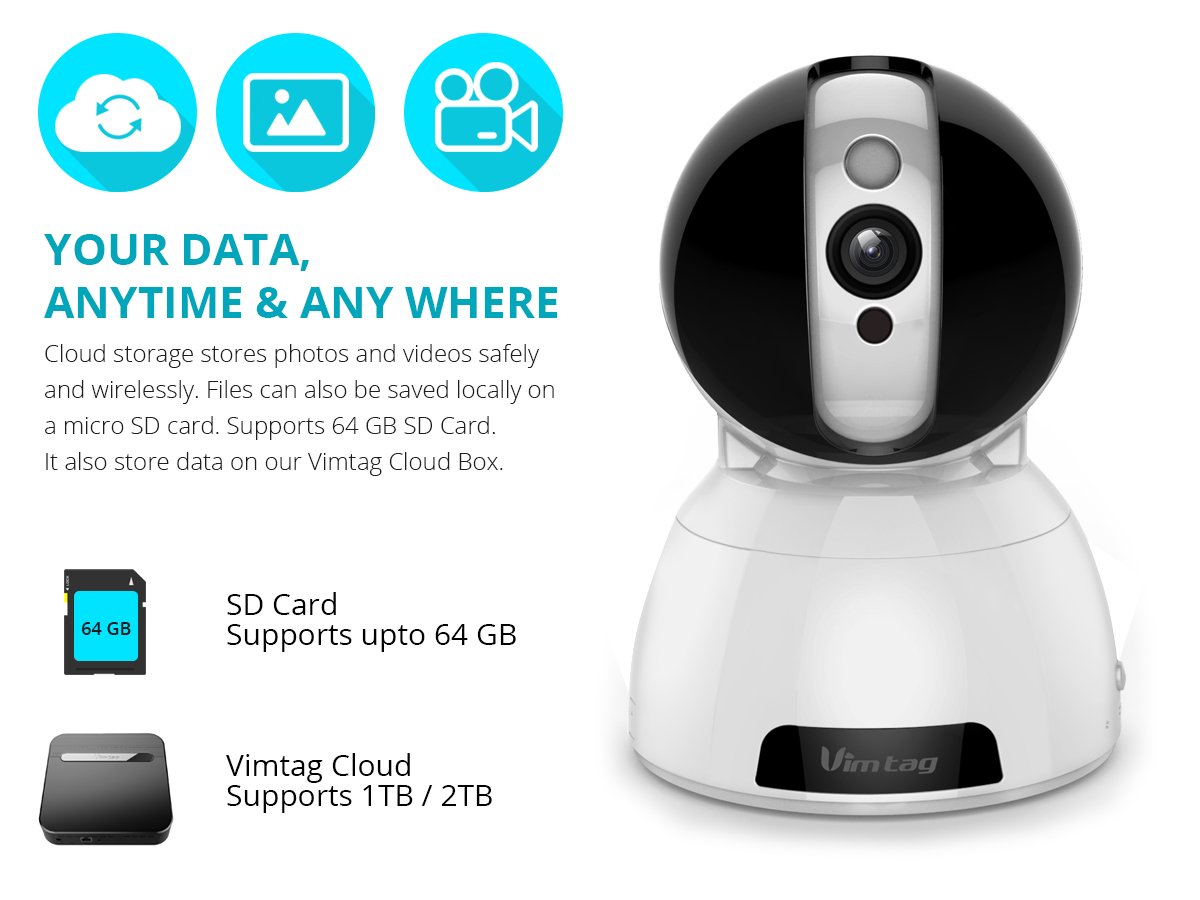
Figure 6: Storage Options for Vimtag CP1
4. Priežiūra
4.1 Valymas
To maintain optimal performance, periodically clean the camera's lens and exterior. Use a soft, dry cloth. Avoid abrasive cleaners or solvents that could damage the camera's finish or lens coating.
4.2 Firmware atnaujinimai
Vimtag may release firmware updates to improve camera performance, add features, or enhance security. Check the Vimtag app regularly for available updates and follow the in-app instructions to install them. Ensure the camera remains powered during the update process.
4.3 Aplinkosaugos aspektai
The Vimtag CP1 camera is designed for indoor use. Avoid exposing it to extreme temperatures, direct sunlight, high humidity, or water, as it is not water-resistant.
5. Problemų sprendimas
This section addresses common issues you might encounter with your Vimtag CP1 camera.
5.1 Kamera neprisijungia prie „Wi-Fi“
- Patikrinkite „Wi-Fi“ dažnių juostą: Įsitikinkite, kad jūsų „Wi-Fi“ tinklas yra 2.4 GHz dažnio. Kamera gali nepalaikyti 5 GHz tinklų.
- Signalo stiprumas: Place the camera closer to your Wi-Fi router to ensure a strong signal.
- Teisingas slaptažodis: Double-check that you are entering the correct Wi-Fi password in the app.
- Atstatyti kamerą: Locate the reset button on the camera (often a small pinhole) and press it for 5-10 seconds until the camera resets. Then, attempt the setup process again.
- Maršrutizatoriaus nustatymai: Verify that your router's firewall or security settings are not blocking the camera's connection.
5.2 Prasta vaizdo kokybė
- Tinklo pralaidumas: Ensure your internet connection has sufficient upload speed for streaming HD video.
- Programos nustatymai: Check the video quality settings within the Vimtag app; you might be able to adjust it.
- Objektyvo švara: Nuvalykite fotoaparato objektyvą minkšta, sausa šluoste.
5.3 Dvipusio garso problemos
- Garsumo lygiai: Check the volume settings on your smartphone and within the Vimtag programėlė.
- Microphone/Speaker Obstruction: Įsitikinkite, kad kameros mikrofonas ir garsiakalbis nėra uždengti.
- Tinklo delsa: High network latency can affect audio quality and introduce delays.
5.4 Judesio aptikimas neveikia
- Įjungti funkciją: Verify that motion detection is enabled in the Vimtag programos nustatymus.
- Jautrumas: Adjust the motion detection sensitivity. If it's too low, it might miss events.
- Aptikimo zonos: Ensure the areas you want to monitor are correctly configured as detection zones.
6. Techninės specifikacijos
| Modelio pavadinimas | Vimtag CP1 |
| Prekės modelio numeris | 6970167642228 |
| Vaizdo įrašymo raiška | 720p (1280 x 720 pikselių) |
| Kadrų dažnis | 25 kadrų per sekundę |
| Panardinimo / pakreipimo diapazonas | 350 degrees (Pan) x 100 degrees (Tilt) |
| Skaitmeninis priartinimas | 4x |
| Naktinio matymo atstumas | Iki 10 metrų (infraraudonųjų spindulių) |
| Saugojimo parinktys | „Micro SD“ (iki 64 GB), debesies saugykla |
| Ryšys | Wireless (Wi-Fi IEEE802.12b/g/n) |
| Maitinimo šaltinis | AC Power Adapter (7 Watts) |
| Matmenys (I x P x A) | 40 x 30 x 40 milimetrai |
| Prekės svoris | 450 gramų |
| Naudojimas viduje / lauke | Vidinis |
| Atsparumo vandeniui lygis | Neatsparus vandeniui |
| Kontrolės metodas | App (Android, iOS), Voice |
7. Garantija ir palaikymas
7.1 Gaminio garantija
The Vimtag CP1 camera comes with a 6 mėnesių pakeitimo garantija. This warranty covers manufacturing defects and malfunctions under normal use. Please retain your proof of purchase for warranty claims.
7.2 Pagalba klientams
For any queries, technical assistance, or warranty claims, please contact Vimtag customer support. Support is available via telephone, chat, Skype, and email. Refer to the official Vimtag websvetainę, kurioje rasite naujausią kontaktinę informaciją.
Step-by-step setup instructions and video tutorials are also available on the Vimtag support portal to assist you with installation and operation.


