1. Įvadas
This manual provides instructions for the installation, operation, and maintenance of your Swann 8-Channel 1080p Surveillance Kit. This system is designed to provide high-definition video surveillance for your property, featuring an 8-channel Digital Video Recorder (DVR) and four 1080p cameras.
2. Pakuotės turinys
Patikrinkite pakuotės turinį. Jei trūksta kokių nors daiktų arba jie pažeisti, susisiekite su pardavėju.
- Swann 8-Channel 1080p DVR with 1TB Hard Drive
- 4 x 1080p Surveillance Cameras
- Maitinimo adapteriai vaizdo registratoriams ir kameroms
- Video Cables for Cameras
- HDMI kabelis
- Ethernet kabelis
- USB pelė
- Tvirtinimo varžtai ir kaiščiai
- Greitos pradžios vadovas
3. Produktas baigtasview
3.1 skaitmeninis vaizdo įrašymo įrenginys (DVR)
The DVR is the central unit for recording, storing, and managing video footage from your cameras. It features 8 channels for connecting up to 8 cameras and a pre-installed 1TB hard drive for continuous recording.
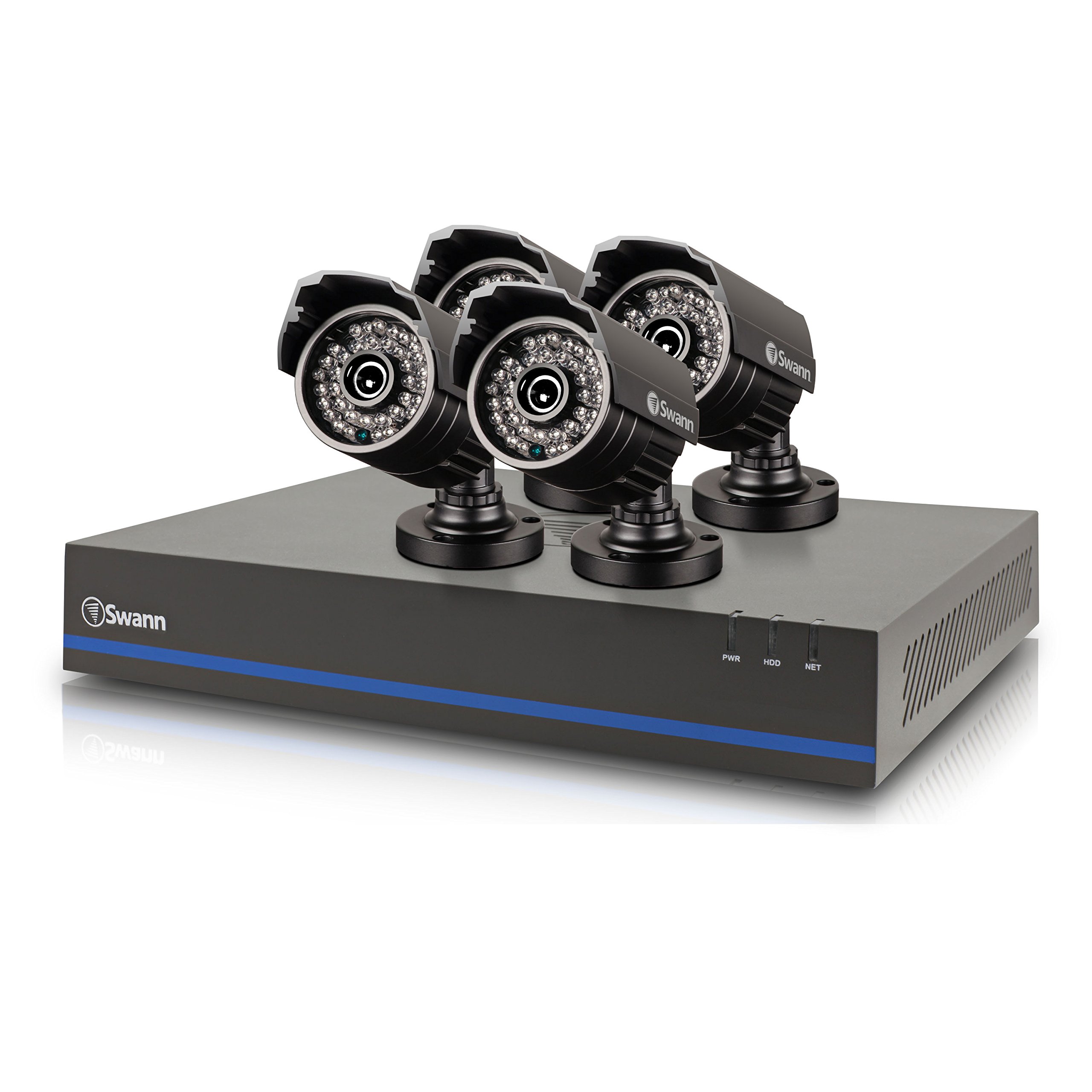
Image 1: Swann 8-Channel DVR (Angled View). This image shows the DVR unit from an angle, highlighting its compact design and front panel indicators.
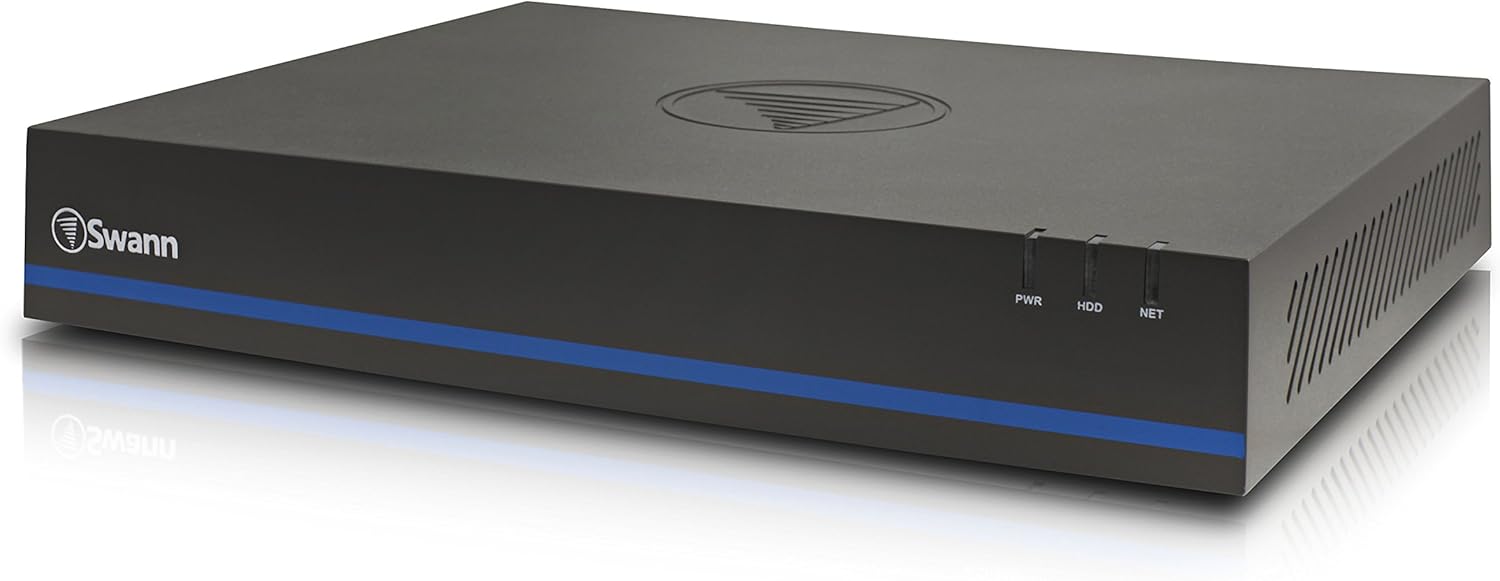
Image 2: Swann 8-Channel DVR (Front View). This image displays the front of the DVR, showing the PWR, HDD, and NET indicator lights.
3.2 Surveillance Cameras
The kit includes four 1080p cameras designed for both indoor and outdoor use. They provide crystal-clear 1920 x 1080 pixel video and are equipped with IR-cut filters for powerful night vision up to 100 feet (30 meters). The cameras have an IP66 weather-resistant rating.
4. Sąranka
4.1 Aparatinės įrangos diegimas
- DVR išdėstymas: Place the DVR in a secure, well-ventilated area, away from direct sunlight and moisture.
- Kamerų prijungimas: Connect each camera to an available video input port on the DVR using the provided video cables. Ensure connections are secure.
- Powering Cameras: Connect the camera power adapters to the cameras and then to a power outlet.
- Connecting to a Monitor: Connect the DVR to a monitor (e.g., HDTV, LCD screen) using the HDMI or VGA cable.
- Pelės prijungimas: Prijunkite USB pelę prie DVR USB prievado.
- Tinklo ryšys (nebūtinas, bet rekomenduojamas): Connect an Ethernet cable from the DVR to your router for remote viewgebėjimus.
- Powering the DVR: Prijunkite DVR maitinimo adapterį prie DVR, o tada į elektros lizdą. DVR įsijungs automatiškai.
4.2 Pradinė programinės įrangos konfigūracija
Upon first power-on, the DVR will guide you through an initial setup wizard. Follow the on-screen prompts to:
- Set up a password for the administrator account.
- Konfigūruokite datos ir laiko nustatymus.
- Adjust video output resolution.
- Perform a software update if prompted. (Note: Some users have reported needing to manually check for updates.)
- Configure network settings (if connected to a router).
4.3 Mobiliosios programėlės sąranka
Nuotoliniam viewing on your smartphone or tablet (iOS/Android), download the SwannView Pliusas app from your device's app store. (Note: The older SwannView app is not compatible with this system.) Follow the in-app instructions to add your DVR using its unique ID or QR code.
5. Sistemos valdymas
5.1 Tiesiogiai Viewing
Kai sistema bus nustatyta, galėsite view gyvas kvailystage from all connected cameras on your monitor or via the SwannView Plus mobile app. Use the USB mouse to navigate the DVR's on-screen interface.
5.2 Įrašymas
DVR palaiko įvairius įrašymo režimus:
- Nepertraukiamas įrašymas: Įrašai visą parą, perrašant senesnius maisto produktustage, kai kietasis diskas yra pilnas.
- Judesio aptikimo įrašymas: Records only when motion is detected by a camera. Sensitivity and recording schedules can be configured.
- Suplanuotas įrašymas: Įrašai daromi konkrečiu paros ar savaitės metu.
Access the DVR's menu to configure recording settings for each camera.
5.3 Atkūrimas
Norėdami iš naujoview įrašytas footage:
- Access the DVR's main menu and select the 'Playback' option.
- Choose the date and time range you wish to review.
- Select the camera(s) whose footage tu nori view.
- Norėdami naršyti po įrašą, naudokite atkūrimo valdiklius (leisti, pristabdyti, greitai persukti pirmyn, atsukti atgal).tage.
You can also transfer incident video to external storage via USB or network.
5.4 Nuotolinė prieiga
The SwannView Plus app allows you to:
- View live camera feeds from anywhere with an internet connection.
- Atkurti įrašytą vaizdątage.
- Receive push notifications for motion detection events.
Ensure your DVR is connected to the internet and the app is correctly configured.
6. Priežiūra
- Reguliarus valymas: Keep camera lenses clean for optimal image clarity. Use a soft, damp audinys.
- DVR ventiliacija: Ensure the DVR's ventilation openings are clear to prevent overheating.
- Firmware atnaujinimai: Periodically check the Swann support website for firmware updates for your DVR to ensure optimal performance and security.
- Kietojo disko valdymas: 1 TB kietasis diskas automatiškai perrašys seniausius failus.tage when full. Back up important footage reguliariai.
7. Problemų sprendimas
| Problema | Galima priežastis | Sprendimas |
|---|---|---|
| No video on monitor | Atsilaisvinęs kabelis, neteisingas įvesties šaltinis monitoriuje, vaizdo registratorius neįjungtas. | Patikrinkite HDMI/VGA kabelio jungtis. Įsitikinkite, kad monitorius įjungtas į tinkamą įvestį. Patikrinkite vaizdo registratoriaus maitinimą. |
| Nėra nuotolinio valdymo pulto viewper programėlę | DVR not connected to network, incorrect app (SwannView Link vs. SwannView Plus), network configuration issues. | Ensure DVR is connected to router. Confirm you are using the SwannView Pliusas app. Check DVR network settings. |
| Prasta naktinio matymo kokybė | Obstructions in front of camera, camera too far from subject, IR lights blocked. | Clear obstructions. Ensure camera is within 82 feet (25 meters) of the area of interest. |
| DVR making loud humming noise | Normal operation of internal fan/hard drive, poor ventilation. | Ensure adequate ventilation around the DVR. If noise is excessive, contact support. |
| False motion alerts (e.g., from insects) | High motion sensitivity, insects near camera at night. | Adjust motion detection sensitivity in DVR settings. Consider scheduling email alerts to avoid notifications during specific times. |
8. Specifikacijos
- Prekinis ženklas: Swann
- Modelio numeris: LYSB01LG2GSMY-ELECTRNCS
- Ryšio technologija: Laidinis
- Vaizdo įrašo raiška: 1080p
- Ypatingos savybės: Judesio jutiklis, naktinis matymas
- Kanalų skaičius: 8
- Atminties saugojimo talpa: 1 TB (kietasis diskas)
- Maitinimo šaltinis: Su laidu elektra
- Prekės matmenys (I x P x A): 16.5 x 12.6 x 8.3 colio
- Operacinės sistemos suderinamumas: Android, iOS (for mobile app)
- Rekomenduojami naudojimo būdai: Indoor, Outdoor Surveillance
- Naktinio matymo diapazonas: Iki 25 metrų (82 pėdų)
- Viewpakreipimo kampas: 90 laipsnių
- Prekės svoris: 12.8 svaro
- UPC: 840236117031
9. Garantija ir palaikymas
For warranty information and technical support, please refer to the documentation included with your product or visit the official Swann websvetainėje. Išsaugokite pirkimo kvitą kaip pirkimo įrodymą garantiniams reikalavimams.
Internetiniai ištekliai:
- Swann Official Websvetainė: www.swann.com
- Product Support Page: Refer to the Swann website for specific support pages related to your model.


