1. Produktas baigtasview
The ADATA HM900 (model AHM900-6TU3-CEUBK) is a 6TB external hard disk drive designed for high-capacity data storage and transfer. This mechanical hard disk drive offers ample space for extensive data needs and supports simultaneous operations without compromising performance. It connects via USB, making it compatible with various devices, including personal computers and televisions.

1 pav.: Priekinė pusė view of the ADATA HM900 External Hard Drive.
2. Sąrankos instrukcijos
2.1 Pakuotės turinys
Prieš tęsdami įsitikinkite, kad pakuotėje yra visi reikalingi daiktai:
- ADATA HM900 External Hard Disk Drive
- USB duomenų kabelis
- Maitinimo adapteris
- Greito paleidimo vadovas (jei pridėtas)
2.2 Kietojo disko prijungimas
- Prijunkite maitinimo adapterį: Plug the power adapter into the DC IN port on the back of the ADATA HM900. Connect the other end of the power adapter to a wall outlet. The device requires 12 Watts of power.
- Prijunkite USB kabelį: Insert one end of the provided USB data cable into the USB port (marked 'SS' for SuperSpeed USB) on the back of the hard drive.
- Prisijunkite prie savo įrenginio: Plug the other end of the USB cable into an available USB port on your computer, television, or other compatible device.
- Maitinimas: The drive should power on automatically. A status indicator light will typically illuminate to show it is active.
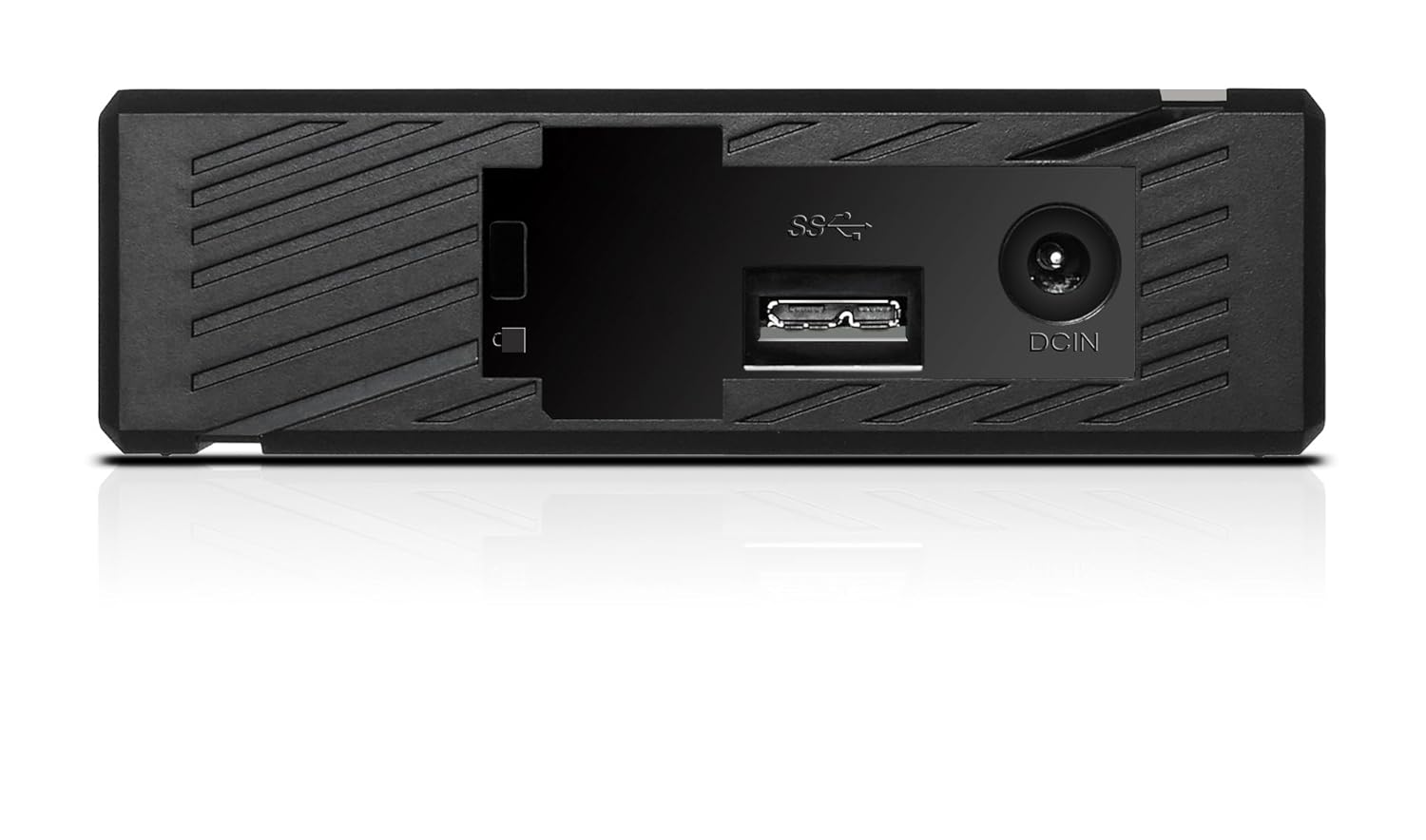
2 pav.: galinis view of the ADATA HM900, highlighting the USB and DC IN ports for connection.
3. Kietojo disko valdymas
3.1 Initial Recognition
Upon first connection, your operating system (Windows, macOS, Linux) or compatible device (e.g., smart TV) should automatically detect the ADATA HM900. For computers, it may appear as a new drive letter or volume in 'My Computer'/'This PC' or 'Finder'.
3.2 Duomenų perdavimas
Norėdami perkelti files, simply drag and drop them to and from the HM900 drive icon. For larger transfers, it is recommended to use your operating system's copy/paste functions or dedicated backup software.
3.3 Using with a Television
The ADATA HM900 is compatible with televisions that support external storage devices. Connect the drive as described in Section 2.2. Refer to your television's user manual for specific instructions on how to access and play media files from an external USB drive.
4. Priežiūra ir priežiūra
Proper care ensures the longevity and reliability of your ADATA HM900 external hard drive:
- Saugus atjungimas: Always safely eject or unmount the hard drive from your operating system before physically disconnecting the USB cable or power. This prevents data corruption.
- Fizinė apsauga: Avoid dropping or subjecting the drive to strong impacts, as it contains a mechanical hard disk that can be damaged.
- Aplinkos sąlygos: Store and operate the drive in a cool, dry environment, away from direct sunlight, extreme temperatures, and high humidity.
- Valymas: Disko išorę valykite minkštu, sausu skudurėliu. Nenaudokite skystų valiklių ar tirpiklių.
5. Problemų sprendimas
5.1 Diskas neaptiktas
- Patikrinkite jungtis: Ensure both the power adapter and USB cable are securely connected to the drive and your device.
- Išbandykite kitą USB prievadą: Connect the drive to a different USB port on your computer or device.
- Patikrinkite galią: Confirm the power adapter is plugged into a working electrical outlet and the drive's indicator light is on.
- Iš naujo paleiskite įrenginį: Restart your computer or television and try connecting the drive again.
- Patikrinkite disko tvarkymą („Windows“) / disko įrankį („macOS“): For computers, check if the drive appears in disk management tools, even if it doesn't have a drive letter assigned.
5.2 Mažas duomenų perdavimo greitis
- Naudokite USB 3.0 prievadą: Ensure the drive is connected to a USB 3.0 (or higher) port on your device for optimal speeds. USB 2.0 ports will result in slower transfers.
- Venkite kitų USB įrenginių: Didelių duomenų perdavimų metu atjunkite kitus didelės spartos USB įrenginius.
- Patikrinkite disko būklę: Run a disk check utility on your computer to ensure the drive is healthy.
6. Specifikacijos
| Funkcija | Specifikacija |
|---|---|
| Prekės ženklas | DUOMENYS |
| Modelio numeris | AHM900-6TU3-CEUBK |
| Skaitmeninės atminties talpa | 6 TB |
| Kietojo disko aprašymas | Mechaninis kietasis diskas |
| Kietojo disko formos koeficientas | 2.5 colių |
| Ryšio technologija | USB |
| Prekės matmenys (IxPxH) | 19x12.1x3.65 cm |
| Prekės svoris | 998 g |
| Vattage | 12 vatų |
| Suderinami įrenginiai | Television, Personal Computers |
| Pirmoji laisva data | 11 m. lapkričio 2016 d |
7. Garantija ir palaikymas
For detailed warranty information, please refer to the warranty card included with your product or visit the official ADATA website. Support resources, including drivers and firmware updates, may also be available on the ADATA support portal.


