1. Įvadas
This manual provides comprehensive instructions for the installation, operation, and maintenance of your WiZ Smart LED Ceiling Light, model WZ509089. Please read this manual carefully before using the product to ensure safe and efficient operation. Keep this manual for future reference.
2. Produktas baigtasview
The WiZ Smart LED Ceiling Light WZ509089 is a versatile lighting solution offering advanced features for modern homes. It provides 2100 lumens of brightness and a wide spectrum of lighting options, including 64,000 shades of white (from 2200K warm white to 6500K cool white) and 16 million colors. This smart light integrates seamlessly with Wi-Fi networks, allowing control via the WiZ app, remote control, and voice commands through Amazon Alexa or Google Home.
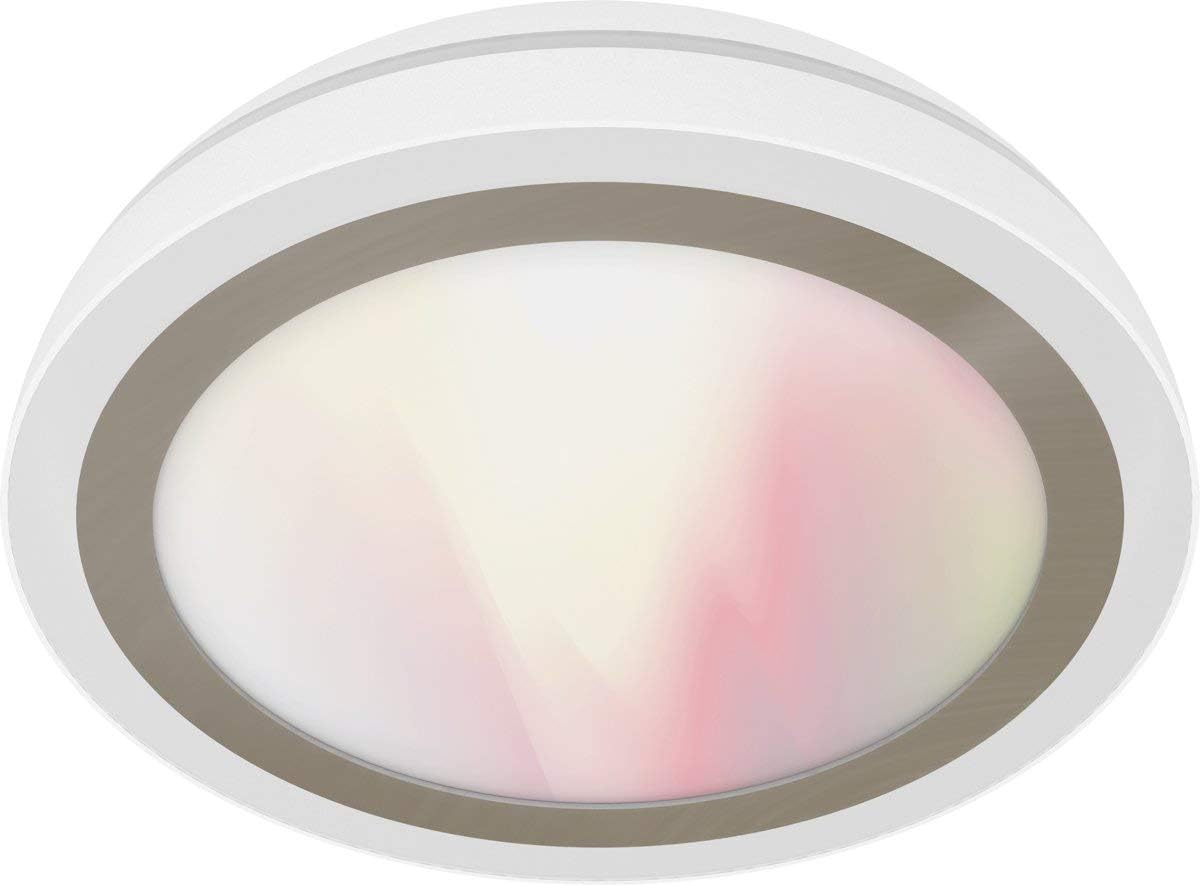
Figure 1: WiZ Smart LED Ceiling Light WZ509089. A white, circular WiZ Smart LED Ceiling Light, model WZ509089, with a translucent diffuser showing a soft gradient of white and pink light.
Pagrindinės funkcijos:
- Pritemdomas apšvietimas: Sureguliuokite ryškumą nuo 1% iki 100%.
- Derinamas baltas: Select from 64,000 shades of white light (2200K-6500K).
- Visas spalvų spektras: Access 16 million colors for personalized ambiance.
- Išmanusis valdymas: Wi-Fi enabled for control via WiZ app (iOS/Android), IR remote control, Amazon Alexa, and Google Home.
- Nereikalingas stebulė: Connects directly to your existing Wi-Fi network.
- Dynamic Light Modes: Pre-set modes for various activities and moods.
- Planavimas: Program lighting schedules and presence modes.
3. Sąrankos instrukcijos
3.1. Montavimas
- Pirmiausia sauga: Before beginning installation, ensure the power supply to the ceiling fixture is turned off at the circuit breaker.
- Išpakuoti: Carefully remove the WiZ Smart LED Ceiling Light from its packaging.
- Montavimas:
- Attach the mounting bracket to the ceiling junction box using appropriate screws.
- Connect the electrical wires (Live, Neutral, Ground) from the ceiling to the corresponding wires on the light fixture. Ensure connections are secure.
- Pritvirtinkite šviestuvą prie tvirtinimo laikiklio.
- Atkurti maitinimą: Once installed, restore power at the circuit breaker. The light should turn on, indicating it is ready for pairing.
3.2. Wi-Fi Pairing (WiZ App)
- Atsisiųsti programą: Atsisiųskite „WiZ“ programėlę iš „Apple App Store“ arba „Google Play Store“.
- Sukurti paskyrą: Atidarykite programėlę ir sukurkite naują „WiZ“ paskyrą arba prisijunkite prie esamos.
- Pridėti įrenginį: Programėlėje palieskite piktogramą „+“, kad pridėtumėte naują įrenginį.
- Pasirinkite šviesos tipą: Choose "Light" and follow the on-screen instructions.
- Susiejimo režimas: The light should be blinking, indicating it's in pairing mode. If not, turn the light off and on three times to activate pairing mode.
- Prisijunkite prie „Wi-Fi“: The app will guide you to connect the light to your 2.4 GHz Wi-Fi network. Ensure your phone is also connected to the same network during setup.
- Užbaigti sąranką: Once connected, you can name your light and assign it to a room.
4. Naudojimo instrukcijos
4.1. „WiZ“ programėlės valdymas
The WiZ app provides full control over your light:
- Įjungta/Išjungta: Tap the light icon to turn it on or off.
- Ryškumas: Use the slider to adjust brightness levels.
- Color/White Selection: Choose from the color wheel for 16 million colors or the white spectrum for various white shades.
- Režimai: Select from pre-set dynamic light modes (e.g., Cozy, Focus, Party).
- Tvarkaraščiai: Set timers for the light to turn on/off or change modes automatically.
- Energijos stebėjimas: Track energy consumption (if supported by the app version).
4.2. Remote Control (Sold Separately or Included)
If you have a WiZ remote control, you can perform basic functions:
- Įjungimo/išjungimo mygtukas: Toggle power.
- Pritemdymo mygtukai: Padidinkite arba sumažinkite ryškumą.
- Scenos mygtukai: Cycle through pre-set scenes or favorite modes.
4.3. Voice Control (Amazon Alexa / Google Home)
To enable voice control, link your WiZ account with your Amazon Alexa or Google Home app:
- Open Smart Home App: Atidarykite „Amazon Alexa“ arba „Google Home“ programėlę.
- Add Device/Skill:
- For Alexa: Go to "Skills & Games," search for "WiZ," and enable the skill.
- For Google Home: Go to "Set up device," then "Works with Google," and search for "WiZ."
- Susieti paskyrą: Follow the prompts to link your WiZ account.
- Atraskite įrenginius: Ask Alexa or Google to "discover devices."
Susiejus, galite naudoti tokias komandas kaip:
- „Alexa, įjunk [Šviesos pavadinimas]“.
- „Ei, „Google“, pritemdyk [Šviesos pavadinimas] iki 50 %.“
- "Alexa, set [Light Name] to blue."
- "Hey Google, change [Light Name] to warm white."
5. Priežiūra
The WiZ Smart LED Ceiling Light WZ509089 requires minimal maintenance.
- Valymas: Ensure the power is off before cleaning. Use a soft, dry cloth to wipe the surface of the light. Do not use abrasive cleaners or solvents, as they may damage the finish.
- Nėra vartotojo aptarnaujamų dalių: The LED components are integrated and not user-replaceable. Do not attempt to open or repair the fixture.
- Programinės įrangos atnaujinimai: Keep your WiZ app updated to ensure you have the latest features and security enhancements. The light's firmware may also update automatically via the app.
6. Problemų sprendimas
| Problema | Galima priežastis | Sprendimas |
|---|---|---|
| Šviesa neįsijungia. | Nėra maitinimo šaltinio; atsilaisvinę laidai; sugedęs šviestuvas. | Check circuit breaker. Verify wiring connections. Contact customer support if issue persists. |
| Nepavyksta prisijungti prie „Wi-Fi“. | Incorrect Wi-Fi password; 5GHz network; light too far from router; light not in pairing mode. | Ensure 2.4GHz Wi-Fi. Re-enter password. Move light closer to router. Cycle power (off/on 3 times) to enter pairing mode. |
| Nuotolinio valdymo pultas neveikia. | Batteries dead; remote not paired. | Replace batteries. Follow remote pairing instructions (refer to remote's manual). |
| Balso valdymas nereaguoja. | WiZ account not linked; device not discovered; internet connection issue. | Verify WiZ skill/service is enabled and linked in Alexa/Google Home app. Ask to "discover devices." Check internet connection. |
7. Gaminio specifikacijos
| Funkcija | Detalė |
|---|---|
| Prekės ženklas | „WiZ“ |
| Modelio numeris | WZ509089 |
| Gamintojas | Jedi |
| Šviesos šaltinio tipas | LED |
| Šviesos srautas | 2100 lumens (as per product title) |
| Spalvos temperatūra | 2200K - 6500K (64,000 white shades) + 16 million colors |
| Vattage | 100 vatų |
| Kaitrinis ekvivalentas | 130 vatų |
| ttage | 230 voltų |
| Medžiaga | Akrilas |
| Spalva | Baltas |
| Gaminio matmenys | 17 x 17 x 9 cm |
| Prekės svoris | 1874 gramų (1.87 kg) |
| Kontrolės metodas | WiZ App, Remote Control, Voice (Alexa, Google Home) |
| Ryšys | „Wi-Fi“ (2.4 GHz) |
| Teritorijos apšvietimo klasifikacija | IP00 |
| CRI | 85 |
8. Garantija ir palaikymas
8.1. Informacija apie garantiją
WiZ products are designed for reliability and performance. For specific warranty terms and conditions, please refer to the warranty card included with your product or visit the official WiZ websvetainėje. Išsaugokite pirkimo įrodymą garantiniams reikalavimams.
8.2. Pagalba klientams
If you encounter any issues not covered in this manual or require further assistance, please contact WiZ customer support. You can typically find contact information on the WiZ website or within the WiZ app.
- Palaikymas internetu: Apsilankykite www.wizconnected.com/support (pvzamp(nuoroda, tikroji nuoroda gali skirtis).
- Pagalba programėlėje: Access support options directly through the WiZ app.


