Produkto savybės
- Xbox One S 500GB Console: A compact and powerful gaming console.
- „Xbox“ belaidis valdiklis: Includes one controller with a 3.5mm headset jack for audio and chat.
- 4K Blu-ray Movies: Watch Ultra HD Blu-ray discs for stunning visual clarity.
- 4K Content Streaming: Stream 4K content from popular apps like Amazon, Netflix, Hulu, and Microsoft Movies.
- Didelis dinaminis diapazonas (HDR): Experience richer, more luminous colors and video in supported games and content.
- Didelė žaidimų biblioteka: Play over 100 console exclusives and a growing library of Xbox 360 games through backward compatibility.
- Pridedami kabeliai: Comes with an HDMI cable (4K Capable) and an AC Power cable.
- Xbox Live Gold Trial: Includes a 14-day Xbox Live Gold Trial for online multiplayer and free games.
Sąrankos vadovas
1. Unboxing and Contents Check
Atsargiai išimkite visus daiktus iš pakuotės. Įsitikinkite, kad yra šie komponentai:
- Xbox One S 500GB Console
- 1 Xbox Wireless Controller
- HDMI Cable (4K Capable)
- Kintamosios srovės laidas
- 14-day Xbox Live Gold Trial (digital code or card)
2. Konsolės prijungimas
- Prijunkite HDMI kabelį: Insert one end of the HDMI cable into the HDMI OUT port on the back of your Xbox One S console. Connect the other end to an HDMI input on your TV or monitor.
- Prijunkite maitinimo kabelį: Plug the AC Power Cable into the power input on the back of the console. Connect the other end of the power cable to a wall outlet.

Vaizdas: Galinis view of the Xbox One S console, highlighting the HDMI OUT and power input ports for easy connection.
3. Setting Up the Controller
- Įdėkite baterijas: Open the battery compartment on the back of the Xbox Wireless Controller and insert two AA batteries (included).
- Įjungimo valdiklis: Paspauskite ir palaikykite „Xbox“ mygtuką ant valdiklio, kad jį įjungtumėte.
- Poravimas: Press the Pair button on the top of the controller (small circular button). Then, press the Pair button on the front of the console (small circular button near the USB port). The Xbox button on the controller will flash rapidly and then become solid when paired.
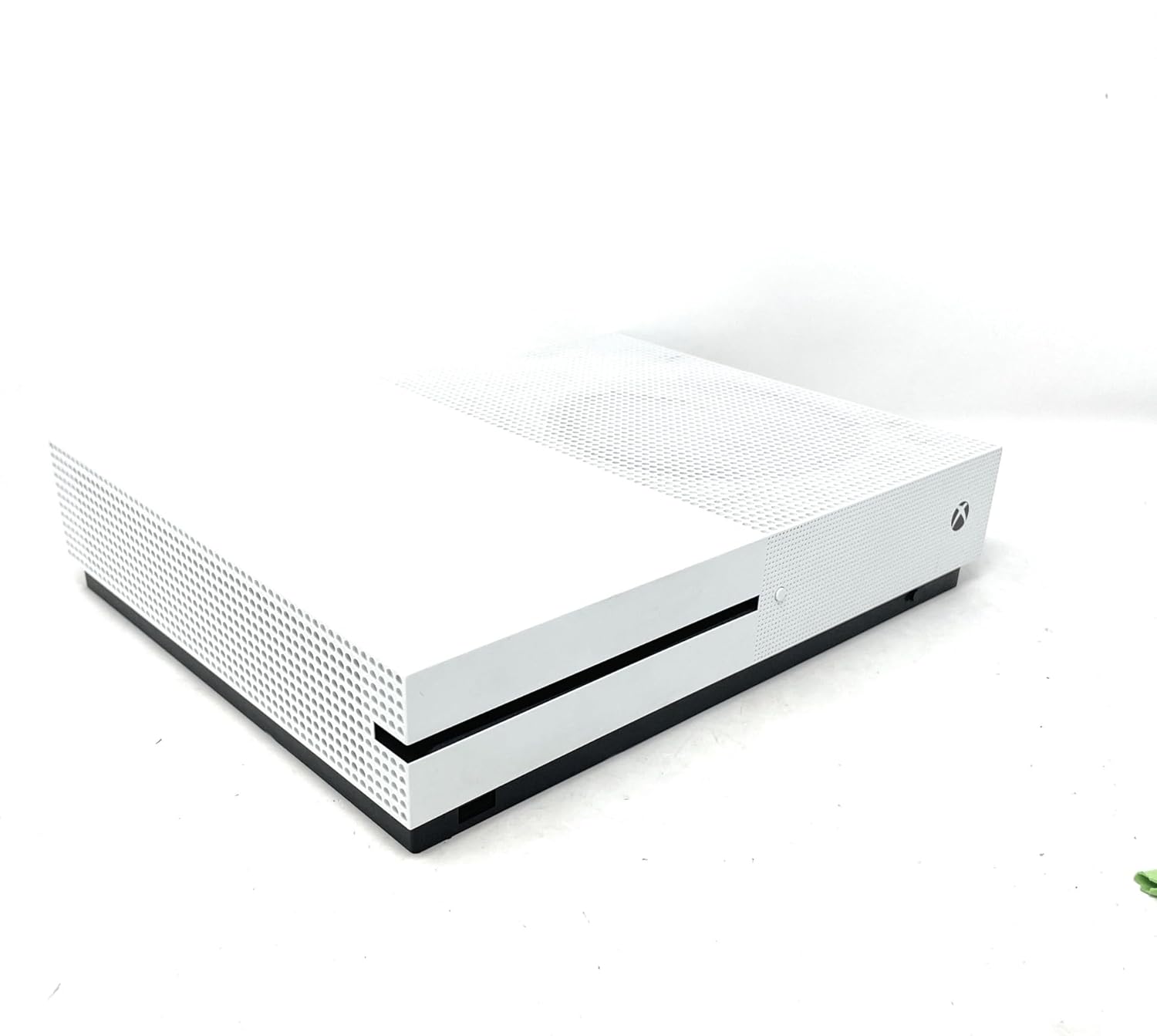
Vaizdas: priekis view of the Xbox One S console, showing the power button and controller pairing button. A white Xbox Wireless Controller is placed on top of the console.
4. Initial Console Power On and Configuration
Press the Xbox button on the front of the console to power it on. Follow the on-screen instructions to:
- Pasirinkite savo kalbą ir regioną.
- Prisijunkite prie „Wi-Fi“ tinklo arba laidiniam ryšiui naudokite eterneto kabelį.
- Prisijunkite naudodami „Microsoft“ paskyrą arba sukurkite naują.
- Install any necessary system updates. This may take some time.
Operating Your Xbox One S
1. Maitinimo įjungimas/išjungimas
- Norėdami įjungti: Paspauskite „Xbox“ mygtuką konsolėje arba „Xbox“ mygtuką valdiklyje.
- Norėdami išjungti: Press and hold the Xbox button on your controller until the Power Center appears, then select "Turn console off". Alternatively, press and hold the Xbox button on the console for 10 seconds until it powers off.
2. Prietaisų skydelio naršymas
The Xbox dashboard is your central hub. Use the D-pad or left analog stick on your controller to navigate through menus, games, and apps. The Xbox button on the controller will always take you back to the Home screen.
3. Žaidimų žaidimas
- Diskų pagrindu sukurti žaidimai: Insert a game disc into the disc drive on the front of the console. The game will appear on your Home screen or in "My games & apps".
- Skaitmeniniai žaidimai: Download games from the Microsoft Store. Once downloaded, they will appear in "My games & apps".
- Atgalinis suderinamumas: Many Xbox 360 and original Xbox games are playable on Xbox One S. Insert the disc or download the digital version if you own it.
4. Media Playback and Streaming
The Xbox One S features a built-in 4K Ultra HD Blu-ray player and supports streaming from various entertainment apps.
- 4K Blu-ray: Insert a 4K Ultra HD Blu-ray disc into the console. The Blu-ray player app will launch automatically.
- Srautinio perdavimo programos: Download apps like Netflix, Hulu, Amazon Prime Video, and Microsoft Movies from the Microsoft Store to stream 4K content (subscription and 4K TV required).
Priežiūra
1. Cleaning Your Console
Regularly clean your Xbox One S to ensure optimal performance and longevity.
- Use a soft, lint-free cloth to wipe down the exterior of the console.
- Gently use a vacuum cleaner with a brush attachment to remove dust from ventilation grilles.
- Nenaudokite skystų valiklių ar abrazyvinių medžiagų.
2. Ensuring Proper Ventilation
Place your console in a well-ventilated area. Avoid placing it in enclosed spaces or on soft surfaces that can block airflow.
3. Programinės įrangos atnaujinimai
Keep your console's software up-to-date to access the latest features, improvements, and security patches. Updates are typically downloaded and installed automatically when the console is in Instant-On power mode.
4. Sandėliavimo valdymas
The 500GB internal storage can fill up quickly with games and apps. To manage storage:
- Delete games or apps you no longer play from "My games & apps".
- Connect an external USB 3.0 hard drive (256GB or larger) to expand your storage capacity.
Įprastų trikčių šalinimas
1. Console Not Powering On
- Įsitikinkite, kad maitinimo laidas yra tvirtai prijungtas tiek prie konsolės, tiek prie sieninio lizdo.
- Išbandykite kitą maitinimo lizdą.
- If using a power strip, try plugging directly into a wall outlet.
2. No Display on TV
- Verify the HDMI cable is firmly connected to both the console's HDMI OUT port and your TV's HDMI input.
- Įsitikinkite, kad jūsų televizorius nustatytas į tinkamą HDMI įvesties šaltinį.
- Try a different HDMI cable or TV.
3. Controller Not Connecting/Responding
- Check if the controller batteries are charged or replace them.
- Re-pair the controller with the console using the pairing buttons (refer to Setup Guide).
- Try connecting the controller to the console using a USB cable.
4. Tinklo ryšio problemos
- Restart your console and your network router/modem.
- Go to Settings > Network > Network settings > Test network connection to diagnose issues.
- Ensure your Wi-Fi password is correct if connecting wirelessly.
Techninės specifikacijos
| Funkcija | Detalė |
|---|---|
| Modelio numeris | Xbox One S 500GB |
| Sandėliavimo talpa | 500GB Internal Hard Drive |
| Vaizdo išvestis | 4K Ultra HD (Blu-ray & Streaming), High Dynamic Range (HDR) |
| Garso palaikymas | Dolby Atmos, DTS:X |
| Optinis diskas | 4K Ultra HD Blu-ray / DVD |
| Ryšys | HDMI In/Out, USB 3.0 ports, Ethernet, Wi-Fi (802.11ac), Bluetooth |
| Matmenys | 21.65 x 23.62 x 21.65 colio |
| Svoris | 6.36 svaro |
| Gamintojas | Microsoft |
| Išleidimo data | 1 m. liepos 2017 d |
Garantija ir palaikymas
Informacija apie garantiją
Your Microsoft Xbox One S 500GB Console is covered by a limited manufacturer's warranty. Please refer to the warranty card included in your product packaging for specific terms, conditions, and duration of coverage. Keep your proof of purchase for warranty claims.
Pagalba klientams
For technical assistance, troubleshooting, or warranty inquiries, please contact Microsoft Support:
- Palaikymas internetu: Apsilankykite oficialioje „Xbox“ palaikymo svetainėje webDUK, trikčių šalinimo vadovų ir bendruomenės forumų svetainė.
- Pagalba telefonu: Contact Microsoft Customer Service via phone. Refer to the official Xbox webregioninių kontaktinių numerių svetainė.
Before contacting support, please ensure you have your console's serial number and proof of purchase readily available.


