1. Įvadas
This manual provides detailed instructions for the installation, operation, maintenance, and troubleshooting of your Zalman ZM1200-ARX 1200W ATX Power Supply Unit. The ZM1200-ARX is a high-performance, fully modular power supply designed to deliver stable and efficient power to your computer system. Please read this manual thoroughly before installation and retain it for future reference.

1 pav.: Viršutinė priekinė dalis view of the Zalman ZM1200-ARX Power Supply Unit.
2. Saugos informacija
To ensure safe operation and prevent damage to your system, please observe the following safety precautions:
- ATSARGIAI! Do not remove the power supply cover. There are no user-serviceable parts inside. Refer all servicing to qualified service personnel.
- Do not operate the power supply in high humidity or extreme temperature environments.
- Prieš montuodami ar atlikdami techninę priežiūrą, įsitikinkite, kad maitinimo šaltinis yra atjungtas nuo kintamosios srovės maitinimo lizdo.
- Maitinimo šaltinį įrenkite gerai vėdinamoje vietoje, kad jis neperkaistų.
- Use only the modular cables provided with the Zalman ZM1200-ARX. Using incompatible cables may cause damage.
- This product is designed for use in computer systems only. Do not use it for any other purpose.

Figure 2: Warning label and electrical specifications on the PSU.
3. Pakuotės turinys
Patikrinkite, ar jūsų pakuotėje yra visi šie daiktai:
- Zalman ZM1200-ARX 1200W ATX Power Supply Unit
- Modular Cable Set (various types for motherboard, CPU, PCIe, SATA, Molex)
- Kintamosios srovės maitinimo laidas
- Tvirtinimo varžtai
- Vartotojo vadovas (šis dokumentas)
- Cable Ties (for organization)
- Storage Pouch for unused cables

Figure 3: All components included in the Zalman ZM1200-ARX package.
4. Sąranka ir diegimas
4.1. Fizinis įrengimas
Follow these steps to install the power supply into your computer case:
- Ensure your computer is powered off and disconnected from the AC power outlet.
- Open your computer case according to its manufacturer's instructions.
- Locate the power supply mounting area, typically at the bottom or top rear of the case.
- Carefully slide the Zalman ZM1200-ARX into the designated slot.
- Suderinkite maitinimo šaltinio varžtų skyles su korpuso skylėmis.
- Pritvirtinkite maitinimo šaltinį naudodami pateiktus tvirtinimo varžtus.

Figure 4: Dimensions of the Zalman ZM1200-ARX Power Supply Unit.
4.2. Kabelių jungtys
The ZM1200-ARX is a fully modular power supply, allowing you to connect only the cables you need. This helps improve airflow and cable management within your case.
- 24 kontaktų ATX pagrindinės plokštės kabelis: Connect to the main power connector on your motherboard.
- 8-pin (4+4) EPS/ATX 12V CPU Cable: Connect to the CPU power connector(s) on your motherboard.
- 8-pin (6+2) PCIe Cables: Connect to your graphics cards. Use separate cables for each high-power graphics card.
- SATA maitinimo kabeliai: Prijunkite prie SATA įrenginių, tokių kaip SSD, HDD ir optiniai įrenginiai.
- „Molex“ (periferiniai) kabeliai: Prijunkite prie senesnių periferinių įrenginių arba korpuso ventiliatorių.
- Ensure all cables are securely seated in both the power supply and the component.
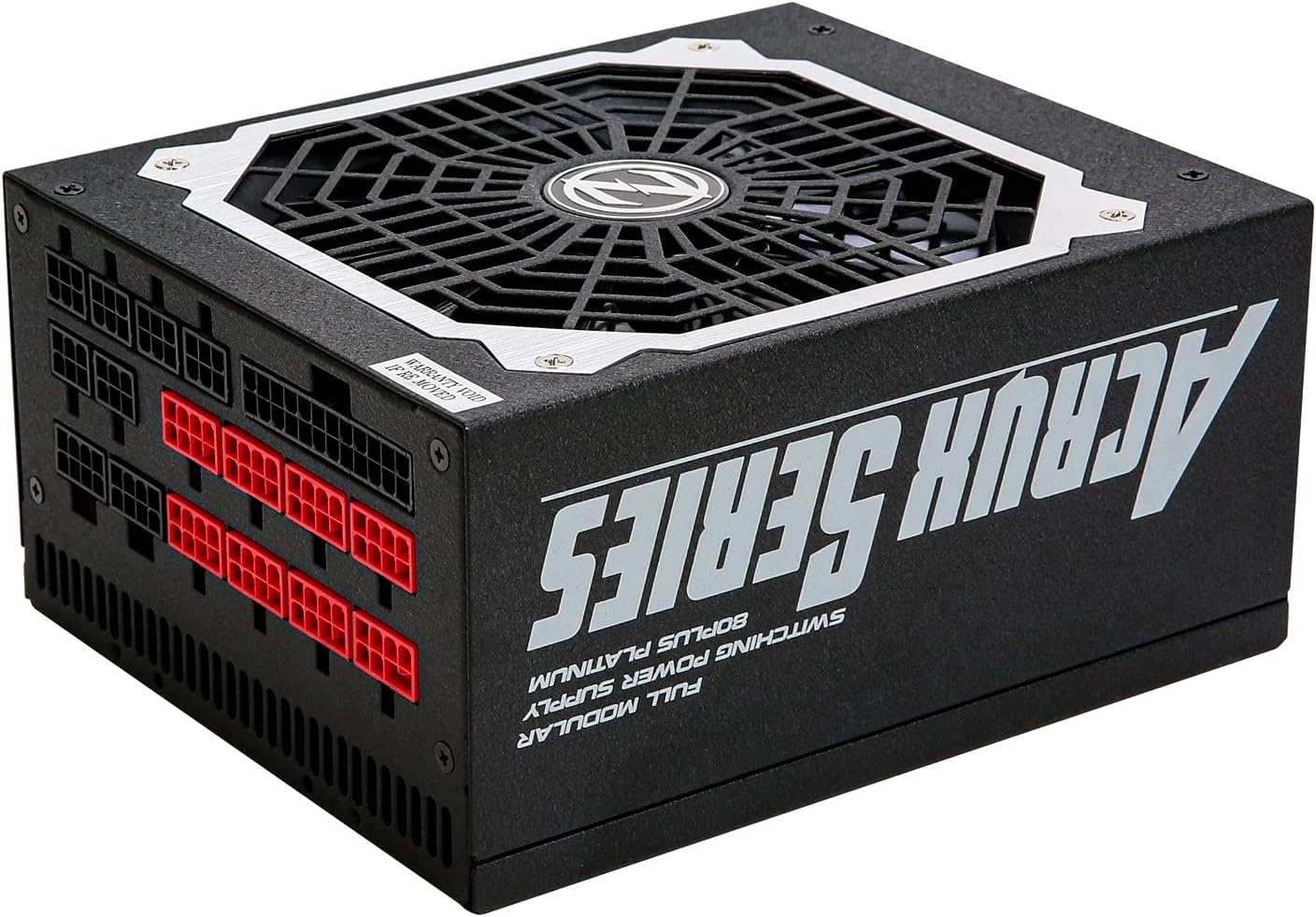
Figure 5: Modular cable connection ports on the Zalman ZM1200-ARX.
5. Naudojimo instrukcijos
After completing the installation and connecting all necessary cables:
- Connect the AC power cord to the power supply's AC inlet and then to a wall outlet.
- Flip the power switch on the rear of the power supply to the 'ON' (I) position.
- Power on your computer system using the case's power button.
- To power off, shut down your computer normally, then flip the power switch on the PSU to the 'OFF' (O) position and disconnect the AC power cord if desired.

6 pav.: galinis view of the PSU showing the AC input and power switch.
6. Priežiūra
Tinkama priežiūra užtikrina jūsų maitinimo šaltinio ilgaamžiškumą ir optimalų veikimą:
- Valymas: Periodically clean the exterior of the power supply and the fan grille to prevent dust buildup. Use compressed air to gently remove dust from the fan and vents. Ensure the power supply is off and unplugged before cleaning.
- Oro srautas: Ensure that the power supply's fan intake and exhaust are not obstructed. Maintain good airflow within your computer case to prevent heat buildup.
- Kabelių valdymas: Organize cables neatly to improve airflow and prevent them from interfering with cooling fans.
7. Problemų sprendimas
If you encounter issues with your Zalman ZM1200-ARX, refer to the following table for common problems and solutions:
| Problema | Galima priežastis | Sprendimas |
|---|---|---|
| Sistema neįsijungia. | AC power cord not connected, PSU switch off, loose cables. | Check AC power cord, ensure PSU switch is 'ON', re-seat all modular cables. |
| Sistema įsijungia, bet iš karto išsijungia. | Overload, short circuit, faulty component. | Disconnect non-essential components to isolate the issue. Check for short circuits. Consult a technician if problem persists. |
| Unstable system operation or crashes. | Insufficient power, faulty PSU, or other component issues. | Ensure total system power draw is within PSU limits. Test with another known-good PSU if possible. |
| Ventiliatorius triukšmingai veikia arba nesisuka. | Dust buildup, fan malfunction. | Clean fan grille and blades with compressed air. If fan still malfunctions, contact support. |
8. Specifikacijos
Detailed technical specifications for the Zalman ZM1200-ARX Power Supply Unit:
| Funkcija | Specifikacija |
|---|---|
| Modelio pavadinimas | ZM1200-ARX |
| Bendra galia | 1200 vatų |
| Formos faktorius | ATX |
| Efektyvumo įvertinimas | 80 PLIUS Platina |
| Moduliškumas | Pilnas modulinis |
| Aušinimo būdas | Oras (aušinamas ventiliatoriumi) |
| AC įėjimas Voltage | 115-240VAC |
| AC įvesties dažnis | 50-60Hz |
| Nuolatinės srovės išvestis +3.3 V | 25A |
| Nuolatinės srovės išvestis +5 V | 22A |
| Nuolatinės srovės išvestis +12 V | 100A |
| DC Output -12V | 0.3A |
| DC Output +5Vsb | 2.5A |
| Maksimali kombinuota vatatage (+3.3V/+5V) | 120W |
| Maksimali kombinuota vatatage (+12 V) | 1200W |
| Matmenys (I x P x A) | 18 x 15 x 8.6 cm (7.09 x 5.91 x 3.39 colio) |
| Svoris | 3100 gramų (6.83 svaro) |
9. Garantija ir palaikymas
For warranty information, technical support, or service inquiries regarding your Zalman ZM1200-ARX Power Supply Unit, please refer to the warranty card included with your product or visit the official Zalman websvetainėje. Klientų aptarnavimo kontaktinę informaciją paprastai galima rasti gamintojo svetainėje websvetainę.


