1. Įvadas
This manual provides detailed instructions for the installation, operation, and maintenance of your StarTech.com Wireless USB WiFi Adapter. This adapter is designed to add external dual-band wireless connectivity to your laptop, tablet, or desktop computer, allowing access to both 2.4GHz and 5GHz Wi-Fi networks.
The compact form factor ensures minimal obstruction when plugged into your device, making it an ideal solution for upgrading or replacing existing wireless capabilities.
2. Produkto ypatybės
- Dviejų dažnių belaidis ryšys: Provides reliable access to both 2.4GHz and 5GHz Wi-Fi networks.
- Didelės duomenų perdavimo spartos: Supports up to 433 Mbps on the 5GHz band (802.11ac) and up to 150Mbps on the 2.4GHz band.
- Compact Nano Design: Small form factor for minimal obstruction, ideal for portability.
- Platus suderinamumas: Backward compatible with 802.11a/b/g/n networks and supports USB 2.0 for wide device compatibility.
- Saugus ryšys: IEEE 802.11a/b/g/n/ac compliant, supporting WEP, WPA, and WPA2 wireless security protocols.

Figure 2.1: The StarTech.com Wireless USB WiFi Adapter showcasing its key features including USB 2.0, Dual Band, AC600, 150Mbps (2.4GHz) / 433Mbps (5GHz), and Nano Design.
3. Pakuotės turinys
- 1x StarTech.com Wireless USB WiFi Adapter (USB433ACD1X1)
- 1x tvarkyklės CD
- 1x greitas pradžios vadovas
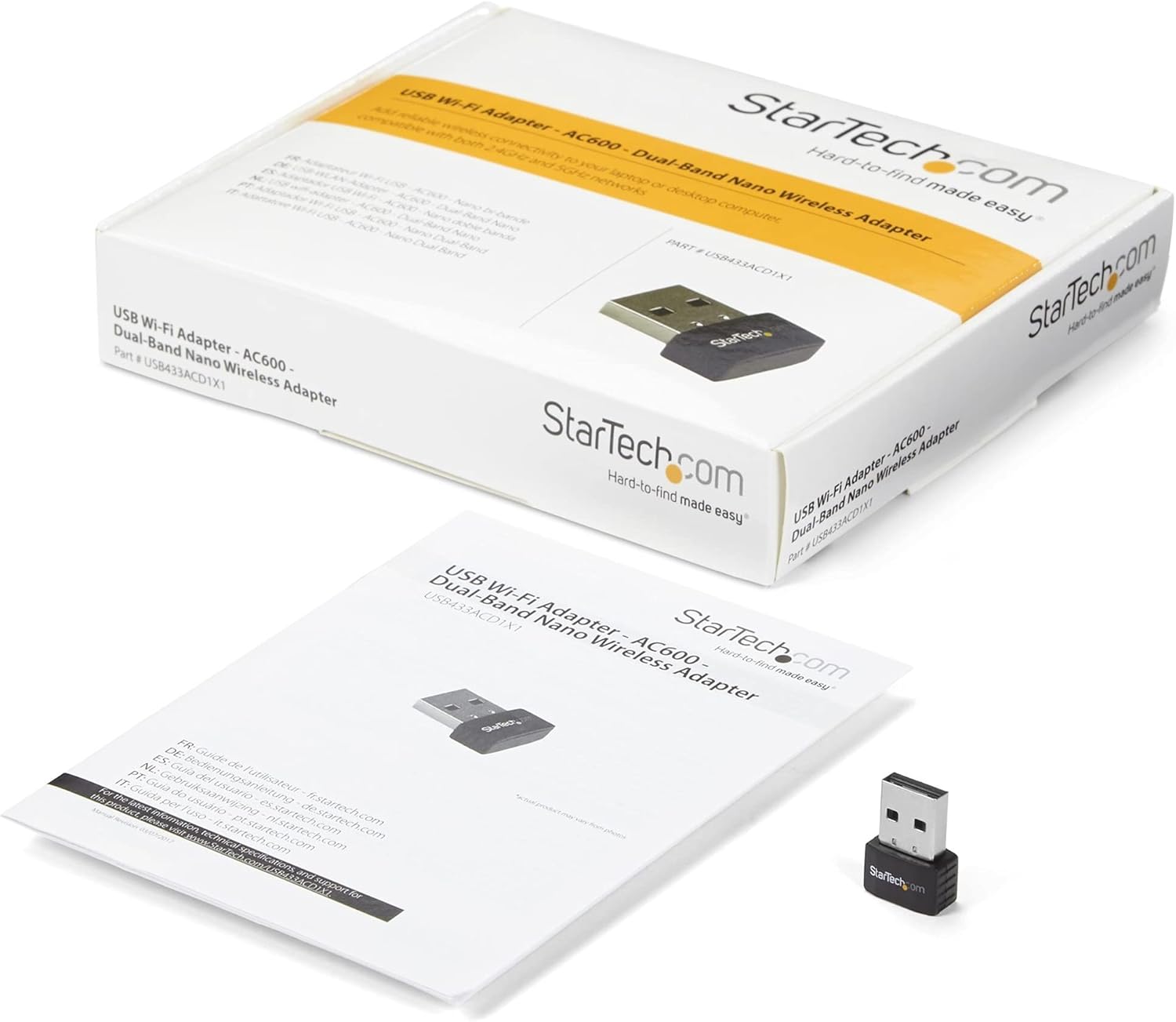
Figure 3.1: The StarTech.com Wireless USB WiFi Adapter, its driver CD, and quick-start guide as included in the package.
4. Sąranka
- Tvarkyklės diegimas:
Before connecting the adapter, it is recommended to install the necessary drivers. Insert the provided Driver CD into your computer's optical drive. Follow the on-screen instructions to complete the driver installation. If your computer does not have an optical drive, or for the latest drivers, visit the official StarTech.com support website and search for model USB433ACD1X1.
- Prijunkite adapterį:
Carefully insert the StarTech.com Wireless USB WiFi Adapter into an available USB 2.0 port on your laptop, tablet, or desktop computer. Ensure it is fully seated in the port.

Figure 4.1: The compact StarTech.com Wireless USB WiFi Adapter, ready for connection to a USB port.
- Sistemos atpažinimas:
Your operating system (Windows, macOS, Chrome OS) should automatically detect the adapter and complete the installation process. A notification may appear indicating that the device is ready for use.

Figure 4.2: The adapter is compatible with Apple macOS, Microsoft Windows, and Google Chrome OS.
5. Naudojimo instrukcijos
- Accessing Wi-Fi Networks:
Once the adapter is installed, navigate to your computer's network settings or Wi-Fi icon in the system tray/menu bar. The adapter will display available wireless networks.
- Prisijungimas prie tinklo:
Select your desired Wi-Fi network from the list. If prompted, enter the network's security key (password). The adapter will then establish a connection.
- Dviejų dažnių pasirinkimas:
If your router supports both 2.4GHz and 5GHz bands, you may see two network names (SSIDs) – one for each band. For optimal performance and less interference, connect to the 5GHz network if available and within range. The 2.4GHz band offers wider coverage, while the 5GHz band provides faster speeds over shorter distances.

Figure 5.1: The adapter supports both 5GHz (433 Mbps) and 2.4GHz (150 Mbps) bands, offering secure dual-band technology with various network compliance and security features.
- Saugos protokolai:
The adapter supports WEP, WPA, and WPA2 wireless security. Always connect to networks using WPA2 for the strongest encryption and security.
6. Priežiūra
- Atnaujinkite tvarkykles: Reguliariai tikrinkite StarTech.com websvetainę, kurioje rasite naujausius tvarkyklių atnaujinimus, kad užtikrintumėte optimalų našumą ir suderinamumą.
- Švara: Keep the adapter's USB connector clean and free from dust or debris. Use a soft, dry cloth for cleaning.
- Fizinė apsauga: When not in use, store the adapter in a safe place to prevent physical damage. The compact size makes it easy to misplace or damage if not handled carefully.
- Venkite ekstremalių sąlygų: Nelaikykite adapterio ekstremalioje temperatūroje, drėgmėje ar tiesioginiuose saulės spinduliuose.
7. Problemų sprendimas
- Problem: Adapter not detected or not working.
- Sprendimas:
-
- Įsitikinkite, kad adapteris yra visiškai įkištas į USB prievadą.
- Išbandykite kitą kompiuterio USB prievadą.
- Patikrinkite, ar tvarkyklės tinkamai įdiegtos. Jei reikia, įdiekite jas iš naujo.
- Iš naujo paleiskite kompiuterį.
- Check your computer's Device Manager (Windows) or System Information (macOS) to see if the adapter is listed without errors.
- Problem: Slow Wi-Fi speeds or frequent disconnections.
- Sprendimas:
-
- Ensure you are connected to the 5GHz band if your router supports it and you are in close proximity.
- Reduce the distance between your computer and the wireless router.
- Sumažinkite trukdžius, kuriuos sukelia kiti elektroniniai prietaisai (pvz., belaidžiai telefonai, mikrobangų krosnelės).
- Atnaujinkite savo maršrutizatoriaus programinę-aparatinę įrangą.
- Check for driver updates for the USB WiFi adapter.
- Problem: Cannot connect to a specific Wi-Fi network.
- Sprendimas:
-
- Dar kartą patikrinkite „Wi-Fi“ slaptažodį (saugos raktą).
- Ensure the network is within range and has a strong signal.
- Verify that the network's security type (WEP, WPA, WPA2) is supported by the adapter.
- Iš naujo paleiskite belaidį maršrutizatorių.
8. Specifikacijos
| Atributas | Vertė |
|---|---|
| Modelio numeris | USB433ACD1X1 |
| Belaidis tipas | 802.11ac, 802.11n, 802.11g, 802.11a, 802.11b |
| Duomenų perdavimo sparta | 433 Mbps (5 GHz), 150 Mbps (2.4 GHz) |
| Techninės įrangos sąsaja | USB 2.0 |
| Operacinės sistemos suderinamumas | Windows 10, Windows 8, Windows 7, Mac OS X El Capitan (10.11), macOS Mojave (10.14), macOS Sierra (10.12), Windows Server 2019, macOS High Sierra (10.13) |
| Matmenys (IxPxH) | 0.7 x 0.9 x 0.3 colio (17.8 x 22.9 x 7.6 mm) |
| Prekės svoris | 0.07 uncijos (2 g) |
| Spalva | Juoda |
| Saugumo protokolai | WEP, WPA, WPA2 |
9. Garantija ir palaikymas
The StarTech.com Wireless USB WiFi Adapter (USB433ACD1X1) is backed by a StarTech.com warranty and free lifetime technical support. For detailed warranty information or to access technical support, please visit the official StarTech.com websvetainėje arba žr. prie jūsų produkto pridėtą dokumentaciją.
Dėl papildomos pagalbos taip pat galite kreiptis į StarTech.com Store on Amazon.

Figure 9.1: StarTech.com's commitment to solving IT professionals' hardware connectivity challenges.


