Svarbi saugos informacija
Please read all instructions carefully before installation. If you do not understand these instructions or have doubts about the safety of the installation, consult a qualified installer. Improper installation may cause serious injury or damage.
- Šis gaminys skirtas montuoti ant medinių karkasinių sienų arba tvirtų betoninių / plytų sienų. Nemontuokite vien tik ant gipso kartono.
- Įsitikinkite, kad sienos konstrukcija gali saugiai atlaikyti laikiklio ir televizoriaus bendrą svorį.
- Do not exceed the maximum weight capacity of 80 pounds (36.3 kg) or the specified TV size range (22-55 inches).
- Montuodami naudokite apsauginius įrankius ir tinkamus įrankius.
- Montavimo metu neleiskite vaikams ir naminiams gyvūnėliams atokiau.
Pakuotės turinys
Prieš pradėdami montuoti, patikrinkite, ar visi komponentai yra ir nepažeisti.
- Šarnyrinis televizoriaus sieninis laikiklis
- High-Speed HDMI Cable (6 Feet)
- Tvirtinimo detalių rinkinys (įvairūs varžtai, inkarai, poveržlės)

Image: The complete package contents, including the articulating TV wall mount and the 6-foot HDMI cable.
Specifikacijos
| Prekės ženklas | „Amazon“ pagrindai |
| Modelis | B071VTNJ3Y |
| Montavimo tipas | Šarnyrinis, pakreipimas |
| Judėjimo tipas | Artikuliuojantis |
| Medžiaga | Metalas |
| Suderinami įrenginiai | Televizija |
| Didžiausias pasvirimo kampas | 15 Degrees (+10 to -5 degrees) |
| TV dydžio suderinamumas | 22–55 colių |
| Svorio talpa | Iki 80 svarų (36.3 kg) |
| HDMI kabelio savybės | Supports Ethernet, 3D, 4K video, Audio Return Channel (ARC) |
Sąranka
1. TV Wall Mount Installation
- Patikrinimas prieš montavimą: Identify the wall type (wood stud or concrete/brick). Use a stud finder to locate the center of wood studs. For concrete/brick, ensure the wall is solid. Mark the desired mounting height.
- Sieninės plokštės montavimas: Position the wall plate at the marked location. Use a level to ensure it is straight. Mark the drilling points. Drill pilot holes according to the instructions provided with the mounting hardware. Secure the wall plate to the wall using the appropriate screws and anchors.
- Televizoriaus laikiklių tvirtinimas: Carefully place your TV face down on a soft, clean surface. Attach the two vertical brackets to the back of your TV using the screws and spacers that fit your TV's VESA pattern. Ensure the brackets are centered and securely fastened.
- Mounting the TV to the Wall Plate: With assistance, carefully lift the TV and hook the attached brackets onto the wall plate. Ensure the TV is securely seated on the mount. Tighten any safety screws or locking mechanisms as per the mount's design to prevent accidental dislodgement.
- Koregavimai: The mount allows for tilt and swivel adjustments. Loosen the adjustment knobs or screws, position the TV to your desired viewing angle, and then securely tighten them.

Image: The articulating TV wall mount with its arms extended, showing the TV mounting plate.
2. HDMI Cable Connection
- Nustatyti uostus: Locate the HDMI output port on your source device (e.g., Blu-ray player, game console, streaming device) and the HDMI input port on your TV.
- Kabelio prijungimas: Insert one end of the Amazon Basics High-Speed HDMI Cable into the HDMI output port of your source device. Insert the other end into an available HDMI input port on your TV.
- Pasirinkite įvestį: Turn on your TV and source device. Use your TV remote to select the corresponding HDMI input channel.
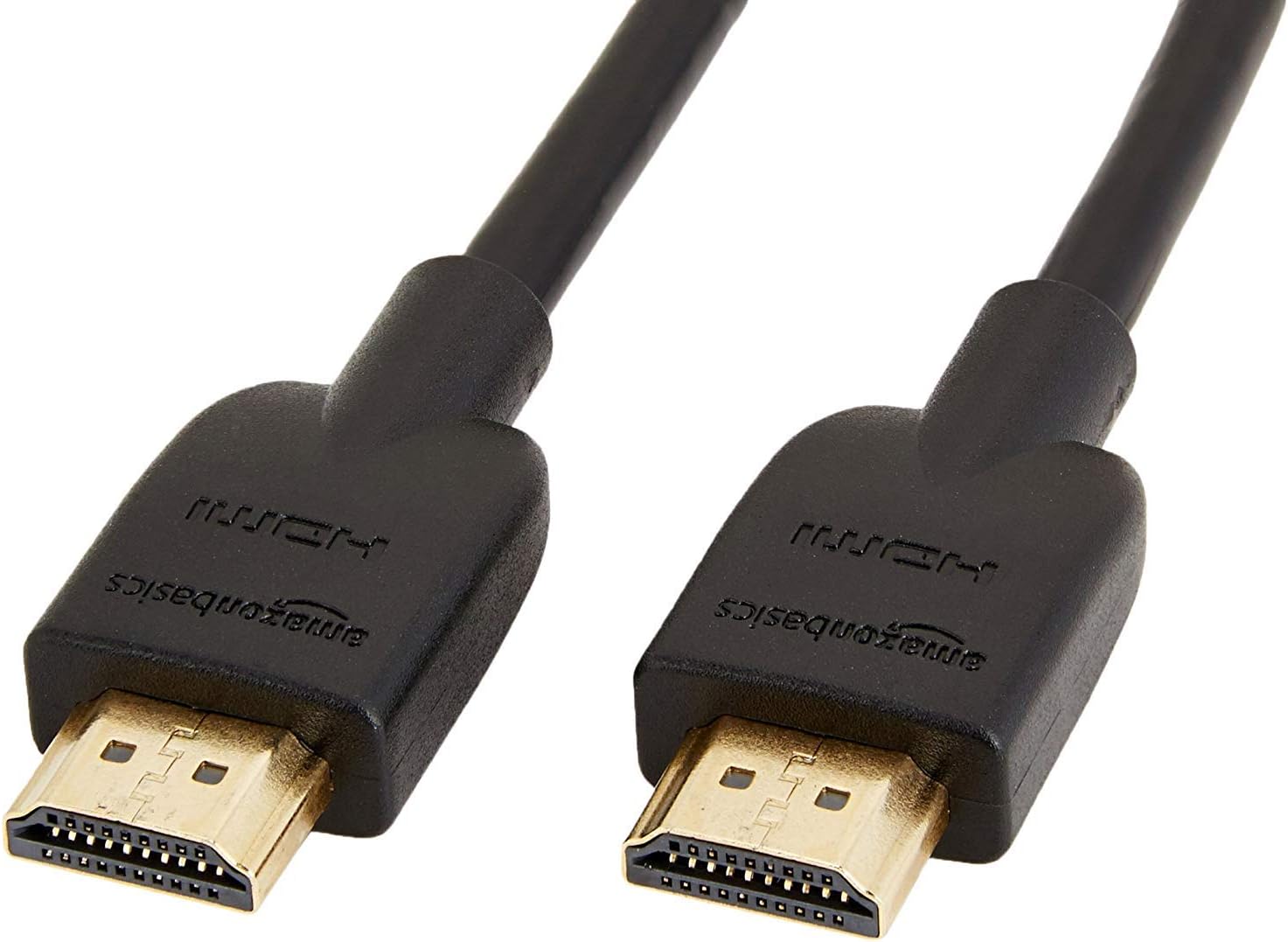
Image: The 6-foot Amazon Basics High-Speed HDMI cable, ready for connection.
Veikiantis
TV Wall Mount Adjustments
- Pakreipti: The mount allows for a tilt range of +10 to -5 degrees. Gently push or pull the top or bottom of the TV to achieve the desired vertical angle. Some mounts may require loosening and re-tightening adjustment screws.
- Swivel/Articulation: The articulating arm allows the TV to swivel left or right and extend away from the wall. Carefully push or pull the TV to adjust its horizontal position.
- Kabelių valdymas: Utilize any integrated cable management clips or channels on the mount arms to keep cables tidy and prevent them from being pinched or damaged during adjustments.
HDMI kabelio naudojimas
The High-Speed HDMI Cable supports various features for optimal audio and video performance:
- 4K vaizdo įrašas: Enjoy high-resolution video content up to 4K.
- 3D: Compatible with 3D content when connected to 3D-enabled devices and displays.
- Garso grąžinimo kanalas (ARC): Allows audio to be sent from your TV back to an AV receiver or soundbar through the HDMI cable, reducing the need for a separate audio cable.
- Ethernet: Provides a dedicated data channel for network connectivity between compatible devices.
Priežiūra
- Valymas: Clean the mount and cable with a soft, dry cloth. Avoid using abrasive cleaners or solvents that could damage the finish.
- Periodiniai patikrinimai: Periodically check all screws and connections to ensure they remain tight and secure. Over time, vibrations or frequent adjustments can cause fasteners to loosen.
- Kabelio apžiūra: Inspect the HDMI cable for any signs of wear, fraying, or damage. Replace if necessary to maintain optimal performance and safety.
Trikčių šalinimas
- Televizorius nelygus: Ensure the wall plate is level during installation. Some mounts offer post-installation leveling adjustments on the TV brackets.
- TV not securely attached: Double-check that the TV brackets are correctly hooked onto the wall plate and any safety screws or locking mechanisms are engaged.
- No picture/sound via HDMI:
- Ensure the HDMI cable is firmly connected to both the source device and the TV.
- Verify that the correct HDMI input is selected on your TV.
- Try a different HDMI port on your TV or a different HDMI cable to rule out a faulty port or cable.
- Restart both the source device and the TV.
- Laikiklis jaučiasi laisvas: Re-tighten all mounting screws on the wall plate and TV brackets. If the issue persists, consult a professional installer.
Garantija ir palaikymas
This Amazon Basics product is covered by a limited warranty. For detailed warranty information, please refer to the documentation included with your purchase or visit the Amazon Basics official websvetainę.
For technical support, troubleshooting assistance, or to inquire about replacement parts, please contact Amazon Basics Customer Service through the Amazon websvetainėje arba jūsų pirkimo platformoje.
Palaikymas internetu: Amazon klientų aptarnavimas


