1. Įvadas
Welcome to the user manual for your Brother MFC-L8690CDW. This device is a high-performance color laser multifunction printer designed for efficient printing, scanning, and copying. It features an automatic document feeder, A4 paper compatibility, and duplex printing capabilities, making it suitable for various office and home office environments.
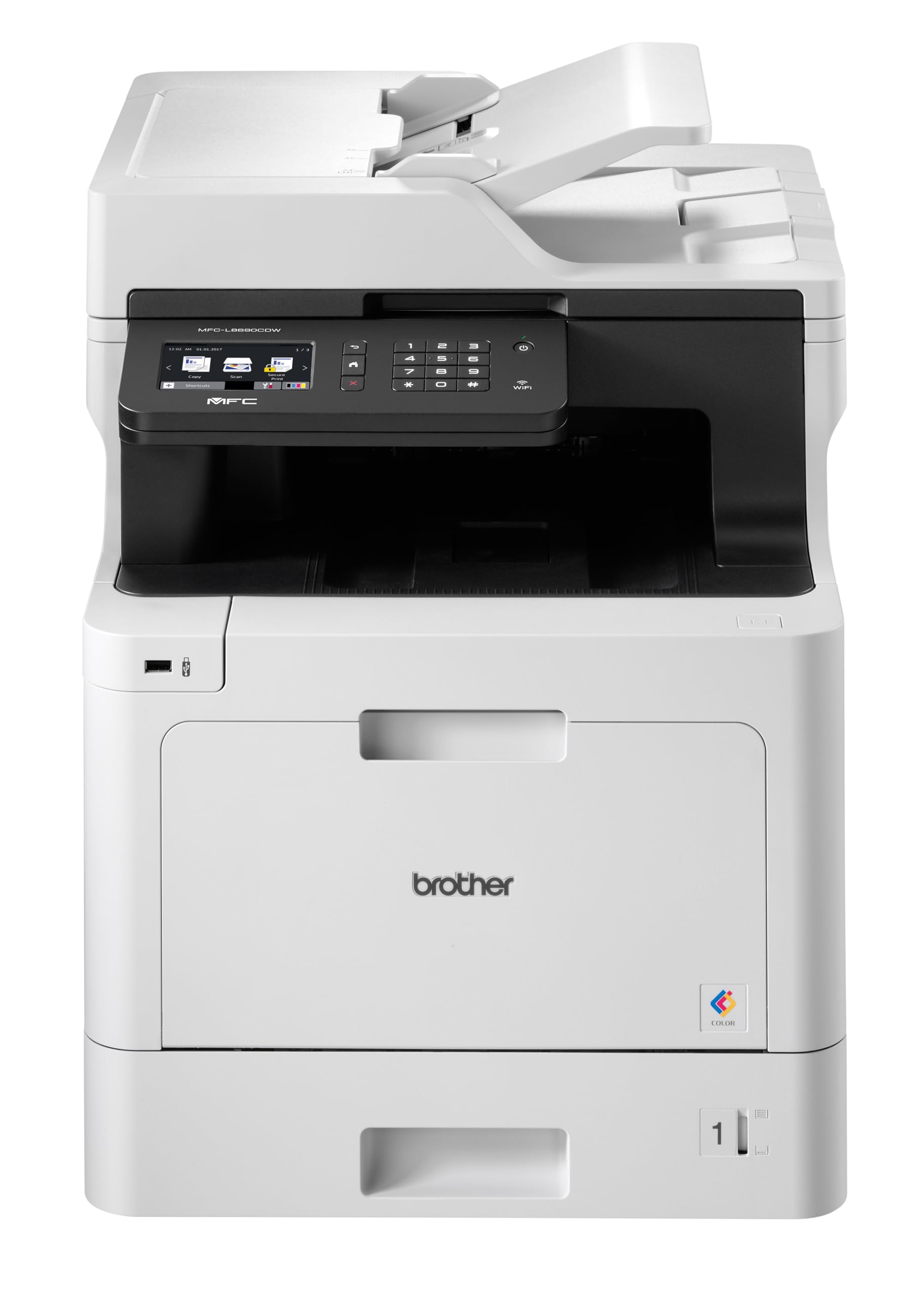
Priekyje view of the Brother MFC-L8690CDW color multifunction printer, showcasindėl kompaktiško dizaino ir valdymo skydelio.
2. Sąranka
2.1 Išpakavimas ir pradinis pastatymas
Carefully remove the printer from its packaging. Ensure all protective tapes and packing materials are removed from the exterior and interior of the device. Place the printer on a stable, level surface with adequate ventilation, away from direct sunlight or heat sources.
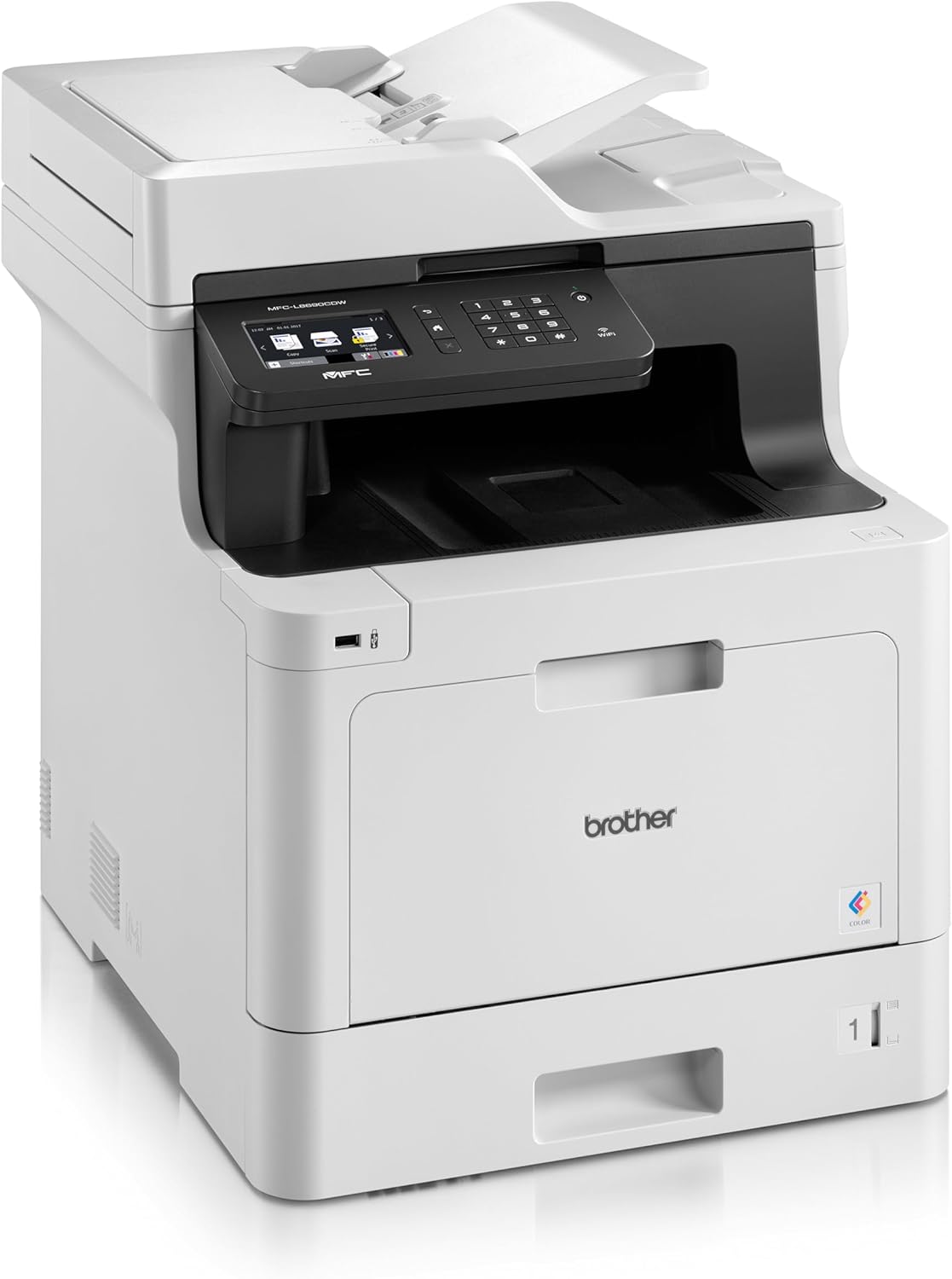
Priekyje view of the Brother MFC-L8690CDW, showing the control panel and paper output tray.
2.2 Maitinimo jungtis
Connect the power cord to the printer's power input and then to a grounded electrical outlet. Do not connect the printer to a power strip or surge protector during initial setup to avoid potential power issues.
2.3 Tonerio kasetės įdėjimas
Open the front cover of the printer. Install the included toner cartridges into their respective color-coded slots. Ensure each cartridge clicks into place. Close the cover securely.
2.4 Popieriaus įdėjimas
Open the main paper tray. Load standard A4 paper (or other supported sizes) into the tray, ensuring the print side is facing down. Adjust the paper guides to fit the paper size snugly without bending the paper.

Šoninė view of the Brother MFC-L8690CDW printer, illustrating the paper input tray.
2.5 Programinės įrangos ir tvarkyklių diegimas
Insert the installation CD into your computer's CD-ROM drive or download the latest drivers and software from the official Brother support website. Follow the on-screen instructions to complete the installation for your operating system.
2.6 Tinklo jungtis
The MFC-L8690CDW supports both wired (Ethernet) and wireless (Wi-Fi IEEE 802.11b/g/n) connections.
2.6.1 Laidinis ryšys
Prijunkite Ethernet kabelį nuo maršrutizatoriaus arba tinklo šakotuvo prie Ethernet prievado, esančio spausdintuvo gale.
2.6.2 Belaidis ryšys
Spausdintuvo valdymo skydelyje eikite į Tinklo nustatymai, tada WLAN. Select your Wi-Fi network from the list and enter the password when prompted.

Galinis view of the Brother MFC-L8690CDW printer, highlighting the power input, Ethernet port, and USB port.
3. Naudojimo instrukcijos
3.1 Pagrindinis spausdinimas
From your computer, open the document you wish to print. Select Spausdinti from the application's menu. Choose Brolis MFC-L8690CDW as your printer. Adjust settings such as color/monochrome, duplex printing, and paper size as needed in the print dialog box. Click Spausdinti to start the job.
3.2 Dokumentų kopijavimas
Place your document face down on the scanner glass or face up in the Automatic Document Feeder (ADF). On the printer's control panel, select Kopijuoti. Adjust settings like number of copies, color/monochrome, and reduction/enlargement. Press Pradėti norėdami pradėti kopijuoti.
3.3 Dokumentų nuskaitymas
Place your document on the scanner glass or in the ADF. On the printer's control panel, select Nuskaityti. Choose your desired scan destination (e.g., computer, email, network folder). Adjust scan settings like resolution and file format. Press Pradėti to initiate the scan.
4. Priežiūra
4.1 Spausdintuvo valymas
Regularly clean the exterior of the printer with a soft, lint-free cloth. For the scanner glass, use a mild glass cleaner applied to a cloth, not directly to the glass, to avoid streaks or damage.
4.2 Tonerio kasečių keitimas
When a toner cartridge is low or empty, the printer's display will indicate which cartridge needs replacement. Open the front cover, remove the old cartridge, and insert a new Brother genuine toner cartridge. Ensure it is securely seated before closing the cover.
4.3 Įstrigusio popieriaus išėmimas
If a paper jam occurs, the printer display will show specific instructions and locations. Carefully open the indicated covers and gently pull out any jammed paper in the direction of the paper path. Avoid tearing the paper to prevent small pieces from remaining inside.
5. Problemų sprendimas
5.1 Bendrosios problemos ir sprendimai
Spausdintuvas neatsako: Check the power connection, USB/network cable, and ensure the printer is online. Restart both the printer and your computer.
Prasta spausdinimo kokybė: Check toner levels. Perform a print quality test from the printer's menu. Clean the drum unit if necessary, following the instructions in the maintenance section.
Popieriaus strigtys: Follow the on-screen instructions to locate and remove jammed paper. Ensure paper is loaded correctly, not creased, and within the specified weight limits.
Tinklo ryšio problemos: Verify your Wi-Fi password or Ethernet cable connection. Restart your router and printer. Ensure printer firmware is up to date by checking the Brother support websvetainę.
6. Techninės specifikacijos
| Funkcija | Specifikacija |
|---|---|
| Gaminio matmenys | 10D x 48W x 50H centimetrai |
| Valdiklio tipas | Automatinis |
| Maksimalus laikmenos dydis | A4 |
| Energijos suvartojimas | 680 vatų |
| Įtraukti komponentai | Brother Multifunction Laser MFC-L8690CDW Wifi Network |
| Spausdinimo medijos tipas | Popierius (paprastas) |
| Skaitytuvo tipas | Automatinis dokumentų tiektuvas |
| Maksimali lapų talpa | 100 XNUMX lapų |
| Maksimalus kopijavimo greitis (juodai baltas) | 32 puslapių per minutę |
| Suderinami įrenginiai | Staliniai kompiuteriai |
| Maksimali spalvoto spausdinimo raiška | 1200 x 1200 dpi |
| Lapo dydis | 210 milimetrai |
| Maksimali nespalvoto spausdinimo raiška | 1200 x 1200 dpi |
| Garantijos tipas | Ribota garantija |
| Spalvos gylis | 24 bpp |
| Dvipusis spausdinimas | Taip |
| ES atsarginių dalių prieinamumas | 2 metai |
| Maksimalus kopijų skaičius serijoje | 32 |
| Galia | 3600 (Unit not specified) |
| Produkto tipas | Viskas viename |
| Operacinė sistema | Mac OS 10.15 Catalina (and compatible with other OS) |
| Jungtys | Bluetooth, Ethernet, Mini USB |
| Atmintis | 4 (Unit not specified) |
| Iš viso USB prievadų | 1 |
| Baterija | Reikalinga 1 ličio jonų baterija |
| Programinės įrangos atnaujinimai garantuojami iki | 13 m. balandžio 2030 d |
| Prekės ženklas | brolis |
| Ryšio technologija | Bluetooth |
| Spausdinimo technologija | Lazeris |
| Spalva | Daugiaspalvis |
| Modelio pavadinimas | MFC L 8690 CDW |
| Spausdintuvo išvestis | Spalva |
| Maksimalus spausdinimo greitis (spalvotas) | 10 puslapių per minutę |
| Maksimalus spausdinimo greitis (vienspalvis) | 10 puslapių per minutę |
| Prekės svoris | 19 kilogramo |
| ASIN | B072C463YX |
| Pasiekiama pirmoji data | 8 m. balandžio 2022 d |
| Gamintojas | BROLIS |
7. Garantija ir palaikymas
7.1 Gaminio garantija
This Brother MFC-L8690CDW printer comes with a limited warranty. Spare parts availability in the EU is guaranteed for 2 years from the date of purchase.
7.2 Programinės įrangos naujiniai
Software updates for this model are guaranteed until April 13, 2030, ensuring continued compatibility and security enhancements.
7.3 Pagalba klientams
For technical assistance, driver downloads, and further support, please visit the official Brother support websvetainę or contact your local Brother customer service center. Have your model number (MFCL8690CDW) and serial number ready when contacting support.


