1. Įvadas
This manual provides instructions for the proper setup, operation, and maintenance of your ELECOM HUGE Wireless Trackball Mouse (Model: M-HT1DRBK). Please read this manual thoroughly before using the product to ensure optimal performance and longevity.
2. Kas yra dėžutėje
- ELECOM HUGE Wireless Trackball Mouse
- USB imtuvas
- AA baterija (2x)
- Vartotojo vadovas (šis dokumentas)
3. Sąranka
3.1. Akumuliatoriaus įdėjimas
- Raskite baterijų skyrių, esantį rutulinio valdymo pelės apačioje.
- Atidarykite akumuliatoriaus skyriaus dangtelį.
- Įdėkite dvi AA baterijas, užtikrindami teisingą poliškumą (+/-).
- Saugiai uždarykite akumuliatoriaus skyriaus dangtelį.
3.2. USB imtuvo prijungimas
The USB receiver is stored within the trackball mouse for convenience during transport.
- Remove the USB receiver from its storage slot on the underside of the trackball mouse.
- Prijunkite USB imtuvą prie laisvo kompiuterio (PC arba „Mac“) USB prievado.
- Turn on the trackball mouse using the power switch located on the underside. The mouse should be automatically recognized by your operating system.

1 paveikslas: Inserting the USB receiver into the storage slot on the underside of the trackball mouse.
3.3. Software Installation (Mouse Assistant)
For full customization of the 8 programmable buttons and advanced features, it is recommended to install the ELECOM Mouse Assistant software.
- Visit the official ELECOM websvetainę.
- Navigate to the 'Support' or 'Downloads' section and locate 'Mouse Assistant'.
- Download the appropriate version for your operating system (Windows or macOS).
- Vykdykite ekrane pateikiamus nurodymus, kad užbaigtumėte diegimą.

2 paveikslas: Example of the ELECOM Mouse Assistant software interface for button customization.
4. Naudojimo instrukcijos
4.1. Basic Cursor Control
The ELECOM HUGE trackball is designed for index finger control, providing precise cursor movement. Use your index finger to roll the 52mm trackball to move the cursor on the screen.
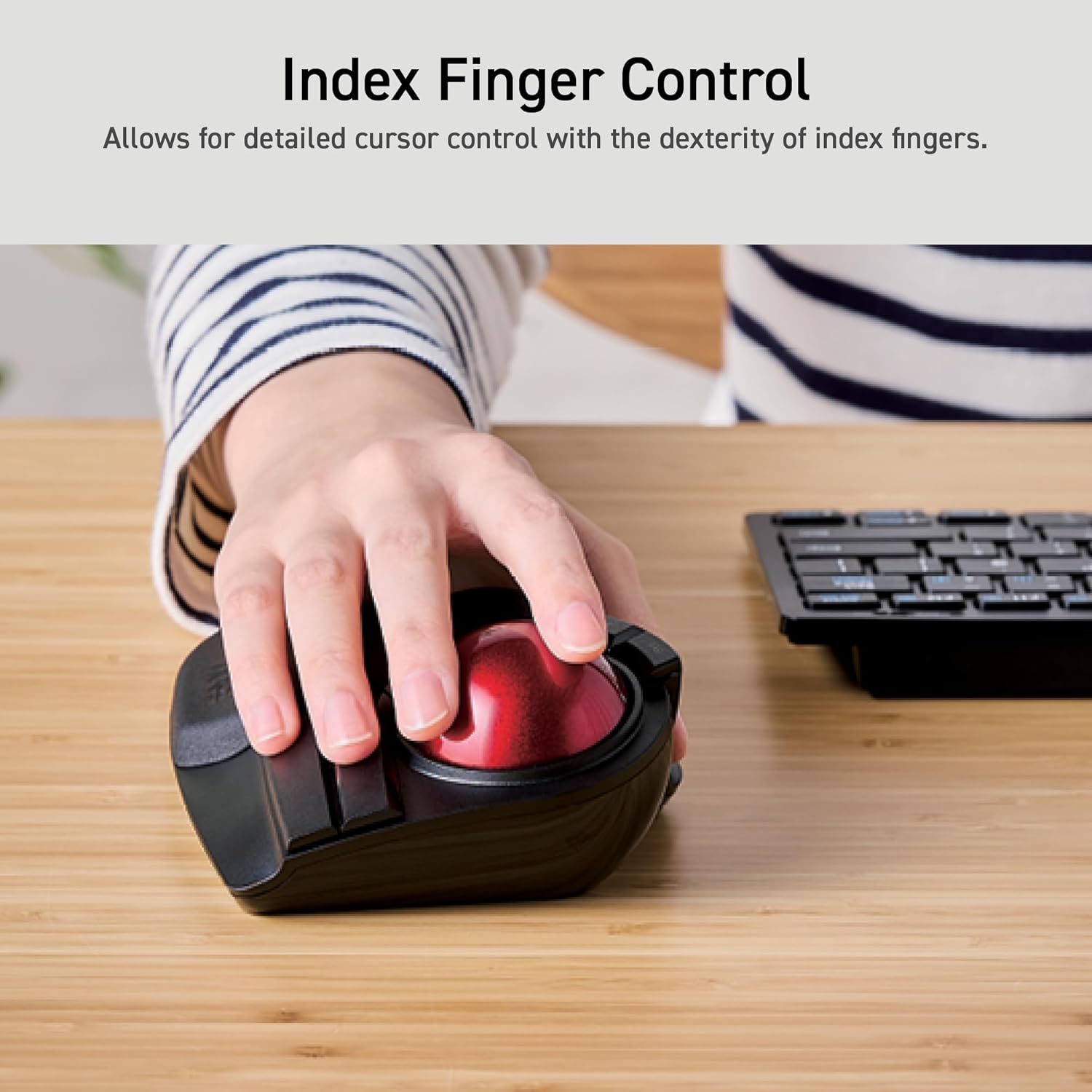
3 paveikslas: Demonstrating index finger control for precise cursor movement.
4.2. DPI reguliavimas
The trackball features a DPI button to adjust cursor speed. You can switch between three DPI settings: 500 (LOW), 1000 (MID), and 1500 (HIGH) DPI. Press the DPI button to cycle through these settings and find your preferred cursor speed.
4.3. Programuojami mygtukai
The trackball is equipped with 8 physical buttons, including the scroll wheel with tilt functionality. These buttons can be customized using the ELECOM Mouse Assistant software to perform various functions, such as application shortcuts, media controls, or custom macros.

4 paveikslas: Baigėsiview of the 8 programmable buttons and their locations.
4.4. Ergonomic Design and Palm Rest
The trackball features an ergonomic angled design and a large, soft palm rest to support your hand and wrist in a natural position, promoting comfort during extended use.
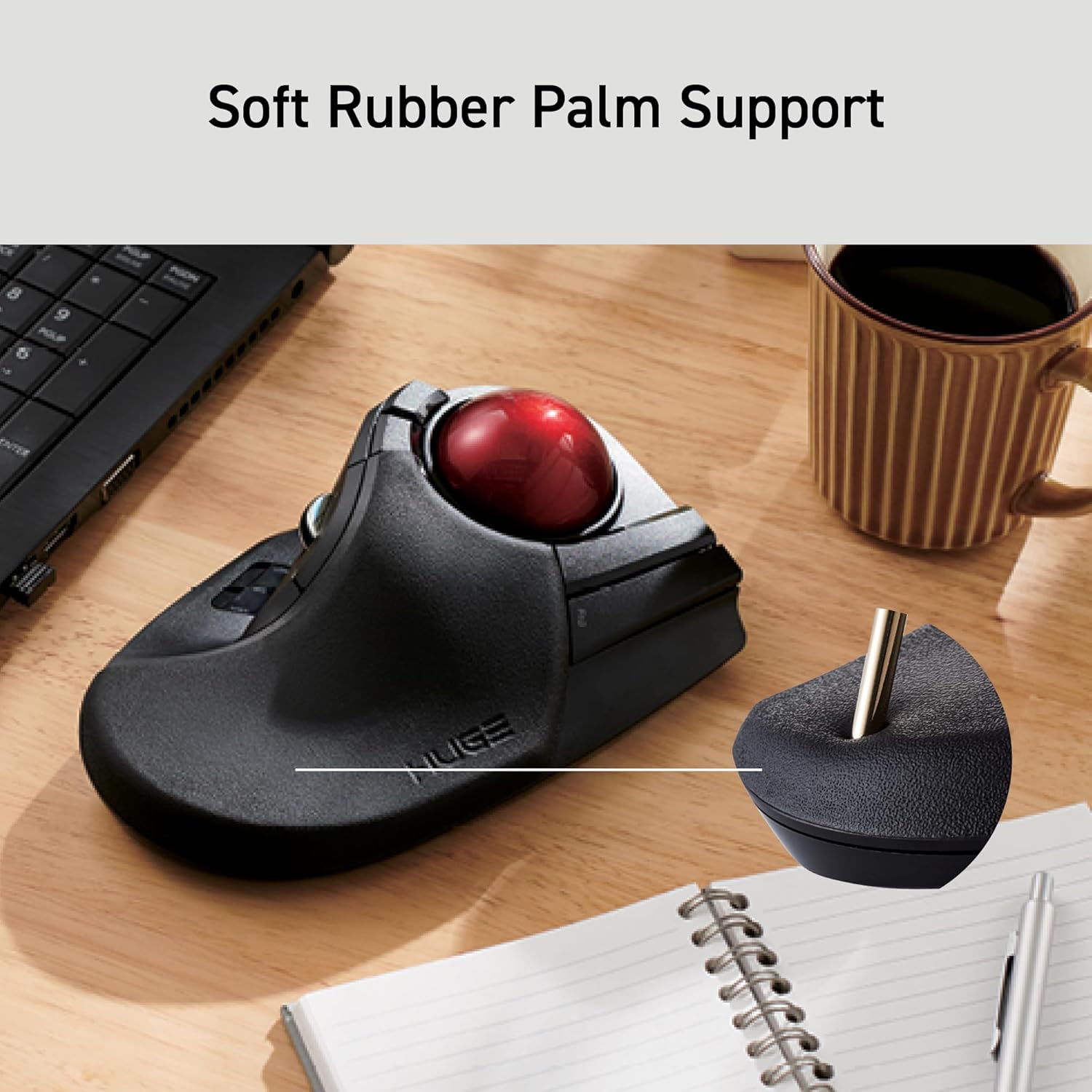
5 paveikslas: The soft rubber palm support integrated into the trackball design.
5. Priežiūra
5.1. Trackball Cleaning
To maintain smooth operation, periodically clean the 52mm trackball and its ruby bearings. Dust and debris can accumulate and affect performance.
- Išjunkite manipuliatorių.
- Locate the ball removal hole on the underside of the device.
- Gently push the trackball out through this hole.
- Wipe the trackball with a soft, lint-free cloth.
- Clean the three ruby ball bearings and the inside of the trackball housing with a cotton swab or a soft brush to remove any dust or debris.
- Reinsert the trackball into the housing until it clicks into place.
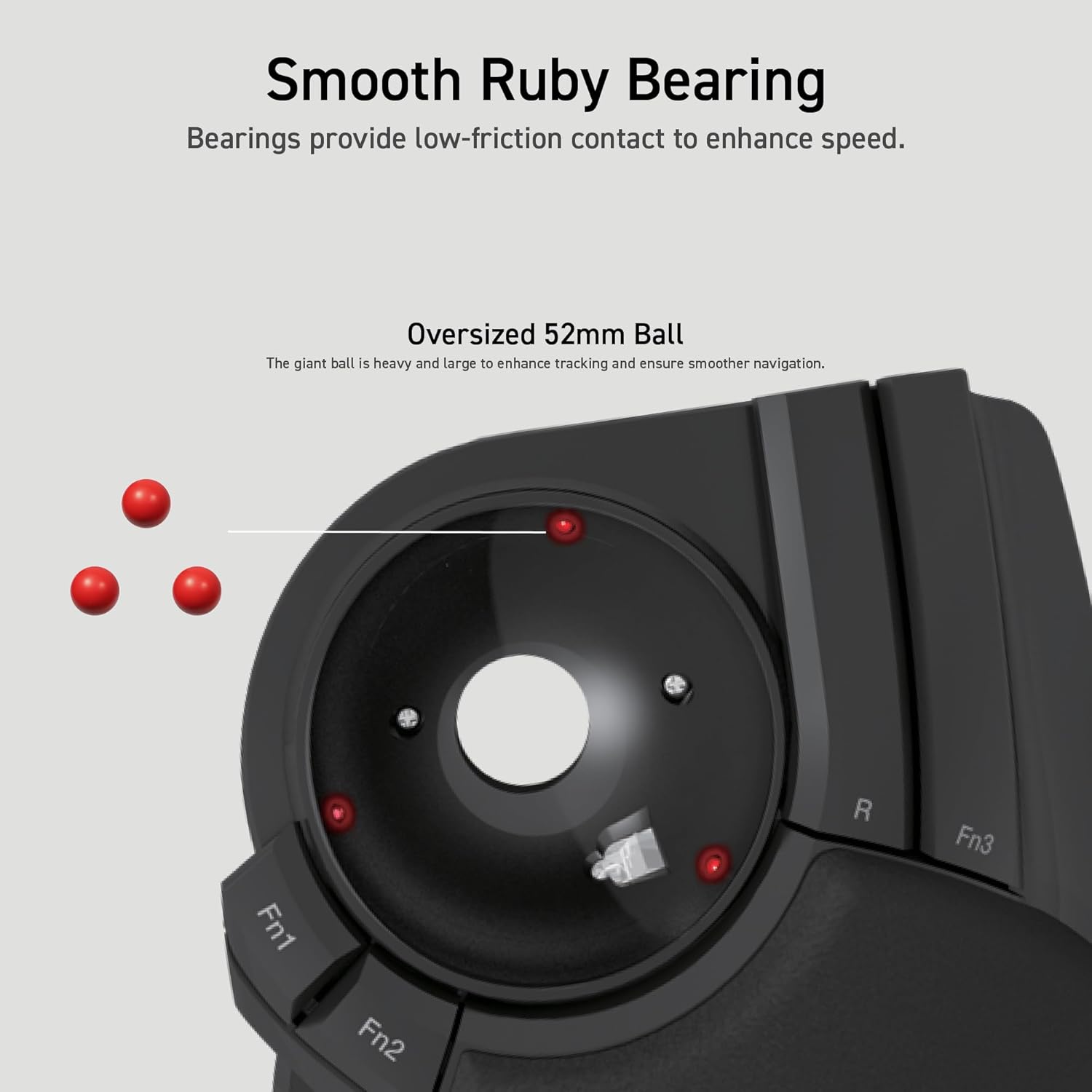
6 paveikslas: Illustration of the smooth ruby bearings and the trackball removal process.
6. Problemų sprendimas
6.1. Cursor Not Moving or Erratic
- Patikrinkite baterijas: Ensure batteries are correctly installed and have sufficient charge. Replace if necessary. The trackball has a battery remaining light lamp.
- Patikrinkite USB imtuvą: Įsitikinkite, kad USB imtuvas yra tvirtai prijungtas prie veikiančio USB prievado. Išbandykite kitą USB prievadą.
- Švarus manipuliatorius: Refer to Section 5.1 for instructions on cleaning the trackball and bearings.
- Trikdžiai: Move the trackball closer to the USB receiver or away from other wireless devices that might cause interference.
6.2. Mygtukai nereaguoja
- Programinės įrangos patikrinimas: If using custom button assignments, ensure the ELECOM Mouse Assistant software is running and configured correctly.
- Įrenginio suporavimas iš naujo: In rare cases, re-pairing the device with the USB receiver might resolve the issue. Consult the ELECOM support webkonkrečias instrukcijas.
7. Specifikacijos
| Modelio numeris | M-HT1DRBK |
| Ryšys | 2.4GHz Wireless USB |
| DPI nustatymai | 500 / 1000 / 1500 DPI (switchable) |
| Mygtukai | 8 (Programmable) + Scroll Wheel with Tilt |
| Trackball dydis | 52 mm |
| Maitinimo šaltinis | 2 x AA baterijos (pridedamos) |
| Operacinės sistemos suderinamumas | Windows 7, 8, 10 or later; macOS 10.13 or later |
| Matmenys (IxPxH) | 7.16 x 4.52 x 2.25 colio (181.9 x 114.7 x 57.2 mm) |
| Svoris (be akumuliatoriaus) | 9.2 uncijos (260 g) |
8. Garantija ir palaikymas
ELECOM products are designed for reliability and performance. For warranty information, technical support, or to download the latest software and drivers, please visit the official ELECOM website or contact ELECOM customer service.
Oficialus ELECOM Websvetainė: https://www.elecom.co.jp/global/


