
Įvadas
The mophie Power Boost XXL is a high-capacity portable power pack designed to charge your mobile devices on the go. With a 20,800 mAh internal battery and dual USB-A charging ports, it provides extended power for smartphones, tablets, and other USB-enabled devices. This manual will guide you through the proper use and care of your Power Boost XXL.
Kas yra dėžutėje
- mophie Power Boost XXL Power Pack
- USB-A to Micro USB Charging Cable
- Greito paleidimo vadovas (išsamias instrukcijas rasite šiame vadove)
Sąranka
Charging Your Power Boost XXL
Before initial use, fully charge your mophie Power Boost XXL. This ensures optimal battery performance and longevity.
- Connect the included USB-A to Micro USB charging cable to the Micro USB input port on the Power Boost XXL.
- Prijunkite USB-A laido galą prie suderinamo USB sieninio adapterio (nepridedamas) arba kompiuterio USB prievado.
- The integrated four-light LED power indicator will illuminate to show the charging status. All four LEDs will be solid when the Power Boost XXL is fully charged.
Charging time may vary depending on the power source. A full charge can take several hours.
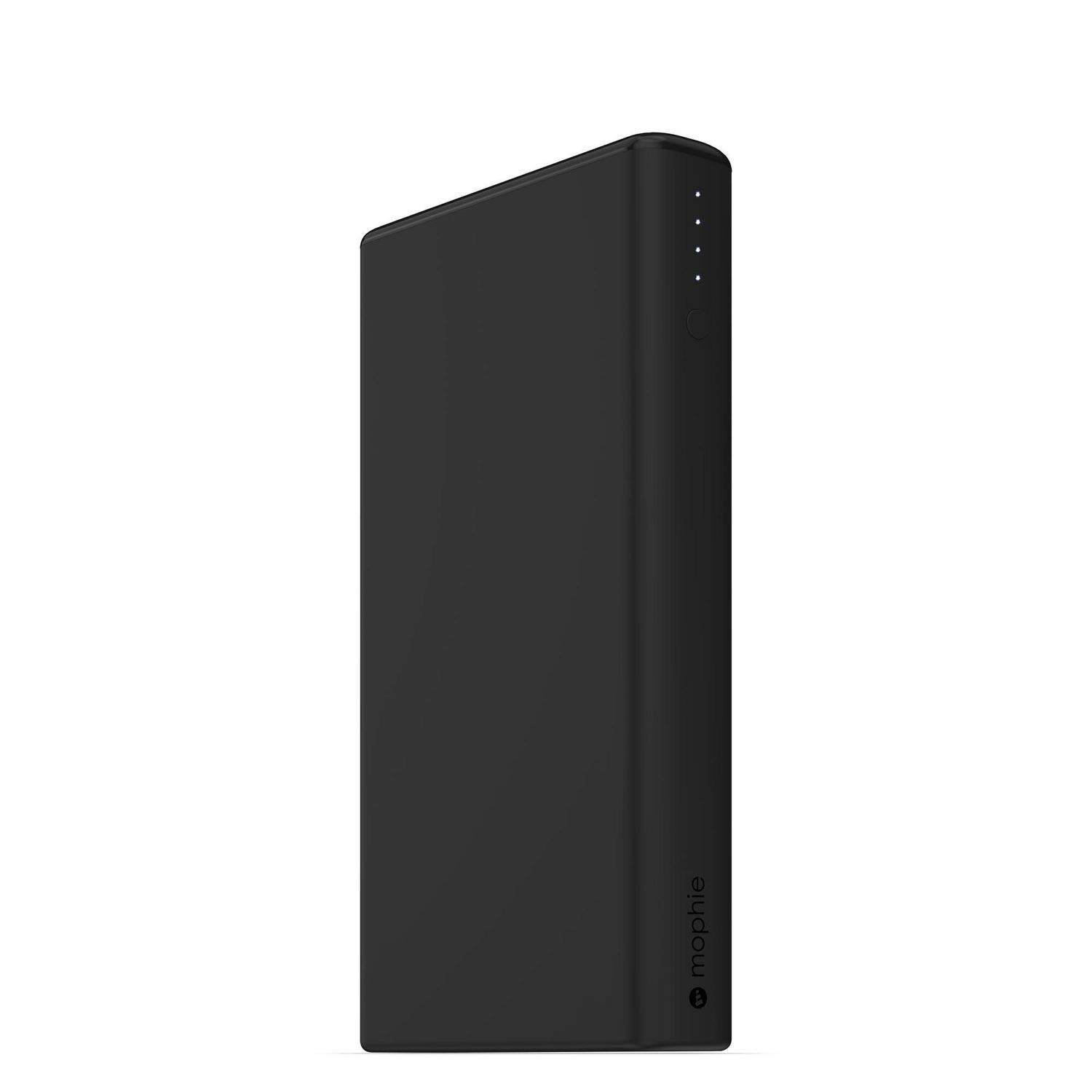
Image: mophie Power Boost XXL showing LED power indicators.
Naudojimo instrukcijos
Įrenginių įkrovimas
The Power Boost XXL features dual USB-A output ports, allowing you to charge two devices simultaneously.
- Connect your device's charging cable (USB-A end) to one of the USB-A output ports on the Power Boost XXL.
- Connect the other end of your device's charging cable to your smartphone, tablet, or other USB-enabled device.
- The Power Boost XXL will automatically begin charging your device. If charging does not start, press the power button on the Power Boost XXL once.
- The LED power indicator lights will show the remaining battery life of the Power Boost XXL during charging.
The Power Boost XXL provides up to 2.1A output per port for efficient charging.
Baterijos lygio tikrinimas
To check the remaining battery level of your Power Boost XXL, simply press the power button once. The LED indicators will light up, with each light representing approximately 25% of the battery capacity.
- 4 šviesos diodai: Įkrauta 75–100 proc
- 3 šviesos diodai: Įkrauta 50–75 proc
- 2 šviesos diodai: Įkrauta 25–50 proc
- 1 šviesos diodas: Įkrauta 0–25 % (netrukus įkraunama)
Priežiūra
- Keep the Power Boost XXL dry and away from moisture.
- Nelaikykite prietaiso ekstremaliose temperatūrose (karštyje ar šaltyje).
- Prietaisą valykite minkšta, sausa šluoste. Venkite naudoti stiprių cheminių medžiagų ar abrazyvinių medžiagų.
- Store the Power Boost XXL in a cool, dry place when not in use.
- For optimal battery health, fully charge the Power Boost XXL at least once every three months if stored for extended periods.
Trikčių šalinimas
Power Boost XXL Not Charging
- Ensure the Micro USB cable is securely connected to both the Power Boost XXL and the power source.
- Try using a different USB wall adapter or computer USB port.
- Patikrinkite, ar maitinimo šaltinis yra aktyvus ir tiekia energiją.
- Check the Micro USB cable for any damage. Try a different cable if available.
Device Not Charging from Power Boost XXL
- Ensure your device's charging cable is securely connected to both the Power Boost XXL and your device.
- Press the power button on the Power Boost XXL once to initiate charging.
- Check if the Power Boost XXL has sufficient charge (refer to "Checking Battery Level").
- Try using a different USB-A output port on the Power Boost XXL.
- Ensure your device's charging cable is not damaged.
- Įsitikinkite, kad jūsų įrenginys suderinamas su USB įkrovimu.
Lėtas įkrovimas
- Įsitikinkite, kad naudojate aukštos kokybės įkrovimo laidą.
- If charging the Power Boost XXL, use a wall adapter with a higher output (e.g., 2.1A or higher) for faster charging.
- If charging a device, ensure the device's cable supports fast charging if applicable.
Specifikacijos
| Funkcija | Detalė |
|---|---|
| Vidinės baterijos talpa | 20,800 mAh |
| Išvesties prievadai | 2 x USB-A (up to 2.1A per port, 4.2A total) |
| Įvesties prievadas | Mikro USB |
| Matmenys | 3.35 x 0.87 x 6.1 colio |
| Svoris | 1 svaras |
| Modelio numeris | 4061_PWR-BOOST-20.8K-BLK |

Image: mophie Power Boost XXL with labeled dimensions (1.25" H x 7.25" L x 4.25" W).
Svarbi saugos informacija
- Do not attempt to disassemble the Power Boost XXL.
- Avoid dropping, puncturing, or exposing the device to strong impacts.
- Laikyti atokiai nuo ugnies, vandens ir ėsdinančių medžiagų.
- Nenaudokite, jei prietaisas pažeistas arba išsipūtęs.
- Dispose of the battery pack according to local environmental regulations.
Garantija ir palaikymas
mophie products are designed for durability and performance. For warranty information, product registration, and customer support, please visit the official mophie websvetainėje arba susisiekite tiesiogiai su jų klientų aptarnavimo tarnyba.
Official mophie websvetainė: www.mophie.com
Produkto vaizdo įrašas
Peržiūrėkite šį vaizdo įrašą, kad gautumėte vaizdinę apžvalgąview of the mophie Power Boost XXL.
Video: mophie Power Boost XXL Universal External Battery - 8 Charges (20,800mAh) - Black. This video provides a customer's perspective on the product's features and performance.


