Įvadas
This manual provides detailed instructions for setting up, operating, maintaining, and troubleshooting your ViewSonic VA2446MH-LED 24-inch Full HD 1080p LED monitor. Please read this manual thoroughly before using the product to ensure proper functionality and safety.
Kas yra dėžutėje
- LCD monitorius
- Maitinimo kabelis
- VGA laidas
- Garso kabelis
- Greitos pradžios vadovas

Į paketą įeina ViewSonic VA2446MH-LED monitor, a power cable, an HDMI cable, and a Quick Start Guide to assist with initial setup.
Sąranka
Stovo surinkimas
Follow the instructions in the Quick Start Guide to attach the stand to the monitor. Ensure all connections are secure.
Monitoriaus prijungimas
The VA2446MH-LED monitor supports both HDMI and VGA inputs.
Maitinimo prijungimas
Connect the provided power cable to the monitor's power input and then to a power outlet.
Vaizdo jungtis
Choose either an HDMI or VGA cable to connect your computer to the monitor.
- For HDMI: Connect one end of the HDMI cable to the HDMI port on your computer and the other end to the HDMI input on the monitor.
- For VGA: Connect one end of the VGA cable to the VGA port on your computer and the other end to the VGA input on the monitor.
Audio Connection (Optional)
If using the monitor's built-in speakers or audio output, connect the audio cable from your computer's audio output to the monitor's audio input.

This image displays the rear of the monitor, highlighting the HDMI, VGA, and audio input/output ports for flexible connectivity, as well as the location of the integrated 2x 2.5-watt speakers.

Išsamią view of the monitor's back panel, illustrating the power input, HDMI port, VGA port, and audio ports for connecting external devices.
Monitoriaus valdymas
Maitinimo įjungimas/išjungimas
Press the power button located on the front or bottom bezel of the monitor to turn it on or off. The power indicator light will illuminate when the monitor is on.
Įvesties pasirinkimas
Use the monitor's On-Screen Display (OSD) menu or dedicated input selection buttons to switch between HDMI and VGA inputs.
Ekrano ekrano (OSD) meniu
The OSD menu allows you to adjust various display settings such as brightness, contrast, color temperature, and aspect ratio.
- Press the Menu button to access the OSD.
- Use the navigation buttons (usually arrows) to browse through options.
- Press the Select or Enter button to confirm a selection.
- Press the Exit or Menu button again to close the OSD.
ViewSplit Software (Optional)
ViewSonic išskirtinis ViewSplit software allows you to create customized screen layouts for enhanced productivity.
To install, download the software from the ViewSonic website's product support page.
After installation, double-click the ViewSplit icon on your desktop or click the notification tray icon to open the application.
Select a predefined template or create a customizable template by dragging and resizing the red borders. Save your customized templates for future use.
This official ViewSonic video illustrates how to use the ViewSplit software to divide your monitor screen into multiple viewing windows, enhancing multitasking and productivity. It shows how to select predefined templates and customize layouts by dragging application windows into desired zones.
Priežiūra
Ekrano valymas
Švelniai nuvalykite ekraną minkštu, nepūkuotu skudurėliu. Jei dėmės sunkiai įveikiamos, švelniai nuvalykiteampNuvalykite šluostę vandeniu arba neabrazyviniu ekrano valikliu. Venkite purkšti skysčio tiesiai ant ekrano.
C valymasasing
Monitorių valykite minkšta, sausa šluoste.asing. Nenaudokite stiprių ploviklių ar abrazyvinių valiklių.
Sandėliavimas
When storing the monitor for an extended period, ensure it is powered off and disconnected from the power source. Store it in a cool, dry place, ideally in its original packaging.
Trikčių šalinimas
Nėra galios
- Įsitikinkite, kad maitinimo mygtukas (arba jungiklis) įjungtas.
- Ensure the A/C power cord is securely connected to the display.
- Į maitinimo lizdą įjunkite kitą elektros prietaisą (pvz., radiją), kad patikrintumėte, ar iš lizdo tiekiamas tinkamas elektros energijos tiekimastage.
Maitinimas įjungtas, bet nėra ekrano vaizdo
- Įsitikinkite, kad vaizdo laidas, pateiktas su ekranu, yra tinkamai pritvirtintas prie vaizdo išvesties prievado kompiuterio gale. Jei kitas vaizdo kabelio galas nėra nuolat pritvirtintas prie ekrano, tinkamai pritvirtinkite jį prie ekrano.
- Reguliuokite ryškumo ir kontrasto nustatymus per OSD meniu.
- If you are using an older Macintosh (older than G3), a Macintosh adapter may be required.
Neteisingos arba neįprastos spalvos
- Jei trūksta spalvų (raudonos, žalios ar mėlynos), patikrinkite vaizdo laidą ir įsitikinkite, kad jis tinkamai prijungtas. Dėl laisvų arba sulūžusių kabelio jungties kaiščių gali būti netinkamas ryšys.
- Connect the display to another computer to isolate the issue.
- Jei turite senesnę vaizdo plokštę, susisiekite ViewSonic for a non-DDC adapter.
Valdymo mygtukai neveikia
- Press only one button at a time. Ensure no objects are obstructing the buttons.
Specifikacijos
| Funkcija | Specifikacija |
|---|---|
| Nuolatinio ekrano ekrano dydis | 24 colių |
| Ekrano raiška | 1920x1080 |
| Maksimali ekrano skiriamoji geba | 1920 x 1080 pikselių |
| Prekės ženklas | ViewSonic |
| Serija | VA |
| Prekės modelio numeris | VA2446MH-LED |
| Prekės svoris | 9.02 svaro |
| Gaminio matmenys | 8.32 x 22.49 x 15.78 colio |
| Prekės matmenys PxPxA | 8.32 x 22.49 x 15.78 colio |
| Spalva | Juoda |
| Maitinimo šaltinis | 10 |
| ttage | 240 voltų |
| Gamintojas | ViewSonic |
| ASIN | B074F28QNS |
| Pasiekiama pirmoji data | 1 m. liepos 2017 d |
| Ekrano dydis | 24 colių |
| Rezoliucija | FHD 1080p |
| Krašto santykis | 16:9 |
| Ekrano paviršiaus aprašymas | Apsauga nuo akinimo, Kieta danga (3H) |
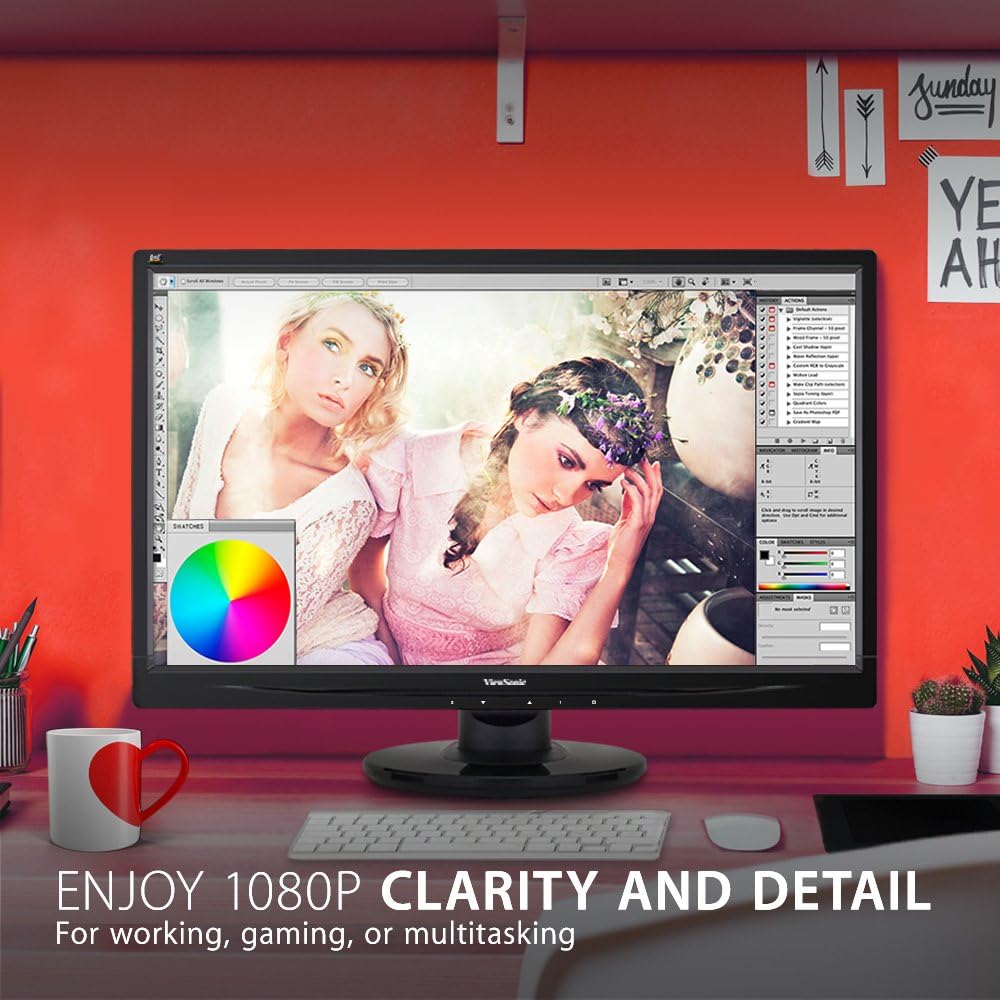
The monitor showcases its Full HD 1080p clarity and detail, ideal for tasks like graphic design, gaming, or general multitasking, with a color palette visible on screen.
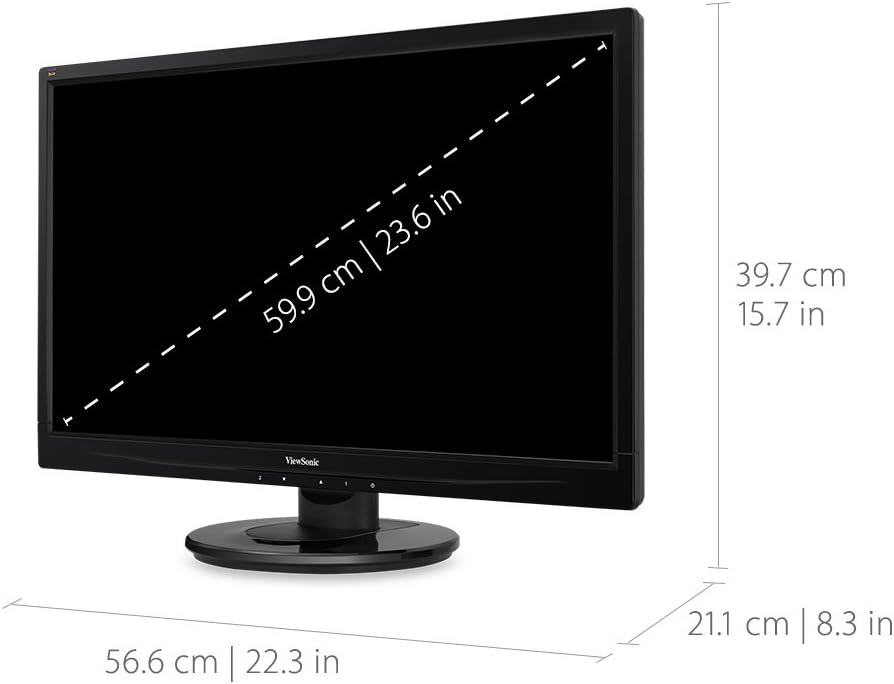
This diagram provides the physical dimensions of the monitor, indicating a 23.6-inch diagonal screen size (59.9 cm) and overall measurements of 22.3 inches (56.6 cm) width, 15.7 inches (39.7 cm) height, and 8.3 inches (21.1 cm) depth.
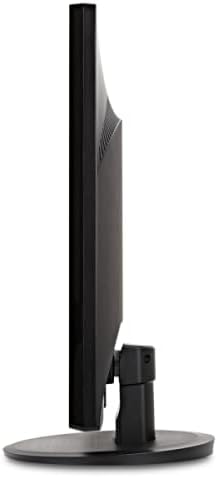
A pusė view of the monitor, highlighting its slim profile and the design of the stand.
Garantija ir palaikymas
Dėl garantijos informacijos ir techninės pagalbos kreipkitės į oficialią ViewSonic websvetainėje arba prie jūsų produkto pridėtoje dokumentacijoje.
Galite aplankyti pareigūną ViewSonic Store for more information: ViewSonic parduotuvė


