Įvadas
This manual provides comprehensive instructions for the safe and proper installation, operation, and maintenance of your Amazon Basics Heavy-Duty Tilting TV Wall Mount and High-Speed HDMI Cable. This wall mount is designed to securely hold flat-panel televisions ranging from 37 inches to 80 inches, with a maximum weight capacity of 120 pounds. The included HDMI cable supports Ethernet, 3D, and 4K video, along with Audio Return Channel (ARC) for versatile connectivity.
Please read this manual thoroughly before beginning installation to ensure correct setup and to prevent damage to the product or injury.
Saugos informacija
ĮSPĖJIMAS: Failure to read and follow all instructions can result in personal injury or property damage. The manufacturer is not responsible for damage or injury caused by incorrect mounting, incorrect assembly, or incorrect use.
- Ensure the wall structure can safely support the combined weight of the mount and the television. Consult a qualified professional if unsure.
- Neviršykite maksimalios leistinos svorio ribos – 120 svarų (54.4 kg).
- This mount is intended for use with flat-panel TVs between 37 and 80 inches.
- Always use appropriate safety gear, including eye protection, during installation.
- Verify the location of electrical wires, water pipes, and gas lines behind the wall before drilling.
- Two people are recommended for installation due to the size and weight of TVs.
- Visas smulkias dalis ir pakavimo medžiagas laikykite vaikams nepasiekiamoje vietoje.
Pakuotės turinys
Atsargiai išpakuokite dėžę ir įsitikinkite, kad yra visi komponentai ir jie nepažeisti. Jei trūksta kokių nors dalių arba jos pažeistos, nebandykite jų montuoti. Norėdami gauti pagalbos, susisiekite su klientų aptarnavimo tarnyba.
- Sieninės plokštės surinkimas (1)
- TV Mounting Brackets (2)
- High-Speed HDMI Cable (1)
- Aparatūros rinkinys (įvairūs varžtai, poveržlės, tarpikliai, inkarai)
- Instrukcijų vadovas (šis dokumentas)


Sąranka ir diegimas
Reikalingi įrankiai (neįtraukta):
- Smeigių ieškiklis
- Gręžkite tinkamais grąžtais (medienai / betonui)
- Level (though one is built into the mount)
- Phillips galvos atsuktuvas
- Socket wrench or adjustable wrench
- Pieštukas
- Matavimo juosta
1 veiksmas: nustatykite montavimo vietą
Choose a location on your wall that is structurally sound and free from electrical wires, water pipes, or gas lines. Use a stud finder to locate wood studs if mounting to drywall, or ensure you have appropriate concrete anchors if mounting to masonry.
2 veiksmas: pritvirtinkite sieninę plokštę
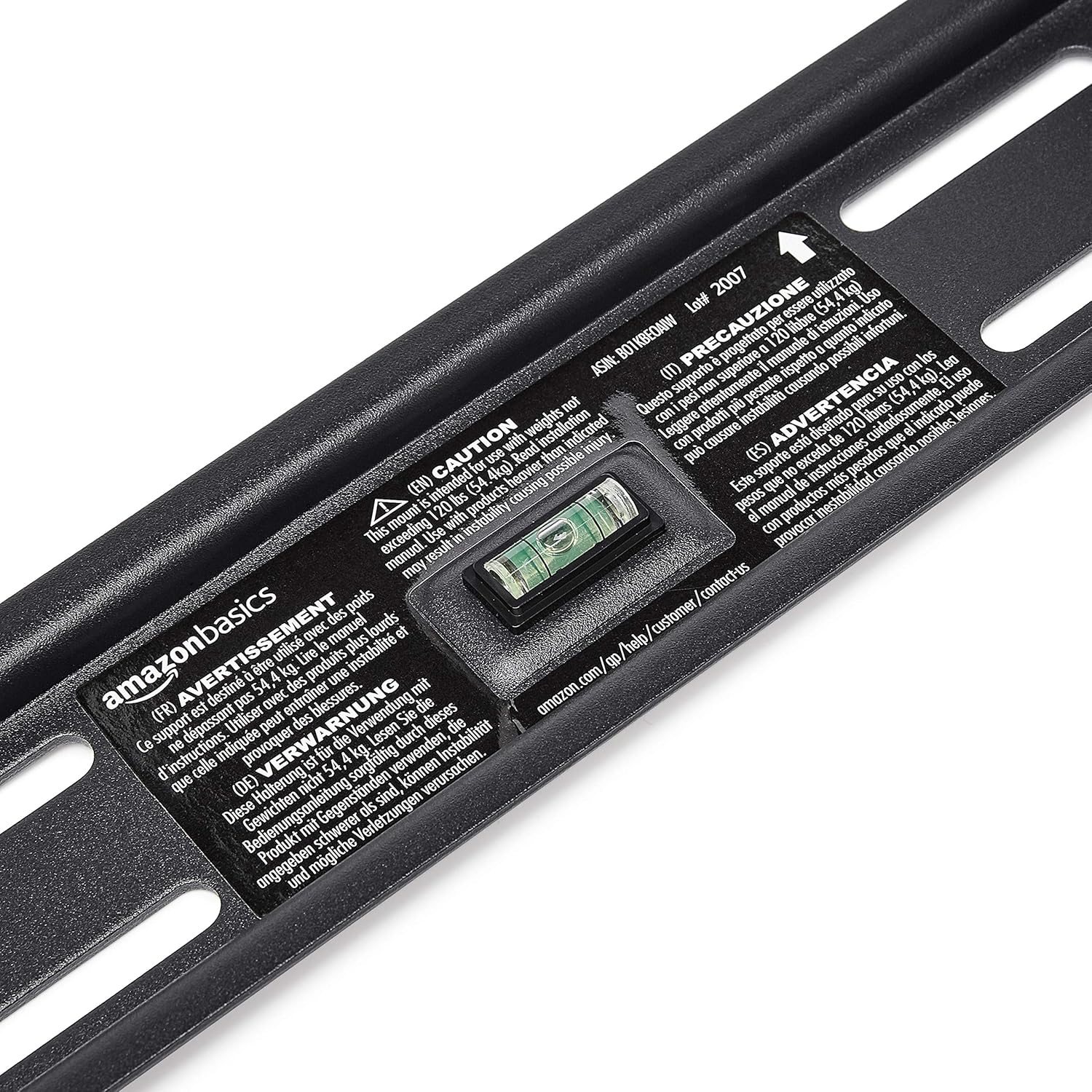
- Hold the wall plate against the wall at the desired height. Use the built-in level to ensure it is perfectly horizontal.
- Pieštuku pažymėkite gręžimo vietas per skyles sieninėje plokštėje.
- Drill pilot holes at the marked locations. The size of the drill bit will depend on your wall type and the anchors/lag bolts being used.
- Secure the wall plate to the wall using the provided lag bolts and washers. Ensure it is firmly attached and level.

Step 3: Attach TV Mounting Brackets to TV
- Lay your TV face down on a soft, clean surface to prevent screen damage.
- Nustatykite VESA tvirtinimo angas televizoriaus gale.
- Iš tvirtinimo detalių rinkinio pasirinkite tinkamus varžtus, poveržles ir tarpiklius, kurie tinka jūsų televizoriaus tvirtinimo angoms.
- Attach the two vertical TV mounting brackets to the back of your TV, ensuring they are centered and aligned with the VESA pattern. The hooks on the brackets should face upwards.

4 veiksmas: pritvirtinkite televizorių prie sieninės plokštės
- Su pagalba atsargiai pakelkite televizorių ir pritvirtinkite laikiklius prie sieninės plokštės viršutinio krašto.
- Gently lower the TV until the brackets fully engage with the wall plate. You should hear a click or feel it lock into place.
- Pull the release strings (if applicable) to ensure the TV is securely latched to the mount. Some models have safety screws to further secure the TV; tighten these if present.


Step 5: Connect HDMI Cable
Connect one end of the included High-Speed HDMI cable to the HDMI output port on your source device (e.g., Blu-ray player, game console, streaming device) and the other end to an HDMI input port on your TV.

Naudojimo instrukcijos
Tilting the TV:
This wall mount allows for 18 degrees of tilt, ranging from +15 degrees (upward) to -3 degrees (downward), to achieve an optimal viewing angle and reduce glare. To adjust the tilt:
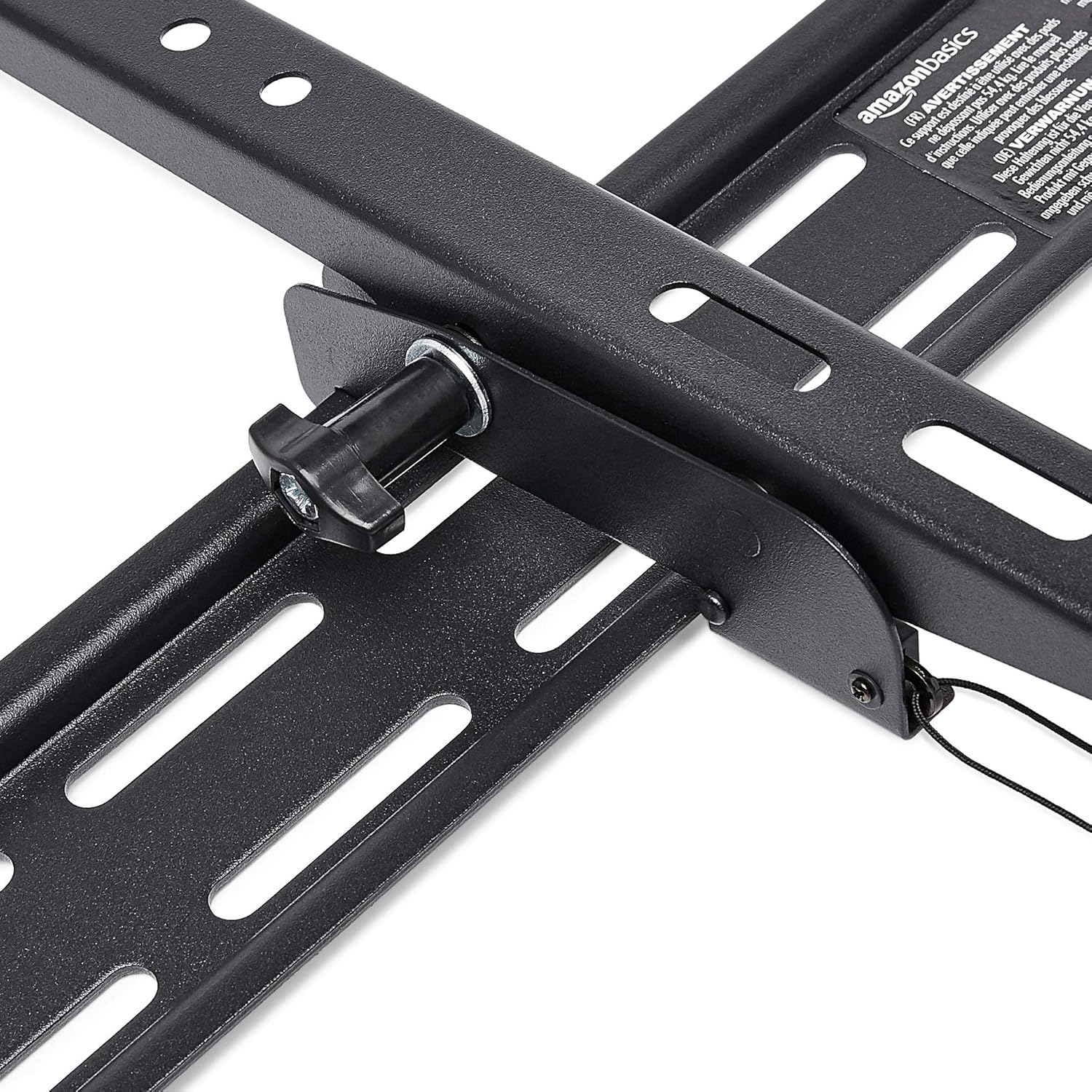
- Locate the tilt adjustment knobs or levers on the side of the TV mounting brackets.
- Loosen the knobs or levers to allow the TV to tilt freely.
- Atsargiai pakreipkite televizorių norimu kampu.
- Tighten the knobs or levers to secure the TV in place.
Priežiūra
- Periodiškai patikrinkite visus varžtus ir veržles, kad jie būtų tvirtai priveržti ir tvirtai pritvirtinti.
- Clean the mount and HDMI cable with a soft, dry cloth. Avoid abrasive cleaners or solvents.
- Do not hang anything from the mount or TV that exceeds the weight capacity.
Trikčių šalinimas
| Problema | Galima priežastis | Sprendimas |
|---|---|---|
| Televizorius po įrengimo nėra lygus. | Sieninė plokštė montavimo metu nėra lygi. | Carefully remove TV, loosen wall plate screws, adjust level using built-in bubble level, and re-tighten. Re-mount TV. |
| TV not securely attached to mount. | Brackets not fully engaged or safety screws not tightened. | Ensure brackets are fully seated on the wall plate. Tighten any safety screws on the bottom of the brackets. |
| No picture/sound via HDMI. | Incorrect input selected on TV, loose cable connection, or faulty source device. | Verify TV input matches the connected HDMI port. Ensure HDMI cable is firmly connected at both ends. Test with another HDMI cable or source device if possible. |
Specifikacijos
- Prekinis ženklas: „Amazon“ pagrindai
- Modelis: Heavy-Duty Tilting TV Wall Mount & High-Speed HDMI Cable
- ASIN: B074SVCYZY
- Montavimo tipas: Pakreipti
- Suderinami televizoriaus dydžiai: Nuo 37 iki 80 colių
- Didžiausia svorio talpa: 120 svaro (54.4 kg)
- Pakreipimo kampas: +15 to -3 degrees (18 degrees total)
- HDMI kabelio ilgis: 10 pėdų
- HDMI funkcijos: Supports Ethernet, 3D, 4K video, Audio Return Channel (ARC)
Garantija ir palaikymas
Informacijos apie garantiją ir klientų aptarnavimą ieškokite oficialiame „Amazon Basics“ dokumente. websvetainėje arba susisiekite tiesiogiai su „Amazon“ klientų aptarnavimo tarnyba. Išsaugokite pirkimo kvitą garantiniams reikalavimams.
Websvetainė: „Amazon Basics“ parduotuvė


