1. Įvadas
This manual provides detailed instructions for the proper setup, operation, and maintenance of your Taylor Digital Kitchen Scale, Model 3897. Designed for precision and ease of use, this scale is ideal for weighing a variety of food items and other household goods. Please read this manual thoroughly before using the scale to ensure accurate measurements and prolonged product life.

This image displays the Taylor Digital Kitchen Scale from a top-down perspective, highlighting the stainless steel weighing platform, the bright red LED display, and the 'UNIT' and 'TARE' buttons.
2. Pagrindinės savybės
- Didelis tikslumas: Measures up to 11 lb (5000 g) with increments of 0.1 oz (1 g).
- Paprasta taravimo funkcija: Allows for weighing multiple ingredients in the same container by zeroing out the container's weight.
- Ryškus LED ekranas: Features a 1-inch brilliant red LED screen for clear readability from various angles.
- Patvarus dizainas: Constructed with a brushed stainless steel weighing platform and top housing, resistant to odors and stains.
- Automatinis išsijungimas: Taupo baterijos veikimo laiką, automatiškai išsijungia po tam tikro neveiklumo laikotarpio.
- Vieneto konvertavimas: Easily switch between pounds/ounces, grams, ounces, and kilograms.
3. Pakuotės turinys
Išpakuodami įsitikinkite, kad yra visi toliau išvardyti daiktai:
- 1 x Taylor Digital Kitchen Scale (Model 3897)
- 3x AAA baterijos
4. Sąranka
4.1. Akumuliatoriaus įdėjimas
- Apatinėje svarstyklių pusėje raskite baterijos skyrių.
- Atidarykite akumuliatoriaus skyriaus dangtelį.
- Insert the three (3) AAA batteries, ensuring correct polarity (+/-) as indicated inside the compartment.
- Saugiai uždarykite akumuliatoriaus skyriaus dangtelį.
4.2. Pradinis paskirstymas
Place the scale on a hard, flat, and stable surface. Uneven surfaces can affect accuracy. Avoid placing the scale near strong electromagnetic fields or extreme temperature fluctuations.

Kampinis view of the Taylor Digital Kitchen Scale, showcasing jo elegantiškas, žemas profesionalusfile design and brushed stainless steel finish.
5. Naudojimo instrukcijos
5.1. Maitinimo įjungimas/išjungimas
- Norėdami įjungti: Paspauskite TARE/POWER button once. The display will show '0.0'.
- Norėdami išjungti: Paspauskite ir palaikykite TARE/POWER button for approximately 3 seconds. The scale will also automatically shut off after a period of inactivity to save battery life.
5.2. Vieneto perskaičiavimas
Įjungę svarstykles, paspauskite VIENETAS button to cycle through the available measurement units: pounds and ounces (lb oz), grams (g), ounces (oz), and kilograms (kg). The selected unit will be displayed on the screen.
5.3. Sveriami daiktai
- Ensure the scale is on a flat, stable surface and powered on, displaying '0.0'.
- Place the item(s) to be weighed directly onto the center of the stainless steel platform.
- The weight will be displayed on the LED screen in the currently selected unit.
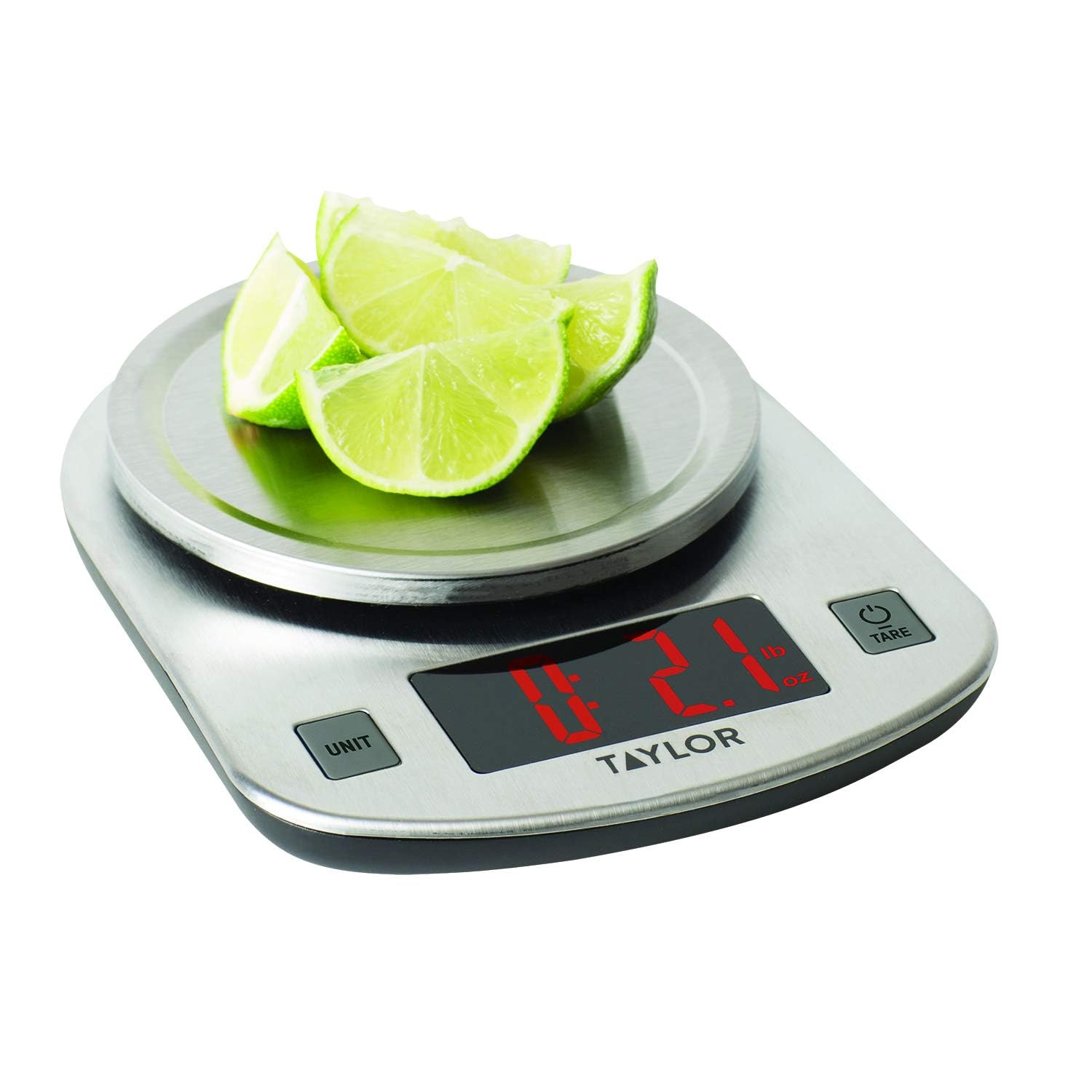
The scale in use, measuring sliced limes. The LED display clearly shows a weight of 2.1 ounces, demonstrating its functionality for weighing food items.
5.4. Taros funkcija (pridėti ir pasverti)
The Tare function allows you to weigh multiple ingredients consecutively in the same container without emptying it. It effectively resets the scale to zero after each ingredient is added.
- Padėkite tuščią indą ant svarstyklių platformos. Ekrane bus rodomas jo svoris.
- Paspauskite TARE/POWER mygtuką. Ekrane bus nustatytas naujas skaičius „0.0“.
- Į indą įdėkite pirmąjį ingredientą. Ekrane bus rodomas tik to ingrediento svoris.
- Norėdami pridėti kitą ingredientą, paspauskite TARE/POWER button again to reset the display to '0.0'.
- Add the next ingredient. Repeat this process for all subsequent ingredients.
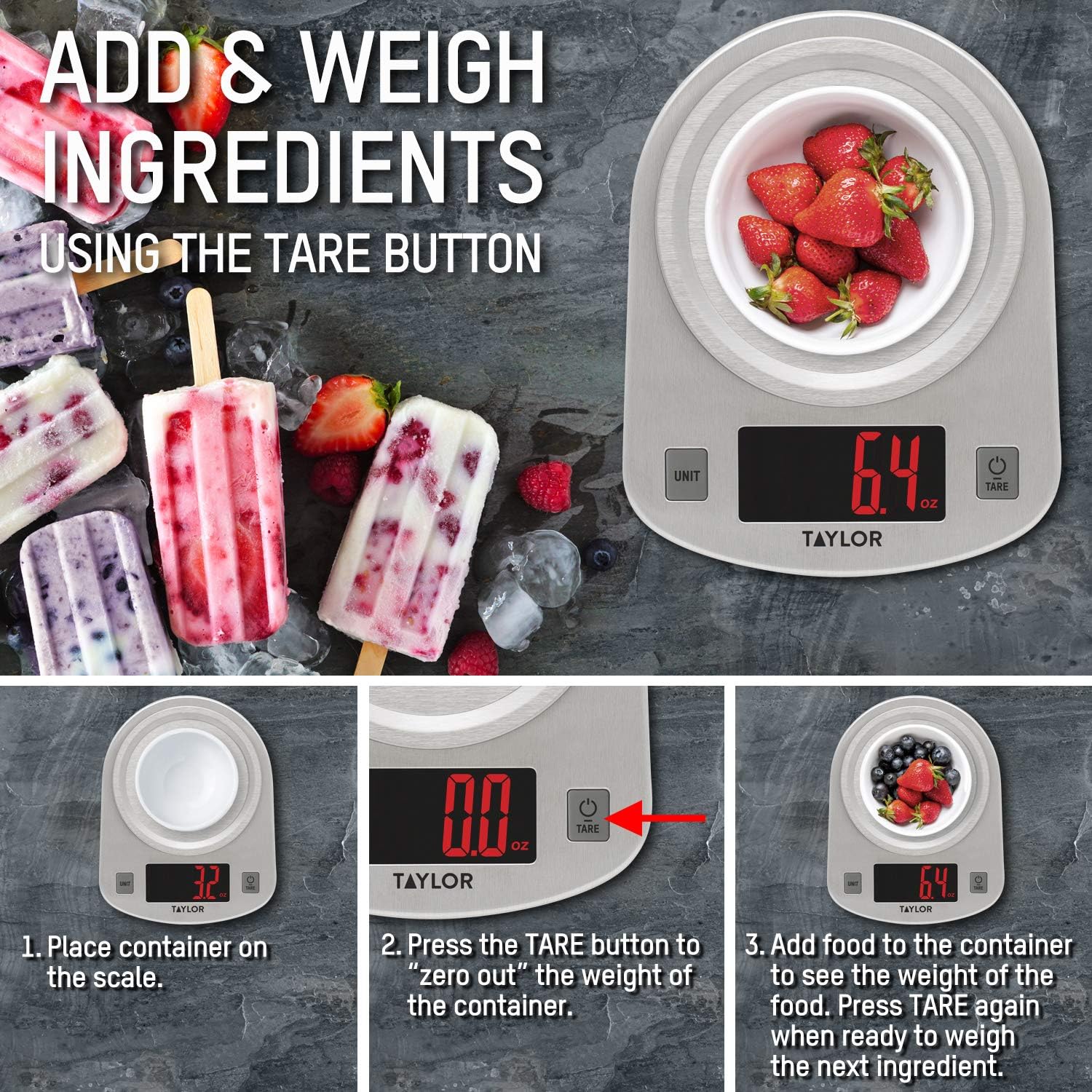
This instructional image illustrates the 'Add & Weigh' feature using the TARE button. It shows placing a container, taring its weight to zero, and then adding ingredients like strawberries to measure their net weight.
6. Priežiūra
6.1. Valymas
- Wipe the scale clean with a damp skudurėliu ir švelniu plovikliu.
- Nemerkite svarstyklių į vandenį ir nenaudokite abrazyvinių valymo priemonių.
- The stainless steel platform is odor and stain-resistant, making it easy to clean.
6.2. Sandėliavimas
Store the scale in a cool, dry place. Avoid placing heavy objects on the scale when not in use, as this may affect its accuracy over time.
7. Problemų sprendimas
| Problema | Galima priežastis | Sprendimas |
|---|---|---|
| Ekrane rodoma „Lo“ | Maža akumuliatoriaus energija. | Replace the three (3) AAA batteries. |
| Ekrane rodoma „Err“ | Svarstyklės perkrautos. | Remove items immediately. The maximum capacity is 11 lb (5000 g). |
| Netikslūs rodmenys | Scale is on an uneven or unstable surface. | Padėkite svarstykles ant kieto, lygaus ir stabilaus paviršiaus. |
| Svarstyklės neįsijungia | Baterijos įdėtos neteisingai arba išsikrovusios. | Patikrinkite baterijų poliškumą arba pakeiskite baterijas. |
8. Specifikacijos
- Modelio numeris: 3897
- Didžiausia talpa: 11 lb x 0.1 oz (5000 g x 1 g, 176 oz x 0.1 oz, 5 kg x 0.001 kg)
- Gaminio matmenys: 7 x 1.25 x 5.38 colio
- Prekės svoris: 11.2 uncijos
- Ekrano tipas: LED
- Maitinimo šaltinis: 3 x AAA baterijos (pridedamos)
- Ypatinga funkcija: Automatinis išsijungimas
- Medžiaga: Šlifuotas nerūdijantis plienas
9. Garantija ir palaikymas
This Taylor Digital Kitchen Scale is backed by the manufacturer's warranty. For specific warranty details, product support, or service inquiries, please refer to the warranty information provided with your purchase or contact Taylor customer service directly. Keep your purchase receipt as proof of purchase.


