1. Įvadas
Ačiū, kad pirkoteasing the SMART SENSOR Digital Anemometer AS806. This compact and lightweight device is designed for accurate measurement of wind speed and wind temperature. It features multiple functions including current, maximum, minimum, and average value display, data hold, manual/auto power off, low battery indication, and backlight. Please read this manual thoroughly before use to ensure proper operation and to extend the life of your device.
2. Saugos informacija
- Nebandykite ardyti ar modifikuoti įrenginio.
- Laikykite prietaisą atokiau nuo vandens ir didelės drėgmės aplinkoje.
- Stenkitės ilgą laiką nelaikyti prietaiso ekstremaliose temperatūrose arba tiesioginiuose saulės spinduliuose.
- Jei prietaisas nebus naudojamas ilgesnį laiką, išimkite bateriją, kad išvengtumėte elektrolito nuotėkio.
- Handle the impeller carefully to prevent damage.
3. Produktas baigtasview
3.1 Komponentai
The SMART SENSOR AS806 Digital Anemometer consists of a main body with an LCD display and an integrated impeller for wind speed measurement.
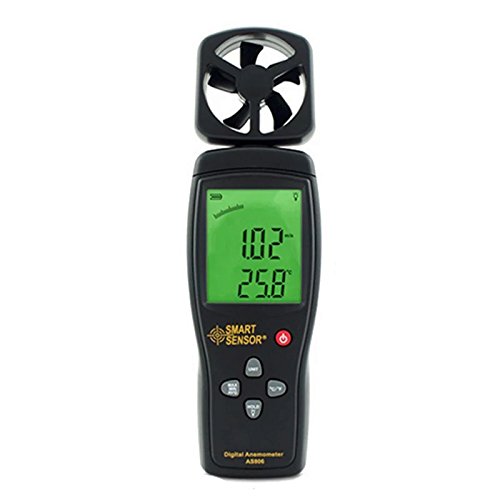
1 pav.: priekis view of the SMART SENSOR AS806 Digital Anemometer.
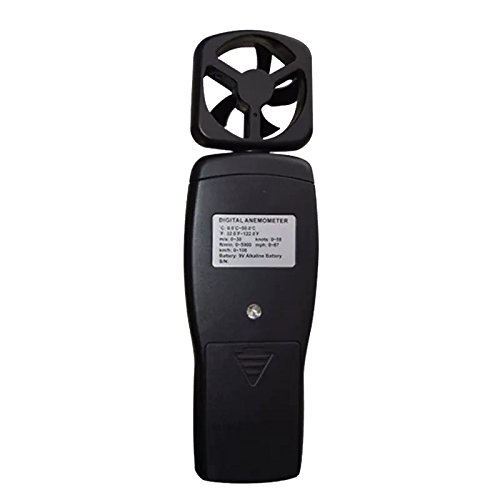
2 pav.: Nugara view of the device, showing the battery compartment.
3.2 Ekranas ir mygtukai
The device features an LCD display that shows measurement readings and various indicators. Control buttons allow for mode selection, unit conversion, data hold, and backlight activation.
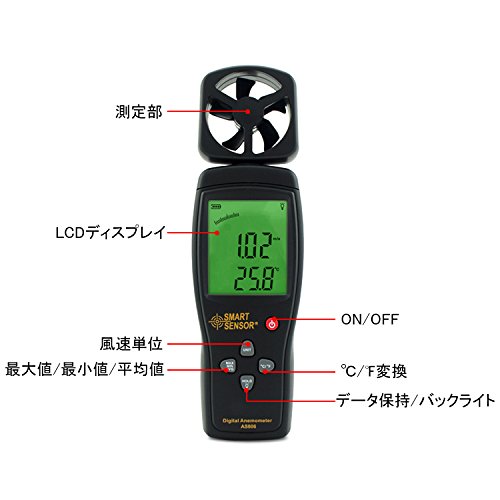
3 pav. Išsamus view of the LCD display and control buttons. Key elements include the measurement section (impeller), LCD display, ON/OFF button, wind unit selection, Max/Min/Avg function, °C/°F conversion, and Data Hold/Backlight button.
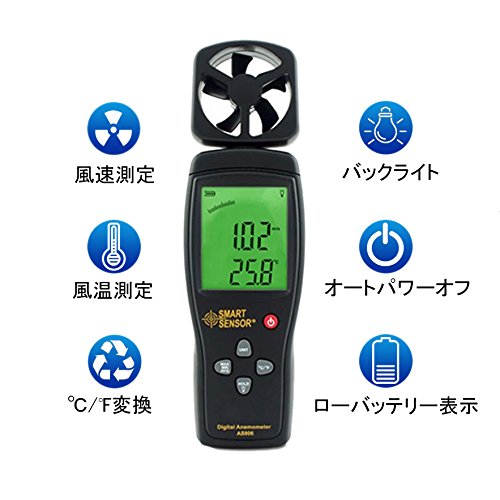
4 pav. Baigtaview of key features: Wind Speed Measurement, Wind Temperature Measurement, °C/°F Conversion, Backlight, Auto Power Off, and Low Battery Indicator.
4. Specifikacijos
4.1 Techniniai parametrai
| Parametras | Vertė |
|---|---|
| Vėjo greičio diapazonas | 0.3 ~ 45 m / s |
| Vėjo greičio tikslumas | ±3 % + 0.1 |
| Vėjo greičio vienetai | m/s, Ft/min, Knots, km/h, Mph |
| Vėjo temperatūros diapazonas | 0 ~ 45 °C |
| Wind Temperature Accuracy | ±2 °C |
| Rezoliucija | 0.001 m/s |
| Max/Min/Average Value | Taip |
| °C/°F Konversija | Taip |
| Foninis apšvietimas | Taip |
| Rankinis / automatinis išjungimas | Taip |
| Analoginis ekranas | Taip |
| Duomenų sulaikymo funkcija | Taip |
4.2 Bendrosios specifikacijos
- Maitinimas: 9V baterija
- Svoris: 170g
- Matmenys: 220 x 65 x 30 mm
- Medžiaga: Plastikinė PCB
- UPC: 799789670206
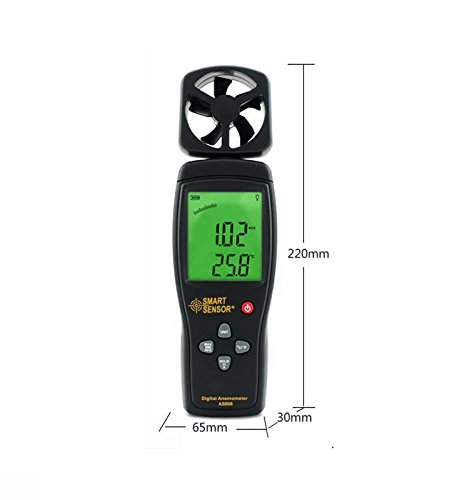
Figure 5: Device dimensions: 220mm (height), 65mm (width), 30mm (depth).
5. Sąranka
5.1 Akumuliatoriaus įdėjimas
- Locate the battery compartment cover on the back of the device (refer to Figure 2).
- Norėdami atidaryti skyrių, stumkite dangtelį žemyn.
- Insert a 9V battery, ensuring the correct polarity (+/-).
- Uždarykite baterijų skyriaus dangtelį stumdami jį aukštyn, kol jis spragtelės ir užsifiksuos vietoje.
Pastaba: A low battery indicator will appear on the display when the battery needs replacement.
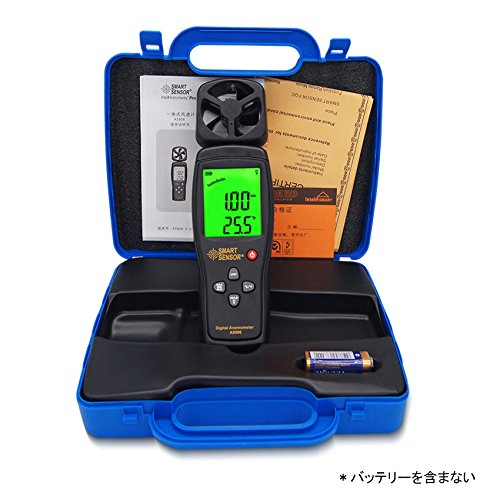
Figure 6: Package contents, including the anemometer and user manual. Note: Battery is not included.
6. Naudojimo instrukcijos
6.1 Maitinimo įjungimas/išjungimas
- Norėdami įjungti įrenginį, paspauskite ĮJUNGTA/IŠJUNGTA mygtuką.
- Norėdami išjungti įrenginį, paspauskite ir palaikykite ĮJUNGTA/IŠJUNGTA mygtuką kelias sekundes.
- The device also features an auto power-off function to conserve battery life. It will automatically shut down after a period of inactivity.
6.2 Wind Speed and Temperature Measurement
Once powered on, the device will immediately begin measuring wind speed and temperature. Hold the device so that the impeller faces the wind source for accurate readings. The current wind speed and temperature will be displayed on the LCD.
6.3 Vieneto konvertavimas
- Wind Speed Units: Paspauskite VIENETAS button to cycle through available wind speed units: m/s, Ft/min, Knots, km/h, Mph.
- Temperatūros vienetai: Paspauskite ° C / ° F button to switch between Celsius and Fahrenheit for temperature display.
6.4 Duomenų sulaikymo funkcija
To freeze the current readings on the display, press the LAIKYTI mygtuką. Paspauskite jį dar kartą, kad atleistumėte laikymą ir tęstumėte tiesioginį matavimą.
6.5 Apšvietimas
To activate the display backlight for better visibility in low-light conditions, press the ŠVIESA button (often combined with HOLD). Press it again to turn off the backlight.
6.6 Maksimalaus / minimalaus / vidurkio matavimas
The device can display the maximum, minimum, and average wind speed values recorded during a measurement session. Refer to the specific button labeled for these functions (e.g., MAX / MIN / AVG or similar) and press it to cycle through these modes.
7. Priežiūra
- Valymas: Prietaisą valykite minkštu, sausu skudurėliu. Nenaudokite abrazyvinių valiklių ar tirpiklių.
- Saugykla: Store the device in a cool, dry place when not in use. Remove the battery for long-term storage.
- Impeller Care: Ensure the impeller is free from dust and debris for accurate readings. Avoid touching the impeller blades directly.
8. Problemų sprendimas
| Problema | Galima priežastis | Sprendimas |
|---|---|---|
| Įrenginys neįsijungia. | Žema arba išsikrovusi baterija; neteisingas baterijos įdėjimas. | Pakeiskite 9 V bateriją; užtikrinkite teisingą poliškumą. |
| Netikslūs rodmenys. | Impeller obstructed; device not positioned correctly. | Clear any obstructions from the impeller; ensure impeller faces the wind directly. |
| Ekranas blankus arba tuščias. | Išsikrovusi baterija; išjungtas foninis apšvietimas. | Replace battery; press the backlight button. |
9. Garantija ir palaikymas
This product comes with a manufacturer's warranty. Please refer to the warranty card included in the package for details regarding coverage and duration. For technical support or warranty claims, please contact your retailer or the manufacturer directly.


