1. Įvadas
Welcome to the user manual for your GPO Brooklyn 1980S-Style Portable Boombox. This manual provides essential information for the proper setup, operation, and maintenance of your device. Please read it thoroughly before using the boombox to ensure optimal performance and longevity.
The GPO Brooklyn combines classic retro aesthetics with modern audio technology, offering a versatile listening experience through CD, cassette, FM/DAB/DAB+ radio, USB, and Bluetooth connectivity.
2. Svarbi saugos informacija
Visada laikykitės šių saugos priemonių, kad išvengtumėte elektros smūgio, gaisro ar įrenginio sugadinimo.
- Saugokite įrenginį nuo lietaus ar drėgmės.
- Neužblokuokite jokių ventiliacijos angų.
- Įsitikinkite, kad maitinimo laidas nėra suspaustas arba ant jo nevaikščiojama.
- Atjunkite įrenginį žaibuojant arba kai nenaudojate ilgą laiką.
- Visus techninės priežiūros darbus patikėkite kvalifikuotam techninės priežiūros personalui.
- Neatidarykite casing; viduje nėra dalių, kurias galėtų aptarnauti vartotojas.
3. Kas yra dėžutėje
Išpakuodami įsitikinkite, kad yra visi toliau išvardyti daiktai:
- GPO Brooklyn Boombox Unit
- Vartotojo vadovas (šis dokumentas)
- Kintamosios srovės adapteris
- Maitinimo kabelis
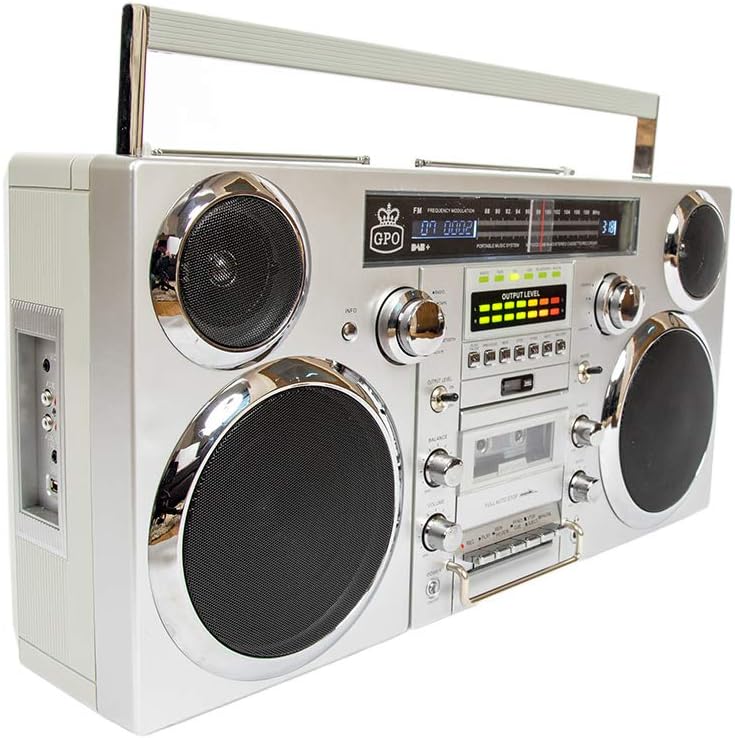
Vaizdas: priekis view of the GPO Brooklyn Boombox, showcasing its retro design with dual speakers, control knobs, and display.
4. Produktas baigtasview
4.1 Priekinio skydelio valdikliai ir funkcijos

Paveikslėlis: Detalus priekis view of the GPO Brooklyn Boombox, highlighting the control layout including volume, balance, bass, treble, and various function buttons.
- Maitinimo mygtukas: Įjungia/išjungia įrenginį.
- Garsumo valdymas: Reguliuoja bendrą garso išvesties lygį.
- Balanso kontrolė: Adjusts the left/right speaker balance.
- Žemųjų dažnių valdymas: Reguliuoja žemo dažnio garso lygį.
- Aukštųjų dažnių valdymas: Reguliuoja aukšto dažnio garso lygį.
- Funkcijų parinkiklis: Switches between CD, Cassette, FM/DAB, USB, and Bluetooth modes.
- Kasečių dekas: For playing and recording audio cassettes.
- CD grotuvas: Top-loading CD player for audio CDs.
- Skaitmeninis ekranas: Rodo dabartinį režimą, takelio informaciją, radijo dažnį ir kt.
- VU skaitikliai: Visual indicators for audio output levels.
4.2 Šoninio skydelio jungtys

Vaizdas: Šoninė view of the GPO Brooklyn Boombox, showing the input/output ports including microphone, auxiliary, RCA, and USB connections.
- Mikrofono įvestis: 3.5mm jack for connecting an external microphone.
- Ausinių išvestis: 3.5 mm lizdas privačiam klausymuisi.
- AUX In (3.5mm): Skirtas prijungti išorinius garso įrenginius.
- RCA įvestis: Stereo RCA jacks for connecting other audio sources.
- USB prievadas: USB įrašymui ir atkūrimui.
4.3 Top Panel and Rear Features

Vaizdas: Viršus view of the GPO Brooklyn Boombox, showing a CD being inserted into the top-loading CD player compartment.
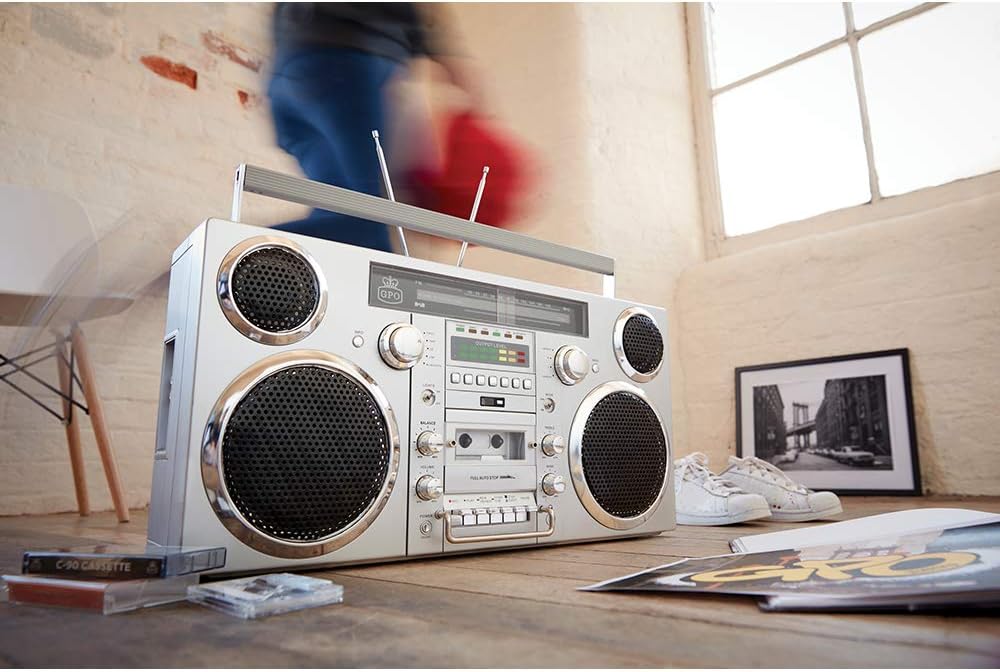
Vaizdas: Galinis view of the GPO Brooklyn Boombox, with the battery compartment cover open, revealing the rechargeable lithium battery.
- CD skyrius: Top-loading tray for compact discs.
- Telescopic Antennas: Extendable antennas for FM/DAB radio reception.
- Nešiojimo rankena: Integruota rankena nešiojimui.
- Baterijų skyrius: Located at the rear, houses the rechargeable lithium battery.
- Kintamosios srovės įvestis: Kintamosios srovės adapterio prijungimui.
5. Sąranka
5.1 Įrenginio maitinimas
The GPO Brooklyn can be powered by the included AC adapter or its internal rechargeable lithium battery.
- Kintamosios srovės maitinimas: Connect the AC adapter to the AC power input on the rear of the unit, then plug the adapter into a standard wall outlet.
- Baterijos galia: The unit comes with a rechargeable lithium battery. Ensure it is fully charged before first use. A full charge takes approximately 1.5 hours and provides up to 4 hours of playback.
5.2 Pradinis akumuliatoriaus įkrovimas
For optimal battery life, it is recommended to fully charge the battery before its first use. Connect the boombox to AC power and allow it to charge until the charging indicator light (if present) signals a full charge.
6. Naudojimo instrukcijos
6.1 Pagrindinės operacijos
- Paspauskite Galia mygtuką, kad įjungtumėte įrenginį.
- Naudokite Funkcijų parinkiklis to choose your desired mode (CD, Cassette, FM/DAB, USB, Bluetooth, AUX).
- Sureguliuokite Apimtis, Balansas, Bosas, ir Treble controls to your preference.
6.2 CD grotuvo valdymas
- Pasirinkite CD mode using the Function Selector.
- Atidarykite viršutinio įkraunamo CD skyriaus dangtelį.
- Place a CD onto the spindle with the label side facing up.
- Uždarykite CD skyriaus dangtelį.
- Use the Play/Pause, Stop, Skip/Search buttons to control playback.
6.3 Kasečių grotuvo / įrašymo įrenginio valdymas
- Pasirinkite Kasetė mode using the Function Selector.
- Press the Eject button to open the cassette door.
- Insert a cassette tape with the open side facing you.
- Uždarykite kasetės dureles.
- Use the Play, Rewind, Fast Forward, Stop, Pause buttons for playback.
- To record, insert a recordable cassette and press the Įrašas button (usually simultaneously with Play).

Vaizdas: Stambus planas view of the cassette player controls on the GPO Brooklyn Boombox, showing the play, record, rewind, fast forward, stop, and pause buttons.
6.4 Radio Operation (FM/DAB/DAB+)
- Pasirinkite FM or DAB/DAB+ režimu.
- Extend the telescopic antennas for optimal reception.
- Use the tuning knob or scan buttons to find radio stations.
- Paspauskite Informacija button (if available) for station information.
6.5 „Bluetooth“ ryšys
- Pasirinkite Bluetooth mode. The display will indicate pairing mode.
- On your mobile device, enable Bluetooth and search for "GPO Brooklyn".
- Select "GPO Brooklyn" to pair. Once connected, you can stream audio from your device.
6.6 USB atkūrimas ir įrašymas
- Įkiškite USB atmintinę į USB prievadą.
- Pasirinkite USB mode. The unit will automatically detect and play compatible audio files.
- To record to USB, select the desired audio source (CD, Radio, AUX, Cassette) and press the Įrašas button while in USB mode.
Pastaba: USB recording functionality may vary. Refer to the on-screen prompts or detailed manual sections for specific instructions.
6.7 Pagalbinė įvestis (AUX)
- Connect your external audio device (e.g., smartphone, MP3 player) to the 3.5mm AUX In jack or RCA input on the side panel.
- Pasirinkite AUX režimu.
- Valdykite atkūrimą iš prijungto įrenginio.
7. Priežiūra
7.1 Valymas
- Nuvalykite įrenginį minkštu, sausu skudurėliu.
- Nenaudokite abrazyvinių valiklių, vaško ar tirpiklių.
- CD lęšiui naudokite specializuotą CD lęšių valiklį.
- Kasečių grotuvą periodiškai valykite juostų galvutes ir prispaudimo volelius lengvai nuvalydami vatos tamponėliu.ampsu izopropilo alkoholiu.
7.2 Akumuliatoriaus priežiūra
- Venkite dažnai visiškai iškrauti akumuliatorių.
- If storing the unit for an extended period, charge the battery to approximately 50% every few months.
- Nelaikykite baterijos nuo ekstremalių temperatūrų.
8. Problemų sprendimas
| Problema | Galima priežastis | Sprendimas |
|---|---|---|
| Nėra galios | Power cable not connected; Battery discharged | Check power connection; Charge battery |
| Nėra garso | Volume too low; Incorrect mode selected; Headphones connected | Increase volume; Select correct mode; Disconnect headphones |
| CD negroja | Kompaktinis diskas įdėtas neteisingai; kompaktinis diskas nešvarus / subraižytas; neteisingas režimas | Reinsert CD correctly; Clean/replace CD; Select CD mode |
| Prastas radijo priėmimas | Antennas not extended; Weak signal area | Extend and adjust antennas; Try moving the unit to a different location |
| „Bluetooth“ nesusieja | Unit not in pairing mode; Device too far; Bluetooth already connected to another device | Ensure unit is in Bluetooth pairing mode; Move device closer; Disconnect from other devices |
| Cassette playback issues (e.g., muffled sound, tape eating) | Dirty tape heads/pinch rollers; Worn-out tape | Clean tape heads and pinch rollers; Try a different tape |
9. Specifikacijos
| Funkcija | Detalė |
|---|---|
| Modelio numeris | BROOKLYN BOOMBOX |
| Matmenys (P x G x A) | 23.62 x 5.51 x 11.81 colio (60 x 14 x 30 cm) |
| Svoris | 18.1 svaro (8.21 kg) |
| Maitinimo šaltinis | AC Adapter, Rechargeable Lithium Battery |
| Baterijos veikimo laikas | Up to 4 hours playback (after 1.5 hours charge) |
| Garsiakalbio išvestis | 2 x 40 vatų |
| Ryšys | Bluetooth, Auxiliary (3.5mm & RCA), USB |
| Medijos atkūrimas | CD, Cassette, FM/DAB/DAB+ Radio, USB |
| Įrašymo funkcija | Kasetė, USB |
10. Garantija ir palaikymas
GPO products are designed for quality and reliability. For warranty information and customer support, please refer to the official GPO websvetainėje arba susisiekite su savo pardavėju.
Gamintojas: GPO
Prekės ženklo parduotuvė: Visit the GPO Store on Amazon
For technical assistance or service inquiries, please contact GPO customer support. Keep your purchase receipt as proof of purchase for warranty claims.
11. Tinkamas šalinimas
When disposing of this product, please do so responsibly. Electronic waste should not be disposed of with household waste. Consult your local authorities for information on proper disposal and recycling facilities. The internal rechargeable battery should be removed and recycled separately if possible, following local regulations.


