Įvadas
The Beats Studio3 Wireless Noise Cancelling Over-Ear Headphones are designed to provide a premium listening experience with advanced features. This manual will guide you through the setup, operation, and maintenance of your headphones.
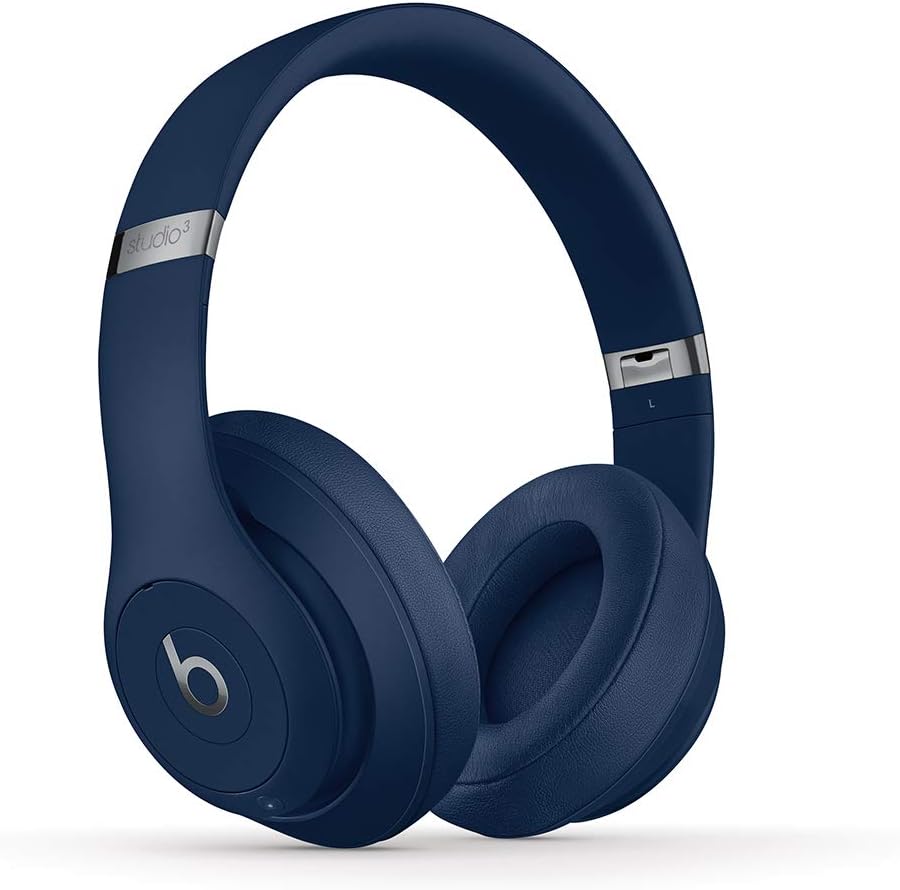
Image: Beats Studio3 Wireless Noise Cancelling Over-Ear Headphones in Blue.
Kas yra dėžutėje
- Beats Studio3 Wireless Noise Canceling Over-Ear Headphones - Blue
- Mikro USB įkrovimo laidas
- 3.5mm RemoteTalk Cable
- Dėklas nešiojimui
- Greitos pradžios vadovas
- Garantijos kortelė

Image: Contents of the Beats Studio3 Wireless Headphones box, including headphones, cables, and carrying case.
Sąranka
1. Ausinių įkrovimas
Before first use, fully charge your Beats Studio3 Wireless headphones. Use the provided Micro USB cable to connect the headphones to a power source. The Fuel Gauge LEDs on the right ear cup will indicate the battery level.
- Greitas kuras: A 10-minute charge provides 3 hours of playback.
- Full charge provides up to 22 hours of battery life with Pure ANC on, or up to 40 hours with Pure ANC off.
2. Susiejimas su jūsų įrenginiu
Your Beats Studio3 Wireless headphones utilize the Apple W1 chip for seamless pairing with Apple devices and Class 1 Bluetooth for other devices.
„Apple“ įrenginiams („iOS“):
- Ensure your iOS device is unlocked and Bluetooth is enabled.
- Hold your Beats Studio3 headphones near your unlocked iOS device.
- Norėdami prisijungti, vykdykite ekrane pateikiamus nurodymus.
For Other Devices (Android, etc.):
- Press and hold the power button on your headphones for 5 seconds until the Fuel Gauge flashes.
- On your device, go to Bluetooth settings and select "Beats Studio3" from the list of available devices.
Ausinių valdymas
Maitinimo įjungimas/išjungimas
Press and hold the power button on the right ear cup for 1 second to turn the headphones on or off.
Grynas prisitaikantis triukšmo slopinimas (grynas ANC)
Pure ANC actively blocks external noise and uses real-time audio calibration to preserve a premium listening experience. Pure ANC is enabled by default when you power on the headphones.
- To toggle Pure ANC on/off, double-press the power button.
Valdikliai ant ausies
The 'b' button on the left ear cup and the volume rockers provide control over your audio and calls.
- Leisti / pristabdyti: Vieną kartą paspauskite mygtuką „b“.
- Praleisti takelį: Press the 'b' button twice for next, three times for previous.
- Garsumo valdymas: Use the volume up/down buttons above and below the 'b' button.
- Atsiliepti / Baigti skambutį: Vieną kartą paspauskite mygtuką „b“.
- Suaktyvinti „Voice Assistant“: Paspauskite ir palaikykite nuspaudę mygtuką „b“.

Vaizdas: Išsamus view of the on-ear controls for music and calls.
Priežiūra
Valymas
Regularly clean your headphones with a soft, dry, lint-free cloth. Avoid using harsh chemicals or abrasive materials. Keep the charging port free of debris.
Ear Cup Replacement
Over time, ear cup cushions may show signs of wear, especially with frequent use or exposure to sweat. Replacement ear cups are available and can be easily installed. Refer to official Beats support for replacement instructions and parts.
Video Description: This video demonstrates the process of replacing ear cup covers on Beats headphones, highlighting the adhesive nature of the covers and the ease of replacement.
Specifikacijos
| Funkcija | Detalė |
|---|---|
| Modelio pavadinimas | Beats Studio3 Wireless Noise Canceling Over-Ear Headphones - Blue |
| Ryšio technologija | Bluetooth (Apple W1 chip, Class 1 Wireless Bluetooth) |
| Triukšmo valdymas | Active Noise Cancellation (Pure ANC) |
| Baterijos veikimo laikas | Iki 22 valandų (su ANC), iki 40 valandų (be ANC) |
| Greitas kuras | 10-minute charge provides 3 hours of playback |
| On-Ear Control | Audio playback, volume, phone call controls |
| Mikrofonas | Internal and external microphones |
| Formos faktorius | Virš ausies |
| Ausinės Jack | 3.5 mm Jack (for wired use) |
| Įkrovimo prievadas | Mikro USB |
| Prekės svoris | 9.17 oz / 260 g (Product), 2.2 pounds (Shipping) |
| Gaminio matmenys | 6.3 x 4.7 x 8.9 colio |
| Gamintojas | Apple |
Trikčių šalinimas
Bendros problemos ir sprendimai
- Nėra galios: Ensure headphones are charged. Connect to a power source using the Micro USB cable.
- Susiejimo problemos: Ensure Bluetooth is enabled on your device and headphones are in pairing mode (flashing Fuel Gauge). Try restarting both devices.
- Garso kokybės problemos: Check the audio source. Ensure ear cups are properly seated. If using wired connection, ensure the 3.5mm cable is fully inserted.
- Noise Cancelling Not Working: Double-press the power button to toggle Pure ANC. Ensure ear cups form a good seal around your ears.
Garantija ir palaikymas
Your Beats Studio3 Wireless headphones are manufactured by Apple and come with a standard limited warranty. For detailed warranty information, product registration, or technical support, please visit the official Beats or Apple support websvetainę.
Išsaugokite pirkimo įrodymą, kad galėtumėte kreiptis dėl garantijos.


