1. Įvadas
The HyperX Cloud Flight is a wireless gaming headset designed for extended use and immersive audio experiences. It features a robust 2.4GHz wireless connection, a long-lasting battery, and comfortable memory foam earcups. This manual provides essential information for setting up, operating, and maintaining your headset.
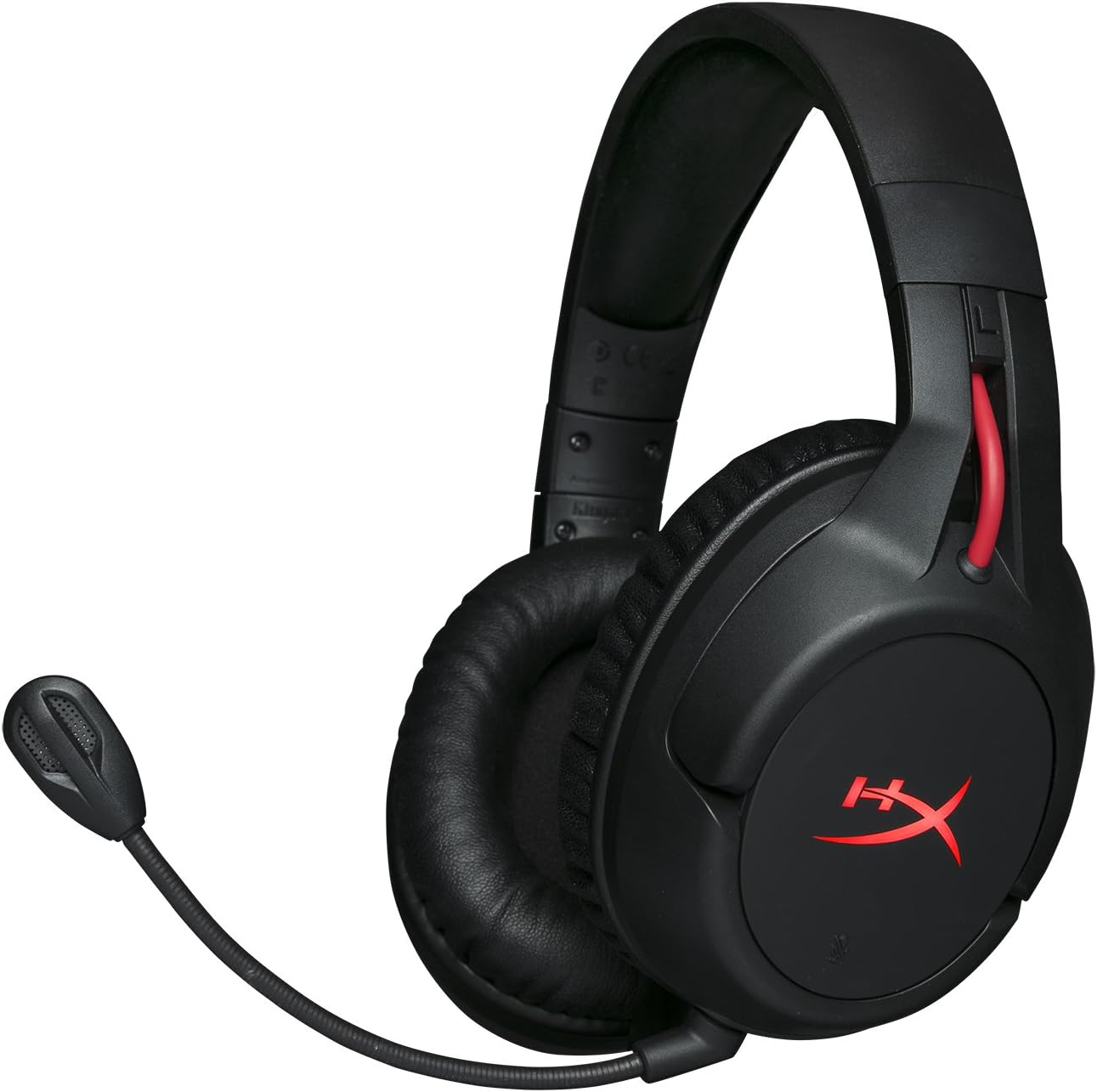
Figure 1.1: HyperX Cloud Flight Wireless Gaming Headset.
2. Pakuotės turinys
Įsitikinkite, kad pakuotėje yra visi daiktai:
- HyperX Cloud Flight Headset
- Nuimamas triukšmą slopinantis mikrofonas
- USB įkrovimo laidas
- USB belaidis adapteris
- Vartotojo vadovas

Figure 2.1: Included components of the HyperX Cloud Flight headset.
3. Produkto ypatybės
- Gaming-Grade Wireless: Utilizes a stable 2.4GHz wireless connection for reliable audio transmission.
- Pailgintas akumuliatoriaus veikimo laikas: Up to 30 hours of battery life with LED lights off, allowing for prolonged gaming sessions.
- Išskirtinis „HyperX Comfort“: Features comfortable memory foam earcups and a durable, adjustable steel slider for a secure and pleasant fit.
- Kelių platformų suderinamumas: Compatible with PC, PlayStation 4, and PlayStation 5.
- Besisukantys ausų kaušeliai: Ear cups rotate 90 degrees for comfortable resting around your neck and feature LED lighting effects.
- Intuitive On-Board Controls: Convenient controls for LED effects, microphone mute, power, and volume are located on the ear cups.
- Detachable Noise-Cancelling Microphone: Ensures clear communication and can be removed when not needed. The microphone functions only in wireless mode and is compatible with PC and PS4.
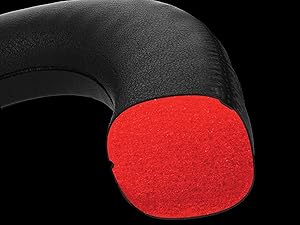
Figure 3.1: Headset designed for comfort during extended use.

Figure 3.2: Durable steel slider for adjustability and longevity.
4. Sąrankos instrukcijos
- Įkraukite ausines: Before first use, fully charge the headset using the provided USB charging cable. Connect the micro-USB end to the headset and the USB-A end to a powered USB port.
- Connect USB Wireless Adapter: Insert the USB wireless adapter into an available USB port on your PC, PS4, or PS5.
- Įjungtos ausinės: Press and hold the power button on the left earcup for 3-5 seconds until the LED indicator lights up. The headset will automatically pair with the USB adapter.
- Prijunkite mikrofoną: Insert the detachable noise-cancelling microphone into the port on the left earcup. Ensure it clicks securely into place.
- Adjust Settings (PC/PS4/PS5):
- Kompiuteris: Go to Sound Settings and select "HyperX Cloud Flight" as the default playback and recording device.
- PS4 / PS5: Go to Sound/Audio Devices settings and ensure "HyperX Cloud Flight" is selected for both input and output.
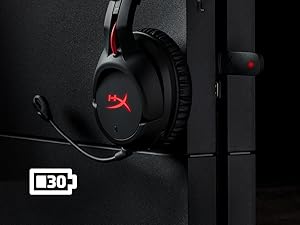
Figure 4.1: Connecting the USB adapter to a console for wireless operation.
5. Naudojimo instrukcijos
- Maitinimo įjungimas/išjungimas: Press and hold the power button on the left earcup for 3-5 seconds.
- Garsumo valdymas: Use the volume wheel located on the bottom of the right earcup to adjust audio output.
- Mikrofono nutildymas: Press the button on the left earcup to mute/unmute the microphone. An audible indicator will confirm the status.
- LED efektai: Briefly press the power button to cycle through LED lighting effects (Solid LED, Breathing LED, LED Off).
- Chat Mixer (PC/PS4): The headset features a chat mixer on the left earcup. The front button prioritizes game volume, while the rear button prioritizes chat volume.
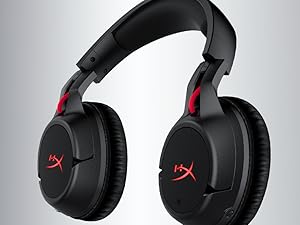
Figure 5.1: On-board controls for volume and microphone mute.
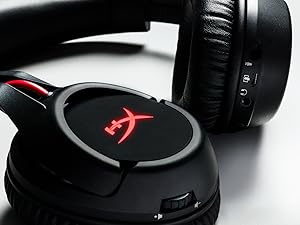
Figure 5.2: Detachable microphone for clear voice communication.
6. Įkrovimas ir baterijos veikimo laikas
The HyperX Cloud Flight headset offers impressive battery performance:
- Šviesos diodas išjungtas: Iki 30 valandų
- Kvėpavimo šviesos diodas: Iki 18 valandų
- Nuolatinis šviesos diodas: Iki 13 valandų
Battery life is tested at 50% headset volume. Audible indicators will notify you of low battery status. Use the provided USB charging cable to recharge the headset.
6.1 vaizdo įrašas: Produktas baigtasview šouasing features including battery life.
7. Priežiūra ir priežiūra
- Kai nenaudojate, laikykite ausines švarioje, sausoje vietoje.
- Clean earcups and headband with a soft, damp audinys. Venkite stiprių cheminių medžiagų.
- Do not expose the headset to extreme temperatures or direct sunlight.
- Venkite ausinių numetimo ir stiprių smūgių.
8. Problemų sprendimas
- Nėra garso / mikrofono:
- Įsitikinkite, kad ausinės įjungtos ir visiškai įkrautos.
- Verify the USB wireless adapter is securely connected to your device.
- Check your device's sound settings to ensure "HyperX Cloud Flight" is selected as the default audio input/output.
- Confirm the microphone is properly attached and not muted.
- Poor Wireless Connection:
- Ensure the headset is within the 20-meter wireless range of the USB adapter.
- Minimize obstructions between the headset and the adapter.
- Avoid interference from other 2.4GHz devices.
- Ausinės neįkraunamos:
- Verify the USB charging cable is correctly connected to both the headset and a powered USB port.
- Išbandykite kitą USB prievadą arba įkrovimo laidą.
9. Specifikacijos
| Funkcija | Detalė |
|---|---|
| Modelio pavadinimas | Cloud Flight |
| Ryšio technologija | Belaidis ryšys (2.4 GHz) |
| belaidis diapazonas | Iki 20 metrų |
| Suderinami įrenginiai | Kompiuteris, PS4, PS5 |
| Vairuotojas | Dinaminis, 50 mm su neodimio magnetais |
| Ausinių tipas | Apskritimas, uždara nugara |
| Dažnio atsakas | 20Hz - 20,000Hz |
| Varža | 32 omai |
| Garso slėgio lygis | 106 dBSPL/mW at 1kHz |
| THD | <2 % |
| Ausinių svoris | 300g (315g with mic) |
| Mikrofono elementas | Elektretinis kondensacinis mikrofonas |
| Mikrofono poliarinis modelis | Triukšmo slopinimas |
| Mikrofono dažnio atsakas | 100Hz - 7000Hz |
| Mikrofono jautrumas | -45dBV (0dB=1V/Pa, 1kHz) |
| Battery Life (LED off) | 30 valandos |
| Battery Life (Breathing LED) | 18 valandos |
| Battery Life (Solid LED) | 13 valandos |
| Medžiaga | Memory Foam, Premium Leatherette, Steel |
| Prekės matmenys (IxPxH) | 7.48 x 3.43 x 7.36 colio |
| UPC | 196188048207 |
10. Garantija ir palaikymas
The HyperX Cloud Flight headset typically comes with a 2-year manufacturer's warranty. For technical support, warranty claims, or additional product information, please visit the official HyperX support websvetainėje arba susisiekite su jų klientų aptarnavimo tarnyba.
Daugiau informacijos ir palaikymo išteklių galite rasti adresu „HyperX“ parduotuvė „Amazon“ svetainėje.


