1. Įvadas
The Acer Predator Cestus 500 PMW730 is a high-performance wired gaming mouse designed for precision and customization. It features an ambidextrous ergonomic design, adjustable Omron switches, and programmable buttons to enhance your gaming experience. This manual provides detailed instructions for setting up, operating, maintaining, and troubleshooting your gaming mouse.
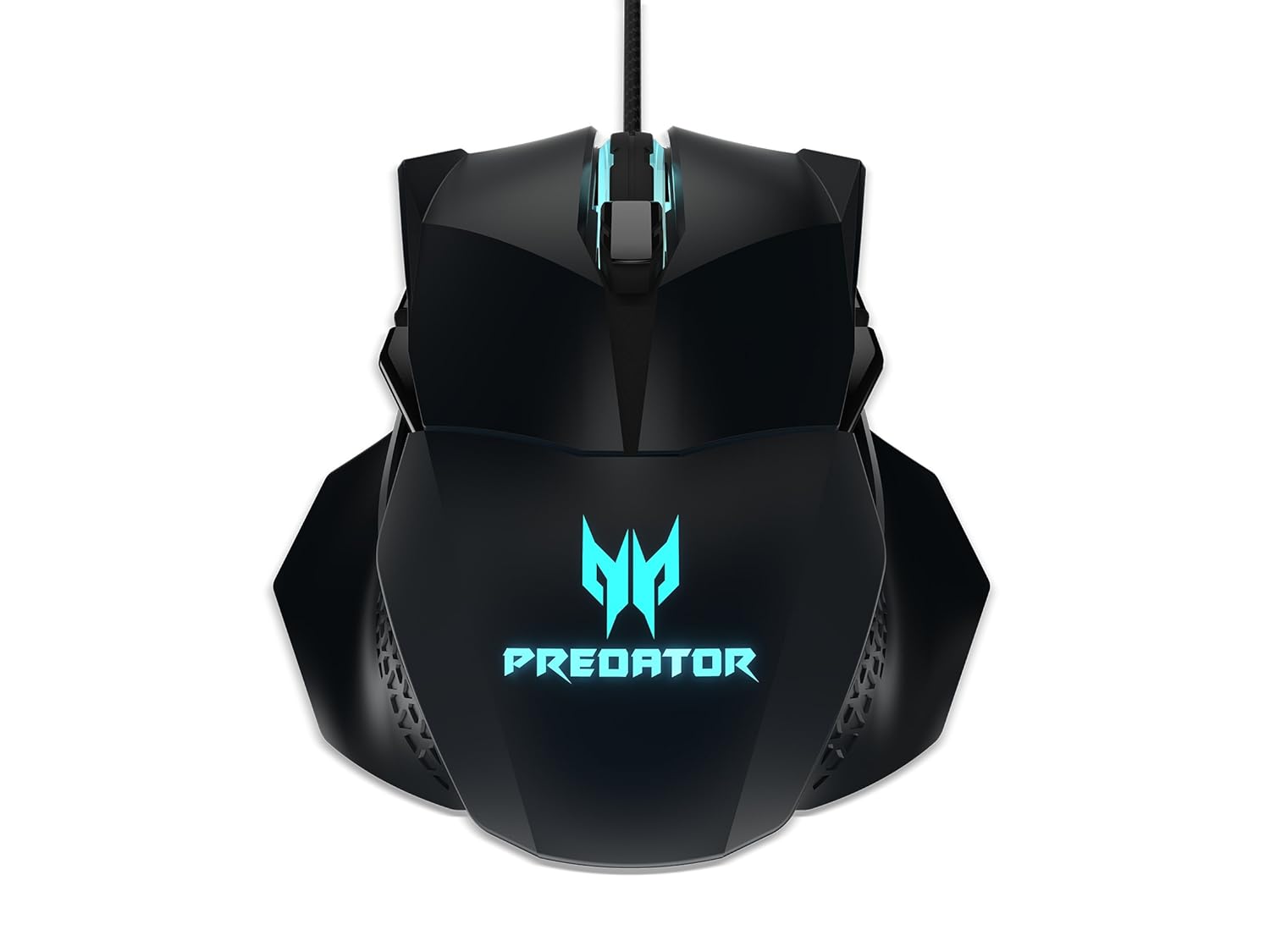
1 paveikslas: viršuje view of the Acer Predator Cestus 500 Gaming Mouse, showcasing its symmetrical design and illuminated Predator logo.
2. Pakuotės turinys
Prašome patikrinti, ar pakuotėje yra visi reikalingi daiktai:
- 1 x Acer Predator Cestus 500 Wired Gaming Mouse
- 4 x Magnetic Side Panels (2 sets for customization)
- 1 x Greitos pradžios vadovas
- 1 x Carry Kit
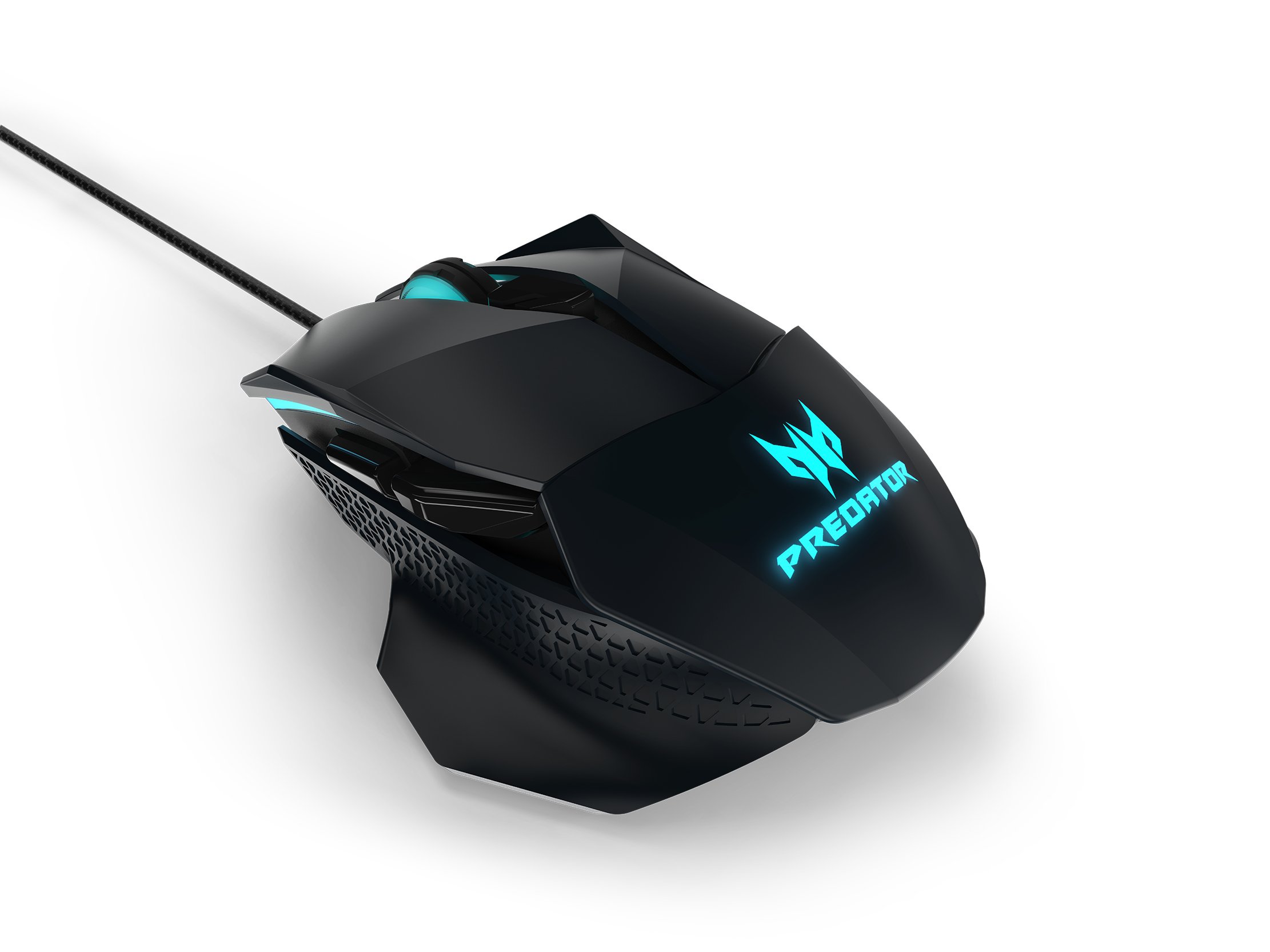
Figure 2: The Acer Predator Cestus 500 mouse with its detachable side panels, illustrating the customization options.
3. Sąranka
3.1 Pelės prijungimas
- Unpack the Acer Predator Cestus 500 gaming mouse from its packaging.
- Connect the USB cable of the mouse to an available USB port on your computer.
- Operacinė sistema automatiškai aptiks ir įdiegs reikiamus tvarkykles.
3.2 Attaching Side Panels
The mouse comes with two sets of magnetic side panels to accommodate different grip styles (claw or palm) and hand sizes. To attach or swap panels:
- Align the desired side panel with the magnetic connectors on either side of the mouse.
- Gently push the panel until it snaps securely into place.
- Pakartokite kitai pusei.
3.3 Installing Predator Quartermaster Software
For full customization of DPI settings, programmable buttons, and RGB lighting, install the Predator Quartermaster software. This software can typically be downloaded from the official Acer support websvetainė, skirta jūsų konkrečiam modeliui.
- Apsilankykite „Acer“ palaikymo svetainėje websvetainę.
- Ieškokite 'Predator Quartermaster' or navigate to the support page for the Predator Cestus 500 (Model NP.MCE11.008).
- Atsisiųskite ir paleiskite diegimo programą.
- Vykdykite ekrane pateikiamus nurodymus, kad užbaigtumėte diegimą.
4. Naudojimo instrukcijos
4.1 Pagrindinės pelės funkcijos
The mouse functions as a standard plug-and-play device for basic navigation (left-click, right-click, scroll wheel).
4.2 DPI reguliavimas
The Predator Cestus 500 features a maximum DPI of 7200 and a tracking speed of 150 IPS. DPI settings can be adjusted on-the-fly using dedicated buttons on the mouse or through the Predator Quartermaster software. The software allows for precise configuration of multiple DPI levels to suit different gaming scenarios.
4.3 programuojami mygtukai
The mouse is equipped with 8 programmable buttons. These buttons can be assigned various functions, macros, or key combinations using the Predator Quartermaster software. Refer to the software's user interface for detailed instructions on button mapping.
4.4 Adjustable Omron Switches
The mouse features dual Omron switches with a total lifespan of 70 million clicks (50M + 20M). A unique toggle on the base of the mouse allows you to adjust the click force, providing a personalized tactile response.
4.5 RGB Lighting Profiles
Customize the mouse's 16.8 million RGB lighting with five distinct profiles. Šie profesionalaifiles can be configured and saved using the Predator Quartermaster software, allowing you to switch between different lighting effects and colors for various games or moods.

3 pav.: šonas view of the Acer Predator Cestus 500, highlighting its ergonomic contours and side buttons.
5. Priežiūra
5.1 Pelės valymas
Norint išlaikyti optimalų našumą ir išvaizdą:
- Prieš valydami atjunkite pelę nuo kompiuterio.
- Pelės paviršių nuvalykite minkštu, sausu, nepūkuotu skudurėliu.
- Įsisenėjusiam purvui šiek tiek pamirkykiteampNuvalykite šluostę vandeniu arba švelniu valymo tirpalu. Venkite stiprių cheminių medžiagų.
- Use a can of compressed air to clear dust from crevices and around buttons.
- Nemerkite pelės į vandenį ar jokį kitą skystį.
5.2 Kabelių valdymas
Avoid sharp bends or kinks in the mouse cable to prevent damage. Store the mouse and its cable neatly when not in use, ideally in the provided carry kit.
6. Problemų sprendimas
6.1 Pelė nereaguoja
- Įsitikinkite, kad USB kabelis yra tvirtai prijungtas prie veikiančio kompiuterio USB prievado.
- Pabandykite prijungti pelę prie kito USB prievado.
- Išbandykite pelę kitame kompiuteryje, kad nustatytumėte, ar problema susijusi su pele, ar su jūsų sistema.
- Iš naujo paleiskite kompiuterį.
6.2 DPI or Button Settings Not Working
- Ensure the Predator Quartermaster software is installed and running.
- Check for software updates for Predator Quartermaster.
- Verify that the settings are correctly configured and saved within the software.
- If using multiple profiles, ensure the correct profile yra aktyvus.
6.3 RGB apšvietimo problemos
- Confirm that the Predator Quartermaster software is installed and that lighting effects are enabled.
- Check for any conflicting software that might be controlling RGB lighting.
- Ensure the mouse firmware is up to date via the Predator Quartermaster software.
7. Specifikacijos
| Funkcija | Specifikacija |
|---|---|
| Prekės ženklas | Acer |
| Serija | Predator Cestus |
| Modelio numeris | NP.MCE11.008 |
| Spalva | Juoda |
| Ryšio technologija | Laidinis |
| DPI | Iki 7200 DPI |
| IPS Speed | „150 IPS“ |
| Mygtukų skaičius | 8 (programuojamas) |
| Jungiklio tipas | Omron (Adjustable Click Force) |
| Perjungimo trukmė | 70 Million Clicks (50M + 20M) |
| RGB apšvietimas | 16.8 Million Colors, 5 Customizable Profiles |
| Dizainas | Ambidextrous, Ergonomic with 4 Magnetic Side Panels |
| Aparatinės įrangos platforma | Nešiojamasis kompiuteris, asmeninis kompiuteris |
| Operacinės sistemos suderinamumas | Linux, Windows 7, Windows XP (and newer Windows versions) |
| Gaminio matmenys (IxPxH) | 12.4 x 9.64 x 4.03 cm |
| Prekės svoris | 100 g |
| Įtraukti komponentai | Gaming Mouse, 4 Side Panels, Quick Start Guide, Carry Kit |
8. Informacija apie garantiją
For detailed warranty information, please refer to the warranty card included in your product packaging or visit the official Acer support websvetainėje. Garantijos sąlygos gali skirtis priklausomai nuo regiono ir pirkimo datos.
9. Parama
If you encounter issues not covered in this manual or require further assistance, please contact Acer customer support through their official website or the contact information provided in your product documentation. Ensure you have your product model number (NP.MCE11.008) and serial number ready when contacting support.
Acer palaikymas Websvetainė: https://www.acer.com/support


