Įvadas
Thank you for choosing the Mesqool White Noise Sound Machine. This device is designed to create a peaceful and relaxing environment, aiding in sleep, concentration, and masking unwanted noise. With its portable design and versatile features, it is an ideal companion for home, office, or travel. This manual provides detailed instructions for setup, operation, maintenance, and troubleshooting to ensure optimal performance and user satisfaction.
Saugos informacija
CAUTION: For safe and proper use, always ensure correct battery installation, keep away from children as it is not a toy, and avoid excessive volume levels to prevent hearing damage.
Prieš naudodami įrenginį, perskaitykite ir supraskite visas saugos instrukcijas. Išsaugokite šį vadovą ateičiai.
Produktas baigtasview
Pagrindinės funkcijos:
- 8 Relaxing & Soothing Nature Sounds: Includes white noise, fan, midnight surf, dream shower, snow stream, summer night, storm thunder, and dream forest.
- 3 Auto-Off Timer Options: Set for 15, 30, or 60 minutes, or play continuously all night.
- Dual Power Supply: Operates via AC power adapter or 3 x 'AA' batteries (not included) for backup.
- 2 USB Charging Ports: Conveniently charge your mobile devices (USB charging works only when AC power is connected).
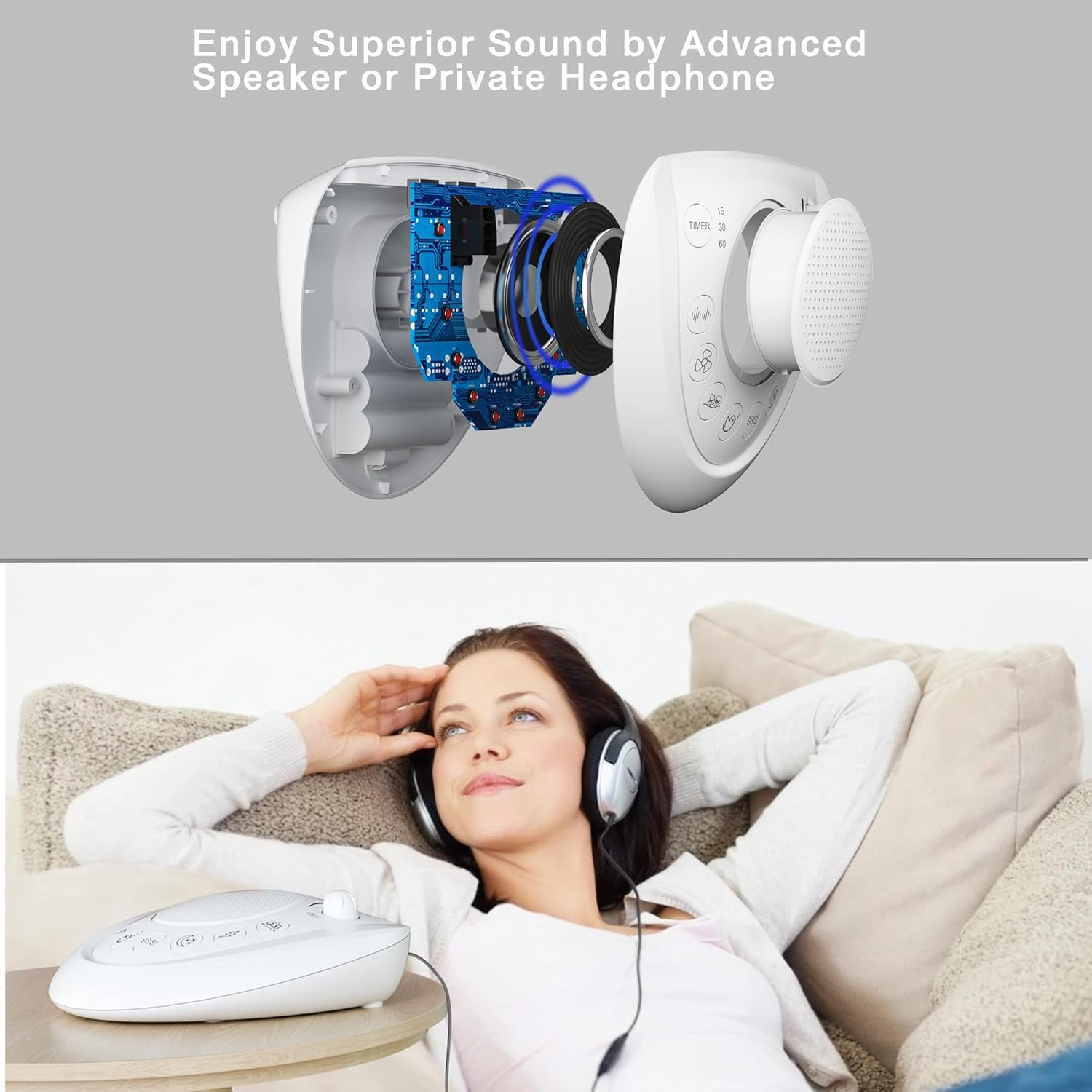
- 3.5mm Earphone/Headphone Jack: For private listening without disturbing others.
- Adjustable Volume: Large rotary knob for precise volume control.
- Portable and Lightweight: Ideal for travel and easy placement in any room.
Komponentai:
The Mesqool White Noise Sound Machine features a compact design with intuitive controls.

- Garsiakalbio grotelės: Central output for sound.
- Garsumo rankenėlė: Located at the top right, rotates to adjust sound level and turn the unit ON/OFF.
- Laikmačio mygtukas: On the left, cycles through 15, 30, 60 minutes, or continuous play.
- Garso pasirinkimo mygtukai: Eight distinct buttons for selecting different nature sounds.
- USB įkrovimo prievadai: Located on the back for charging external devices.
- DC įvesties lizdas: Kintamosios srovės adapterio prijungimui.
- 3.5 mm ausinių lizdas: Privačiam garso išėjimui.
- Baterijų skyrius: On the bottom for 'AA' batteries.
Sąranka
Your Mesqool White Noise Sound Machine can be powered by an AC adapter or batteries.
Įrenginio maitinimas:
- Kintamosios srovės maitinimas: Connect the provided AC power adapter to the DC input jack on the back of the unit, then plug the adapter into a standard wall outlet.
- Baterijos maitinimas (atsarginis): Open the battery compartment on the bottom of the unit. Insert 3 x 'AA' batteries (not included), ensuring correct polarity (+/-). Batteries are primarily for backup and to retain settings during power outages.

Naudojimo instrukcijos
1. Turning On/Off and Volume Control:
- Rotate the large knob on the top right clockwise to turn the unit ON and increase the volume.
- Rotate the knob counter-clockwise to decrease the volume and turn the unit OFF.

2. Garso pasirinkimas:
Press any of the eight dedicated sound buttons on the front panel to select your desired nature sound. The available sounds include:
- White Noise (3 variations)
- Fan (3 variations)
- Ocean (3 variations)
- Bird Chirping (3 variations)
- Water Stream (3 variations)
- Summer Night (3 variations)
- Thunder & Rain (3 variations)
- Forest (3 variations)

3. Auto-Off Timer Function:
Press the 'TIMER' button on the left side of the unit to cycle through the auto-off timer options:
- 15 minučių
- 30 minučių
- 60 minučių
- Continuous Play (no timer)
The unit will automatically shut off after the selected time period. If no timer is set, the sound will play continuously until manually turned off.
4. USB Charging Ports:
The two USB ports on the back of the unit allow you to charge your mobile devices. Simply connect your device's USB charging cable to one of the ports. Note that USB charging functionality is only active when the sound machine is connected to AC power.

5. Headphone Use:
For private listening, plug any standard 3.5mm earphone or headphone into the headphone jack located on the back of the unit. The sound will then be routed through your headphones, muting the main speaker.
Priežiūra
To ensure the longevity and optimal performance of your Mesqool White Noise Sound Machine, follow these simple maintenance guidelines:
- Valymas: Prietaiso išorę nuvalykite minkšta, sausa šluoste. Nenaudokite abrazyvinių valiklių, vaško ar tirpiklių.
- Saugykla: Jei įrenginį ilgesnį laiką laikysite, išimkite baterijas, kad išvengtumėte pratekėjimo. Laikykite vėsioje, sausoje vietoje, toliau nuo tiesioginių saulės spindulių.
- Venkite drėgmės: Laikykite įrenginį atokiau nuo vandens ir didelės drėgmės.
Trikčių šalinimas
If you encounter any issues with your Mesqool White Noise Sound Machine, please refer to the following common problems and solutions:
| Problema | Galima priežastis | Sprendimas |
|---|---|---|
| Nėra maitinimo / Įrenginys neįsijungia. | Kintamosios srovės adapteris netinkamai prijungtas; Baterijos išsikrovusios arba įdėtos neteisingai. | Ensure AC adapter is securely plugged into the unit and wall outlet. If using batteries, replace them with fresh ones and check polarity. |
| Nėra garso. | Volume is too low; Headphone jack is in use; Sound is not selected. | Increase volume using the rotary knob. Disconnect headphones if plugged in. Press a sound selection button. |
| USB įkrovimas neveikia. | Unit is not connected to AC power; Charging cable is faulty. | Ensure the unit is powered by the AC adapter. Try a different USB charging cable. |
| Laikmačio funkcija neveikia. | Netinkamai nustatytas laikmatis. | Press the 'TIMER' button repeatedly until the desired time (15, 30, or 60 minutes) is selected. |
If the problem persists after trying these solutions, please contact Mesqool customer support for further assistance.
Specifikacijos
| Modelio numeris | MQL-CR1007 |
| Gaminio matmenys | 15.75 x 12.45 x 4.32 cm (6.2 x 4.9 x 1.7 colio) |
| Svoris | 320 g (0.7 svaro) |
| Maitinimo šaltinis | AC Adapter (included), 3 x 'AA' Batteries (not included) |
| USB išvestis | 5V 1A |
| Garsų skaičius | 8 main sound categories (24 non-looping variations) |
| Laikmačio parinktys | 15, 30, 60 minutes, Continuous Play |
| Medžiaga | Plastikiniai |
| Spalva | Baltas |
Garantija ir palaikymas
Mesqool provides the following warranty for your White Noise Sound Machine:
- 3-month refund
- 12-month replacement
- 18-month extended warranty
For warranty claims, technical support, or any inquiries, please contact Mesqool customer service through the retailer's platform or the official Mesqool website. Please have your model number (MQL-CR1007) and purchase information ready when contacting support.


