Įvadas
The Coleman 360° Sound and Light Lantern is a versatile device designed for outdoor and indoor use, combining a 360-degree LED light with a wireless Bluetooth speaker. This manual provides essential information for safe and effective operation of your lantern.
Pagrindinės savybės
- Provides 360 degrees of light for wide area illumination.
- Built-in Bluetooth speaker for wireless audio streaming.
- USB charging capability for the integrated rechargeable battery.
- IPX4 water-resistant design for protection against splashing water.
- Multiple light runtime settings: 7 hours on high, 16 hours on medium, 40 hours on low.
Pakuotės turinys
- Coleman 360° Sound and Light Lantern
- USB įkrovimo laidas (pastaba: sieninis adapteris nepridedamas)
Sąranka
Pradinis įkrovimas
Before using your Coleman 360° Sound and Light Lantern for the first time, ensure it is fully charged.
- Locate the USB charging port at the base of the lantern. It is typically covered by a rubber flap for protection.
- Connect the provided USB charging cable to the lantern's port.
- Plug the other end of the USB cable into a compatible USB power source (e.g., a computer USB port, a USB wall adapter, or a portable power bank).
- The charging indicator light will illuminate, typically red, to show that the lantern is charging. The light will change or turn off when charging is complete.

Image: The Coleman 360° Sound and Light Lantern being charged via its USB port. The port is located at the base, covered by a rubber flap, and a red indicator light is visible during charging.
Naudojimo instrukcijos
Įjungimas / išjungimas ir apšvietimo režimai
The lantern features a multi-function control dial on the top for managing both light and audio functions.

Image: Close-up of the lantern's top control panel, showing the central dial for light adjustment and surrounding buttons for audio control (Bluetooth, volume, play/pause).
- To turn on the light, rotate the central dial clockwise from the 'off' position.
- Continue rotating the dial clockwise to cycle through the three available brightness settings: Low, Medium, and High.
- To turn off the light, rotate the dial counter-clockwise until it clicks into the 'off' position.

Image: Graphic illustrating the three light modes (Low, Medium, High) with corresponding lumen outputs (80, 175, 400 lumens) for the Coleman 360° Sound and Light Lantern.
Bluetooth garsiakalbio veikimas
The integrated Bluetooth speaker allows you to stream audio wirelessly from your compatible device.
- To activate Bluetooth pairing mode, press and hold the Bluetooth button (indicated by a Bluetooth symbol) on the top control panel. The indicator light will flash, signaling it is ready to pair.
- Mobiliajame įrenginyje (išmaniajame telefone, planšetiniame kompiuteryje ir kt.) įjunkite „Bluetooth“ ir ieškokite galimų įrenginių.
- Select "Coleman 360 Sound and Light Lantern" (or a similar name) from the list of found devices to establish a connection. A confirmation tone will sound upon successful pairing.
- Use the volume buttons (+/-) on the lantern's control panel to adjust the speaker volume.
- Use the play/pause button to control audio playback.
- To disconnect, turn off Bluetooth on your mobile device or press and hold the Bluetooth button on the lantern again.

Image: Graphic highlighting the built-in Bluetooth speaker feature of the Coleman 360° Sound and Light Lantern, showing musical notes emanating from the speaker.
Priežiūra
- Valymas: Žibinto išorę nuvalykite minkšta, damp šluoste. Nenaudokite abrazyvinių valiklių, tirpiklių ar stiprių cheminių medžiagų, nes jos gali pažeisti apdailą ar vidinius komponentus.
- Saugykla: When not in use, store the lantern in a cool, dry place away from direct sunlight and extreme temperatures. For long-term storage, ensure the battery is partially charged (around 50%) to maintain battery health.
- Akumuliatoriaus priežiūra: To prolong the lifespan of the integrated lithium-ion battery, recharge it regularly, even if the lantern is not in frequent use. Avoid fully discharging the battery for extended periods.
Trikčių šalinimas
Šviesa Neįsijungia
- Ensure the battery is charged. Connect the lantern to a power source and check if the charging indicator light illuminates.
- Verify that the control dial is rotated past the "off" position to one of the brightness settings (Low, Medium, or High).
„Bluetooth“ garsiakalbis neprisijungia
- Ensure the lantern's Bluetooth is in pairing mode (the indicator light should be flashing).
- Check that Bluetooth is enabled on your mobile device and that the device is within range of the lantern.
- Try unpairing the lantern from your device's Bluetooth settings and then re-pairing it.
- Ensure the lantern's battery is sufficiently charged, as low battery can affect Bluetooth functionality.
Prasta garso kokybė
- Adjust the volume on both the lantern and your connected mobile device.
- Ensure there are no physical obstructions between the lantern and your device that could interfere with the Bluetooth signal.
- Move your mobile device closer to the lantern to improve signal strength and clarity.
Specifikacijos
| Funkcija | Detalė |
|---|---|
| Atsparumo vandeniui lygis | IPX4 (atsparus vandeniui) |
| Battery Life (Light - High) | 7 valandų |
| Battery Life (Light - Medium) | 16 valandų |
| Battery Life (Light - Low) | 40 valandų |
| Battery Life (Speaker) | Iki 20 valandų |
| Baterijos tipas | Ličio jonų (į komplektą įeina) |
| ttage | 3.7 voltų |
| Vattage | 2.67 vatų |
| Prekės matmenys (IxPxH) | 11.25 x 6 x 5.62 colio |
| Prekės svoris | 1.3 svaro |
| Šviesos šaltinio tipas | Šviesos diodas (LED) |
| Modelio pavadinimas | 2000033384 |
| UPC | 076501243789 |
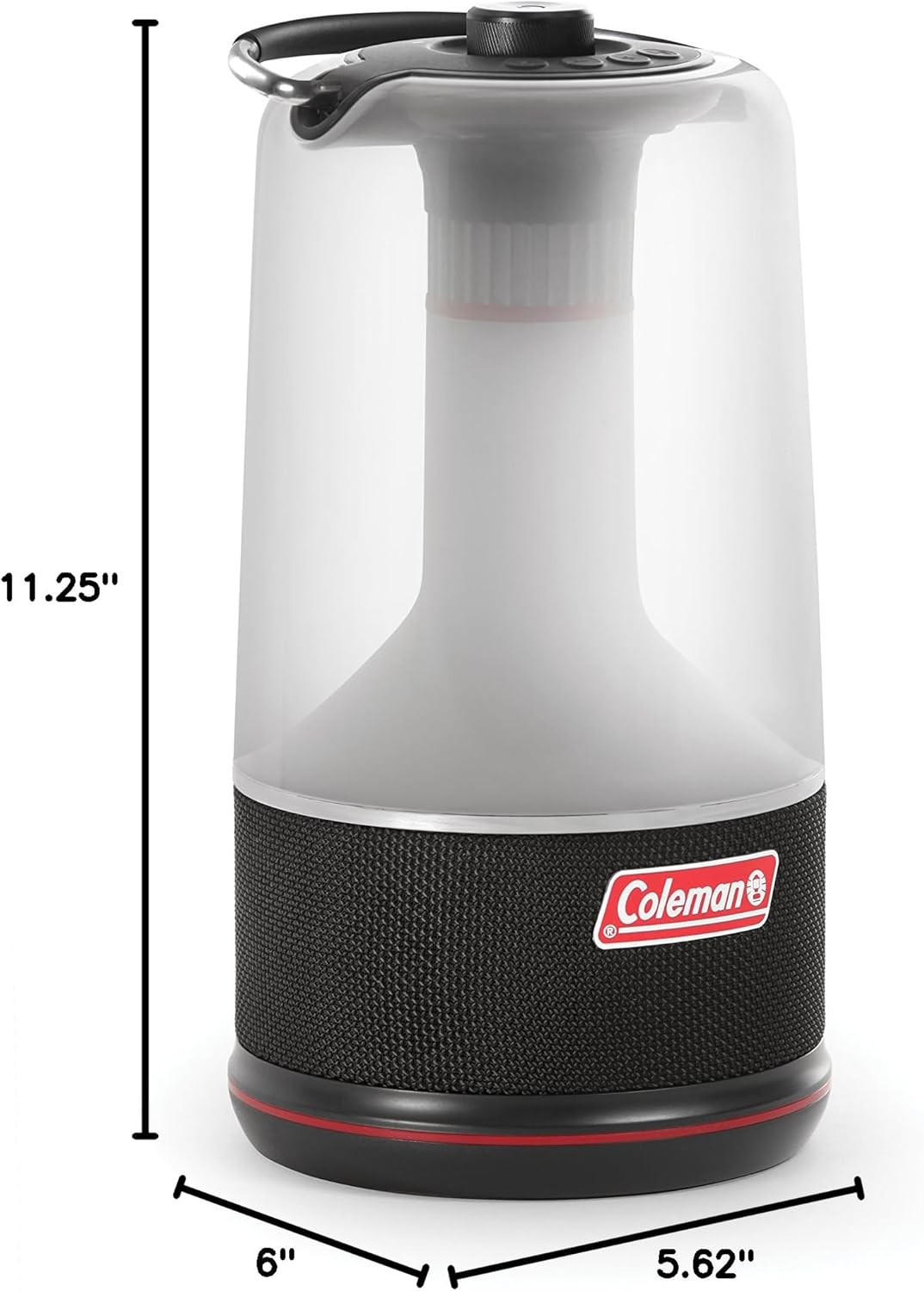
Image: Diagram showing the dimensions of the Coleman 360° Sound and Light Lantern, with a height of 11.25 inches and a base diameter of 6 inches by 5.62 inches.
Garantija ir palaikymas
This Coleman product comes with a manufacturer's warranty. For specific warranty details, terms, and conditions, please refer to the documentation included with your product. For further support or inquiries, visit the official Coleman websvetainėje arba susisiekite su jų klientų aptarnavimo tarnyba.
Produktų vaizdo įrašai
Coleman 360° Sound and Light Lantern Overview
Vaizdo įrašas: pareigūnas viršview of the Coleman 360° Sound and Light Lantern, demonstrating its features and functionality.