1. Įvadas
The MEE audio EarBoost EB1 earphones are designed to provide a personalized audio experience through adaptive sound enhancement. Utilizing a dedicated companion application, these earphones tailor sound output to your unique hearing profile, aiming to restore detail and improve clarity for music and media playback.
2. Pakuotės turinys
Patikrinkite, ar pakuotėje yra visi toliau išvardyti daiktai:
- EarBoost EB1 earphones
- Apsauginis nešiojimo dėklas
- Mikro-USB įkrovimo laidas
- Eartips (3 sizes: small, medium, large)
- Auskarai
- Vartotojo vadovas (šis dokumentas)

Image: The EarBoost EB1 earphones, protective carrying case, Micro-USB charging cable, three sizes of eartips, and earfins are displayed.
3. Sąranka
3.1 Ausinių įkrovimas
Before initial use, fully charge your EarBoost EB1 earphones. Connect the supplied Micro-USB charging cable to the charging port on the earphones and to a USB power source. The LED indicator will show charging status and turn off when fully charged. A full charge typically takes approximately 2 hours.
3.2 Selecting Eartips and Earfins
For optimal sound quality and comfort, select the eartips and earfins that best fit your ears. Experiment with the three provided sizes to find a secure and comfortable seal. A proper seal is crucial for bass response and noise isolation.

Image: A person wearing the EarBoost EB1 earphones, demonstrating the ergonomic earpiece design with flexible earfins for a secure fit.
3.3 Bluetooth poravimas
- Įsitikinkite, kad ausinės yra išjungtos.
- Press and hold the multifunction button on the inline remote until the LED indicator flashes red and blue, indicating pairing mode.
- On your audio device (smartphone, tablet, etc.), enable Bluetooth and search for new devices.
- Select 'MEE audio EB1' from the list of available devices.
- Prijungus, LED indikatorius periodiškai mirksės mėlynai.
3.4 Companion App Installation
To utilize the adaptive audio enhancement features, download the MEE audio companion app from the iOS App Store or Google Play Store. Ieškokite 'MEE audio EarBoost' or 'MEE audio' to find the correct application.

Image: A smartphone displaying the MEE audio EarBoost app, which allows users to test their hearing and create a personalized audio profile.
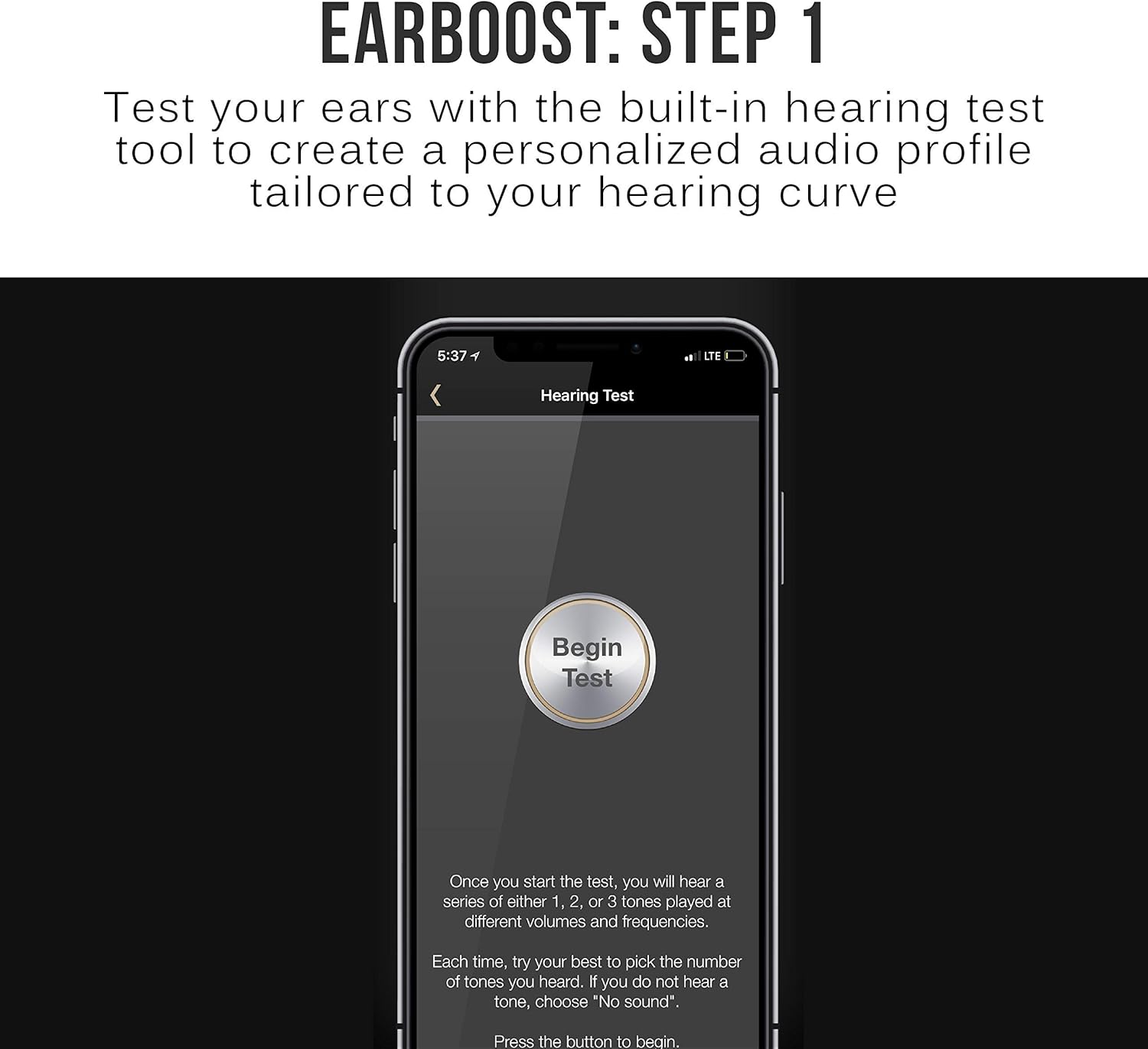
Image: The EarBoost app's 'Hearing Test' screen, prompting the user to begin the test to create a personalized audio profile.
4. Ausinių valdymas
4.1 Pagrindiniai valdikliai
The inline remote provides control over media playback and calls:
- Multifunction Button (Center): Press once to play/pause music or answer/end calls. Press and hold to power on/off or enter pairing mode.
- Garsumo padidinimas (+): Paspauskite, jei norite padidinti garsumą. Paspauskite ir palaikykite, jei norite pereiti į kitą takelį.
- Sumažinti garsumą (-): Paspauskite, jei norite sumažinti garsumą. Paspauskite ir palaikykite, jei norite pereiti į ankstesnį takelį.

Image: A person wearing the EarBoost EB1 earphones, demonstrating the use of the integrated microphone and inline controls for calls and music playback.
4.2 Adaptive Audio Enhancement
The core feature of the EarBoost EB1 is its adaptive audio enhancement, managed through the companion app:
- Klausos testas: Open the MEE audio app and follow the on-screen instructions to perform a hearing test. This test measures your hearing sensitivity across various frequencies.
- Profile Kūrimas: Based on your hearing test results, the app generates a personalized audio profile. Šis profesionalasfile is then uploaded to the EarBoost EB1 earphones.
- Enhanced Listening: Kartą profesionalasfile is active, the earphones will apply the personalized enhancement to all audio played through them, regardless of the connected Bluetooth device.
- Profile Reguliavimas: The app allows for further fine-tuning of your audio profile if desired. You can also switch between different profiles or disable the enhancement.

Image: The EarBoost app's 'Hearing Test Results' screen, displaying a graph of the user's hearing curve and indicating that a personalized audio enhancement profile has been calculated.

Image: A hand adjusting the equalizer settings within the MEE audio EarBoost app, demonstrating the ability to customize the audio profile.
4.3 HD Wireless Sound
The EarBoost EB1 supports Qualcomm aptX Low Latency technology, which helps to minimize audio delay and improve lip-sync when watching videos or playing games with compatible Bluetooth devices. This contributes to clear, distortion-free digital sound.

Image: A person wearing the EarBoost EB1 earphones, illustrating their use for enjoying HD wireless sound from a smartphone.
5. Priežiūra
To ensure the longevity and optimal performance of your EarBoost EB1 earphones:
- Valymas: Regularly clean the eartips and earphone nozzles with a soft, dry cloth. Remove eartips for thorough cleaning if necessary. Avoid using harsh chemicals or abrasive materials.
- Saugykla: When not in use, store the earphones in the provided protective carrying case to prevent damage from dust, moisture, and physical impact.
- Venkite ekstremalių sąlygų: Do not expose the earphones to extreme temperatures, direct sunlight for extended periods, or liquids.
6. Problemų sprendimas
If you encounter issues with your EarBoost EB1 earphones, refer to the following common solutions:
- Nėra garso: Ensure the earphones are charged, powered on, and correctly paired with your device. Check the volume levels on both the earphones and your audio source.
- Susiejimo problemos: Make sure the earphones are in pairing mode (flashing red and blue LED). Turn off and on your device's Bluetooth, then try pairing again. Clear previous pairings from your device's Bluetooth list if necessary.
- Poor Sound Quality / Skipping: Ensure the earphones are within the Bluetooth operating range (up to 10 meters) of your device. Avoid physical obstructions between the earphones and the device. Check for interference from other wireless devices.
- App Not Working / License Not Detected: Ensure your smartphone's operating system is up to date. Try reinstalling the MEE audio app. Contact MEE audio support if the issue persists.
- Akumuliatorius neįkraunamas: Verify that the Micro-USB cable is securely connected to both the earphones and the power source. Try a different charging cable or USB port.
7. Specifikacijos
| Funkcija | Specifikacija |
|---|---|
| Modelio pavadinimas | EB1-GM |
| Ryšio technologija | Bluetooth |
| Belaidžio ryšio technologija | Bluetooth 4.1 |
| „Bluetooth“ veikimo diapazonas | 30 pėdos (10 m) |
| „Bluetooth Pro“files Palaikoma | A2DP, HSP, HFP, AVRCP |
| Additional Audio Codecs Supported | SBC, Qualcomm aptX, Qualcomm aptX Low Latency |
| Vairuotojo dydis | 6 mm |
| Garsiakalbio dažnio atsakas | 20 Hz iki 20 kHz |
| Garsiakalbio varža | 16 omų esant 1 kHz dažniui |
| Garsiakalbio jautrumas | 99+/-3 dB (1 mW at 1 kHz) |
| Baterijos tipas | Built-In Rechargeable Lithium Ion |
| Muzikos atkūrimo laikas | 6 valandų |
| Pokalbių laikas | 7 valandų |
| Budėjimo laikas | 180 valandų |
| Įkrovimo laikas | 2 valandų |
| Įkrovimo jungties tipas | Mikro USB |
| Mikrofono kryptingumas | Visakryptis |
| Mikrofono dažnio atsakas | 100 Hz iki 10 kHz |
| Mikrofono jautrumas | -42+/-3 dB |
| Ausies jungtis | Intraaural (In-Ear) |
| Kabelio ilgis | 21.5 coliai (55 cm) |
| Svoris | 0.5 uncijos (16 g) |
| Medžiaga | Plastikiniai |
8. Garantija ir palaikymas
The MEE audio EarBoost EB1 earphones come with a 1 metų gamintojo garantija. For warranty claims, technical support, or further assistance, please refer to the contact information provided in your product packaging or visit the official MEE audio websvetainę.


