1. Įvadas
This manual provides detailed instructions for the safe and effective operation of your BENNING CM 12 True RMS Digital Power Clamp Multimeter. Please read this manual thoroughly before using the device and keep it for future reference. The BENNING CM 12 is designed for demanding measurement tasks in industrial and commercial environments, offering precise measurements of AC, AC+DC True RMS, inrush current, and more, with data logging and Bluetooth connectivity.
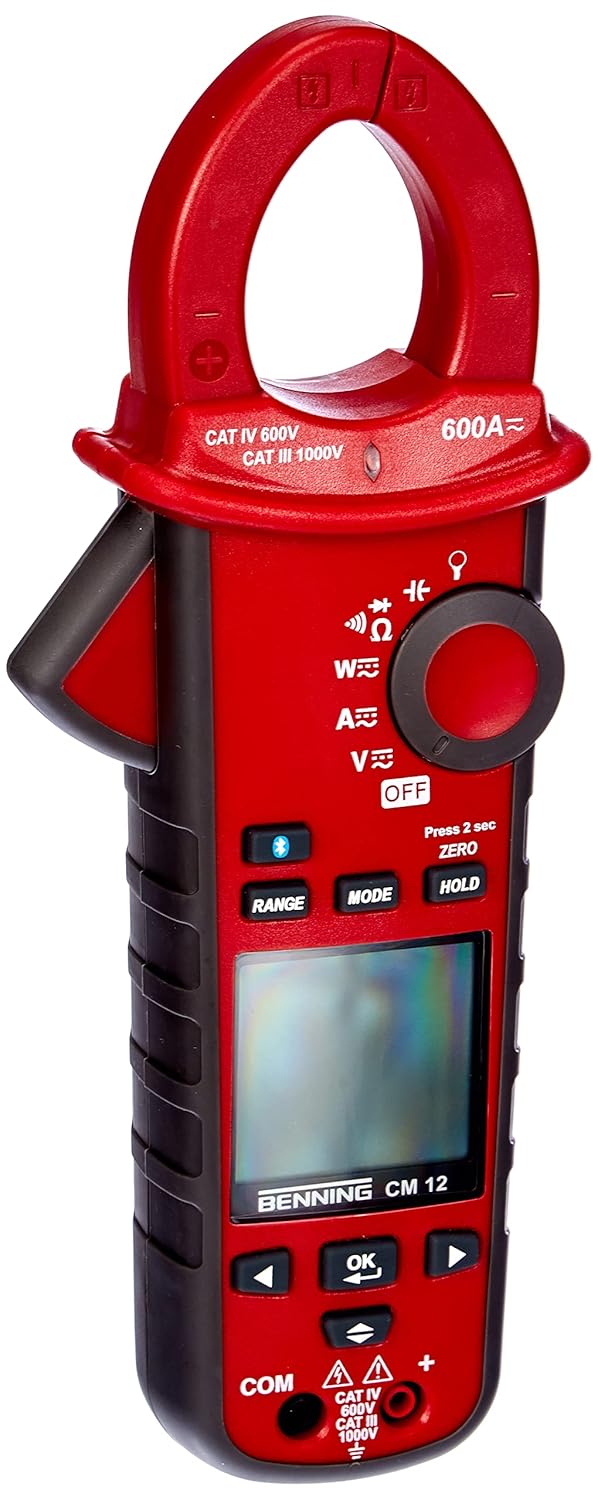
1 paveikslas: The Benning CM 12 True RMS Digital Power Clamp Multimeter. This image displays the main unit with its red casing, clamp jaw, display screen, and control buttons.
2. Saugos informacija
Visada laikykitės šių saugos priemonių, kad išvengtumėte sužalojimų ir prietaiso sugadinimo:
- Nenaudokite matuoklio, jei jis atrodo pažeistas arba jei pažeista bandymo laidų izoliacija.
- Prieš atlikdami matavimus, įsitikinkite, kad pasirinkta tinkama funkcija ir diapazonas.
- Neviršykite jokių funkcijų maksimalių įvesties ribų.
- Būkite atsargūs dirbdami su voltagaukštesnėje nei 30 V kintamosios srovės RMS, 42 V maksimalios įtampos arba 60 V nuolatinės srovės įtampoje, nes kyla elektros smūgio pavojus.
- Visada atjunkite grandinės maitinimą ir iškraukite visus didelės įtampos krūvius.tagPrieš atlikdami varžos, laidumo, diodų ar talpos bandymus, atjunkite kondensatorius.
- Laikykitės vietinių ir nacionalinių saugos taisyklių.
3. Gaminio komponentai
The BENNING CM 12 package includes the following items:
- BENNING CM 12 Digital Power Clamp Multimetras
- Bandymo laidai (raudoni ir juodi)
- AAA baterijos (6 pridedamos)
- Dėklas nešiojimui
- Vartotojo vadovas (šis dokumentas)
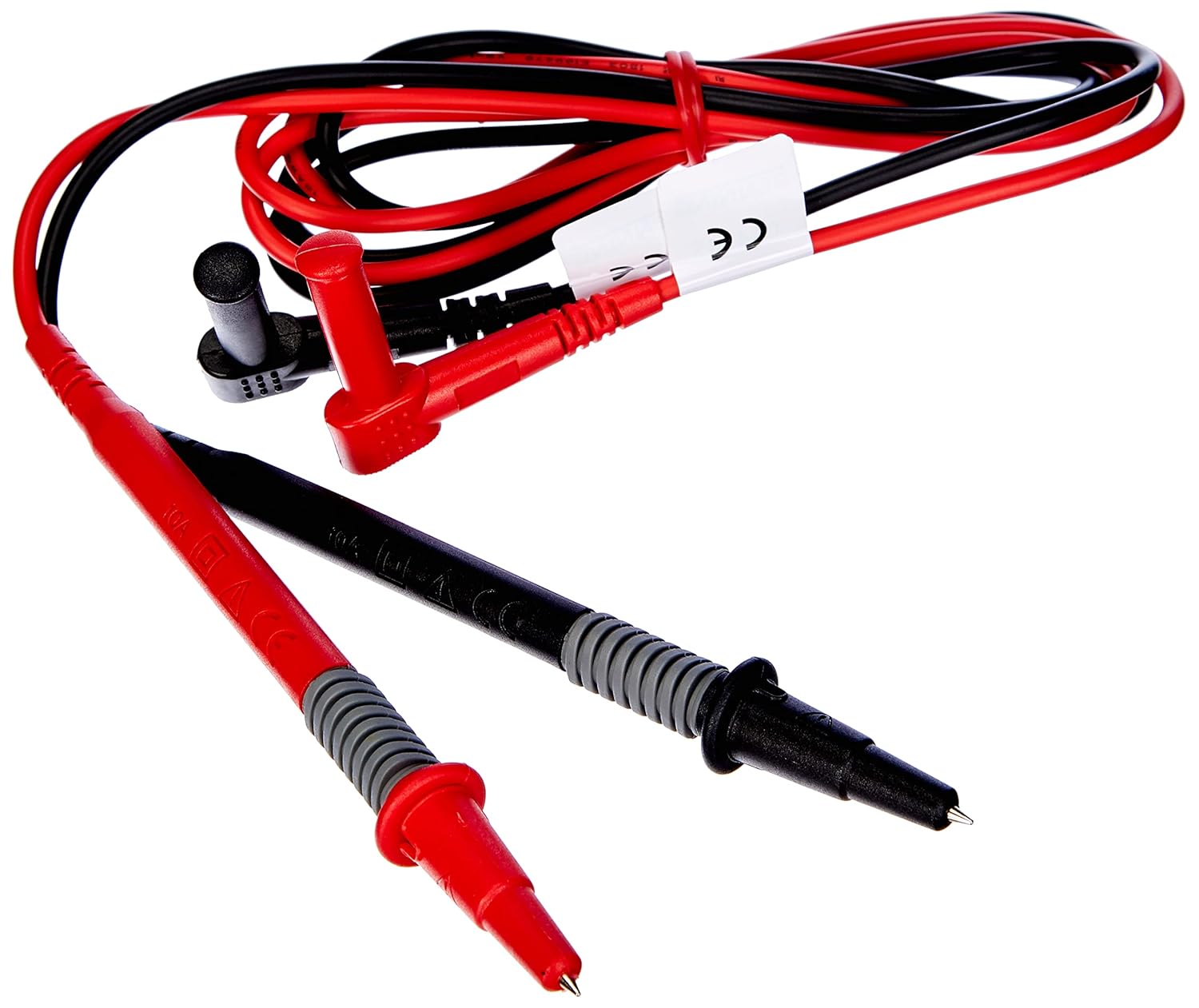
2 paveikslas: Red and black test leads. These leads are used for voltage, resistance, continuity, and other measurements.

3 paveikslas: Six AAA batteries. These batteries power the Benning CM 12 multimeter.

4 paveikslas: Black carrying case. This case provides protection and portability for the multimeter and its accessories.
4. Sąranka
4.1. Akumuliatoriaus įdėjimas
- Raskite baterijų skyriaus dangtelį įrenginio gale.
- Atsuktuvu atidarykite akumuliatoriaus skyrių.
- Įdėkite šešias (6) AAA baterijas, užtikrindami teisingą poliškumą, kaip nurodyta skyrelio viduje.
- Uždėkite akumuliatoriaus skyriaus dangtelį ir pritvirtinkite jį varžtu.
4.2. Pradinis įjungimas
Turn the rotary switch to any measurement function (e.g., V~ for AC Voltage) to power on the device. The display will illuminate, indicating the device is ready for use.
5. Naudojimo instrukcijos
The BENNING CM 12 offers a variety of measurement functions. Select the desired function using the rotary switch.
5.1. AC/DC Current Measurement (Clamp Funkcija)
- Pasukite sukamąjį jungiklį į „A~“ (kintamoji srovė) arba „A=“ (nuolatinė srovė) padėtį.
- Paspauskite clamp gaiduką žandikauliui atverti.
- Apvyniokite vieną laidininką laidininkuamp žandikaulis. Įsitikinkite, kad žandikaulis yra visiškai uždarytas.
- Nuskaitykite dabartinę vertę ekrane.
- For AC+DC True RMS measurements, ensure the appropriate mode is selected if available via the MODE button.
5.2. ttagMatavimas (AC/DC)
- Insert the red test lead into the 'VΩ' input jack and the black test lead into the 'COM' input jack.
- Turn the rotary switch to 'V~' (AC Voltage) arba „V=“ (nuolatinės srovės tūriotagir).
- Prijunkite bandymo laidus lygiagrečiai prie bandomosios grandinės arba komponento.
- Perskaitykite ttage reikšmė ekrane.
5.3. Varžos ir tęstinumo matavimas
- Prieš matavimą įsitikinkite, kad grandinė yra atjungta nuo įtampos.
- Insert test leads as for voltage matavimas.
- Turn the rotary switch to 'Ω' (Resistance/Continuity).
- Prijunkite bandymo laidus prie komponento.
- For continuity, the meter will beep if resistance is below approximately 30Ω - 100Ω.
5.4. Diodų testas
- Įsitikinkite, kad grandinėje nėra įtampos.
- Insert test leads as for voltage matavimas.
- Turn the rotary switch to the 'Diode' symbol.
- Prijunkite raudoną laidą prie diodo anodo, o juodą laidą – prie katodo. Tiesioginė įtampatage drop (approx. 0.8V) will be displayed. Reverse the leads for an open circuit reading.
5.5. Įjungimo srovės matavimas
This function measures the initial surge of current when a device (e.g., motor, lamp) is first turned on.
- Turn the rotary switch to the 'A~' position.
- Press the 'INRUSH' button (if dedicated) or activate via 'MODE' button.
- Clamp the meter around the power conductor of the device.
- Turn on the device to measure the inrush current.
5.6. Power Measurement (W) and Power Factor
The BENNING CM 12 can simultaneously detect current (A) and voltage (V) to calculate active power (W) and power factor in AC/DC networks.
- Turn the rotary switch to the 'W' (Power) position.
- Connect the test leads for voltage measurement and clamp the jaw around the current conductor.
- The display will show active power (W) and power factor.
5.7. Data Logger Function (LOG) and Bluetooth Interface
The device features a data logger capable of storing 10,000 readings with a sampling rate from 1 second to 10 minutes. It also includes a Bluetooth interface for data connection to smartphones or tablets via the "BENNING MM-CM Link" app.
- Download and install the "BENNING MM-CM Link" app from your device's app store (iOS and Android compatible).
- Activate Bluetooth on your smartphone/tablet and on the BENNING CM 12 (refer to the device's specific button for Bluetooth activation, usually a dedicated button or a long press of 'MODE').
- Pair the device with the app.
- Use the app to configure logging parameters (sampling rate, start/stop logging) and to view/export recorded data.
5.8. Low-Pass Filter (HFR)
The HFR (High-Frequency Rejection) low-pass filter is used for accurate measurements on clocked motor drives or other noisy environments by filtering out high-frequency interference.
- Activate the HFR filter via a dedicated button or by pressing the 'MODE' button in relevant measurement functions (e.g., AC Voltage or Current).
- The display will typically show an indicator when the filter is active.
5.9. Total Harmonic Distortion (THD) Measurement
The THD function assesses network quality by measuring the total harmonic distortion of voltage or current waveforms.
- Select the THD function using the rotary switch or 'MODE' button in AC Voltage/Current modes.
- Connect the meter as appropriate for voltage arba srovės matavimas.
- The display will show the THD value.
5.10. Two-Pole Rotary Field Testing
This function is used to determine the phase sequence in three-phase systems.
- Turn the rotary switch to the 'Rotary Field' symbol (if dedicated) or select via 'MODE' button in a relevant AC voltage funkcija.
- Connect the test leads to two phases of the three-phase system.
- The display will indicate the phase sequence (e.g., L1-L2, L2-L3).
6. Priežiūra
6.1. Valymas
Nuvalykite dėklą su skelbimuamp šluoste ir švelniu plovikliu. Nenaudokite abrazyvinių medžiagų ar tirpiklių. Prieš valydami įsitikinkite, kad įrenginys yra išjungtas ir atjungtas nuo bet kokių grandinių.
6.2. Baterijos keitimas
When the low battery indicator appears on the display, replace the batteries as described in Section 4.1. Remove batteries if the device will not be used for an extended period to prevent leakage.
6.3. Sandėliavimas
Store the multimeter in its carrying case in a cool, dry environment, away from direct sunlight and extreme temperatures. Remove batteries for long-term storage.
7. Problemų sprendimas
| Problema | Galima priežastis | Sprendimas |
|---|---|---|
| Matuoklis neįsijungia. | Neišsikrovusios arba neteisingai įdėtos baterijos. | Patikrinkite baterijų poliškumą; pakeiskite baterijas. |
| No reading or "OL" (Overload) displayed. | Incorrect range selected, open circuit, or measurement exceeds range. | Select appropriate range, check circuit connections, ensure measurement is within device limits. |
| Netikslūs rodmenys. | Poor test lead connection, external interference, or low battery. | Ensure secure connections, move away from strong electromagnetic fields, replace batteries. |
| Bluetooth ryšio problemos. | Bluetooth not activated on device/phone, app issues, or out of range. | Ensure Bluetooth is on for both devices, restart app, move closer to the meter. |
8. Specifikacijos
| Funkcija | Detalė |
|---|---|
| Modelio numeris | CM 12 |
| Matavimo tipas | True RMS (AC, AC+DC) |
| Įsiveržimo srovė | Taip |
| Įkelti „Pro“file Įrašymas | Yes (single-phase and three-phase) |
| Galios matavimas | Active Power (W), Power Factor |
| Tęstinumo testas | 30 Ω - 100 Ω |
| Diodo testas | 0.8 V |
| Rotary Field Testing | Dviejų polių |
| Žemųjų dažnių filtras | HFR (High-Frequency Rejection) |
| Harmonic Measurement | THD (visiškas harmoninis iškraipymas) |
| Duomenų kaupiklis | 10,000 readings, 1s - 10min samplingo norma |
| Sąsaja | Bluetooth (iOS and Android app "BENNING MM-CM Link") |
| Maitinimo šaltinis | 6 AAA baterijos (pridedamos) |
| Gaminio matmenys | 11.42 x 5.12 x 2.76 colio |
| Prekės svoris | 1.3 svaro (590 XNUMX gramo) |
| Gamintojas | Beningas |

5 paveikslas: Matmenų view of the Benning CM 12 Multimeter, indicating its approximate height of 11 inches (27 cm).
9. Informacija apie garantiją
BENNING products are manufactured to high-quality standards. For specific warranty terms and conditions, please refer to the warranty card included with your product or visit the official BENNING websvetainėje. Išsaugokite pirkimo įrodymą garantiniams reikalavimams.
10. Pagalba klientams
If you encounter any issues or have questions regarding your BENNING CM 12, please contact BENNING customer support. You can find contact information on the official BENNING websvetainėje arba per savo vietinį platintoją.
- Websvetainė: www.benning.de (Patikrinkite savo regiono websvetainė)
- El. paštas: Žr website for specific contact emails.
- Telefonas: Žr websvetainėje, kurioje rasite konkrečius kontaktinius numerius.