1. Svarbios saugos instrukcijos
Please read all safety instructions carefully before using this product and keep this manual for future reference. Failure to follow these instructions may result in electric shock, fire, or serious injury.
- Šis prietaisas skirtas naudoti tik patalpose. Nenaudokite lauke arba ant šlapių paviršių.
- Do not allow children to operate the vacuum cleaner. Supervise children and pets when the vacuum is operating.
- Nenaudokite dulkių siurblio dideliems, aštriems daiktams ar skysčiams siurbti.
- Ensure the charging base is placed against a wall in an open area, free from obstacles.
- Do not handle the charging base or vacuum cleaner with wet hands.
- Turn off the power switch and unplug the charging base before cleaning or performing maintenance.
- Use only the original power adapter and charging base provided by MOOKA.
- Jei maitinimo laidas pažeistas, jį turi pakeisti gamintojas arba kvalifikuotas aptarnavimo atstovas, kad būtų išvengta pavojų.
2. Produktas baigtasview
Familiarize yourself with the components of your MOOKA I3 Robot Vacuum Cleaner.
2.1 dulkių siurblys robotas
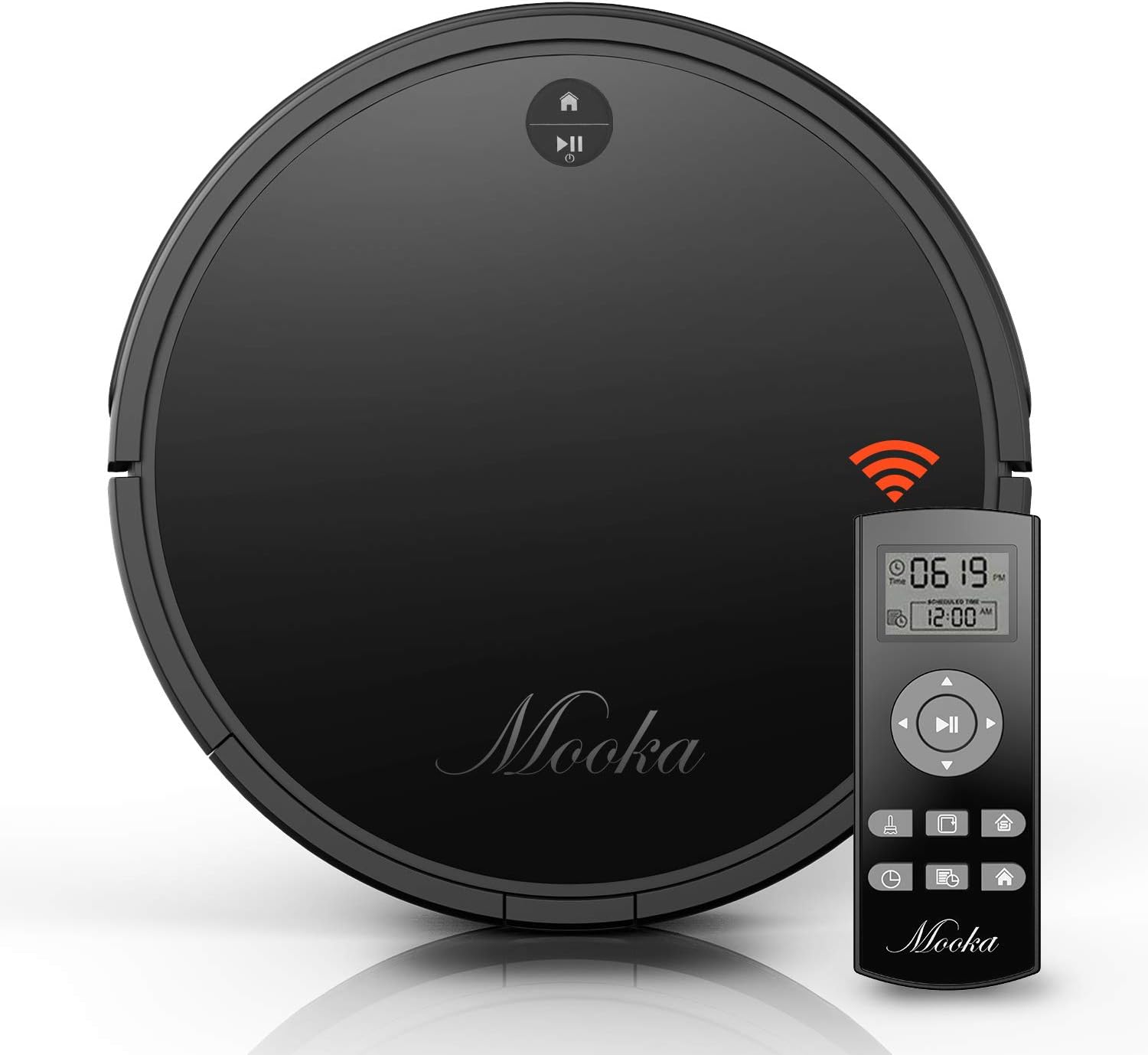
The main unit of the MOOKA I3 Robot Vacuum Cleaner features a sleek, low-profile design allowing it to clean under furniture. It is equipped with various sensors for navigation and cleaning.

The robot utilizes laser distance sensors, numerous other sensors, and an advanced processor for intelligent navigation and cleaning. It employs a precise SLAM algorithm for efficient path planning.

The underside reveals a 3-point cleaning system, including dual side brushes, a floating main brush, and powerful suction for effective debris collection from various surfaces.
2.2 Nuotolinis valdymas
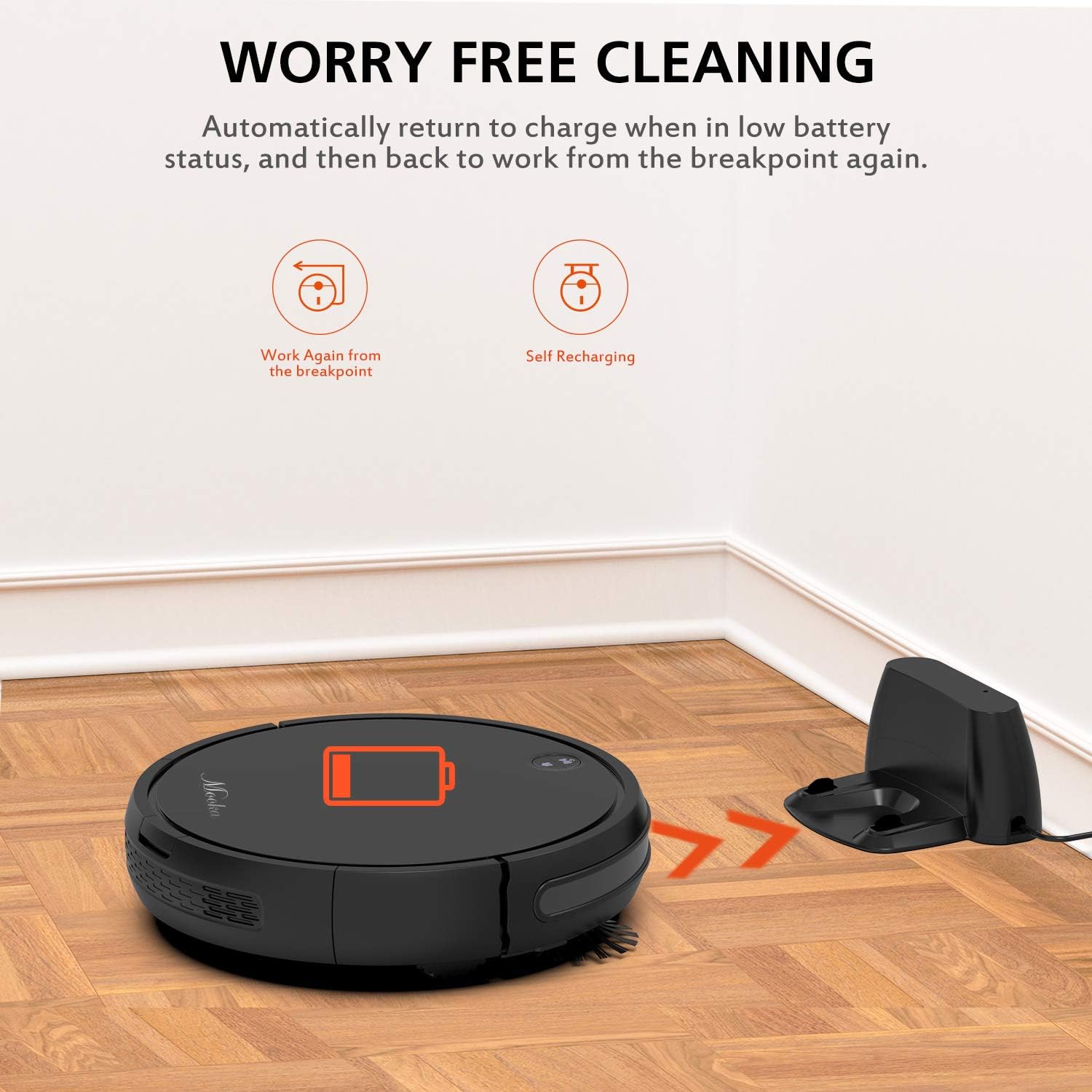
The remote control allows you to operate the vacuum cleaner from a distance, select cleaning modes, set schedules, and direct the robot manually. It requires 2 AAA batteries (not included).
2.3 Įkrovimo bazė
The charging base serves as the robot's home station, where it automatically returns to recharge when its battery is low or after completing a cleaning cycle. It connects to an AC power adapter.
2.4 Pridedami priedai

Į paketą įeina šie elementai:
- MOOKA I3 Robot Vacuum Cleaner
- Nuotolinio valdymo pultas (2 AAA baterijos nepridedamos)
- Įkrovimo bazė
- Kintamos srovės adapteris
- HEPA-style Filter (1 pre-installed, 1 replacement)
- Šoniniai šepečiai (2 poros)
- Valymo šepetys
- Atsuktuvas
- Instrukcijų vadovas
3. Darbo pradžia
3.1 Išpakavimas
Atsargiai išimkite visus komponentus iš pakuotės. Išsaugokite pakuotę būsimam transportavimui ar saugojimui.
3.2 Įkrovimo stotelės išdėstymas
Place the charging base against a wall in an open, uncluttered area. Ensure there is at least 1 meter (3 feet) of clear space to the front and 0.5 meters (1.5 feet) to each side of the charging base. Plug the AC power adapter into the charging base and then into a wall outlet. The indicator light on the charging base will illuminate.
3.3 Pradinis įkrovimas

Before first use, fully charge the robot vacuum cleaner. Place the robot onto the charging base, ensuring the charging contacts align. The robot will emit a sound and the indicator light will show charging status. A full charge typically takes 3 to 5 hours. The robot features a 2600mAh Lithium-ion battery, providing approximately 100-120 minutes of cleaning time on a full charge.
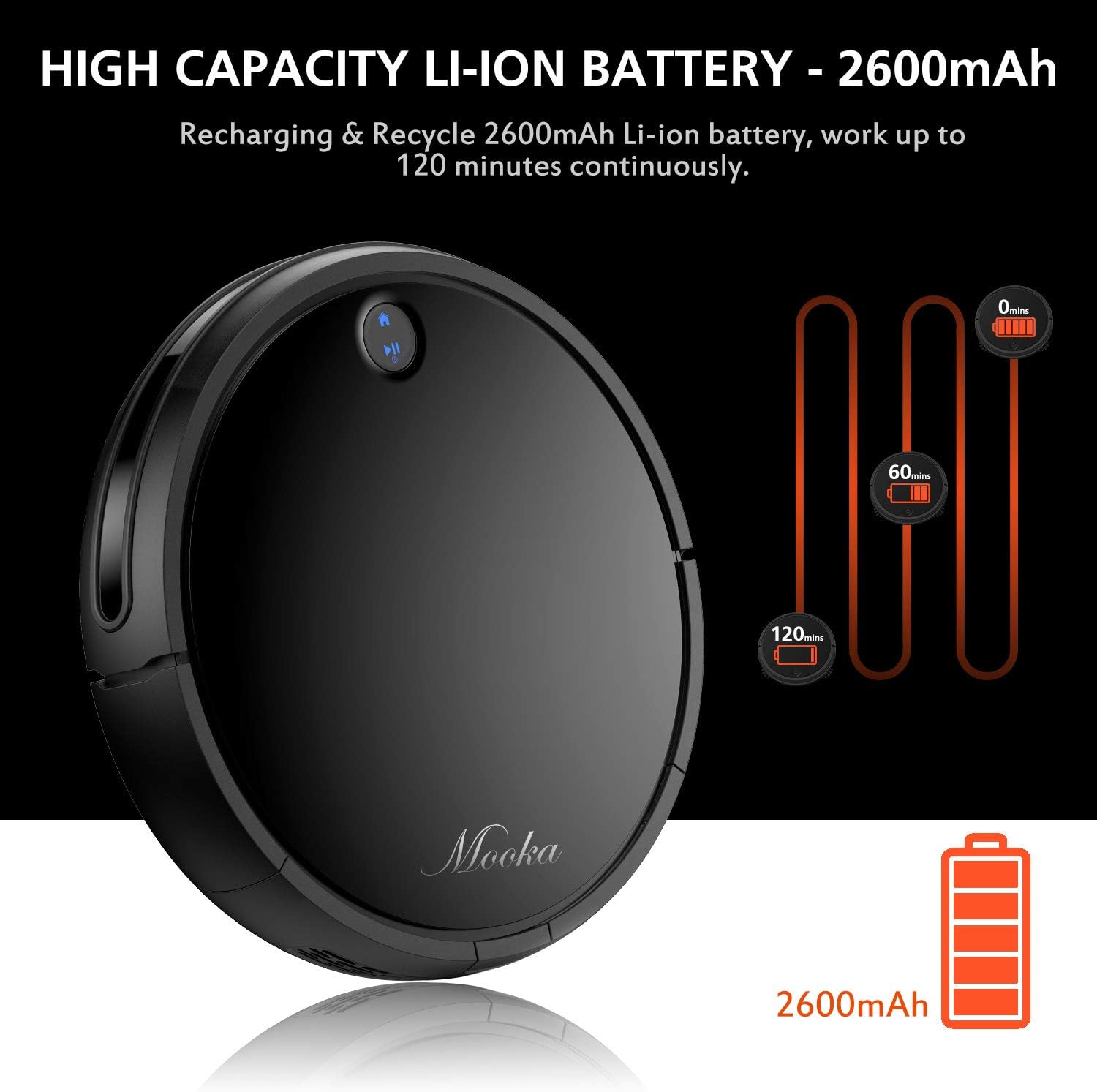
The robot is designed to automatically return to its charging base when the battery is low, ensuring it is always ready for the next cleaning cycle.
3.4 Šoninių šepečių montavimas
Attach the side brushes by pressing them onto the posts on the underside of the robot until they click into place. Ensure they are securely fastened.
4. Roboto dulkių siurblio valdymas
4.1 Įjungimas / išjungimas
- Norėdami įjungti: Press the power button on the robot or the remote control. The indicator light will illuminate.
- Norėdami išjungti: Press and hold the power button on the robot until the indicator light turns off, or use the power button on the remote control.
4.2 Valymo režimai
The MOOKA I3 offers multiple cleaning modes to suit different needs:
- Automatinis valymas: The robot automatically navigates and cleans the entire floor area. This is the default mode.
- Vietų valymas: The robot cleans a concentrated area in a spiral pattern, ideal for small spills or heavily soiled spots.
- Kraštų valymas: Robotas valo palei sienas ir baldų kraštus, kad užtikrintų kruopštų paviršių.
- Vieno kambario valymas: The robot cleans a specific room and then returns to its charging base.
4.3 Valymo planavimas
You can program the robot to clean automatically at a specific time each day (Daily Cycle Cleaning). Refer to the remote control section for detailed instructions on setting the time and schedule.
4.4 Nuotolinio valdymo pulto naudojimas
The remote control provides convenient access to all functions. Insert 2 AAA batteries into the remote control before use. The remote control distance is approximately 7 meters.
- Maitinimo mygtukas: Turns the robot on or off.
- Krypties mygtukai: Valdyti robotą rankiniu būdu.
- Namų mygtukas: Grąžina robotą į įkrovimo bazę.
- Režimo pasirinkimo mygtukai: Select Auto, Spot, Edge, or Single Room cleaning modes.
- Tvarkaraščio mygtukas: Set or cancel daily cleaning schedules.
- Laiko nustatymas: Adjust the current time on the robot.
5. Priežiūra ir priežiūra
Regular maintenance ensures optimal performance and extends the lifespan of your MOOKA I3 Robot Vacuum Cleaner.
5.1 Dulkių surinktuvo ištuštinimas
The dust bin should be emptied after each cleaning cycle or when the 'full' indicator (if available) illuminates. Press the dust bin release button, remove the bin, and empty its contents into a trash receptacle.
5.2 HEPA filtro valymas
Remove the HEPA filter from the dust bin. Tap it gently over a trash can to remove loose debris. The filter can be rinsed with water; ensure it is completely dry before reinserting. Replace the HEPA filter every 3-6 months, or as needed, to maintain suction performance.
5.3 Cleaning the Side Brushes and Main Brush
Periodically check the side brushes and main brush for tangled hair or debris. Use the provided cleaning tool or a pair of scissors to cut and remove any tangled hair. The side brushes can be pulled off for easier cleaning and replaced if worn.
5.4 Jutiklių valymas
Wipe the anti-drop sensors, anti-collision sensors, and charging contacts on the robot and charging base with a clean, dry cloth. Keep these sensors clear of dust and debris for proper operation.
6. Problemų sprendimas
If you encounter issues with your MOOKA I3, refer to the table below for common problems and solutions.
| Problema | Galima priežastis | Sprendimas |
|---|---|---|
| Robotas neįsijungia. | Išsikrovusi baterija; išjungtas maitinimo jungiklis. | Įkraukite robotą; Įjunkite pagrindinį maitinimo jungiklį. |
| Robotas neįkraunamas. | Charging contacts dirty; Charging base not powered; Robot not aligned. | Nuvalykite įkrovimo kontaktus; Įsitikinkite, kad įkrovimo bazė prijungta; Iš naujo sulygiuokite robotą su baze. |
| Robotas dažnai užstringa. | Kliūtys (laidai, kilimėliai); Nešvarūs jutikliai. | Pašalinkite kliūtis; nuvalykite jutiklius. |
| Prastas valymo našumas. | Dust bin full; Filter clogged; Brushes tangled/worn. | Empty dust bin; Clean/replace filter; Clean/replace brushes. |
| Robotas negrįžta į įkrovimo stotelę. | Įkrovimo bazė užblokuota; Robotas per toli nuo bazės. | Užtikrinkite laisvą kelią iki bazės; Rankiniu būdu priartinkite robotą prie bazės. |
7. Techninės specifikacijos
Below are the technical specifications for the MOOKA I3 Robot Vacuum Cleaner:
| Funkcija | Specifikacija |
|---|---|
| Modelis | I3 |
| Spalva | Juoda |
| Suction Option | Direct Suction (Brushless Suction) |
| Valymo režimai | Auto, Edge, Spot, Single Room |
| Filtro tipas | Didelio efektyvumo HEPA filtras |
| Šoniniai šepečiai | Dvigubas |
| Darbo ttage | DC 14.8V |
| Nominali galia | 24W |
| Baterijos tipas | Ličio jonų |
| Baterijos talpa | 2600 mAh |
| Automatinis įkrovimas | Taip |
| Laiko planavimas | Daily Cycle Cleaning |
| Įkrovimo laikas | apytiksliai 3-5 valandos |
| Dulkių dėžės talpa | 500 ml |
| Darbo laikas | 100-120 minučių |
| Prekės svoris | 6.1 svaro |
| Paviršiaus rekomendacija | Carpet, Wood, Tile |
| Ypatingos savybės | Remote Control, HEPA Filtration, Rechargeable Battery, Anti-Drop Sensors, Smart Anti-Collision |
8. Garantija ir klientų aptarnavimas
MOOKA provides a 1 METŲ garantija for the I3 Robot Vacuum Cleaner from the date of purchase. Additionally, a 30 dienų pinigų grąžinimo garantija is offered. This warranty covers manufacturing defects and issues arising from normal use.
For warranty claims, technical assistance, or any questions regarding your product, please contact MOOKA customer support. Please have your purchase receipt and product model number ready when contacting support.
Contact information for MOOKA customer support can typically be found on the product packaging, the official MOOKA websvetainėje arba per savo mažmenininką.