Įvadas
The Promate Divemate is a versatile wireless in-ear headset designed for active lifestyles. Featuring an IPX8 waterproof rating, it is suitable for various activities including swimming. With 8GB of internal storage, you can enjoy music directly from the headset without needing a connected smartphone. It also includes Bluetooth 4.2 connectivity and a built-in microphone for hands-free calls.
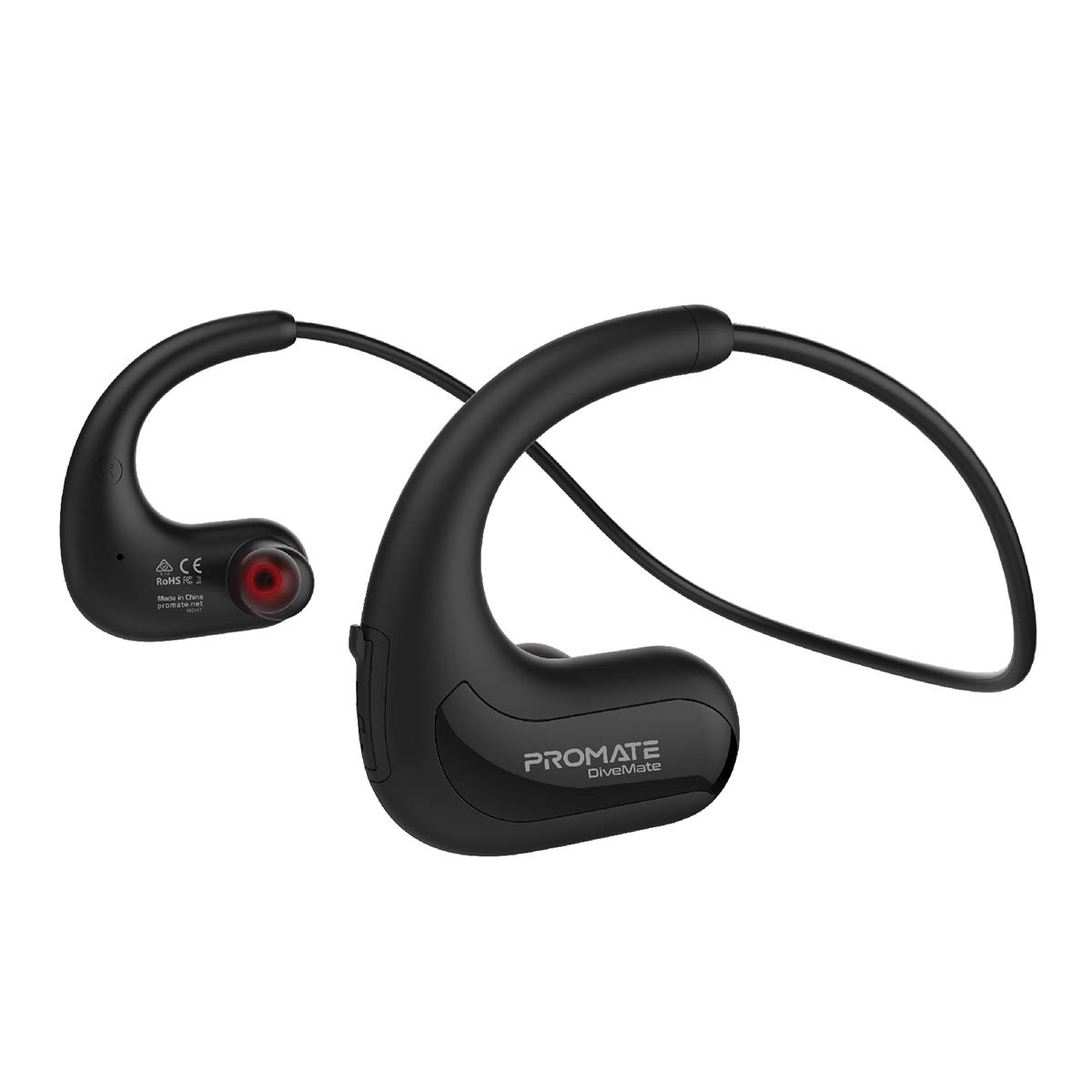
Image: Promate Divemate Wireless In-Ear MP3 Headphones, showcasing kaklo juostos dizainą ir ausines.
Pagrindinės funkcijos:
- MP3 Bluetooth Play Mode: Built-in 8GB memory for music storage, allowing playback without a connected device.
- „IPX8“ atsparus vandeniui: Designed to withstand immersion in water, ideal for swimming and water sports.
- Easy 'Drag & Drop' Audio File Valdymas: Simple transfer of music files to the internal 8GB storage.
- Aukščiausios kokybės garsas: Echo-elimination technology and noise isolation for clear audio.
- Integruotas mikrofonas: For hands-free calls, even in wet environments.
- Intuitive Playback Controls: Easy access to power, volume, and music playback functions.
- Lankstus kaklo lankelis: Lightweight and comfortable design for extended wear.
- Ilgas žaidimo laikas: Up to 8 hours of usage on a single charge.
- Visuotinis suderinamumas: Connects with most Bluetooth-enabled devices.
Sąranka
1. Įrenginio įkrovimas
Before first use, fully charge your Divemate headphones. Connect the charging cable to the charging port on the device and to a standard USB power source. A full charge takes approximately 1.5 hours. The LED indicator will show charging status (e.g., red for charging, blue for fully charged).
- Įkrovimo laikas: Maždaug 1.5 val
- Naudojimo laikas: Iki 8 valandų
- Budėjimo laikas: Iki 120 valandų
2. Muzikos perkėlimas Files (MP3 režimas)
The Divemate features 8GB of internal storage for MP3 playback. To transfer music:
- Connect the Divemate to your computer using the provided USB cable.
- The device will appear as a removable storage drive on your computer.
- Nuvilkite norimą garso įrašą files (MP3 and other supported formats) into the Divemate's storage folder.
- Kai perkėlimas bus baigtas, saugiai atjunkite įrenginį nuo kompiuterio.
This allows you to listen to music without needing a Bluetooth connection, which is ideal for activities like swimming.
3. „Bluetooth“ poravimas
To connect your Divemate to a Bluetooth-enabled device (e.g., smartphone, tablet):
- Ensure the Divemate is charged and powered off.
- Paspauskite ir palaikykite maitinimo mygtuką, kol LED indikatorius mirksės mėlynai ir raudonai, rodydamas susiejimo režimą.
- Įrenginyje eikite į „Bluetooth“ nustatymus ir ieškokite galimų įrenginių.
- Select "Divemate" from the list.
- Suporavus, LED indikatorius periodiškai mirksės mėlynai.
The operating distance for Bluetooth is approximately 10 meters (33 feet).
Naudojimo instrukcijos
Maitinimo įjungimas/išjungimas
- Norėdami įjungti: Paspauskite ir palaikykite maitinimo mygtuką, kol užsidegs LED indikatorius.
- Norėdami išjungti: Paspauskite ir palaikykite maitinimo mygtuką, kol užges LED indikatorius.
Muzikos atkūrimas
- Leisti / pristabdyti: Vieną kartą paspauskite daugiafunkcį mygtuką.
- Kitas takelis: Paspauskite ir palaikykite garsumo didinimo mygtuką.
- Ankstesnis takelis: Paspauskite ir palaikykite garsumo mažinimo mygtuką.
- Pagarsink: Trumpai paspauskite garsumo didinimo mygtuką.
- Patildyti: Trumpai paspauskite garsumo mažinimo mygtuką.
To switch between MP3 mode (internal storage) and Bluetooth mode, refer to the device's specific button combination, usually a long press on a dedicated mode button or the multi-function button.
Skambinimas ir skambučių priėmimas
Prijungus prie išmaniojo telefono per „Bluetooth“:
- Atsiliepti į skambutį: Vieną kartą paspauskite daugiafunkcį mygtuką.
- Baigti skambutį: Skambučio metu vieną kartą paspauskite daugiafunkcį mygtuką.
- Atmesti skambutį: Paspauskite ir 2 sekundes palaikykite daugiafunkcį mygtuką.
- Perrink paskutinį numerį: Dukart paspauskite daugiafunkcį mygtuką.
The waterproof microphone ensures clear communication even in wet conditions.
Priežiūra
Proper maintenance ensures the longevity and performance of your Promate Divemate headphones.
- Valymas: After use, especially in chlorinated or saltwater, rinse the headphones with fresh water. Wipe them dry with a soft, clean cloth. Do not use abrasive cleaners or solvents.
- Saugykla: Ausines laikykite vėsioje, sausoje vietoje, toliau nuo tiesioginių saulės spindulių ir ekstremalių temperatūrų.
- Atsparumas vandeniui: While IPX8 rated, avoid intentionally submerging the device for extended periods beyond its intended use. Ensure the charging port cover is securely closed before exposing to water.
- Įkrovimas: Only use the provided charging cable and a compatible USB power adapter.
Trikčių šalinimas
If you encounter issues with your Divemate headphones, refer to the following common solutions:
| Problema | Galimas sprendimas |
|---|---|
| Įrenginys neįsijungia. | Ensure the battery is charged. Connect to a power source and charge for at least 1.5 hours. |
| Nepavyksta susieti per „Bluetooth“. |
|
| Nėra garso arba garsas per mažas. |
|
| Mikrofonas neveikia. |
|
| Water damage despite IPX8 rating. | Ensure all port covers were securely closed before water exposure. IPX8 rating specifies conditions (depth and duration); exceeding these limits or improper sealing can lead to damage. |
Specifikacijos
| Funkcija | Detalė |
|---|---|
| Modelio pavadinimas | Divemate |
| Prekės ženklas | Pažadėk |
| Bluetooth versija | v4.2 |
| „Bluetooth“ lustų rinkinys | Veiksmas ATS2825 |
| „Bluetooth Pro“file | HSP, HFP, A2DP |
| Bluetooth dažnis | 2.4–2.48 GHz |
| Veikimo atstumas | 10 m |
| Atsparumo vandeniui įvertinimas | IPX8 |
| Vidinė saugykla | 8 GB |
| Varža | 32Ω |
| Įvesties tomastage | 5.1 V |
| Baterijos talpa | 160 mAh |
| Baterijos tipas | Li-polimeras |
| Įkrovimo laikas | ~1.5 valandos |
| Naudojimo laikas | 8 valandos |
| Budėjimo laikas | 120 valandos |
| Gaminio matmenys | 3.5 x 13 x 23 cm |
| Produkto svoris | 200 gramų |
Garantija ir palaikymas
Pateiktuose produkto duomenyse nėra informacijos apie produkto garantiją ir klientų aptarnavimą. Žr. produkto pakuotę arba oficialią gamintojo informaciją. websvetainėje rasite informacijos apie garantiją ir kaip susisiekti su klientų aptarnavimo tarnyba.


