1. Įvadas
Thank you for choosing the Macally USB Type C Wired Mouse. This manual provides detailed instructions for setting up, operating, and maintaining your new mouse. Designed for simplicity and reliability, this plug-and-play mouse offers comfortable use with adjustable DPI settings for various computing needs.
2. Pakuotės turinys
- Macally USB Type C Wired Mouse
- Instrukcijų vadovas
3. Sąranka
The Macally USB Type C Wired Mouse is designed for easy plug-and-play functionality, requiring no additional drivers for most operating systems.
- Prijunkite pelę: Locate an available USB-C port on your computer (MacBook Pro, iMac, PC, Laptop, Tablet, etc.). Insert the USB-C connector of the mouse cable firmly into the USB-C port.
- Automatinis atpažinimas: Your operating system should automatically detect and configure the mouse. No software installation is typically required.
- Pradėti naudoti: Kai pelė bus atpažinta, ją bus galima iš karto naudoti.

Image: The Macally USB-C mouse connected to a laptop via its USB-C cable, demonstrating the plug-and-play setup.
Video: A demonstration of connecting the wired USB-C mouse to a laptop, highlighting its plug-and-play functionality for Type-C computers.
4. Naudojimo instrukcijos
4.1 Pagrindinis naudojimas
The mouse features a standard 3-button layout for intuitive control:
- Kairysis paspaudimo mygtukas: Naudojamas elementams pasirinkti, atidaryti files ir vykdant komandas.
- Dešinysis pelės mygtuko paspaudimas: Used for accessing contextual menus and additional options.
- Slinkties ratukas: Naudojamas dokumentams slinkti ir web pages. The scroll wheel can also be pressed as a middle click button for specific functions in some applications.

Paveikslėlis: Iš viršaus į apačią view of the Macally USB-C mouse, clearly showing the left-click, right-click, and scroll wheel buttons.
4.2 DPI reguliavimas
The mouse features a dedicated DPI (Dots Per Inch) switch to adjust cursor sensitivity. This allows you to change the speed and responsiveness of the cursor to suit your preference or task.
- Paspauskite DPI mygtukas (located below the scroll wheel) to cycle through the available sensitivity settings: 800, 1200, 1600, and 2400 DPI.
- Select the DPI setting that provides the most comfortable and efficient cursor movement for your current activity.
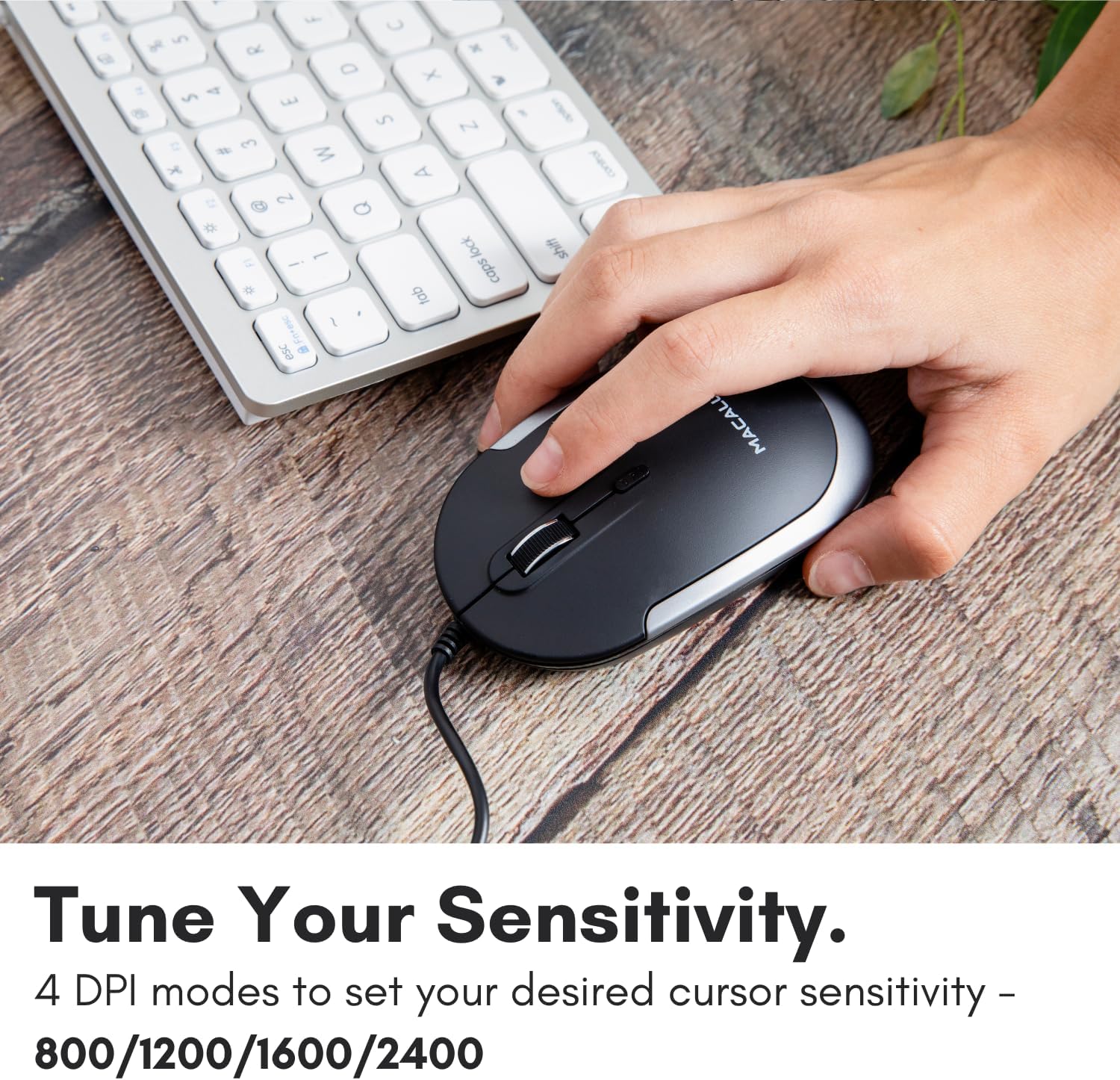
Image: A hand demonstrating how to press the DPI button on the Macally USB-C mouse to adjust sensitivity.
4.3 Suderinamumas
The Macally USB Type C Wired Mouse is universally compatible with a wide range of devices and operating systems:
- „Mac“ (macOS)
- Kompiuteris („Windows“)
- iPadOS
- Android devices with USB-C ports

Image: The Macally USB-C mouse displayed with compatibility logos for Mac, PC, iPadOS, and Android operating systems.
5. Pagrindinės savybės
- USB-C jungtis: Specifically designed for modern laptops and computers with USB-C ports, ensuring a reliable wired connection.
- Plonas ir kompaktiškas dizainas: With a height of only 1 inch, the mouse is slim, comfortable, and portable, fitting snugly in your hand.
- Tylaus paspaudimo mygtukai: Reduces clicking noise by 90% compared to traditional mice, providing a quieter work environment.
- Reguliuojamas DPI: Easily switch between 800, 1200, 1600, and 2400 DPI settings for precise cursor control.
- 5-Foot Cable: Suteikia ample length for flexible setup and comfortable use, even with desktop computers.
- Abipusis dizainas: Tinka tiek dešiniarankiams, tiek kairiarankiams.

Image: The Macally USB-C mouse highlighting its elegant and slim design with dimensions.
Video: A detailed look at the Macally USB-C Optical Mouse, emphasizing its quiet click buttons and compatibility with Mac and PC.
6. Priežiūra
To ensure the longevity and optimal performance of your Macally USB Type C Wired Mouse, follow these simple maintenance guidelines:
- Valymas: Pelės paviršiui nuvalyti naudokite minkštą, sausą, nepūkuotą šluostę. Jei nešvarumai sunkiai įveikiami, šiek tiek pamirkykite.ampNuvalykite šluostę vandeniu arba švelniu valymo tirpalu. Venkite naudoti stiprias chemines medžiagas ar abrazyvines medžiagas.
- Optinis jutiklis: Pelės apačioje esantį optinį jutiklį laikykite švarų, be dulkių ar šiukšlių. Jei reikia, naudokite vatos tamponą arba suslėgtą orą.
- Kabelio priežiūra: Avoid sharp bends or excessive pulling on the USB-C cable to prevent damage. Store the cable neatly when not in use.
- Saugykla: Kai nenaudojate, laikykite pelę švarioje, sausoje vietoje, toliau nuo ekstremalių temperatūrų.
7. Problemų sprendimas
If you encounter any issues with your Macally USB Type C Wired Mouse, please refer to the following common solutions:
| Problema | Sprendimas |
|---|---|
| Pelė nereaguoja. |
|
| Žymeklio judėjimas yra netolygus arba trūkčiojantis. |
|
| Buttons or scroll wheel are not working. |
|
8. Specifikacijos
| Prekės ženklas | Macaliai |
| Modelio numeris | UCDYNAMOUSESG |
| Ryšio technologija | USB-C laidinis |
| Judesio aptikimo technologija | Optinis |
| DPI nustatymai | 800, 1200, 1600, 2400 |
| Kabelio ilgis | 5 pėdų (apie 1.5 metrus) |
| Mygtukai | 3 (Left, Right, Scroll Wheel/Middle Click) + DPI Switch |
| Prekės svoris | 2.56 uncijos (apie 72.5 gramų) |
| Gaminio matmenys (IxPxH) | 2.8 x 4.21 x 1 colio (apytiksliai 7.1 x 10.7 x 2.5 cm) |
| Suderinamumas | Mac (macOS), PC (Windows), iPadOS, Android (with USB-C) |
9. Garantija ir palaikymas
Macally provides a 1 metų garantija for this product. For technical support, troubleshooting assistance, or warranty claims, please contact Macally customer service. You can find contact information and additional resources on the official Macally websvetainė:
Websvetainė: www.macally.com
Macally also offers easy returns and lifetime support with your purchase.


