1. Produktas baigtasview
The Elecom M-FBL01DBXSBK is a 5-button wireless mouse designed for comfortable and quiet operation. It features a Blue LED sensor for versatile surface compatibility and a compact USB receiver.

Image 1.1: Elecom M-FBL01DBXSBK Wireless Mouse with its compact USB receiver.
2. Pakuotės turinys
- Elecom M-FBL01DBXSBK Wireless Mouse
- USB belaidis imtuvas
- AA Alkaline Battery (for operation confirmation)
- Vartotojo vadovas (šis dokumentas)
3. Sąrankos instrukcijos
3.1. Akumuliatoriaus įdėjimas
- Raskite baterijų skyriaus dangtelį pelės apačioje.
- Norėdami atidaryti skyrių, pastumkite arba pakelkite dangtelį.
- Insert one AA alkaline battery, ensuring the positive (+) and negative (-) terminals align correctly with the markings inside the compartment.
- Saugiai uždarykite akumuliatoriaus skyriaus dangtelį.

Image 3.1: The underside of the mouse, indicating the battery compartment and power switch.
3.2. USB imtuvo prijungimas
- Remove the compact USB receiver from its storage slot on the underside of the mouse.
- Prijunkite USB imtuvą prie laisvo kompiuterio USB-A prievado.
- Jūsų kompiuteris turėtų automatiškai aptikti ir įdiegti reikiamas tvarkykles. Tai gali užtrukti kelias akimirkas.
3.3. Pelės įjungimas
After installing the battery and connecting the receiver, locate the power switch on the underside of the mouse and slide it to the 'ON' position. The mouse is now ready for use.
3.4. OS Compatibility
The Elecom M-FBL01DBXSBK Wireless Mouse is compatible with:
- Windows 11, Windows 10, Windows RT8.1, Windows 8.1, Windows 7, Windows Vista
- „macOS High Sierra 10.13“ ir naujesnės versijos
Ensure your operating system is updated to the latest version and any service packs are installed for optimal performance.
4. Pelės valdymas
4.1. Pagrindinės funkcijos
The mouse features five buttons and a scroll wheel:
- Kairysis mygtukas: Pirminė paspaudimo funkcija.
- Dešinysis mygtukas: Antrinio paspaudimo funkcija (kontekstinis meniu).
- Slinkties ratukas: Ritina dokumentus ir web pages vertically. Can also be pressed for a middle-click function.
- Pirmyn mygtukas: Naviguoja pirmyn web naršyklės arba file tyrinėtojai.
- Atgal mygtukas: Naviguoja atgal web naršyklės arba file tyrinėtojai.

Image 4.1: The five buttons of the Elecom M-FBL01DBXSBK mouse, including the scroll wheel.
4.2. Quiet Click Feature
All five buttons incorporate a silent switch mechanism, significantly reducing clicking noise. This allows for quiet operation in various environments.

Image 4.2: The silent switch design minimizes operational noise.
4.3. Blue LED Sensor
The mouse is equipped with a Blue LED optical sensor, which provides accurate tracking on a variety of surfaces, including those with slight unevenness or dust. This enhances usability in diverse settings.

Image 4.3: The Blue LED sensor allows for comfortable use on various surfaces.
4.4. Belaidis ryšys
The mouse utilizes a 2.4 GHz wireless band for stable communication. The effective radio distance is approximately 3 meters (9.8 feet) on magnetic surfaces (e.g., steel desks) and up to 10 meters (32.8 feet) on non-magnetic surfaces (e.g., wooden desks).
4.5. Baterijos indikatorius
An integrated battery indicator light notifies you when the battery level is low, signaling that a replacement is needed.
4.6. Elecom Mouse Assistant Software
Button functions can be customized using the free downloadable Elecom Mouse Assistant software. This allows users to reassign functions to the mouse buttons for improved workflow efficiency.
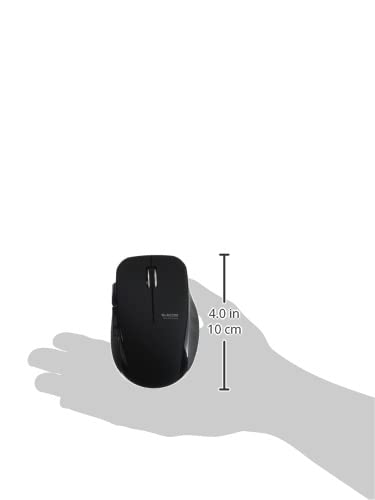
Image 4.4: The Elecom Mouse Assistant software enables button customization.
5. Priežiūra
5.1. Baterijos keitimas
When the battery indicator signals low power, replace the AA battery with a new AA alkaline, manganese, or NiMH battery. Follow the battery installation steps outlined in Section 3.1.
5.2. Valymas
To clean the mouse, gently wipe its surface with a soft, dry cloth. Avoid using harsh chemicals or abrasive materials, as these can damage the finish. Ensure no liquid enters the mouse.
5.3. Receiver Storage
The USB receiver can be stored inside the mouse body when not in use or during transport. This helps prevent loss of the receiver.
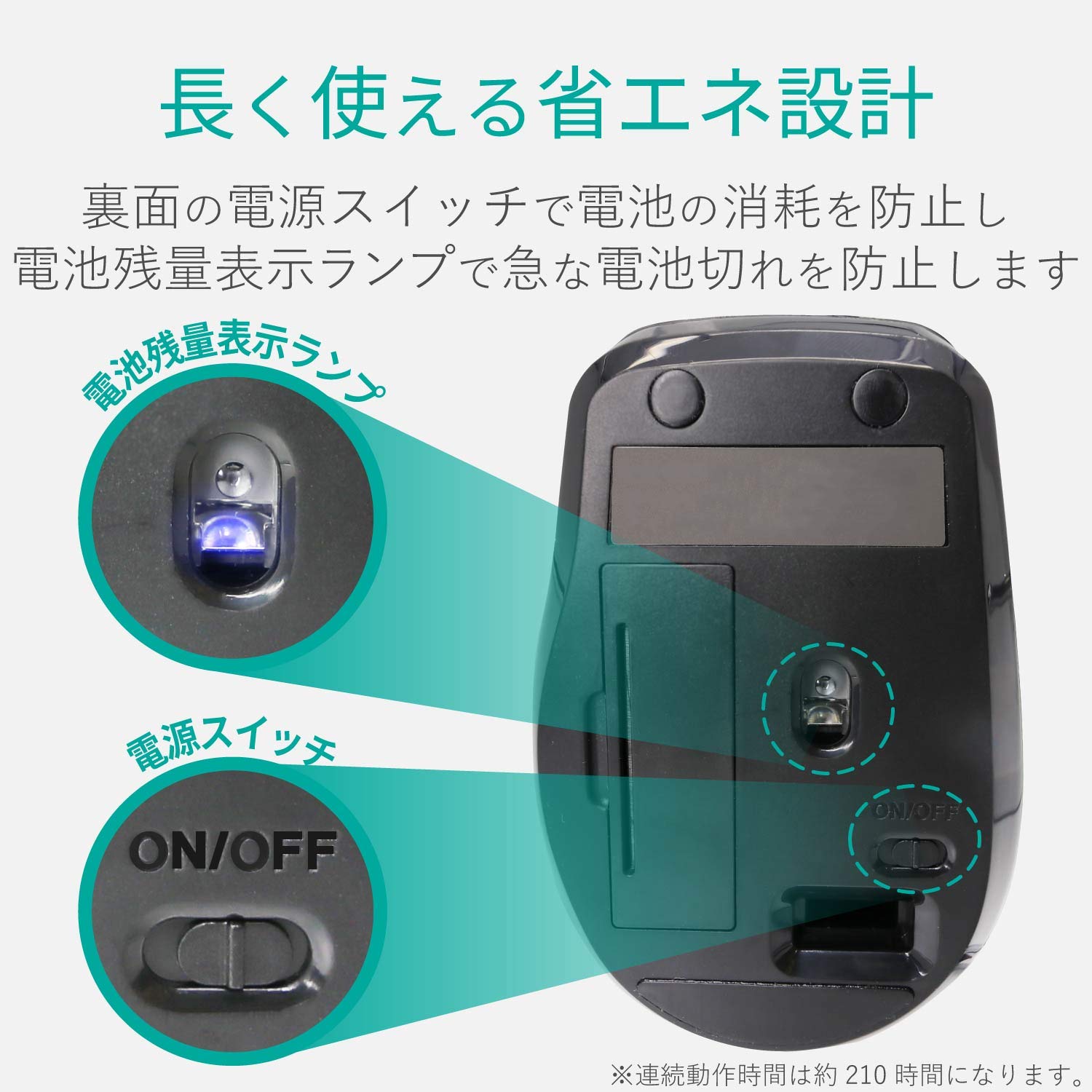
Image 5.1: The compact receiver can be stored within the mouse for convenience.
6. Problemų sprendimas
- Pelė nereaguoja:
- Check if the mouse is powered on (power switch on the underside).
- Įsitikinkite, kad baterija tinkamai įdėta ir neišsikrovusi. Jei reikia, pakeiskite.
- Patikrinkite, ar USB imtuvas tvirtai prijungtas prie veikiančio kompiuterio USB prievado. Išbandykite kitą USB prievadą.
- Iš naujo paleiskite kompiuterį.
- Nereguliarus žymeklio judėjimas:
- Clean the optical sensor area on the underside of the mouse.
- Įsitikinkite, kad pelę naudojate ant tinkamo paviršiaus. Venkite labai atspindinčių ar skaidrių paviršių.
- Check for interference from other wireless devices. Move the mouse closer to the receiver.
- Buttons not functioning correctly:
- If using Elecom Mouse Assistant, ensure button assignments are correct.
- Reinstall the Elecom Mouse Assistant software if issues persist.
7. Specifikacijos
| Sąsaja | USB |
| Jungties forma | USB-A Vyras |
| Suderinama OS | Windows 11, 10, RT8.1, 8.1, 7, Vista; macOS High Sierra 10.13+ |
| Rezoliucija | 1600 skaičius |
| Bendravimo metodas | GFSK metodas |
| Radijo dažnis | 2.4 GHz dažnių juosta |
| Radio Distance | Magnetic objects: 3m (9.8 ft); Non-magnetic objects: 10m (32.8 ft) |
| Skaitymo metodas | Optinių jutiklių sistema (mėlynas LED) |
| Mygtukų skaičius | 5 (including wheel button) |
| Ratų skaičius | 1 |
| Imtuvo saugykla | Taip |
| Nepertraukiamo veikimo laikas | apytiksliai 210 valandas |
| Budėjimo laikas | Maždaug 1666 dienų |
| Estimated Battery Usage Time | Maždaug 478 dienų |
| Maitinimo šaltinis (pagrindinis įrenginys) | 1 AA alkaline, manganese, or NiMH battery |
| Įvertintas ttage (Body) | 1.5 V |
| Spalva | Juoda |
| Svoris (pelė) | apytiksliai 62g (be baterijos) |
| External Dimensions (Receiver) | 14.5 x 18.0 x 6.3 mm |
| Weight (Receiver) | apytiksliai 2 g |
8. Garantija ir palaikymas
8.1. Garantinis laikotarpis
Šiam gaminiui suteikiama 6 mėnesių garantija nuo pirkimo datos.
8.2. Product Inquiries
For product inquiries or technical support, please contact the Elecom General Information Center:
- TEL: 0570-084-465
- Faksas: 0570-050-012
- Reception Time: 10:00 - 19:00 (24/7)


