Įvadas
The Altec Lansing Evolution 2 Bluetooth Headphones (Model MZX668-BLK) are designed to provide a high-quality audio experience with convenient wireless connectivity. Featuring 40mm neodymium drivers, these headphones deliver powerful and crisp sound. With up to 8 hours of battery life and soft cushioned earcups, they are built for extended listening comfort. The integrated controls allow for easy navigation of music and calls, and the "Just Ask" feature provides direct access to Siri and Google Voice Assistant.
Pagrindinės funkcijos:
- Just Ask Integration: Access Siri and Google Voice Assistant directly from your headphones.
- Prailgintas grojimo laikas: Up to 8 hours of battery life for prolonged listening.
- Patogus dizainas: Soft cushion headband and earcups for all-day wear.
- Dinaminis garsas: 40mm neodymium drivers for powerful and clear audio.
- Laidinė parinktis: Includes an AUX-in cable for continued listening when battery runs low.
- Patogus valdymas: Integrated microphone with wind cancellation, song navigation, and telephony buttons.
Sąrankos vadovas
1. Pakuotės turinys
Prieš pradėdami, įsitikinkite, kad pakuotėje yra visi reikalingi daiktai:
- Altec Lansing MZX668-BLK Evolution 2 Bluetooth Headphones
- USB įkrovimo laidas
- 3.5 mm AUX įvesties laidas
- Vartotojo vadovas (šis dokumentas)
2. Ausinių įkrovimas
Optimaliam veikimui, prieš pirmą kartą naudodami ausines, visiškai jas įkraukite.
- Raskite ausinių įkrovimo prievadą.
- Connect the small end of the USB charging cable to the headphone's charging port.
- Prijunkite didelį USB įkrovimo laido galą prie USB maitinimo šaltinio (pvz., kompiuterio USB prievado, USB sieninio adapterio).
- The LED indicator light will illuminate during charging and turn off when charging is complete. A full charge typically takes approximately 2-3 hours.

Vaizdas: Šoninė view of the Altec Lansing MZX668-BLK headphones, highlighting the location of the charging port and control buttons on the earcup.
3. „Bluetooth“ poravimas
Susiekite ausines su „Bluetooth“ palaikiu įrenginiu (išmaniuoju telefonu, planšetiniu kompiuteriu, nešiojamuoju kompiuteriu).
- Įsitikinkite, kad ausinės yra visiškai įkrautos ir išjungtos.
- Press and hold the Power button on the headphones for approximately 5-7 seconds until the LED indicator light flashes blue and red alternately. This indicates pairing mode.
- Savo įrenginyje eikite į „Bluetooth“ nustatymus.
- Įjunkite „Bluetooth“ ir ieškokite galimų įrenginių.
- Select "MZX668-BLK" from the list of found devices.
- Kai ausinės bus susietos, LED indikatorius ant jų lėtai mirksės mėlynai ir išgirsite garsinį patvirtinimą.
- Jei prašoma slaptažodžio, įveskite „0000“.
Pastaba: Įjungus ausines, jos automatiškai bandys prisijungti prie paskutinio suporuoto įrenginio.
Naudojimo instrukcijos
1. Maitinimo įjungimas/išjungimas
- Maitinimas: Press and hold the Power button for 3 seconds. The LED will flash blue.
- Išjungti: Press and hold the Power button for 3 seconds. The LED will turn off.
2. Muzikos atkūrimo valdikliai

Vaizdas: priekis view of the Altec Lansing MZX668-BLK headphones, showing the layout of the control buttons on the left earcup.
| Mygtukas / veiksmas | Funkcija |
|---|---|
| Atkūrimo/pauzės mygtukas (Center button) | Paspauskite vieną kartą, kad paleistumėte / pristabdytumėte muziką. |
| Garsumo padidinimas (+) | Paspauskite vieną kartą, kad padidintumėte garsumą. |
| Patildyti (-) | Paspauskite vieną kartą, kad sumažintumėte garsumą. |
| Next Track (>>) | Press and hold Volume Up (+) for 2 seconds. |
| Previous Track (<<) | Press and hold Volume Down (-) for 2 seconds. |
3. Skambučių valdymas
| Mygtukas / veiksmas | Funkcija |
|---|---|
| Atsiliepti / Baigti skambutį (Center button) | Press once during an incoming call to answer. Press once during a call to end. |
| Atmesti skambutį (Center button) | Press and hold for 2 seconds during an incoming call. |
| Perrink paskutinį numerį (Center button) | Double-press quickly. |
4. Voice Assistant (Just Ask)
The "Just Ask" feature allows you to access your smartphone's voice assistant (Siri or Google Assistant) directly through the headphones.
- Ensure your headphones are paired and connected to your smartphone.
- Paspauskite Padėjėjo balsu mygtukas (often the Power button, or a dedicated button if present, refer to diagram) once.
- You will hear a prompt, indicating that your voice assistant is active.
- Speak your command clearly into the microphone.
5. Laidinis ryšys (AUX režimas)
If your headphones run out of battery or you prefer a wired connection, use the included 3.5mm AUX-in cable.
- Plug one end of the 3.5mm AUX-in cable into the AUX port on the headphones.
- Kitą galą prijunkite prie savo įrenginio 3.5 mm garso lizdo.
- The headphones will automatically switch to wired mode. Note that controls on the headphones may not function in wired mode; control playback directly from your device.
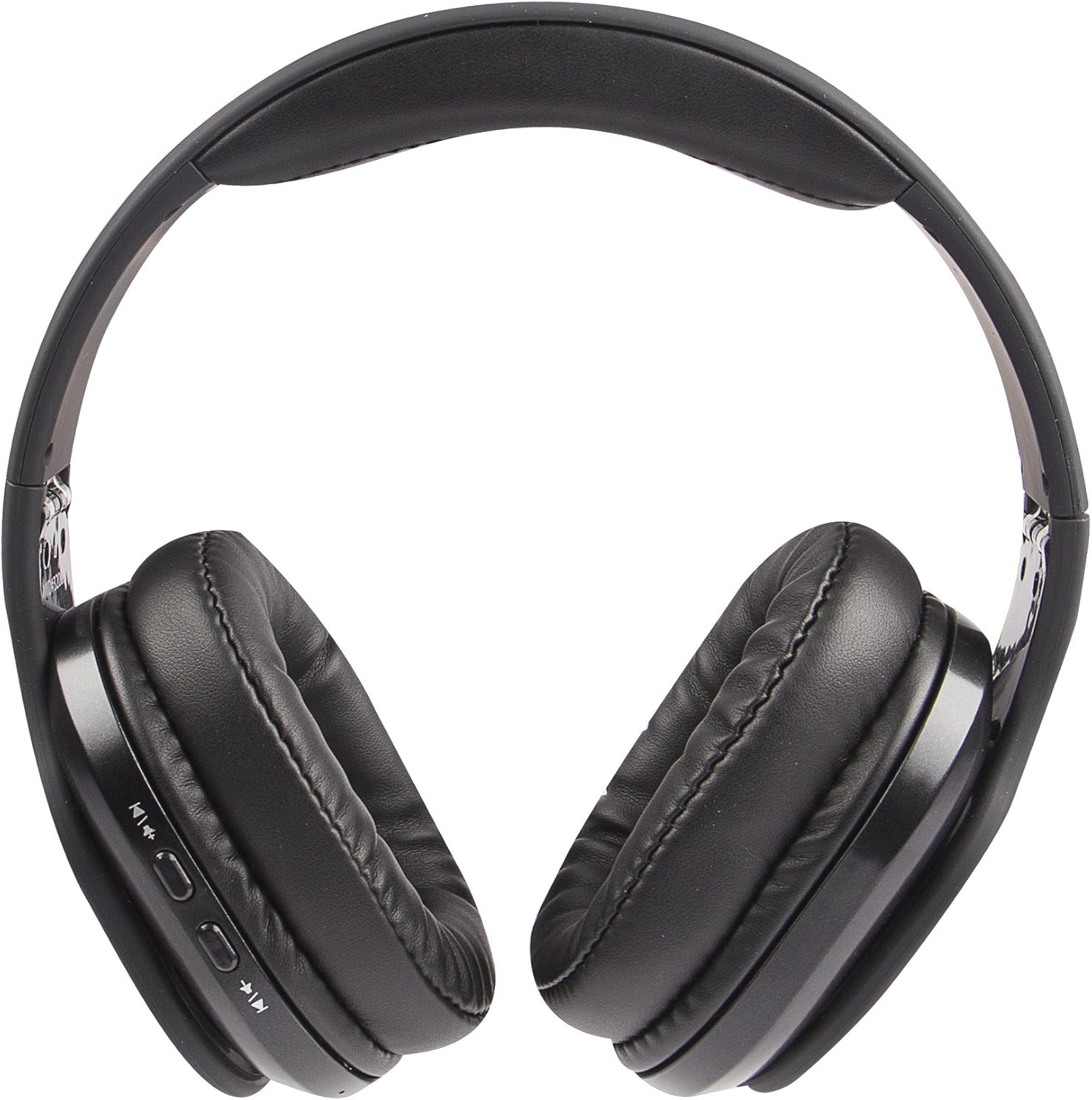
Image: The Altec Lansing MZX668-BLK headphones laid flat, providing a clear view of the earcups and the location of the AUX-in port.
Priežiūra
1. Valymas
- Ausinių paviršiams valyti naudokite minkštą, sausą, nepūkuotą šluostę.
- Ausų kaušelius švelniai nuvalykite šiek tiek drėgnu skudurėliu.amp jei reikia, šluoste, tada nedelsdami nusausinkite.
- Do not use abrasive cleaners, alcohol, benzene, or other harsh chemicals, as these may damage the finish or internal components.
- Stenkitės, kad drėgmė nepatektų į angas ar angas.
2. Sandėliavimas
- Ausines laikykite vėsioje, sausoje vietoje, toliau nuo tiesioginių saulės spindulių ir ekstremalių temperatūrų.
- Venkite laikyti patalpose, kuriose yra daug drėgmės.
- When not in use for extended periods, it is recommended to charge the headphones at least once every three months to maintain battery health.

Image: A person wearing the Altec Lansing MZX668-BLK headphones while sitting outdoors, demonstrating typical usage and comfort.
3. Akumuliatoriaus priežiūra
- Nelaikykite akumuliatoriaus pernelyg karštoje vietoje, pavyzdžiui, tiesioginiuose saulės spinduliuose, ugnyje ar panašiai.
- Do not attempt to replace the battery yourself. Contact customer support if battery issues arise.
- Išmeskite baterijas laikydamiesi vietinių taisyklių.
Trikčių šalinimas
| Problema | Galima priežastis | Sprendimas |
|---|---|---|
| Ausinės neįsijungia. | Žemas arba visai nėra akumuliatoriaus įkrovos. | Visiškai įkraukite ausines naudodami pridedamą USB laidą. |
| Nepavyksta susieti su įrenginiu. | Headphones not in pairing mode; Device Bluetooth off; Too far from device; Interference. | Ensure headphones are in pairing mode (flashing blue/red). Turn Bluetooth off/on on your device. Move headphones closer to device. Avoid strong Wi-Fi signals or other Bluetooth devices. |
| Nėra garso arba garsas per mažas. | Volume too low on headphones or device; Not properly connected; Incorrect audio output selected. | Increase volume on both headphones and device. Re-pair the headphones. Check audio output settings on your device. If using AUX cable, ensure it's fully inserted. |
| Garsas iškraipomas arba dingsta. | Too far from device; Obstructions; Low battery. | Move closer to your device (within 30 feet/10 meters). Ensure no major obstructions. Charge the headphones. |
| Balso asistentas neatsako. | Not connected to smartphone; Voice assistant not enabled on phone. | Ensure headphones are paired and connected to your smartphone. Check your smartphone's settings to ensure Siri/Google Assistant is enabled. |

Image: A person wearing the Altec Lansing MZX668-BLK headphones in a winter environment, illustrating their use in various conditions.
Specifikacijos
| Funkcija | Detalė |
|---|---|
| Modelio pavadinimas | MZX668-BLK |
| Prekės ženklas | Altec Lansing |
| Ryšio technologija | Belaidis ryšys („Bluetooth“) |
| Belaidžio ryšio technologija | Bluetooth |
| Bluetooth diapazonas | 10 metrai (30 pėdos) |
| Garso tvarkyklės dydis | 40 milimetrų |
| Garso tvarkyklės tipas | Dinaminis vairuotojas |
| Dažnių diapazonas | 20 Hz–20 000 Hz |
| Baterijos veikimo laikas | Iki 8 valandų |
| Reikalingos baterijos | 1 ličio jonų baterija (pridedama) |
| Ausinės Jack | 3.5 mm Jack (for wired use) |
| Valdymo tipas | Balso valdymas, mygtukų valdymas |
| Suderinami įrenginiai | Cellphones, Laptops, Desktops, Tablets, Telephones, Smart Speaker |
| Gaminio matmenys | 8.27 x 3.15 x 6.69 colio |
| Prekės svoris | 0.007 uncijos (apie 0.21 gramo) |
| Spalva | Juoda |
| UPC | 021331979483 |
| Gamintojas | Sakar International, Inc. |

Paveikslėlis: Šoninis profesionalasfile of the Altec Lansing MZX668-BLK headphones, illustrating the adjustable headband and comfortable earcup design.
Garantija ir palaikymas
Informacija apie garantiją
Altec Lansing products are covered by a standard manufacturer's warranty against defects in materials and workmanship. The specific warranty period may vary by region and product. Please retain your proof of purchase for warranty claims.
For detailed warranty terms and conditions, please refer to the warranty card included with your product or visit the official Altec Lansing websvetainę.
Pagalba klientams
If you encounter any issues or have questions regarding your Altec Lansing MZX668-BLK Evolution 2 Bluetooth Headphones that are not covered in this manual, please contact Altec Lansing customer support.
- Palaikymas internetu: Visit the Altec Lansing support page on their official webDUK, trikčių šalinimo vadovų ir kontaktinių formų svetainė.
- Pagalba telefonu: Žiūrėkite kontaktinę informaciją, pateiktą ant produkto pakuotės arba oficialioje websvetainėje, kurioje nurodytas telefono pagalbos darbo laikas.
When contacting support, please have your product model number (MZX668-BLK) and proof of purchase ready.


