1. Įvadas
The Edifier W860NB are Active Noise Cancelling (ANC) Over-Ear Bluetooth aptX Headphones designed to provide an immersive audio experience by reducing external noise. Featuring smart touch controls and a comfortable over-ear design with 40mm neodymium drivers, these headphones offer extended battery life for continuous playback. This manual provides detailed instructions for setup, operation, maintenance, and troubleshooting to ensure optimal performance and longevity of your device.
2. Pakuotės turinys
Prašome patikrinti, ar pakuotėje yra visi reikalingi daiktai:
- Edifier W860NB Headphones
- Garso kabelis
- Clamshell Travel Case

Image: Edifier W860NB headphones neatly stored inside their protective clamshell travel case, ready for transport.
3. Produktas baigtasview
Familiarize yourself with the various components and controls of your Edifier W860NB headphones.

Paveikslėlis: Skaidrus frontas view of the Edifier W860NB headphones, highlighting their elegant gold finish and over-ear design.
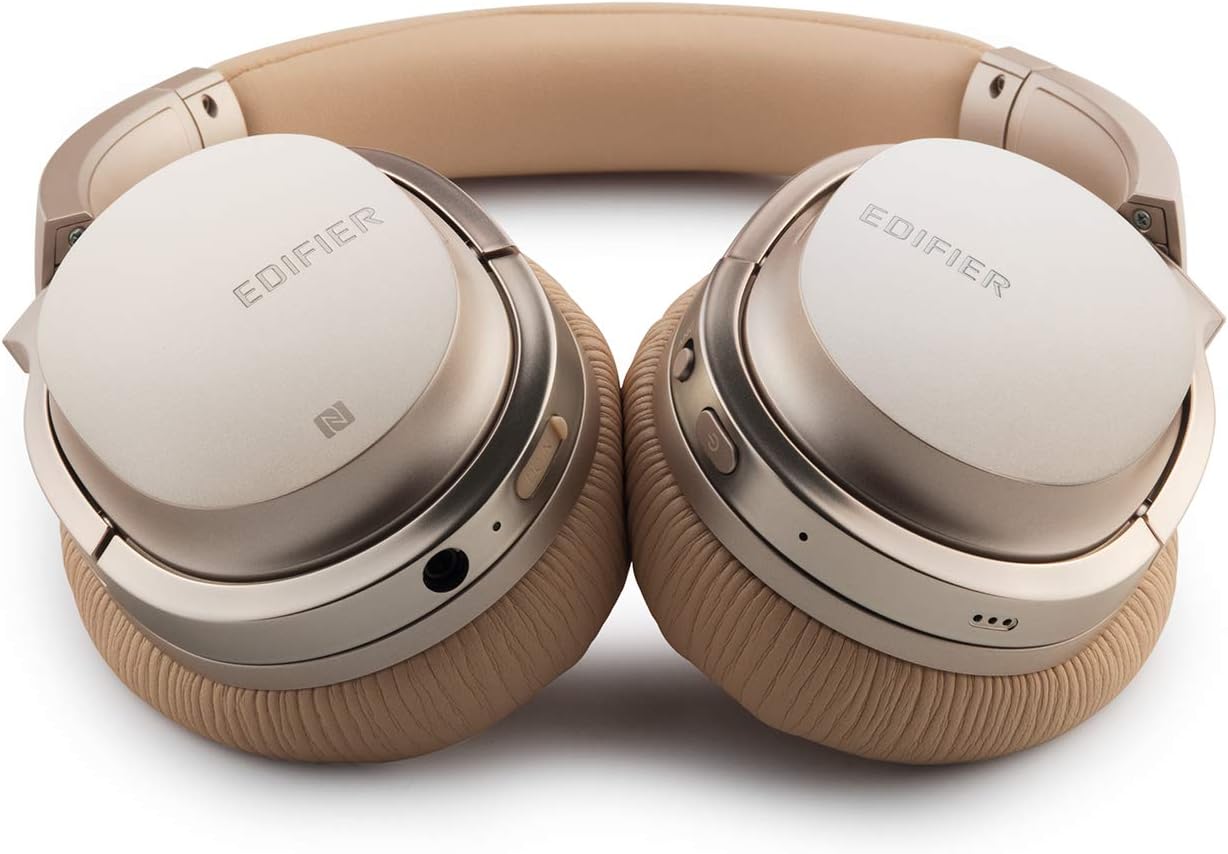
Image: A detailed shot of the right earcup, showing the power button, volume controls, and audio jack.

Image: A close-up on the plush, faux leather earcup, emphasizing the comfort-oriented design.

Image: The adjustable headband mechanism, showing the model designation 'W860NB' on the side.
4. Sąranka
4.1 Ausinių įkrovimas
Before first use, fully charge your headphones. Connect the provided USB charging cable to the charging port on the headphones and to a USB power source (e.g., computer USB port or wall adapter). The LED indicator will show charging status and turn off when fully charged. A full charge provides approximately 25 hours of playback with both Bluetooth and ANC active, or 45 hours with only wireless use.
4.2 Maitinimo įjungimas/išjungimas
- Norėdami įjungti: Paspauskite ir palaikykite maitinimo mygtuką, kol užsidegs LED indikatorius.
- Norėdami išjungti: Paspauskite ir palaikykite maitinimo mygtuką, kol užges LED indikatorius.
4.3 Bluetooth poravimas
- Įsitikinkite, kad ausinės yra išjungtos.
- Press and hold the power button for approximately 5 seconds until the LED indicator flashes blue and red alternately, indicating pairing mode.
- Savo įrenginyje (išmaniajame telefone, planšetiniame kompiuteryje ir kt.) įjunkite „Bluetooth“ ir ieškokite galimų įrenginių.
- Select "Edifier W860NB" from the list of found devices.
- Kai įrenginys bus suporuotas, LED indikatorius lėtai mirksės mėlynai.
NFC ryšys: If your device supports NFC, simply tap your NFC-enabled phone against the NFC area on the left earcup to pair instantly.
4.4 Laidinis ryšys
To use the headphones with a wired connection, connect one end of the included 3.5mm audio cable to the audio jack on the headphones and the other end to your audio source. The headphones can be used passively in wired mode even if the battery is depleted.
5. Naudojimo instrukcijos
5.1 Išmanieji jutikliniai valdikliai
The right earcup features smart touch controls for convenient operation:
- Pagarsink: Braukite aukštyn per ausinių gaubtelį.
- Patildyti: Braukite žemyn per ausinių gaubtelį.
- Leisti / pristabdyti: Double-tap the earcup.
- Kitas takelis: Swipe forward (towards the front of the earcup).
- Ankstesnis takelis: Swipe backward (towards the back of the earcup).
5.2 Aktyvus triukšmo slopinimas (ANC)
The W860NB headphones feature Active Noise Cancelling technology to reduce ambient noise.
- Suaktyvinti ANC: Press the ANC button located on the earcup. The ANC indicator light will illuminate.
- Išjungti ANC: Dar kartą paspauskite ANC mygtuką. ANC indikatoriaus lemputė užges.
5.3 Skambučių valdymas
When connected to a smartphone, you can manage calls using the headphones:
- Atsiliepti / Baigti skambutį: Double-tap the earcup.
- Atmesti skambutį: Press and hold the earcup for 2 seconds.
6. Priežiūra
- Valymas: Ausinėms valyti naudokite minkštą, sausą šluostę. Nenaudokite abrazyvinių valiklių ar tirpiklių.
- Saugykla: When not in use, store the headphones in the provided clamshell case to protect them from dust and damage. Avoid storing in extreme temperatures.
- Akumuliatoriaus priežiūra: Norėdami pailginti baterijos veikimo laiką, venkite dažnai visiškai ją iškrauti. Reguliariai kraukite ausines, net jei jų ilgą laiką nenaudojate.
- Atsparumas vandeniui: Šios ausinės nėra atsparios vandeniui. Venkite sąlyčio su skysčiais.
7. Problemų sprendimas
| Problema | Galima priežastis | Sprendimas |
|---|---|---|
| Ausinės neįsijungia. | Baterija išsikrovusi arba jos įkrova maža. | Pilnai įkraukite ausines. |
| Nepavyksta susieti su įrenginiu. | Ausinės neįjungtos susiejimo režimu; įrenginio „Bluetooth“ išjungtas; per daug susietų įrenginių. | Ensure headphones are in pairing mode (flashing blue/red). Turn device Bluetooth off/on. Clear Bluetooth list on device or headphones. |
| Nėra garso. | Per mažas garsumas; netinkamas garso šaltinis; neprijungtos ausinės. | Increase volume on headphones and device. Ensure headphones are properly paired or wired. Check audio output settings on device. |
| ANC neveikia efektyviai. | ANC neaktyvuotas; aplinkos triukšmas per didelis. | Ensure ANC is activated (indicator light on). ANC is most effective for low-frequency, constant noise. |
| Jutikliniai valdikliai nereaguoja. | Temporary software glitch; dirty earcup surface. | Power off and on the headphones. Clean the earcup surface with a soft, dry cloth. |
8. Techninės specifikacijos
| Funkcija | Specifikacija |
|---|---|
| Modelio pavadinimas | ed-w860nb-gold-us-fbm |
| Ryšio technologija | Belaidis ryšys („Bluetooth“) |
| Belaidžio ryšio technologija | Bluetooth 4.0 |
| Ausinės Jack | 3.5 mm lizdas |
| Triukšmo valdymas | Aktyvus triukšmo slopinimas |
| Kontrolės metodas | Palieskite |
| Garso tvarkyklės tipas | Dinaminis vairuotojas |
| Dažnių diapazonas | 20 Hz–20 000 Hz |
| Ausinės forma | Virš ausies |
| Formos faktorius | Virš ausies |
| Medžiaga | Plastikiniai |
| Spalva | Auksas |
| Prekės svoris | 1.76 svaro (800 gramų) |
| Gaminio matmenys | 10 x 4 x 11 colio |
| Baterijos | Reikalinga 1 A baterija |
| UPC | 875674004438 |
| Gamintojas | Redagavimo priemonė |
| Pasiekiama pirmoji data | 27 m. kovo 2019 d |
9. Garantija ir palaikymas
9.1 Informacija apie garantiją
The Edifier W860NB headphones come with a 1-year US and Canada Warranty. Please retain your proof of purchase for warranty claims. For specific terms and conditions, refer to the warranty card included with your product or visit the official Edifier websvetainę.
9.2 Pagalba klientams
For further assistance, technical support, or inquiries regarding your Edifier W860NB headphones, please visit the official Edifier support website or contact their customer service department. Contact details can typically be found on the Edifier websvetainėje arba produkto pakuotėje.


