1. Įvadas
Thank you for choosing the NUBWO N12 Gaming Headset. This manual provides essential information for setting up, operating, and maintaining your headset to ensure an optimal gaming and audio experience. The NUBWO N12 is designed for multi-platform compatibility, offering immersive sound and clear communication.

Image 1.1: NUBWO N12 Gaming Headset
2. Pakuotės turinys
Patikrinkite, ar jūsų siuntinyje yra visi toliau išvardyti daiktai:
- NUBWO N12 Gaming Headset
- Vartotojo vadovas (šis dokumentas)
- Kompiuterio prailginimo kabelis
3. Produktas baigtasview
The NUBWO N12 Gaming Headset features advanced audio technology and ergonomic design for extended comfort and superior performance.
3.1 Pagrindinės savybės
- 50 mm garso tvarkyklės: Delivers clear highs, deep bass, and simulated surround sound for an immersive experience.
- Patogios ausų pagalvėlės: Equipped with soft protein leather and memory foam for reduced pressure during long gaming sessions. Features a 25-degree built-in ear-tilt design to conform to the human ear shape.
- Reguliuojama galvos juosta: Leidžia pritaikyti gaminį įvairiems galvos dydžiams.
- Triukšmą slopinantis mikrofonas: Rotatable microphone captures your voice clearly while minimizing background noise.
- Tiesioginiai valdikliai: Convenient access to volume adjustment and microphone mute switch.

Image 3.1: Immersive Sound Quality with 50mm Speaker Drivers
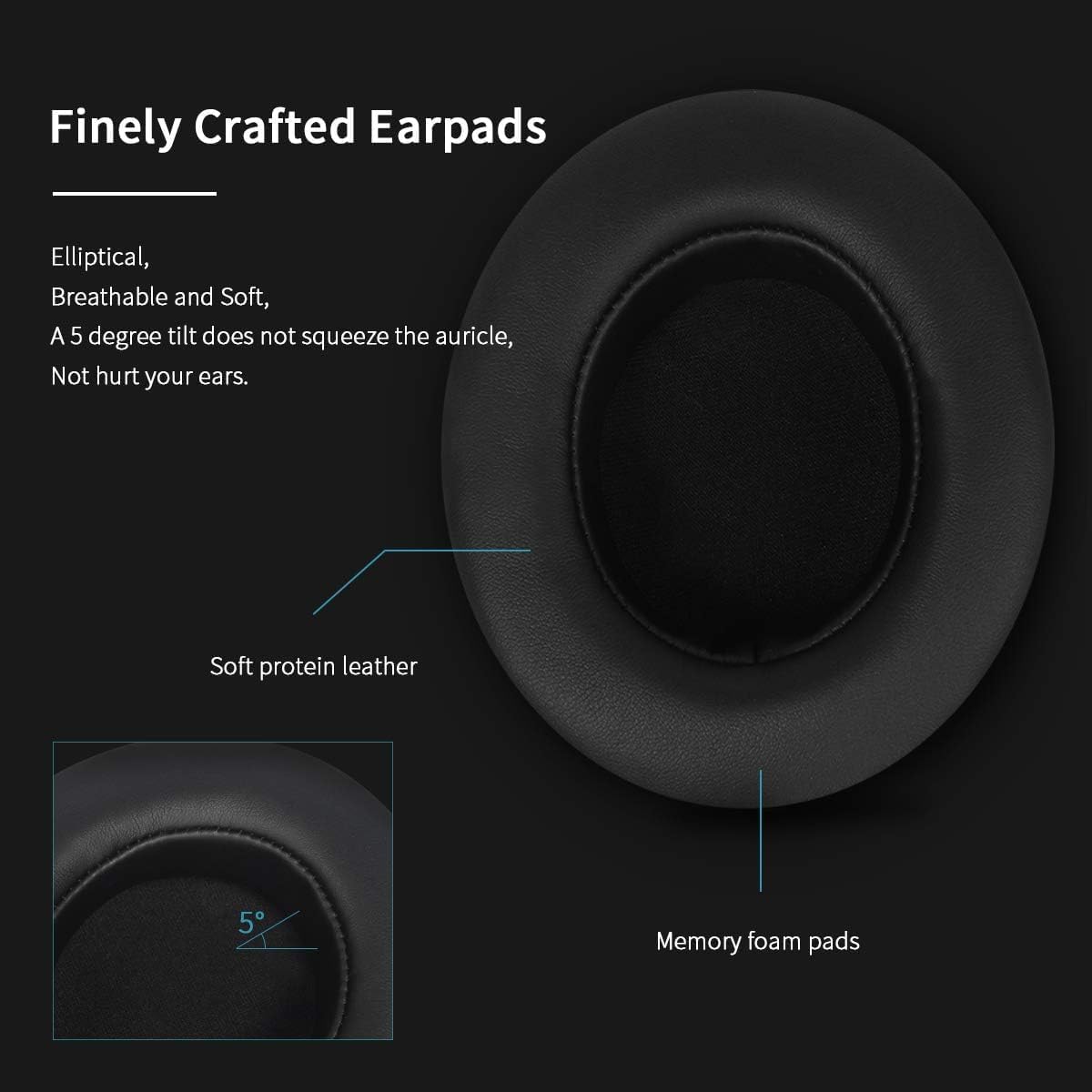
Image 3.2: Finely Crafted Earpads with Soft Protein Leather and Memory Foam

Image 3.3: Earcup Design with 25-degree Ear-Tilt

Image 3.4: Enhanced Stereo Sound with 50mm High Definition Speakers

Image 3.5: Microphone Noise-Canceling Performance

Image 3.6: In-line Control and Noise-Canceling Microphone
4. Sąranka ir prijungimas
The NUBWO N12 Gaming Headset connects via a standard 3.5mm audio jack. Specific connection methods vary by platform:
4.1 Connecting to Gaming Consoles
- „PlayStation 4“ (PS4): Plug the 3.5mm line directly into the PS4 console's controller.
- New Version Xbox One: Connect the 3.5mm port directly to the Xbox One console's controller.
- Older Xbox One: An Xbox One headset adapter (not included) is required to connect the 3.5mm port to the controller.
- „Nintendo Switch“: Connect the 3.5mm line into the Nintendo Switch console for audio output.
4.2 Connecting to PC, Laptop, and Mac
For PC, Laptop, and Mac systems, use the included PC extension cable to split the audio and microphone signals if your device has separate ports for each. If your device has a single combined 3.5mm port, the headset can be plugged in directly.
4.3 Prisijungimas prie mobiliųjų įrenginių
The headset can be connected to iOS and Android devices with a 3.5mm audio jack. It is recommended to test the headset with your mobile phone first to ensure proper functionality.
5. Naudojimo instrukcijos
5.1 Garsumo valdymas
Adjust the audio volume using the volume wheel located on the in-line control unit of the headset cable. Rotate the wheel up to increase volume and down to decrease it.
5.2 Mikrofono nutildymas
To mute or unmute the microphone, use the switch located on the in-line control unit. Slide the switch to the 'OFF' position to mute the microphone and to the 'ON' position to activate it.
5.3 Mikrofono reguliavimas
The microphone is flexible and rotatable. Position it appropriately near your mouth for optimal voice capture and clarity. Ensure it is not obstructed.
6. Priežiūra ir priežiūra
Proper care will extend the lifespan of your NUBWO N12 Gaming Headset:
- Valymas: Ausinėms valyti naudokite minkštą, sausą šluostę. Venkite naudoti stiprias chemines medžiagas ar abrazyvines medžiagas.
- Saugykla: Laikykite ausines vėsioje, sausoje vietoje, toliau nuo tiesioginių saulės spindulių ir ekstremalių temperatūrų.
- Kabelių valdymas: Venkite staigių lenkimų ar per didelio kabelio tempimo, kad nepažeistumėte jo.
- Priminimas apie sveikatą: For healthy gaming habits, take off the headset every 1-2 hours to allow your ears and eyes to rest.
7. Problemų sprendimas
If you encounter issues with your NUBWO N12 Gaming Headset, please refer to the following common solutions:
7.1 Nėra garso arba tylus garsas
- Check Device Functionality: Ensure your audio source device (console, PC, phone) is working correctly and its volume is turned up.
- Verify Headset Connection: Confirm that the 3.5mm plug is fully and correctly inserted into the audio source port.
- Adjust In-line Volume: Rotate the volume wheel on the headset's in-line control unit to increase the volume.
- Check Mute Switch: Ensure the microphone mute switch on the in-line control is not activated if you are experiencing microphone issues.
- PC/Laptop Users: If using a PC or laptop, ensure the PC extension cable is correctly connected and that your computer's audio settings are configured to use the headset as the input/output device.
8. Techninės specifikacijos
| Funkcija | Specifikacija |
|---|---|
| Modelio pavadinimas | NUBWO N12 |
| Ryšio technologija | Laidinis (3.5 mm lizdas) |
| Garso tvarkyklės dydis | 50 milimetrų |
| Dažnių diapazonas | 20 Hz–20 000 Hz |
| Valdymo tipas | Garsumo valdymas |
| Mikrofonas | Noise-Canceling, Rotatable |
| Ausinės forma | Virš ausies |
| Medžiaga | Soft Protein Leather, Memory Foam |
| Prekės svoris | 15.7 uncijos (0.98 svaro) |
| Gaminio matmenys | 7 x 4.1 x 8.5 colio |
| Kabelio funkcija | Pataisyta |
9. Garantija ir palaikymas
NUBWO is committed to providing high-quality products and customer satisfaction. The NUBWO N12 Gaming Headset comes with a 12-month NUBWO Service Commitment nuo pirkimo datos.
This commitment ensures that every NUBWO Gaming Headset undergoes a strict quality test process. Should you encounter any issues or require support within the warranty period, please refer to your purchase documentation for contact information or visit the official NUBWO support websvetainę.


