1. Įvadas
Ačiū, kad pirkoteasing the Marathon CL030050P Digital Desk Clock. This compact and versatile clock is designed for convenience, offering a clear digital display with a soft blue backlight, an alarm with snooze function, temperature display, and multi-language day of the week display. This manual provides detailed instructions for setup, operation, and maintenance to ensure optimal performance.
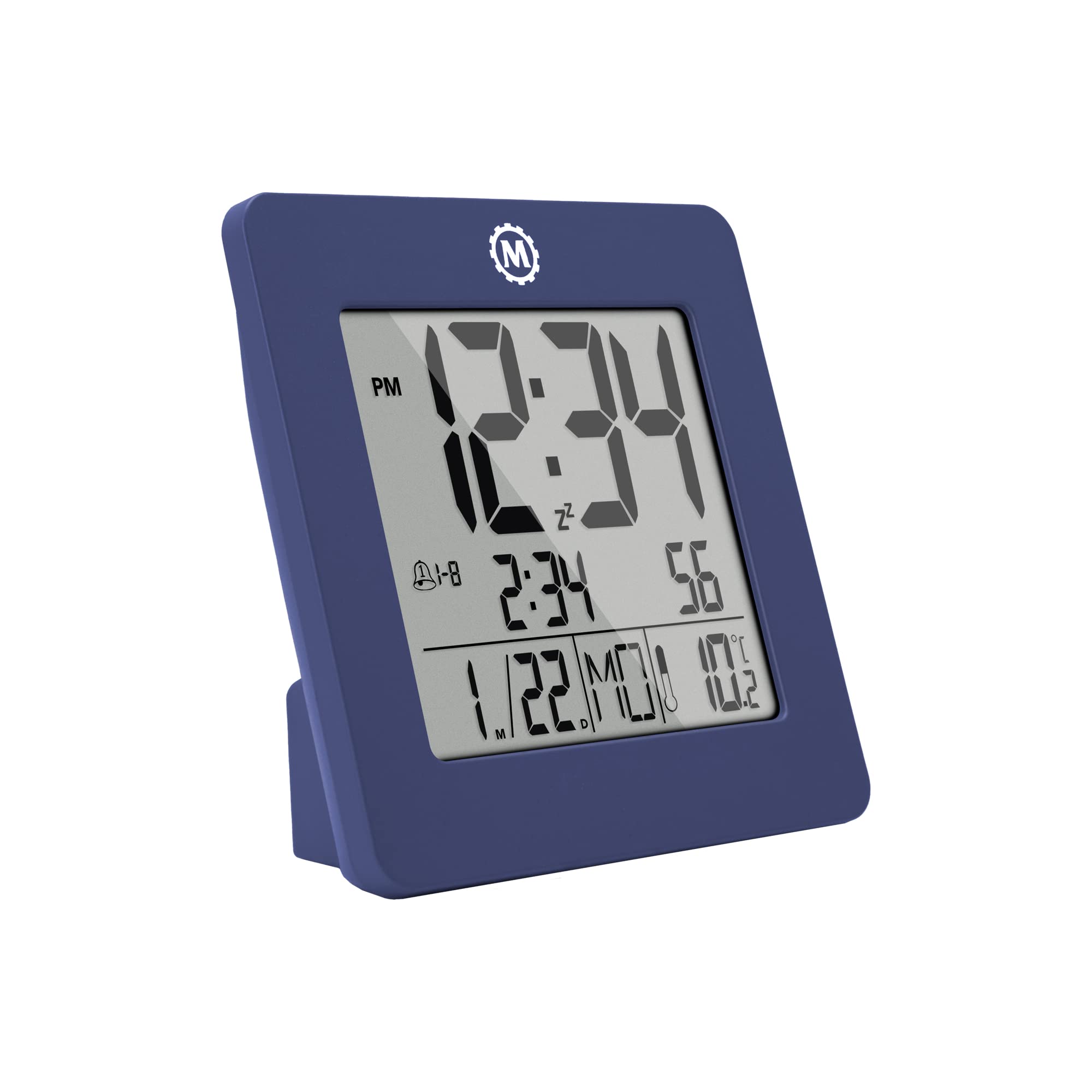
1 pav.: priekis view of the Marathon CL030050P Digital Desk Clock.
2. Pakuotės turinys
- Marathon CL030050P Digital Desk Clock
- Vartotojo vadovas (šis dokumentas)
- Baterijos (iš anksto įdiegtos arba pridedamos atskirai)
3. Sąranka
3.1 Akumuliatoriaus įdėjimas
The clock operates on batteries. If batteries are not pre-installed, open the battery compartment cover on the back of the clock and insert the required batteries, ensuring correct polarity (+/-). Close the cover securely.
3.2 Initial Settings (Time, Date, Language, Temperature Unit)
The back of the clock features several buttons for configuration:
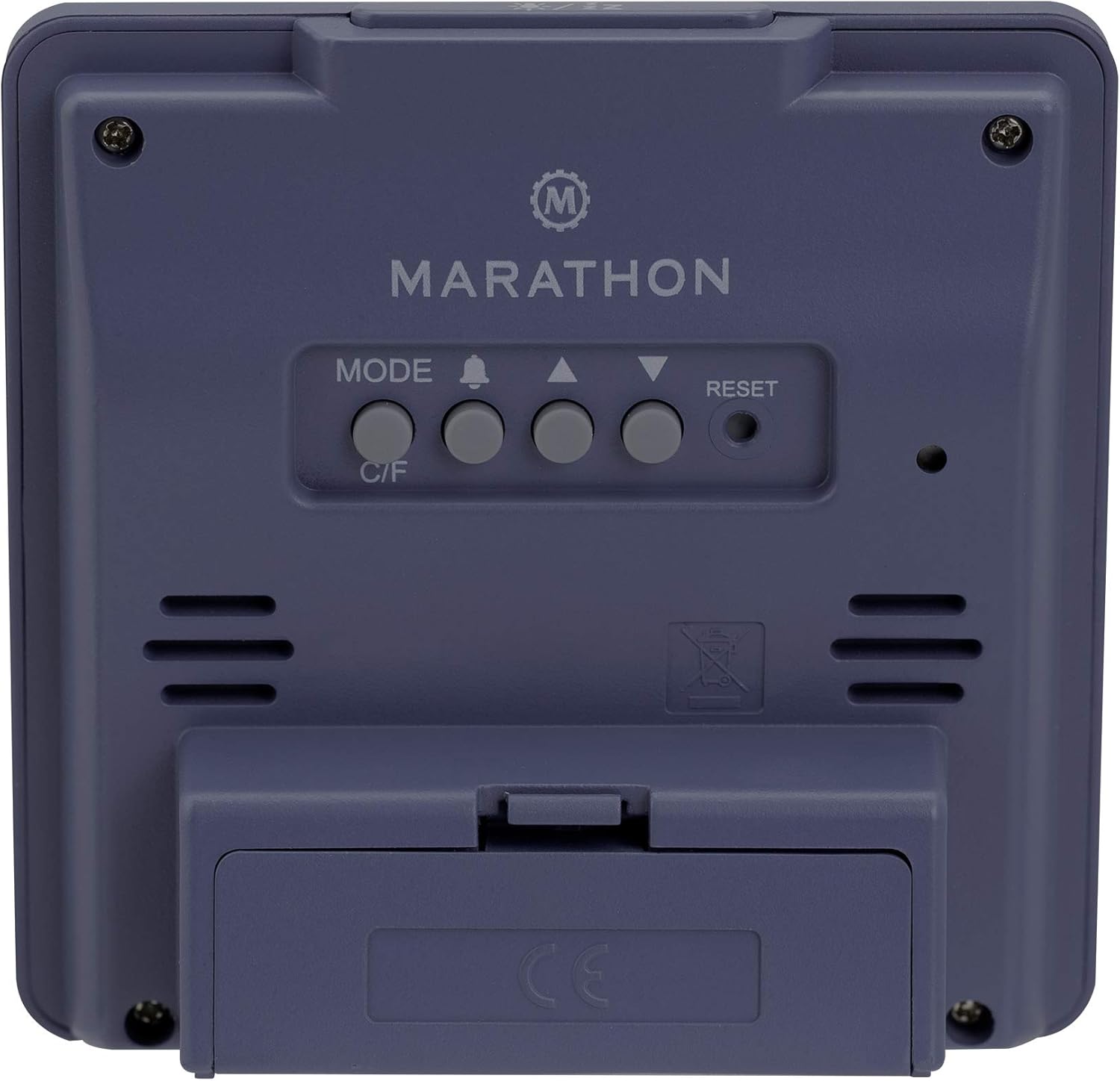
2 pav.: galinis view of the clock with control buttons.
- Nustatykite laiką ir datą: Paspauskite ir palaikykite REŽIMAS Norėdami įjungti laiko nustatymo režimą, naudokite mygtuką AUKŠTYN (▲) ir ŽEMYN (▼) buttons to adjust the flashing value (e.g., hour, minute, year, month, day). Press REŽIMAS again to confirm and move to the next setting.
- 12/24 valandų formatas: While in time setting mode, press the AUKŠTYN (▲) mygtuką, norėdami perjungti 12 valandų (su AM/PM indikatoriumi) ir 24 valandų formatus.
- Day of Week Language: The day of the week can be displayed in 7 languages (English, Dutch, French, Spanish, Italian, Danish, German). This setting is typically adjusted within the date setting sequence. Use AUKŠTYN (▲) or ŽEMYN (▼) to select your preferred language when the day of the week is flashing.
- Temperature Unit (C/F): Paspauskite C / F button on the back of the clock to switch between Celsius (℃) and Fahrenheit (℉) temperature display.
4. Naudojimo instrukcijos
4.1 Ekrano režimai
The clock continuously displays time, date, and temperature. The large, high-contrast display ensures readability.
4.2 Foninio apšvietimo įjungimas
The clock features a soft blue Nightglow Super Glow backlight. To activate the backlight, press any button on the clock. The backlight will illuminate for a few seconds, providing temporary visibility in low-light conditions.
4.3 Signalizacijos nustatymas
- Paspauskite ALARM (🔔) mygtuką vieną kartą view dabartinį žadintuvo laiką.
- Paspauskite ir palaikykite ALARM (🔔) button to enter alarm setting mode. The hour digit will flash.
- Naudokite AUKŠTYN (▲) ir ŽEMYN (▼) mygtukais nustatykite valandas. Paspauskite ALARM (🔔) , kad patvirtintumėte ir pereitumėte prie minučių nustatymo.
- Adjust the minute using the AUKŠTYN (▲) ir ŽEMYN (▼) mygtukai. Paspauskite ALARM (🔔) , kad patvirtintumėte ir išeitumėte iš žadintuvo nustatymo režimo.
- Norėdami įjungti / išjungti žadintuvą, paspauskite ALARM (🔔) button briefly outside of setting mode. An alarm icon will appear/disappear on the display.
4.4 Snausti funkcija
When the alarm sounds, press any button (except RESET) to activate the snooze function. The alarm will temporarily stop and sound again after a few minutes (snooze duration is typically fixed and cannot be adjusted). To turn off the alarm completely, press the RESET mygtuką arba leiskite jam skambėti visą laiką.

Figure 3: The clock is compact and fits comfortably in hand.
5. Priežiūra
5.1 Valymas
Wipe the clock with a soft, dry cloth. Do not use abrasive cleaners or solvents, as they may damage the display or casing.
5.2 Akumuliatoriaus keitimas
When the display becomes dim or the clock functions erratically, it is time to replace the batteries. Open the battery compartment on the back, remove the old batteries, and insert new ones, observing correct polarity. Dispose of old batteries responsibly.
6. Problemų sprendimas
- Ekranas tuščias arba blankus: Patikrinkite baterijų įdėjimą. Jei reikia, pakeiskite baterijas.
- Neteisingas laikas / data: Re-enter time and date settings as described in Section 3.2.
- Signalizacija neskamba: Ensure the alarm is activated (alarm icon visible on display). Check alarm volume if adjustable (this model may not have adjustable volume).
- Clock unresponsive: Paspauskite RESET button on the back of the clock using a pointed object (e.g., a paperclip). This will reset the clock to factory defaults, and you will need to set the time and date again.
7. Specifikacijos
| Modelis | CL030050P |
| Prekės ženklas | Maratonas |
| Spalva | French Blue |
| Dydis | Mažas |
| Medžiaga | Plastikiniai |
| Ekrano tipas | Skaitmeninis |
| Savybės | Alarm, Temperature Display |
| Maitinimo šaltinis | Maitinamas baterijomis |
| Gaminio matmenys | 9.4 x 3.81 x 9.4 cm (3.7 x 1.5 x 3.7 colio) |
| Prekės svoris | 0.1 kilogramo (100 g) |
| Naudojimas viduje / lauke | Vidinis |

Figure 4: Product dimensions for the Marathon CL030050P Digital Desk Clock.
8. Garantija ir palaikymas
For warranty information or technical support, please refer to the warranty card included with your product or visit the official Marathon websvetainėje. Jei iškilo problemų, kurios neaprašytos šiame vadove, kreipkitės pagalbos į klientų aptarnavimo tarnybą.


