1. Baigėsiview
The Wacom Cintiq Pro 32 is a professional-grade creative pen and touch display designed for digital artists and designers. It features a large 31.5-inch 4K screen, offering exceptional detail and color accuracy for an immersive creative experience. The included Wacom Pro Pen 2 provides precise control with advanced pressure sensitivity and tilt recognition, mimicking traditional art tools.
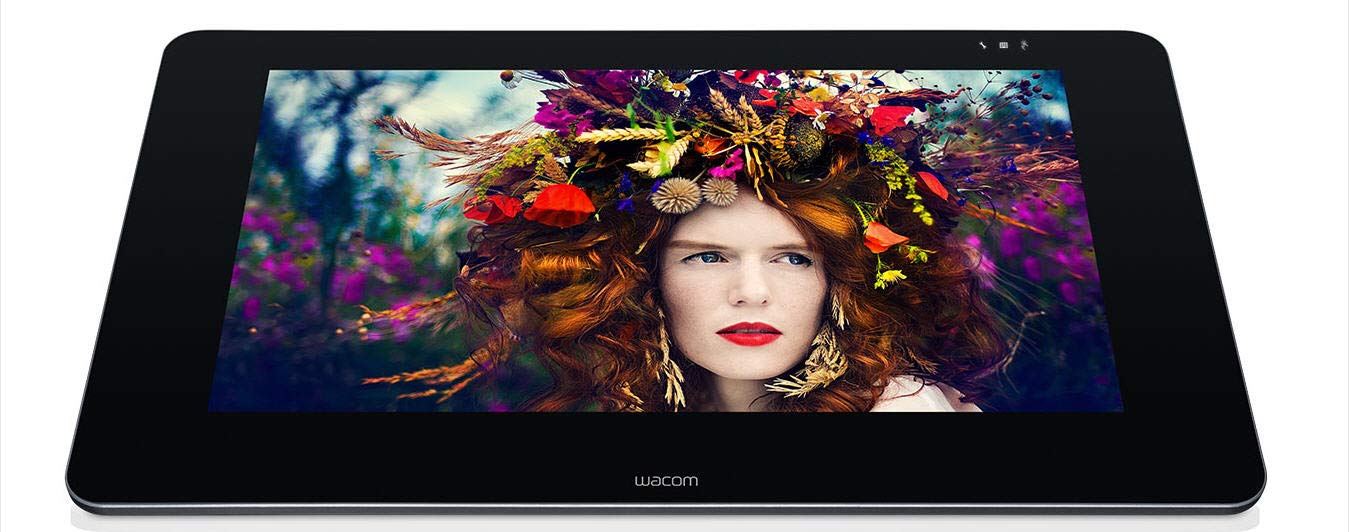
Figure 1: Wacom Cintiq Pro 32 Creative Pen Display.
Pagrindinės funkcijos:
- 31.5 colių 4K UHD ekranas: Experience stunning visual clarity with a resolution of 3840x2160 pixels.
- Etched Glass Screen: Provides a natural, tactile drawing experience while minimizing glare and reflections.
- Exceptional Color Performance: Achieves 99% Adobe RGB and 97% sRGB color accuracy with 1.07 billion colors (10-bit color depth).
- Wacom Pro Pen 2: Features 8,192 levels of pressure sensitivity and tilt recognition for precise and natural pen input. Optical bonding reduces parallax for a pen-on-paper feel.
- Multi-Touch Gestures: Navigate and interact with your artwork using intuitive multi-touch gestures.
- ExpressKey Remote: A customizable remote for one-touch shortcuts, enhancing workflow efficiency.
- Universalus ryšys: Supports USB-C, HDMI, and Mini/DisplayPort connections for compatibility with various systems.
2. Kas yra dėžutėje
Upon unboxing your Wacom Cintiq Pro 32, ensure all the following components are present:
- Wacom Cintiq Pro 32 Creative Pen and Touch Display
- Wacom Pro Pen 2
- ExpressKey Remote
- USB-C laidas
- HDMI kabelis
- Mini/DisplayPort cable
- Kintamosios srovės adapteris ir maitinimo laidas
- Pen stand with replacement nibs and nib removal tool
- Greitos pradžios vadovas

Figure 2: Wacom Cintiq Pro 32 with various connection cables.
3. Sąranka
Follow these steps to set up your Wacom Cintiq Pro 32:
- Išpakuokite įrenginį: Carefully remove the Cintiq Pro 32 and all accessories from the packaging.
- Ekrano padėtis: Place the Cintiq Pro 32 on a stable, sturdy desk. Consider using an optional ergonomic stand (sold separately) for optimal viewkampus ir patogumą.
- Prijunkite prie maitinimo: Connect the AC adapter to the Cintiq Pro 32 and plug the power cable into an electrical outlet.
- Prisijunkite prie kompiuterio: Pasirinkite vieną iš šių prisijungimo būdų:
- USB-C: Connect one end of the USB-C cable to the Cintiq Pro 32 and the other end to a compatible USB-C port on your computer. This single cable can transmit video, data, and power.
- HDMI or Mini/DisplayPort + USB-A: Connect the HDMI or Mini/DisplayPort cable for video, and then connect the USB-A cable for pen and touch functionality.
- Įdiegti tvarkykles: Visit the official Wacom website to download and install the latest drivers for your operating system (Mac OS X 10.11 or later, Windows 7 or later). Restart your computer after installation.
- Calibrate the Pen: After driver installation, open the Wacom Desktop Center and follow the on-screen instructions to calibrate your Wacom Pro Pen 2 for optimal accuracy.

Figure 3: Wacom Cintiq Pro 32 in use with the Wacom Pro Pen 2.
4. Operating the Cintiq Pro 32
„Wacom Pro Pen 2“ naudojimas
The Wacom Pro Pen 2 is your primary tool for interaction. It offers:
- Jautrumas slėgiui: Apply varying pressure to create lines of different thickness and opacity, just like traditional art tools.
- Pakreipimo atpažinimas: The pen detects the angle at which you hold it, allowing for natural brush strokes and shading effects.
- Programmable Side Switches: The two side switches on the pen can be customized in the Wacom Desktop Center to perform various functions, such as right-click, scroll, or specific application commands.
- Trintukas: The eraser on the back of the pen functions as a digital eraser in compatible software.

4 pav. Išsamus view of a hand interacting with the Cintiq Pro 32 using the Wacom Pro Pen 2.
Kelių prisilietimų gestai
The Cintiq Pro 32 supports multi-touch input, allowing for intuitive navigation and manipulation of your canvas:
- Pan: Use two fingers to drag the canvas.
- Mastelio keitimas: Pinch in or out with two fingers to zoom.
- Pasukti: Place two fingers on the screen and rotate them to rotate the canvas.
- Pasirinktiniai gestai: Configure additional gestures in the Wacom Desktop Center for personalized shortcuts.
ExpressKey Remote
The ExpressKey Remote provides 17 customizable buttons and a Touch Ring for quick access to frequently used functions. Keep it within reach for an efficient workflow.
- Tinkinimas: Assign specific keystrokes, mouse clicks, or application-specific functions to each button and the Touch Ring using the Wacom Desktop Center.
- Vieta: The remote can be placed anywhere on or around your Cintiq Pro 32 for convenient access.

Figure 5: Wacom Cintiq Pro 32 shown with the ExpressKey Remote for quick access to shortcuts.
5. Priežiūra
Proper maintenance ensures the longevity and optimal performance of your Cintiq Pro 32:
- Ekrano valymas: Use a soft, lint-free cloth (microfiber is recommended) to gently wipe the screen. For stubborn smudges, slightly dampNuvalykite šluostę vandeniu arba ekranui saugiu valikliu. Nenaudokite stiprių cheminių medžiagų ar abrazyvinių medžiagų.
- Rašiklio valymas: Wipe the Wacom Pro Pen 2 with a dry, soft cloth. Avoid exposing it to excessive moisture.
- Antgalių keitimas: If the pen nib becomes worn, use the nib removal tool (found in the pen stand) to carefully pull out the old nib and insert a new one. Ensure the new nib is fully seated.
- Kabelių valdymas: Laikykite laidus tvarkingai, nesulenktus ir nepertemptus, kad nepažeistumėte.
- Saugykla: When not in use, store the Cintiq Pro 32 in a clean, dry environment, away from direct sunlight and extreme temperatures.
6. Problemų sprendimas
Čia pateikiami dažniausiai pasitaikančių problemų, su kuriomis galite susidurti, sprendimai:
| Problema | Galimas sprendimas |
|---|---|
| No display on Cintiq Pro 32 |
|
| Pen not responding or inaccurate |
|
| Touch gestures not working |
|
| Color inaccuracy |
|
7. Specifikacijos
| Funkcija | Detalė |
|---|---|
| Modelio numeris | DTH3220K0 |
| Ekrano dydis | 31.5 colių |
| Rezoliucija | 3840 x 2160 (4K UHD) |
| Spalvų našumas | 99% Adobe RGB, 97% sRGB, 1.07 billion colors (10-bit) |
| Rašiklio technologija | Wacom Pro Pen 2 |
| Jautrumas slėgiui | 8192 lygiai |
| Pakreipimo atpažinimas | Palaikoma |
| Multi-Touch | Palaikoma |
| Ryšys | USB-C, HDMI, Mini/DisplayPort |
| Operacinės sistemos suderinamumas | OS X 10.11 or later, Windows 7 or later |
| Prekės svoris | 42.4 svaro |
| Gaminio matmenys (IxPxH) | 33.62 x 19.92 x 2.1 colio |
| Spalva | Juoda |
| Baterijos | 1 ličio jonų baterijos (pridedamos) |
8. Garantija ir palaikymas
For detailed warranty information, please refer to the warranty card included with your product or visit the official Wacom website. Wacom provides comprehensive support resources, including:
- Internetinė žinių bazė: Access articles, FAQs, and tutorials.
- Tvarkyklių atsisiuntimai: Ensure you have the latest drivers for optimal performance.
- Klientų aptarnavimas: Contact Wacom support for technical assistance or service requests.
Prašome apsilankyti www.wacom.com/support for the most up-to-date support information and resources.


