1. Įvadas
This manual provides detailed instructions for the setup, operation, and maintenance of your One For All URC4811 Universal Replacement Learning Remote Control. This remote is designed to be compatible with all LG Televisions, including LCD, LED, OLED, and Plasma models, offering a seamless replacement for your original LG remote.
2. Produktas baigtasview
The One For All URC4811 remote control is engineered for ease of use and broad compatibility with LG televisions. Key features include:
- Tiesioginis suderinamumas: Functions like your original LG television remote. For most LG TVs, no setup is required; simply insert batteries and it is ready to use.
- Learning Feature: Allows customization of the remote to your specific needs by copying functions from your original remote.
- Programos spartieji klavišai: Provides direct access to your favorite streaming services.
- Raktų skaičius: 50.
- Nuotolinio valdymo technologija: Infrared (IR).
Produktų vaizdai




3. Sąranka
3.1. Akumuliatoriaus įdėjimas
The remote requires 2 AAA batteries (not included). To install the batteries:
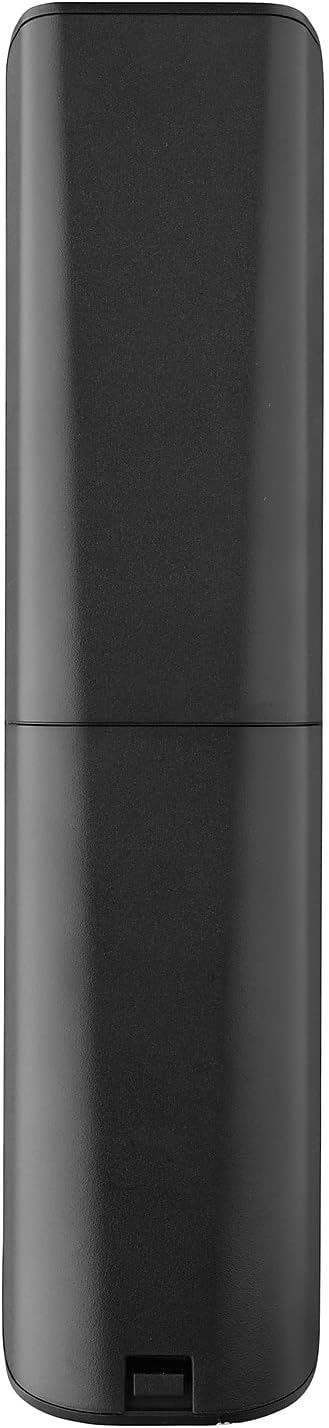
- Remove the battery compartment cover located on the back of the remote.
- Insert 2 AAA batteries, ensuring correct polarity (+ and - terminals).
- Uždėkite baterijų skyriaus dangtelį, kol jis spragtelėdamas tvirtai užsifiksuos.
3.2. Initial Pairing / Codeless Setup
For most LG Televisions, the One For All URC4811 remote control is ready to use immediately after battery installation, requiring no additional setup. Simply point the remote at your LG TV and begin using it. If your TV does not respond, refer to the 'Learning Feature' section for advanced setup options.
4. Naudojimo instrukcijos
4.1. Pagrindinės funkcijos
The remote provides all standard functions of an LG TV remote, including:
- Maitinimo įjungimas/išjungimas: Use the dedicated power button to turn your TV on or off.
- Garsumo valdymas: Adjust volume up or down using the +/- buttons.
- Kanalo naršymas: Change channels using the CH +/- buttons or direct number input.
- Programos spartieji klavišai: Dedicated buttons provide quick access to popular streaming services.
4.2. Learning Feature
The learning feature allows you to copy specific functions from your original LG remote control to your One For All URC4811 remote. This is useful if a particular function is not pre-programmed or if you prefer a custom button layout. Refer to the Quick Setup Guide included with your remote for detailed steps on using the learning feature.
4.3. Oficialus produkto vaizdo įrašas
5. Priežiūra
Kad užtikrintumėte nuotolinio valdymo pulto ilgaamžiškumą ir optimalų veikimą:
- Valymas: Nuotolinio valdymo pultą valykite minkštu, sausu skudurėliu. Venkite naudoti skystus valiklius ar abrazyvines medžiagas.
- Akumuliatoriaus priežiūra: Pakeiskite baterijas, kai nuotolinio valdymo pulto veikimas suprastėja. Išimkite baterijas, jei nuotolinio valdymo pulto ilgesnį laiką nenaudosite, kad išvengtumėte pratekėjimo.
- Saugykla: Nuotolinio valdymo pultą laikykite vėsioje, sausoje vietoje, apsaugotoje nuo tiesioginių saulės spindulių ir ekstremalių temperatūrų.
6. Problemų sprendimas
Jei kyla problemų dėl nuotolinio valdymo pulto, pabandykite atlikti šiuos veiksmus:
- Nuotolinio valdymo pultas nereaguoja: Patikrinkite, ar baterijos tinkamai įdėtos ir ar jose pakankamai įkrovos. Jei reikia, pakeiskite jas.
- Matymo linija: Įsitikinkite, kad tarp nuotolinio valdymo pulto ir televizoriaus IR imtuvo nėra jokių kliūčių.
- Neveikiančios konkrečios funkcijos: Use the learning feature to re-program the affected buttons from your original LG remote.
- TV Not Responding After Battery Change: For some LG models, the remote may require re-pairing or a quick setup process after battery replacement. Refer to the Quick Setup Guide.
7. Specifikacijos
| Funkcija | Specifikacija |
|---|---|
| Gaminio matmenys | 8.03 x 2.01 x 0.94 colio |
| Prekės svoris | 2.72 uncijos |
| Prekės modelio numeris | URC4811 |
| Reikalingos baterijos | 2 AAA baterijos (į komplektą neįeina) |
| Prekės ženklas | Vienas už visus |
| Ypatinga funkcija | Universal, Learning Function |
| Spalva | Juoda |
| Maksimalus palaikomų įrenginių skaičius | 1 (specifically for LG TVs) |
| Suderinami įrenginiai | LG Televisions (LCD, LED, OLED, Plasma) |
8. Garantija ir palaikymas
For warranty information and technical support, please refer to the documentation included with your product or visit the official One For All websvetainėje. Išsaugokite pirkimo kvitą kaip pirkimo įrodymą bet kokiems garantiniams prašymams.


