Įvadas
Welcome to the user manual for your Google Pixel 3 smartphone. This guide provides comprehensive instructions on setting up, operating, maintaining, and troubleshooting your device. The Google Pixel 3 is designed to offer a seamless and intelligent smartphone experience, featuring an advanced camera system, the Google Assistant, and an all-day battery.
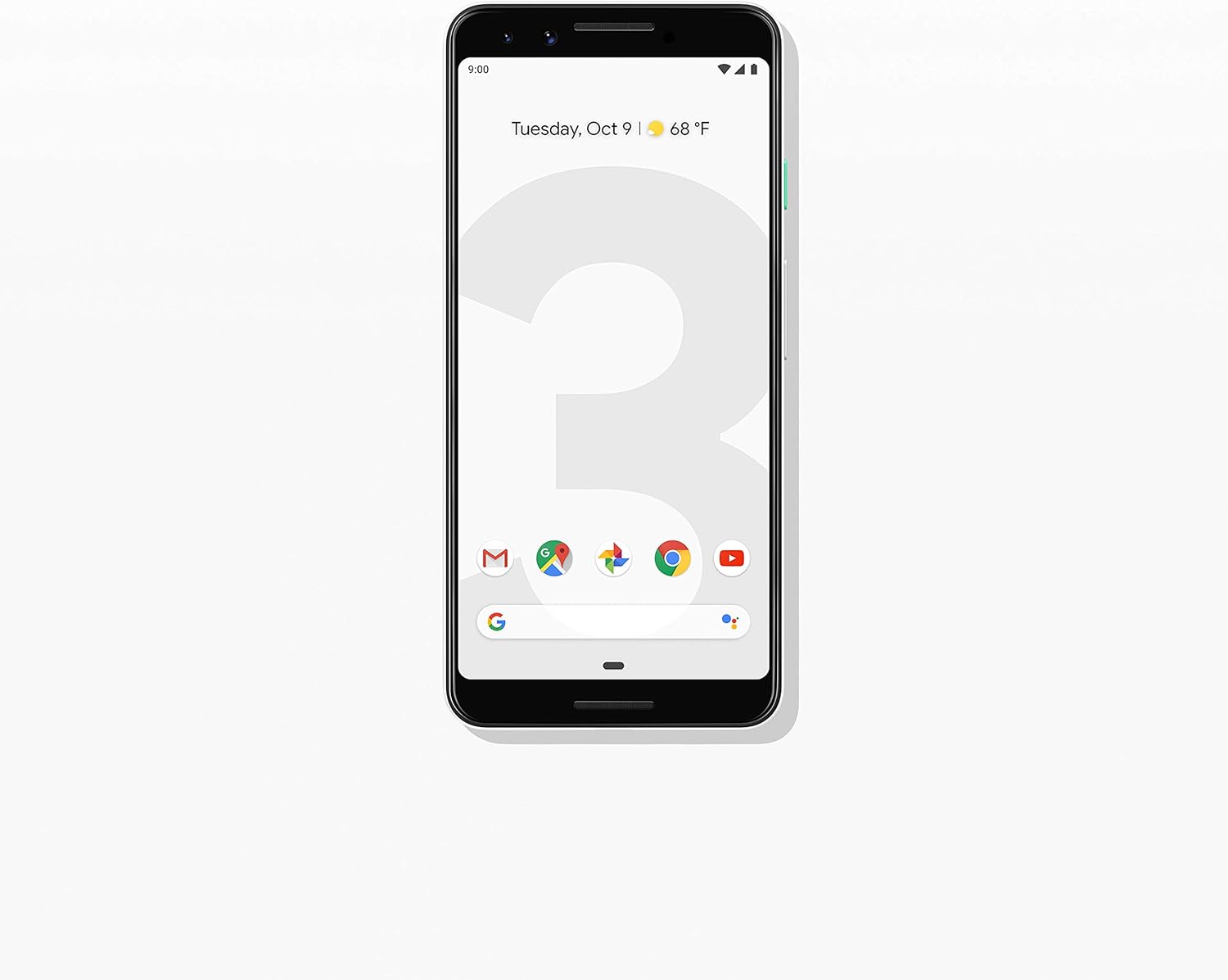
Vaizdas: priekis view of the Google Pixel 3 smartphone, showcasing its display and sleek design in Clearly White.
Sąranka
1. Išpakavimas ir pirminė apžiūra
Upon opening the package, ensure all components are present and in good condition. The standard package for your Google Pixel 3 includes:
- „Google Pixel 3“ išmanusis telefonas
- USB-C digital earbud
- USB-C į USB-C laidas
- USB-C to 3.5mm headphone adapter
- Quick Switch Adapter (USB-A to USB-C)
- SIM įrankis
2. SIM kortelės montavimas
Norėdami įdiegti nano-SIM kortelę:
- Raskite SIM kortelės dėklą telefono kairėje pusėje.
- Insert the SIM tool into the small hole on the tray to eject it.
- Įdėkite nano-SIM kortelę į dėklą auksiniais kontaktais žemyn.
- Švelniai stumkite dėklą atgal į telefoną, kol jis spragtelėdamas užsifiksuos.

Vaizdas: Šoninė view of the Google Pixel 3, highlighting the location of the SIM card tray and volume/power buttons.
3. Pradinis įjungimo ir sąrankos vedlys
Press and hold the power button on the right side of the phone until the Google logo appears. Follow the on-screen instructions to complete the initial setup, including connecting to Wi-Fi, signing in with your Google account, and setting up security features.
4. Įrenginio įkrovimas
Connect the USB-C cable to the phone's charging port at the bottom and the other end to the power adapter. Plug the adapter into a wall outlet. The Pixel 3 supports fast charging and wireless charging. A full charge typically takes approximately 2 hours.
Naudojimo instrukcijos
1. Basic Navigation (Android 9 Pie)
The Google Pixel 3 runs on Android 9 Pie, offering intuitive gesture navigation.
- Pagrindinis ekranas: Braukite aukštyn iš ekrano apačios, kad pereitumėte į pagrindinį ekraną.
- Programėlių stalčius: Braukite aukštyn iš pagrindinio ekrano, kad pasiektumėte visas savo programas.
- Naujausios programos: Braukite aukštyn iš apačios ir palaikykite, kad view neseniai naudotos programos.
- Atgal: Tap the back arrow icon or swipe from the left or right edge of the screen (if gesture navigation is enabled).
- Pranešimai: Braukite žemyn nuo ekrano viršaus iki view pranešimai ir greitieji nustatymai.

Image: The Google Pixel 3 display showing the home screen with various app icons and the date/weather widget.
2. Kameros funkcijos
The Pixel 3 camera is equipped with advanced features to capture high-quality photos and videos.
- Grupinės asmenukės: Utilize the wide-angle front camera to fit more people into your selfies.
- Portreto režimas: Create professional-looking photos with a blurred background (bokeh effect).
- Geriausias kadras: Automatically recommends the best shot from a burst of photos, ensuring no blinks or missed moments.
- Night Sight: Enhances low-light photography, capturing vibrant details in dark environments.
- 4K vaizdo įrašymas: Record high-resolution videos at 30 frames per second.
3. Google Assistant
Access the Google Assistant by squeezing the sides of your phone or by saying "Hey Google" or "Ok Google." The Assistant can help with tasks such as setting alarms, getting directions, making calls, sending messages, and providing information.
4. Skambučių filtravimas
The Call Screen feature allows the Google Assistant to answer calls from unknown numbers and provide a real-time transcription of the conversation, helping you avoid spam and nuisance calls.
5. Skaitmeninė gerovė
Monitor and manage your screen time with Digital Wellbeing. Set app timers, enable Wind Down mode to grayscale your screen and mute notifications for better sleep, and focus on what matters.
6. „Google“ objektyvas
Use Google Lens to search what you see. Point your camera at objects, text, or landmarks to get information, translate languages, or identify plants and animals.
Priežiūra
1. Akumuliatoriaus priežiūra
To maximize battery life (2915 mAh capacity):
- Venkite ekstremalių temperatūrų.
- Use the provided charger or a certified wireless charger.
- Enable Adaptive Battery in settings to limit battery usage for infrequently used apps.
- Consider using Battery Saver mode when battery is low.
2. Programinės įrangos atnaujinimai
Keep your device's software up to date to ensure optimal performance, security, and access to new features. Navigate to Nustatymai > Sistema > Išplėstiniai > Sistemos naujinimas kad patikrintumėte, ar yra atnaujinimų, ir juos įdiegtumėte.
3. Įrenginio valymas
Use a soft, lint-free cloth to clean the screen and body of your Pixel 3. Avoid abrasive materials or harsh chemicals. For stubborn smudges, slightly damplt audinį supilkite vandeniu.
4. Sandėliavimo valdymas
The Pixel 3 comes with 64GB of internal storage. To manage storage effectively:
- Regularly clear app caches.
- Ištrinkite nereikalingus files, nuotraukos ir vaizdo įrašai.
- Utilize cloud storage services like Google Photos (which offers free unlimited storage for Pixel users at original quality for photos and videos uploaded from the device).
Trikčių šalinimas
This section addresses common issues you might encounter with your Google Pixel 3.
| Problema | Sprendimas |
|---|---|
| Telefonas neįsijungia | Ensure the battery is charged. Connect to a charger for at least 15 minutes. If unresponsive, press and hold the power button for 30 seconds. |
| Prastas akumuliatoriaus veikimo laikas | Check battery usage in settings to identify draining apps. Reduce screen brightness, disable unnecessary features (Bluetooth, GPS when not in use), and enable Adaptive Battery. |
| Programėlės stringa arba užstringa | Išvalykite programos talpyklą ir duomenis (Settings > Apps & notifications > App info > [App Name] > Storage & cache). Update the app or reinstall it. Ensure system software is up to date. |
| Ryšio problemos („Wi-Fi“ / „Bluetooth“) | Toggle Wi-Fi/Bluetooth off and on. Restart the phone. Forget and reconnect to the network/device. Reset network settings (Settings > System > Advanced > Reset options > Reset Wi-Fi, mobile & Bluetooth). |
| Telefonas lėtas arba nereaguoja | Restart the phone. Clear cached data. Uninstall unused apps. Check for system updates. As a last resort, consider a factory reset (back up data first). |
Atstatyti gamyklinius nustatymus
A factory reset will erase all data from your phone's internal storage. Prieš tęsdami sukurkite visų svarbių duomenų atsargines kopijas.
- Eikite į Settings > System > Advanced > Reset options.
- Bakstelėkite Ištrinti visus duomenis (atkurti gamyklinius).
- Patvirtinkite savo sprendimą ir, jei būsite paraginti, įveskite PIN kodą / šabloną / slaptažodį.
- Bakstelėkite Ištrinti visus duomenis.
Specifikacijos
Key technical specifications for the Google Pixel 3 (Model: G013A):
| Funkcija | Detalė |
|---|---|
| Gaminio matmenys | 5.73 x 2.69 x 0.31 colio |
| Prekės svoris | 12.8 uncijos |
| Operacinė sistema | Android 9.0 Pie |
| RAM | 4 GB |
| Atminties talpa | 64 GB |
| Ekrano dydis | 5.5 colių |
| Rezoliucija | 2560 x 1440 |
| Baterijos talpa | 2915 milijonųamp Valandos |
| Įkrovimo laikas | 2 valandos (apytiksliai) |
| Ryšio technologijos | „Bluetooth“, 4G korinis ryšys |
| Ypatingos savybės | 4K Video Recording, GPS |
| Spalva | Clearly White |
Garantija ir palaikymas
Your Google Pixel 3 is covered by a limited warranty provided by Google LLC. For detailed warranty terms and conditions, please refer to the warranty information included with your device packaging or visit the official Google support websvetainę.
Susisiekimas su palaikymo tarnyba
For technical assistance, troubleshooting beyond this manual, or warranty claims, please contact Google Support:
- Palaikymas internetu: Apsilankykite support.google.com/pixelphone
- Bendruomenės forumai: Engage with other Pixel users and experts on Google's official forums.
When contacting support, please have your device's model number (G013A) and serial number ready.


