1. Produktas baigtasview
The OttLite Organize LED Desk Lamp is designed to provide versatile and clear lighting for various tasks, including crafting, office work, and reading. It features OttLite's exclusive ClearSun LED technology, which aims to reduce eyestrain and provide accurate color representation. The lamp also includes convenient built-in storage and a USB charging port.
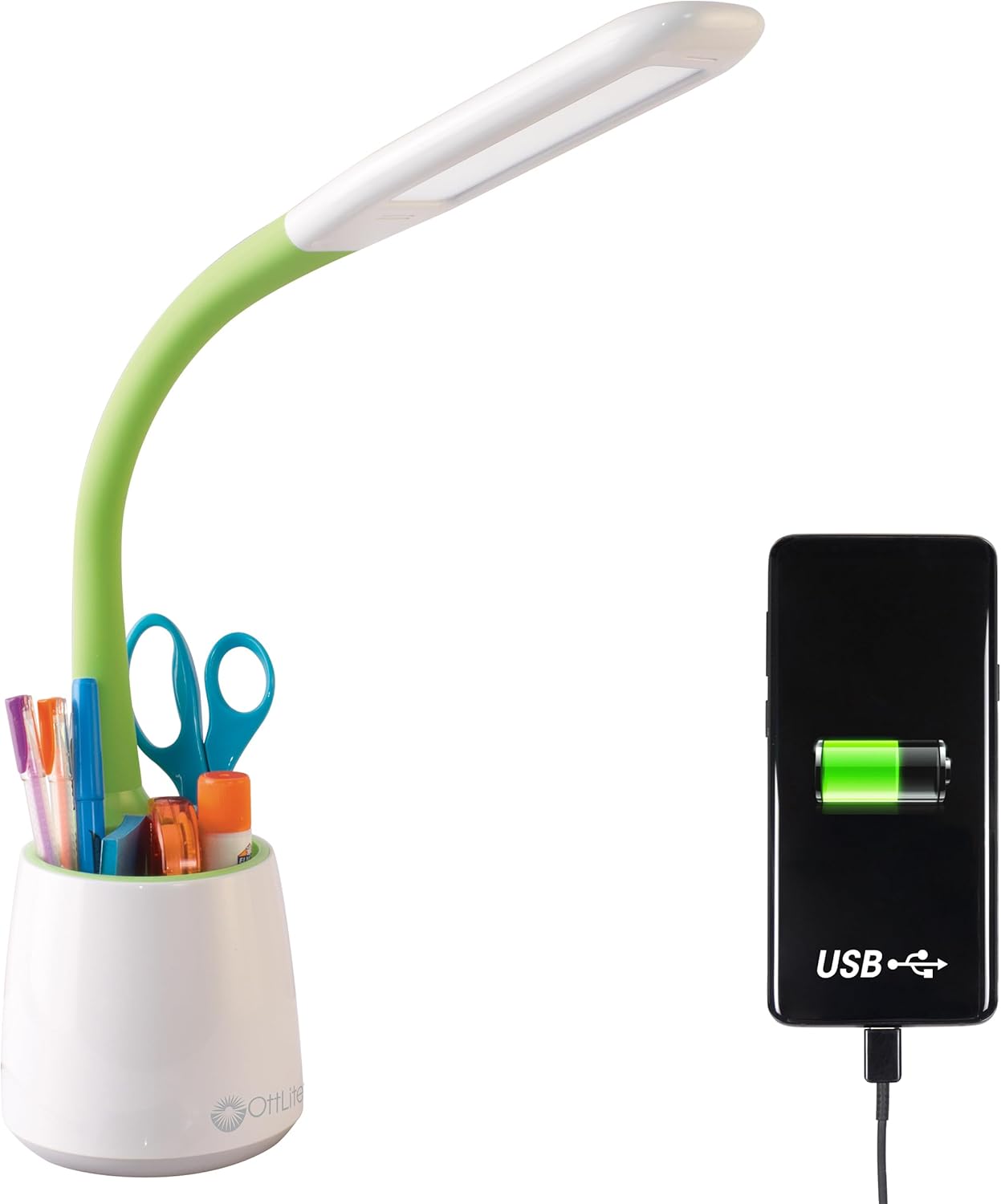
Image 1.1: The OttLite Organize LED Desk Lamp, highlighting its integrated USB charging port and storage cup.
2. Pagrindinės savybės
- Universalus apšvietimas: Flexible neck adjusts from 11 to 23 inches, providing adaptable illumination for various activities.
- „ClearSun“ LED technologija: Reduces eyestrain by up to 51% and offers a high 95+ CRI for accurate color rendering, mimicking natural daylight.
- Integruota saugykla: A built-in compartment in the base helps keep your workspace organized by holding pens, tools, or other small items.
- USB įkrovimo prievadas: Features a 5V, 2.1A USB port for convenient charging of mobile devices.
- Reguliuojamas ryškumas: Three touch-activated brightness levels allow you to customize the light intensity for your specific needs.

Image 2.1: Annotated diagram illustrating the key features of the OttLite Organize LED Desk Lamp.

Image 2.2: A comprehensive diagram detailing the lamp's adjustable height, brightness settings, USB port, and touch-sensitive controls.
3. „ClearSun“ LED technologija
OttLite's ClearSun LED technology is engineered to provide light that closely mimics natural daylight, offering a balanced spectrum that reduces eyestrain and enhances visual clarity. This technology ensures colors are seen accurately and details are crisp, making it ideal for tasks requiring precision.
Video 3.1: An official video from OttLite Technologies explaining the benefits and technology behind ClearSun LED lighting, including its impact on reducing eyestrain and providing true-to-life colors.

Image 3.1: A visual comparison of sunlight versus typical LED light spectrums, illustrating the unbalanced nature of standard LEDs.

Image 3.2: A demonstration of color accuracy under different Color Rendering Index (CRI) levels, highlighting the superior performance of OttLite's 95+ CRI ClearSun LEDs.
4. Sąrankos instrukcijos
- Išpakuokite Lamp: Atsargiai išimkite visus komponentus iš pakuotės.
- Padėkite Lamp: Padėkite lamp on a stable, flat surface where you intend to use it. Ensure the power cord can reach an electrical outlet without strain.
- Prijunkite maitinimą: Įkiškite maitinimo laidą į lamp's power input port, typically located at the back of the base. Plug the other end of the power cable into a standard electrical outlet.
- Reguliuokite lanksčią kaklą: Gently adjust the flexible neck to position the light head as desired for your task.
5. Naudojimo instrukcijos
- Maitinimo įjungimas / išjungimas ir ryškumo reguliavimas: Lamp features a touch-sensitive switch, usually located on the base.
- Tap once to turn the lamp įjungtas esant mažiausiam ryškumo nustatymui.
- Tap again to cycle through the three brightness levels (low, medium, high).
- Tap a fourth time to turn the lamp išjungti.
- USB įkrovimo prievado naudojimas: The 5V, 2.1A USB charging port is located on the back of the lampbazė.
- Connect your device's USB charging cable to the lampUSB prievadą.
- Ensure your device begins charging. The lamp does not need to be on for the USB port to function, as long as it is plugged into a power outlet.
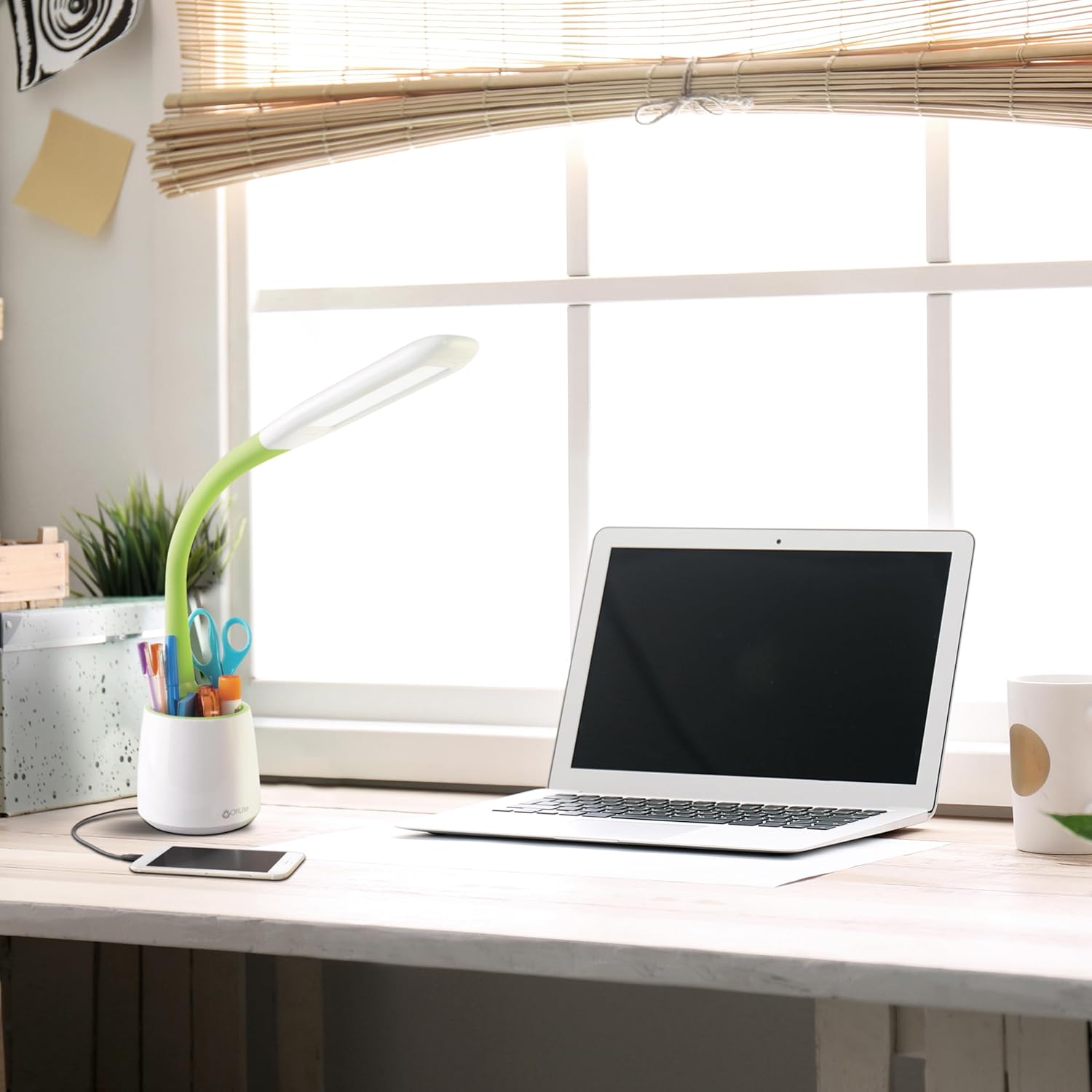
Image 5.1: The OttLite lamp in use, demonstrating a smartphone charging via its integrated USB port.
6. Priežiūra
To ensure the longevity and optimal performance of your OttLite Organize LED Desk Lamp, laikykitės šių paprastų priežiūros nurodymų:
- Valymas: Atjunkite lamp Prieš valydami, atjunkite nuo elektros lizdo. Nuvalykite minkšta, sausa šluoste.amp's surfaces. Avoid abrasive cleaners or solvents, as they may damage the finish.
- Šviesos diodai: Šio l šviesos diodaiamp are designed for long-term use and are not user-replaceable. Do not attempt to open the light head.
- Saugykla: Jei saugote lamp ilgesnį laiką, užtikrinkite, kad jis būtų švarus ir sausas. Laikykite jį vėsioje, sausoje vietoje, apsaugotoje nuo tiesioginių saulės spindulių.
7. Problemų sprendimas
If you encounter any issues with your OttLite Organize LED Desk Lamp, žr. toliau pateiktus įprastus trikčių šalinimo veiksmus:
- Lamp Neįsijungia:
- Įsitikinkite, kad maitinimo laidas yra tvirtai prijungtas prie abiejų lizdų.amp ir veikiantis elektros lizdas.
- Patikrinkite lizdą su kitu įrenginiu, kad įsitikintumėte, jog jis gauna maitinimą.
- USB prievadas neįkraunamas:
- Patikrinkite lamp is plugged into a live electrical outlet.
- Check that your device's USB cable is fully inserted into the lamp's USB port and your device.
- Išbandykite kitą USB laidą arba įrenginį, kad atmestumėte laido ar įrenginio problemas.
- Nenuoseklus ryškumas:
- Ensure the touch-sensitive switch area is clean and free from debris.
- Cycle through the brightness levels by tapping the switch multiple times.
Jei šie veiksmai neišsprendžia problemos, kreipkitės į „OttLite“ klientų aptarnavimo tarnybą.
8. Gaminio specifikacijos
| Prekės ženklas | „OttLite“ |
| Modelio numeris | CS59399SHPR |
| Gaminio matmenys | 8.6"D x 7.75"W x 11"H (adjustable up to 23"H) |
| Prekės svoris | 1.76 svaro |
| Lamp Tipas | Stalas L.amp |
| Šviesos šaltinio tipas | LED (ClearSun technologija) |
| Vattage | 3.3 vatų |
| Ryškumas | 410 liumenų |
| ttage | 120 voltų |
| Ryšio technologija | USB (5V, 2.1A charging port) |
| Kontrolės metodas | Palieskite |
| Medžiaga | Plastikiniai |
| Įtraukti komponentai | Maitinimo kabelis |
9. Garantija ir palaikymas
This OttLite Organize LED Desk Lamp comes with a standard manufacturer's warranty. For specific details regarding warranty coverage, duration, and terms, please refer to the documentation included with your product or visit the official OttLite websvetainę.
For technical support, troubleshooting assistance beyond what is provided in this manual, or warranty claims, please contact OttLite customer service directly. Contact information can typically be found on the manufacturer's websvetainėje arba produkto pakuotėje.


