Produktas baigtasview
The MINIX Magnetic M.2 2230 NVMe SSD Enclosure (Model MSE01) is a versatile external storage solution designed for high-speed data transfer and expanded storage capacity across various devices. It features magnetic attachment for convenience and multi-port connectivity for enhanced functionality.
Pagrindinės funkcijos:
- 10 Gb/s duomenų perdavimas: Equipped with a USB3.2 Gen2 Type-C port, supporting read/write speeds up to 1000-1200MB/s for efficient data transfer and 4K ProRes video recording.
- Broad SSD Compatibility: Supports NVMe (B+M Key/M Key) and SATA protocol SSDs in sizes 2230/2242/2260/2280mm, with capacity expansion up to 2TB (4TB for Windows laptops).
- Multi-Port Connectivity: Includes a USB-C PD3.0 port (up to 60W), a USB-C 2.0 port for data/audio/mic, and a 3.5mm audio jack.
- Platus įrenginių suderinamumas: Compatible with iPhone 15 Pro/Pro Max, iPad Pro, MacBook Pro/Air, and Windows laptops.
- Secure Magnetic Suction: Features built-in magnets for secure attachment to compatible devices, preventing accidental falls.
Kas yra dėžutėje
- MINIX Magnetic M.2 SSD Enclosure (MSE01)
- Vartotojo vadovas
- USB-C į USB-C laidas
- Heat Dissipation Silicone x 2
- Varžtas
- Atsuktuvas

Image: Contents of the MINIX SSD Enclosure retail box, showing the enclosure, USB-C cable, heat dissipation pads, screw, and screwdriver.
Setup and SSD Installation
Norėdami įdiegti M.2 SSD į korpusą, atlikite šiuos veiksmus:
- Atidarykite korpusą: Švelniai atidarykite korpusą, kad atidengtumėte vidinį M.2 lizdą.
- Įdėkite SSD diską: Carefully insert your M.2 NVMe or SATA SSD (2230/2242/2260/2280mm) into the designated slot. Ensure it is properly seated.
- Saugus SSD diskas: Use the provided screw and screwdriver to secure the SSD in place.
- Užtepkite terminį padėklą: Place the heat dissipation silicone pad on top of the installed SSD to aid in cooling.
- Uždaryti priedą: Slide the enclosure cover back until it clicks securely into place.

Vaizdas: Išsprogdintas view of the MINIX SSD Enclosure demonstrating SSD installation, showing compatibility with M Key and B+M Key SSDs in 2230, 2242, 2260, and 2280mm sizes.

Image: Visual guide for formatting a new SSD on a Windows operating system using the Disk Management tool, showing steps to create a new simple volume and format it with exFAT.
Naudojimo instrukcijos
Prisijungimas prie įrenginių:
- For iPhone 15 Pro/Pro Max: Use the provided USB-C to USB-C cable to connect the enclosure to your iPhone. The magnetic feature allows for secure attachment to the back of the phone.
- For iPad Pro/MacBook/Laptops: Connect the enclosure using the USB-C to USB-C cable to the appropriate USB-C port on your device.
- Maitinimo tiekimas: If using high-capacity SSDs or requiring simultaneous charging, connect an additional Type-C charging cable to the PD 60W port on the enclosure.
Duomenų perdavimas ir saugojimas:
- Once connected, your device should recognize the SSD enclosure as external storage.
- You can directly record 4K ProRes videos from compatible iPhones to the SSD, saving internal device storage.
- Perdavimas files between the SSD and your computer/tablet as needed.
Garso funkcionalumas:
- The enclosure includes a 3.5mm audio jack and a USB-C 2.0 audio port for connecting headphones or microphones.
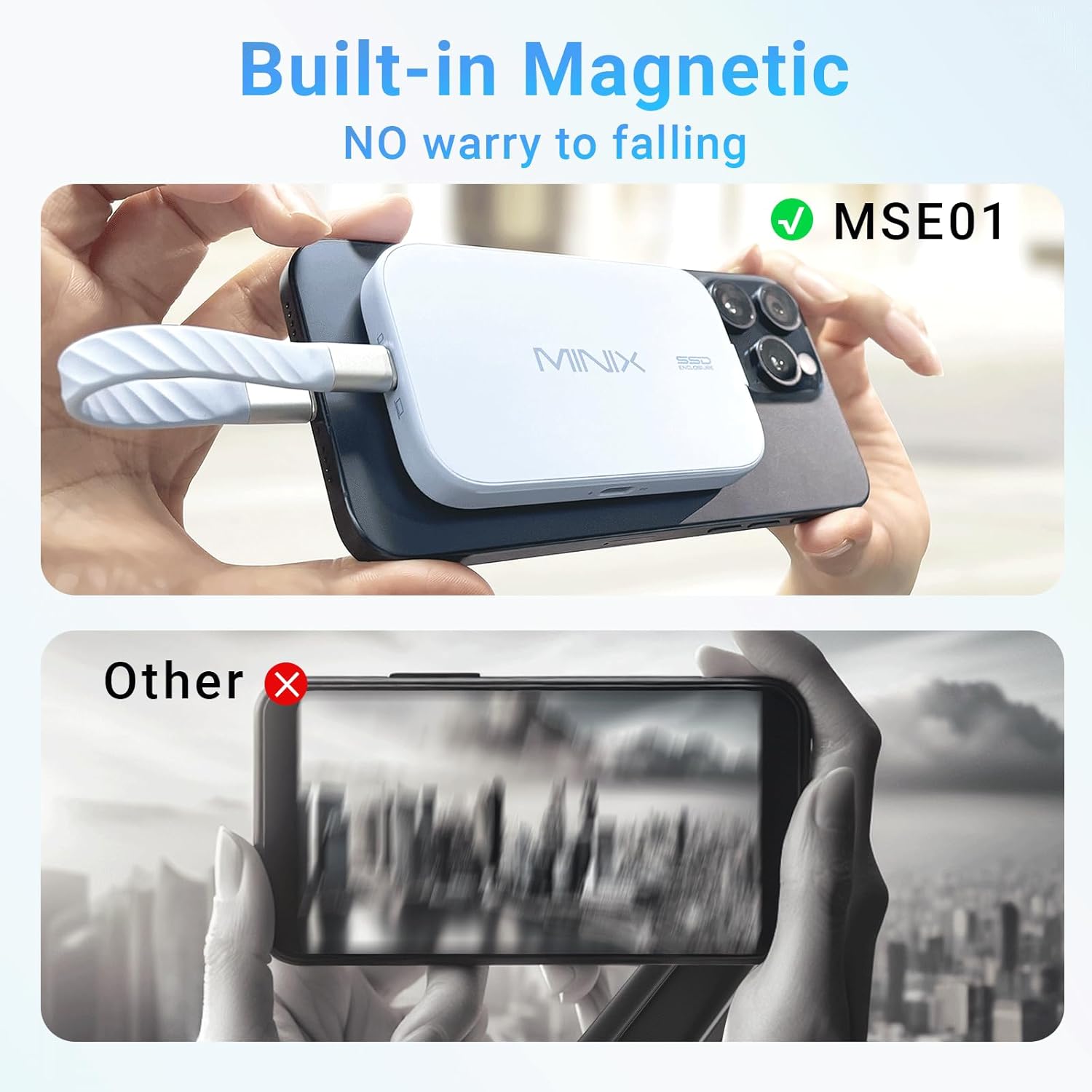
Image: The MINIX SSD Enclosure magnetically attached to the back of an iPhone 15 Pro Max, with its short USB-C cable connected to the phone's port, illustrating direct storage for ProRes video.
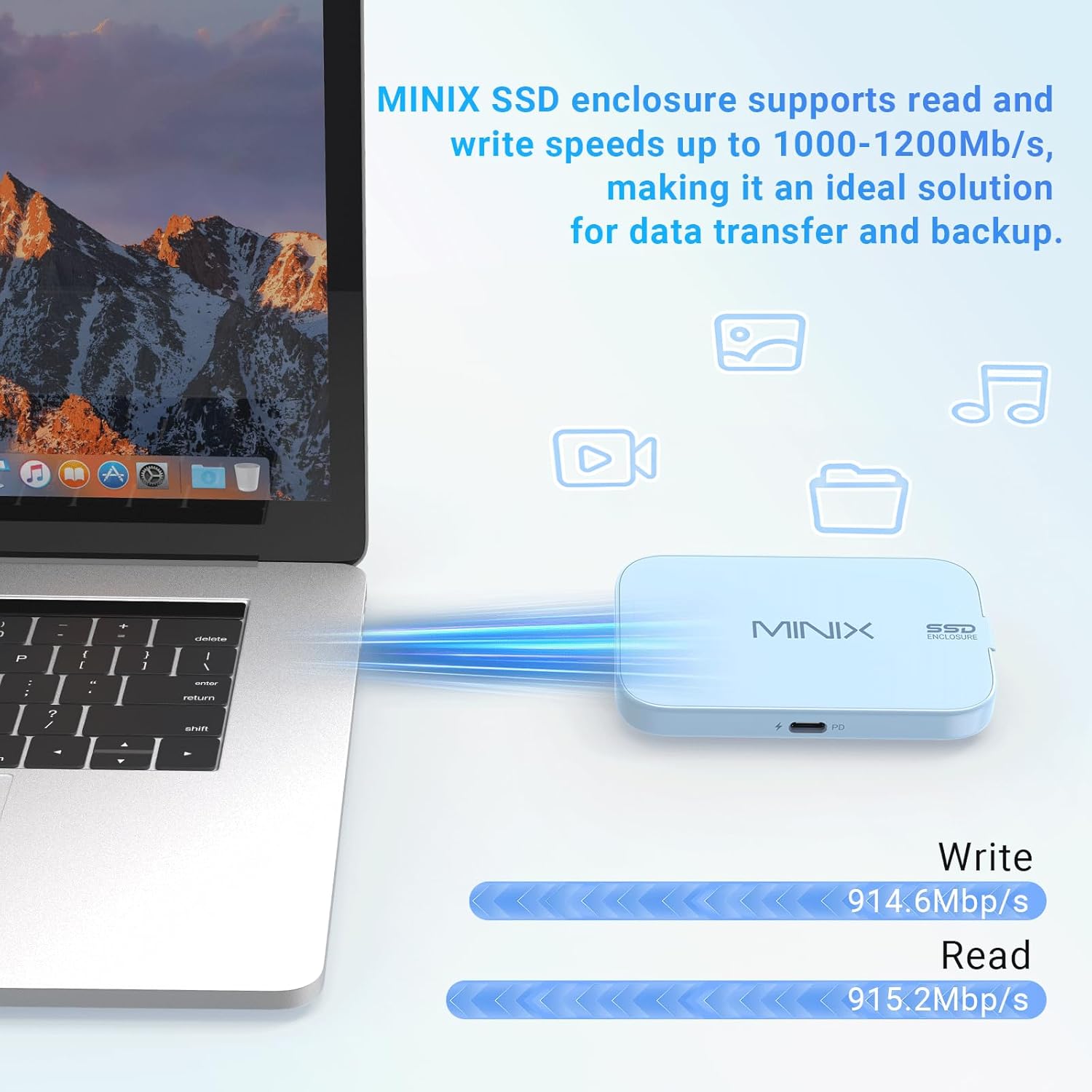
Image: The MINIX SSD Enclosure connected to a MacBook, with blue light trails indicating high-speed data transfer, showing read and write speeds of approximately 915 MB/s.

Image: The MINIX SSD Enclosure connected to an iPhone, with a separate USB-C cable plugged into its PD 60W port, indicating simultaneous device charging while in use.
Oficialūs produktų vaizdo įrašai:
Hagibis Magnetic M.2 2230 NVMe SSD Enclosure with Magsafe
Video Description: This video demonstrates the installation of an M.2 2230 SSD into a magnetic enclosure, highlighting its compatibility with iPhones for direct 4K video recording and its use with MacBooks for data transfer and speed tests. It also shows the PD power supply and magnetic attachment features.
Specifikacijos
| Funkcija | Detalė |
|---|---|
| Prekės ženklas | MINIX |
| Modelio numeris | MSE01 |
| Medžiaga | Plastikiniai |
| Atminties talpa | 2 TB (iPhone), 4 TB (Windows Laptops) |
| Suderinami įrenginiai | Desktop, Laptop, Tablet, Smartphone, iPhone 15/16, iPhone 15/16 Pro, iPhone 15/16 Max, iPad Pro, MacBook Pro/Air |
| Kietojo disko formos koeficientas | 2230 Millimeters (supports 2230/2242/2260/2280mm) |
| Duomenų perdavimo sparta | 1200 Megabytes Per Second (10Gbps USB3.2 Gen2 Type-C) |
| Maitinimo tiekimas | Up to 60W (USB-C PD3.0 port) |
| Garso prievadai | 3.5mm Audio Jack, Type C USB 2.0 Audio Port |
| Gaminio matmenys | 3.88 colio ilgio x 2.36 colių pločio x 0.49 colio aukščio |
| Prekės svoris | 5.6 uncijos |
Trikčių šalinimas
- Device Not Recognizing SSD:
- Įsitikinkite, kad SSD diskas tinkamai įdiegtas ir pritvirtintas korpuse.
- Įsitikinkite, kad USB-C laidas yra tvirtai prijungtas tiek prie korpuso, tiek prie jūsų įrenginio.
- For new SSDs, ensure it is formatted correctly (e.g., exFAT for broad compatibility). Refer to the "Setup and SSD Installation" section for Windows formatting steps.
- If using with an iPhone, ensure it is an iPhone 15 Pro/Pro Max model or newer, as older models may not support external recording or high-speed data transfer.
- If using a high-capacity SSD (e.g., 2TB or more), ensure external power is supplied to the enclosure via the PD port.
- Mažas duomenų perdavimo greitis:
- Ensure your device's USB-C port supports USB 3.2 Gen 2 (10Gbps) speeds.
- Use the provided high-quality USB-C to USB-C cable.
- Check if other applications or processes are consuming significant bandwidth on your device.
- Magnetinio tvirtinimo problemos:
- Ensure your device or phone case is MagSafe compatible for optimal magnetic hold.
- Clean the magnetic surfaces on both the enclosure and your device/case to ensure a strong connection.
Priežiūra
- Valymas: Korpuso išorę valykite minkšta, sausa šluoste. Venkite skystų valiklių.
- Saugykla: Dėžutę laikykite vėsioje, sausoje vietoje, apsaugotoje nuo tiesioginių saulės spindulių ir ekstremalių temperatūrų.
- Tvarkymas: While durable, avoid dropping or subjecting the enclosure to strong impacts to protect the internal SSD.
Garantija ir palaikymas
For warranty information, technical support, or further assistance, please refer to the official MINIX website or contact MINIX customer service directly.
Aplankykite MINIX Store on Amazon daugiau produktų ir palaikymo išteklių.