1. Įvadas
The Bewinner Fixed Wireless Terminal (FWT) is designed to provide voice services using a GSM mobile phone SIM card, eliminating the need for traditional ground wire lines. This device allows you to use standard telephone landline operations with the flexibility of a mobile network. It supports international and domestic, local, fixed/mobile voice services and is suitable for various applications including telephone landlines, alarm systems, and recording boxes.
This manual provides detailed instructions for the proper installation, operation, and maintenance of your Bewinner FWT.
2. Saugos informacija
- Prieš naudodami įrenginį atidžiai perskaitykite visas instrukcijas.
- Saugokite įrenginį nuo vandens, drėgmės ar ekstremalių temperatūrų.
- Naudokite tik pridėtą maitinimo adapterį. Naudojant netinkamą adapterį, galite sugadinti įrenginį ir panaikinti garantiją.
- Saugokite įrenginį nuo tiesioginių saulės spindulių ir šilumos šaltinių.
- Nebandykite patys atidaryti ar taisyti įrenginio. Visus techninės priežiūros darbus patikėkite kvalifikuotiems specialistams.
- Užtikrinkite tinkamą vėdinimą aplink prietaisą, kad išvengtumėte perkaitimo.
3. Pakuotės turinys
Patikrinkite pakuotę, ar joje yra šie daiktai:
- Bewinner Fixed Wireless Terminal Main Unit
- Maitinimo adapteris (DC 12V)
- GSM antena
- Telephone Line Cables (RJ11)

3.1 vaizdas: Contents of the Bewinner Fixed Wireless Terminal package, including the main unit, power adapter, antenna, and telephone cables.
4. Produktas baigtasview
4.1 Priekinio skydelio indikatoriai
The front panel of the Bewinner FWT features several LED indicators that display the device's status:
- GALIA: Nurodo, kad įrenginys įjungtas.
- INUSE: Indicates the telephone line is in use.
- KALBA: Indicates an active call.
- MODULIS: Indicates the GSM module status.
- SIM kortelė: Indicates the SIM card status.
- Signalo stiprumo indikatoriai: Multiple LEDs to show the strength of the GSM signal.

4.1 vaizdas: Priekyje view of the Bewinner FWT, highlighting the LED indicators for power, usage, call status, module, SIM, and signal strength.
4.2 Galinio skydelio prievadai
Galiniame skydelyje yra visos reikalingos jungtys:
- 12 V nuolatinė srovė: Maitinimo įvesties prievadas.
- ĮJUNGTA/IŠJUNGTA: Maitinimo jungiklis.
- PHONE1 / PHONE2: RJ11 ports for connecting standard telephones or alarm systems.
- USB: Micro USB port (for potential data/configuration, typically not user-accessible for basic operation).
- RST: Atstatyti mygtukas.
- ANT: SMA connector for the external GSM antenna.
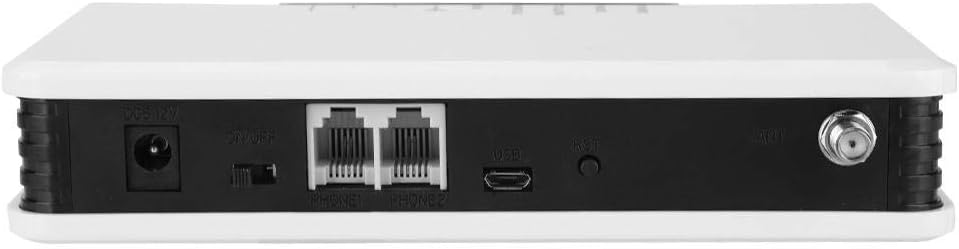
4.2 vaizdas: Galinis view of the Bewinner FWT, showing the DC power input, ON/OFF switch, PHONE1/PHONE2 ports, USB port, Reset button, and antenna connector.
5. Sąrankos instrukcijos
Follow these steps to set up your Bewinner Fixed Wireless Terminal:
5.1 SIM kortelės montavimas
- Ensure the device is powered off using the ON/OFF switch on the rear panel.
- Locate the SIM card slot on the bottom of the device. It is usually covered by a small flap or a swing-up mechanism.
- Carefully insert your activated GSM SIM card into the slot. Ensure the SIM card is correctly oriented according to the diagram near the slot. The SIM card slot typically swings up to allow insertion.
- Close the SIM card slot securely.

5.1 vaizdas: Apačia view of the Bewinner FWT, indicating the location of the SIM card slot. Ensure the SIM card is activated by your mobile carrier before insertion.
5.2 Antenos prijungimas
- Locate the ANT connector on the rear panel of the device.
- Screw the provided GSM antenna onto the ANT connector clockwise until it is finger-tight.
- Position the antenna vertically for optimal signal reception.
5.3 Maitinimo jungtis
- Connect the power adapter to the DC 12V input port on the rear panel.
- Įjunkite maitinimo adapterį į standartinį elektros lizdą.
5.4 Connecting a Telephone
- Using a standard RJ11 telephone cable, connect your telephone or alarm system to either the PHONE1 or PHONE2 port on the rear panel of the FWT.
5.5 Įjungimas
- Pasukite įjungimo/išjungimo jungiklį galiniame skydelyje į padėtį „Įjungta“.
- Observe the LED indicators on the front panel. The POWER LED should illuminate. The SIM and MODULE LEDs should also light up, and the signal strength indicators should show the network signal. This process may take a few moments as the device registers with the GSM network.
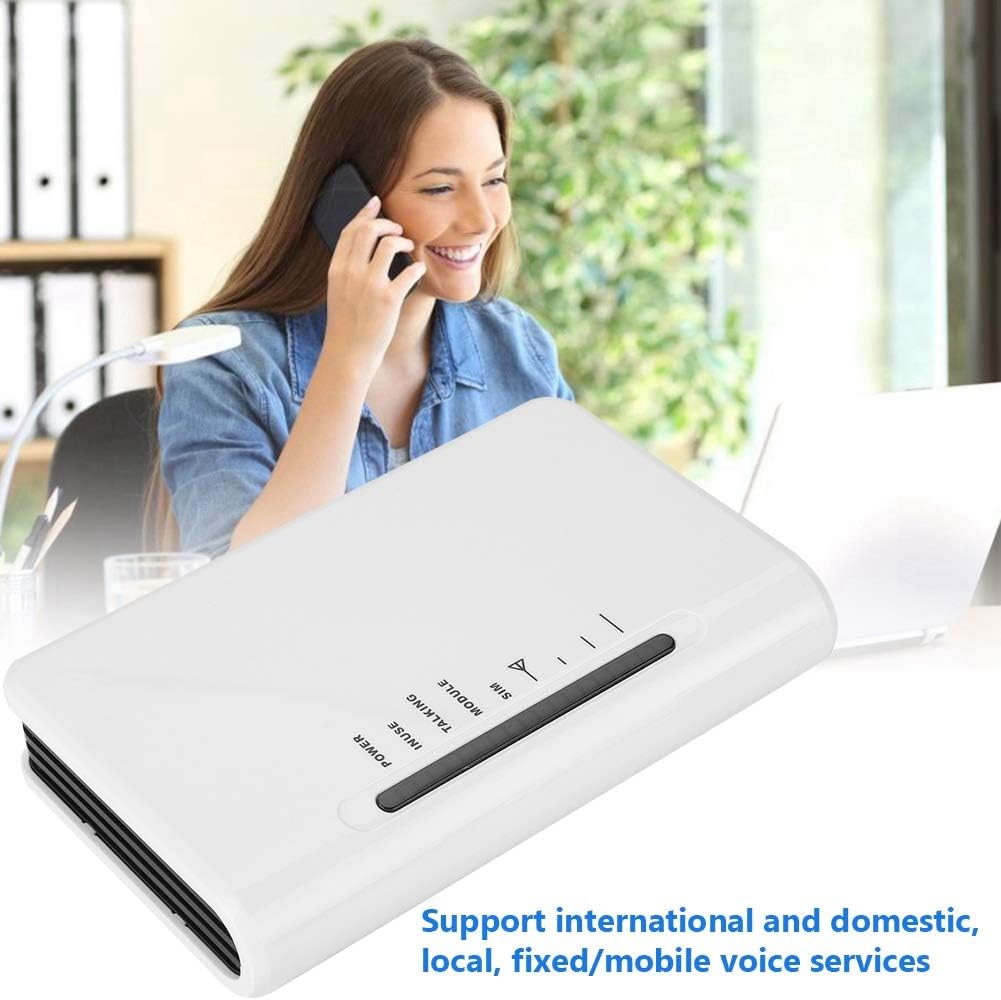
5.2 vaizdas: The Bewinner FWT in an operational setting, demonstrating its use for making calls via a connected telephone.
6. Naudojimo instrukcijos
6.1 Skambinimas
- Pick up the handset of the connected telephone. You should hear a dial tone.
- Surinkite norimą telefono numerį.
- The TALKING LED will illuminate during an active call.
6.2 Skambučio priėmimas
- When an incoming call is received, the connected telephone will ring.
- Norėdami atsiliepti į skambutį, pakelkite ragelį.
6.3 LED indikatorių reikšmės
| Rodiklis | Būsena | Aprašymas |
|---|---|---|
| GALIA | On | Įrenginys įjungtas. |
| VARTOJAMAS | On | Telephone line is active (off-hook). |
| KALBA | On | An active call is in progress. |
| MODULIS | Įjungta / mirksi | Indicates GSM module status (e.g., searching for network, registered). |
| SIM | Įjungta / mirksi | Indicates SIM card status (e.g., detected, error). |
| Signalo stiprumas | Varying LEDs | Indicates the strength of the GSM network signal. More LEDs lit means stronger signal. |
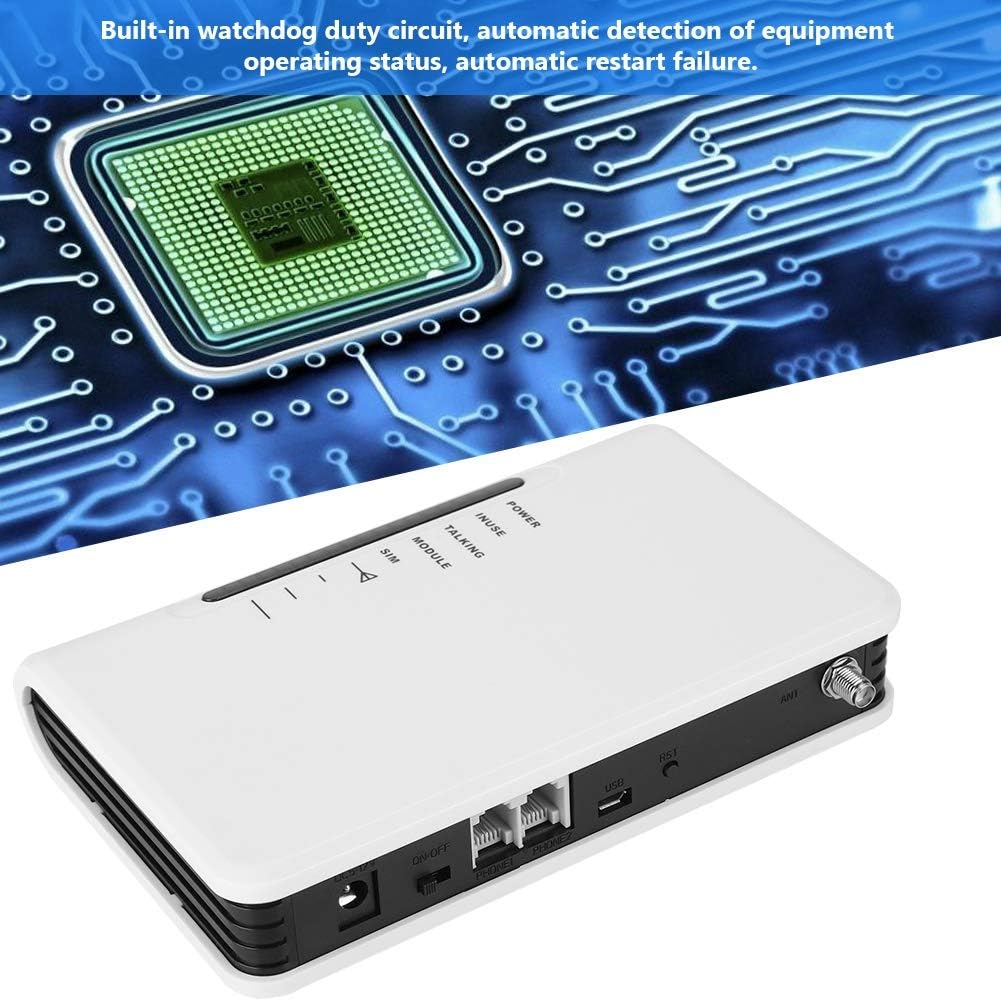
6.1 vaizdas: The Bewinner FWT displaying various LED statuses, including signal, standby, and working status.
7. Priežiūra
- Valymas: Įrenginio išorę valykite minkštu, sausu skudurėliu. Nenaudokite skystų valiklių ar aerozolių.
- Saugykla: Jei prietaisą ilgesnį laiką sandėliuosite, atjunkite jį nuo maitinimo šaltinio ir laikykite vėsioje, sausoje vietoje.
- Watchdog Circuit: The device includes a built-in watchdog duty circuit for automatic detection of operating status and automatic restart in case of failure, minimizing the need for manual intervention.
8. Problemų sprendimas
| Problema | Galima priežastis | Sprendimas |
|---|---|---|
| Nėra galios | Power adapter not connected; Power switch off; Faulty adapter/outlet. | Ensure power adapter is securely connected and plugged into a working outlet. Turn the ON/OFF switch to 'ON'. |
| Nėra rinkimo tono | SIM card not inserted or activated; Poor GSM signal; Telephone not connected properly. | Check SIM card insertion and activation status. Ensure antenna is connected and positioned for best signal. Verify telephone cable connection to PHONE1/PHONE2 port. |
| Poor Call Quality / Cannot Hear | Weak GSM signal; Network congestion; Device compatibility issues with specific network bands. | Relocate the FWT to an area with better signal strength (check signal LEDs). Ensure your SIM card's network provider supports the device's GSM bands (850/900/1800/1900Mhz). Note that some networks (e.g., in the US) may no longer support 2G devices. |
| Negaliu skambinti / priimti skambučių | SIM card not activated; SIM card balance low; Network issues; Device not registered on network. | Verify SIM card activation and account balance with your mobile carrier. Check signal strength. Restart the device. |
| Device restarts automatically | Normal operation of watchdog circuit; Temporary system error. | This may be the built-in watchdog circuit functioning. If restarts are frequent and disruptive, contact support. |
9. Specifikacijos
| Funkcija | Detalė |
|---|---|
| Prekės ženklas | Bewinner |
| Modelio numeris | Bewinner42sg1ohuke-01 |
| GSM Frequency Bands | Quad-Band GSM 850/900/1800/1900Mhz |
| Maitinimo šaltinis | DC |
| ttage | 12 Volts, 5 Volts (Input/Output) |
| Vattage | 2 vatų |
| Gaminio matmenys | 10L x 10W x 10H millimetres (approx. 1 x 1 x 1 cm) |
| Prekės svoris | 399 g |
| Suderinami įrenginiai | PC (for potential configuration, not typical user operation), Standard Telephones, Alarm Systems |
| Triukšmo lygis | 104 decibelų |
| UPC | 753874206541 |

9.1 vaizdas: Bottom label of the Bewinner FWT, displaying the model number, serial number, and checkboxes for supported network technologies (GSM, CDMA, WCDMA, 4G).
Pastaba: Specifications are subject to change without notice. The "Noise level" specification of 104 Decibels may be a general specification for a component within the device or a misinterpretation; the device itself is not expected to produce such high noise during normal operation.
10. Garantija ir palaikymas
Dėl garantijos informacijos ir techninės pagalbos žr. kartu su pirkiniu pateiktus dokumentus arba susisiekite su pardavėju. Išsaugokite pirkimo įrodymą, jei galėtumėte pateikti garantijos pretenzijas.