Įvadas
This manual provides detailed instructions for the Superior Electronics Ready5 Smart Universal Remote Control, Model SUPTRB019. This remote is designed for immediate use with a wide range of LG, Samsung, Sony, Philips, and Panasonic televisions, eliminating the need for complex programming.
Pagrindinės funkcijos:
- Universal compatibility with major TV brands (LG, Samsung, Sony, Philips, Panasonic).
- Ready-to-use functionality; no programming required.
- Full Smart TV compatibility for enhanced control.
- Dedicated quick access buttons for popular streaming services like Netflix and Prime Video.
- Ergonomic design with intuitive button layout for comfortable and immediate operation.
- Pagaminta iš patvarių medžiagų, užtikrinančių ilgalaikį veikimą.

Image: The Superior Electronics Ready5 Smart Universal Remote Control shown in its retail packaging, highlighting its "Ready to Use" feature and compatibility with various TV brands.
Sąranka
1. Baterijų įdėjimas
The remote control requires two (2) AAA batteries (not included). Follow these steps to insert them correctly:
- Nuotolinio valdymo pulto gale raskite baterijų skyriaus dangtelį.
- Norėdami atidaryti skyrių, pastumkite dangtelį žemyn arba paspauskite skląstį (jei yra).
- Insert two AAA batteries, ensuring that the positive (+) and negative (-) terminals align with the indicators inside the compartment. Incorrect polarity can prevent the remote from functioning.
- Stumkite baterijų skyriaus dangtelį atgal į vietą, kol jis tvirtai spragtelės.

Vaizdas: Galinis view of the remote control, illustrating the location of the battery compartment for easy access and battery insertion.
2. Pradinis naudojimas
The Superior Electronics Ready5 Smart remote control is designed for immediate use with compatible LG, Samsung, Sony, Philips, and Panasonic TVs. Once the batteries are correctly inserted, the remote is ready to operate your television without any additional programming or setup. Simply point the remote at your TV and begin using its functions.
Naudojimo instrukcijos
This section details the primary functions of the buttons on your Ready5 Smart remote control.

Vaizdas: priekis view of the Superior Electronics Ready5 Smart remote control, displaying all buttons and their layout for easy identification.
Mygtukų funkcijos baigtosview
| Mygtukas | Funkcija |
|---|---|
| Galia (●) | Įjungia arba išjungia televizorių. |
| Įvestis | Pasirenka įvesties šaltinį (HDMI, AV ir kt.). |
| Smart Video / NET.TV | Direct access to Smart TV features or specific streaming apps. |
| 3D | Įjungia arba išjungia 3D režimą (jei televizorius jį palaiko). |
| Vadovas | Rodo elektroninį programų gidą. |
| Meniu | Atidaro pagrindinį televizoriaus meniu. |
| Subt. | Įjungia arba išjungia subtitrus. |
| Mėgstamiausias | Pasiekia mėgstamiausių kanalų sąrašą. |
| Informacija | Rodo informaciją apie dabartinę programą arba įvestį. |
| Navigacija (aukštyn, žemyn, kairėn, dešinėn, gerai) | Naršo meniu ir patvirtina pasirinkimus. |
| Atgal | Grįžta į ankstesnį ekraną arba meniu. |
| Išeiti | Išeina iš dabartinio meniu arba programos. |
| Vol +/- | Reguliuoja garsumą aukštyn arba žemyn. |
| Nutildyti | Išjungia arba įjungia televizoriaus garsą. |
| Ch +/- | Keičia kanalą aukštyn arba žemyn. |
| Skaičių klaviatūra (0–9) | Directly enters channel numbers or numerical inputs. |
| Sąrašas | Rodomas kanalų arba medijos sąrašas. |
| Netflix | Directly launches the Netflix application. |
| Pagrindinis vaizdo įrašas | Directly launches the Amazon Prime Video application. |
| Spalvoti mygtukai (raudona, žalia, geltona, mėlyna) | Functions vary depending on the TV model and current menu/application. |
| Media Control (Play, Pause, Stop, Rewind, Fast Forward, Record) | Controls media playback (e.g., USB, streaming apps). |
Smart TV and Streaming Access
The Ready5 Smart remote is designed to seamlessly integrate with your Smart TV's functionalities. Use the navigation buttons to browse Smart TV menus and applications. The dedicated Netflix and Prime Video buttons provide instant access to these popular streaming platforms, allowing you to start watching your favorite content with a single press.
Priežiūra
Nuotolinio valdymo pulto valymas
To ensure optimal performance and longevity of your remote control, follow these cleaning guidelines:
- Prieš valydami visada išimkite baterijas.
- Nuotolinio valdymo pulto paviršių nuvalykite minkšta, sausa šluoste.
- Įsisenėjusiam purvui šiek tiek pamirkykiteampNuvalykite šluostę vandeniu arba švelniu, neabrazyviniu valikliu. Venkite per didelės drėgmės.
- Nenaudokite stiprių cheminių medžiagų, abrazyvinių valiklių ar tirpiklių, nes jie gali pažeisti nuotolinio valdymo pulto apdailą ar vidinius komponentus.
- Ensure the remote is completely dry before reinserting batteries.
Baterijos priežiūra ir keitimas
Replace batteries when the remote's response becomes sluggish or it stops functioning. Always replace both batteries at the same time with new AAA batteries. Do not mix old and new batteries, or different types of batteries. Dispose of used batteries responsibly according to local regulations.
Trikčių šalinimas
If you encounter issues with your Ready5 Smart remote control, refer to the following common problems and solutions:
Nuotolinio valdymo pultas neatsako
- Patikrinkite baterijas: Įsitikinkite, kad baterijos įdėtos teisingai, tinkamu poliškumu (+/-), ir nėra išsekusios. Jei reikia, pakeiskite naujomis AAA baterijomis.
- Matymo linija: Make sure there are no obstructions between the remote control and the TV's infrared receiver. Point the remote directly at the TV.
- Atstumas: Įsitikinkite, kad esate efektyviame veikimo diapazone (iki 10 metrų).
- TV galia: Confirm that your TV is powered on and not in standby mode.
Neveikia tam tikri mygtukai
- Bendras funkcionalumas: If most buttons work but a few do not, it might indicate a specific TV model's lack of support for that particular function via universal remote, or a dirty contact under the button.
- Smart TV/Streaming Buttons: Ensure your TV is a Smart TV and has the respective applications (Netflix, Prime Video) installed and updated.
Suderinamumo problemos
The Ready5 Smart remote is pre-programmed for LG, Samsung, Sony, Philips, and Panasonic TVs manufactured from 2000 onwards. If your TV is from a different brand or an older model, full functionality may not be guaranteed. No programming is required for the listed compatible brands.
Specifikacijos
| Funkcija | Detalė |
|---|---|
| Modelio pavadinimas | Ready5 Smart |
| Modelio numeris | SUPTRB019 |
| Prekės ženklas | Aukščiausios kokybės elektronika |
| Suderinami įrenginiai | LG, Samsung, Sony, Philips, Panasonic Televisions (models from 2000 onwards) |
| Ryšio technologija | Infraraudonųjų spindulių (IR) |
| Maitinimo šaltinis | 2 x AAA baterijos (į komplektą neįeina) |
| Didžiausias diapazonas | 10 metrų (apie 33 pėdas) |
| Gaminio matmenys | 5 x 1.5 x 19 cm (apytiksliai 1.97 x 0.59 x 7.48 colio) |
| Svoris | 100 gramai (apie 3.53 uncijos) |
| Spalva | Juoda |
| Ypatinga funkcija | Universal, immediately ready for use (no programming) |
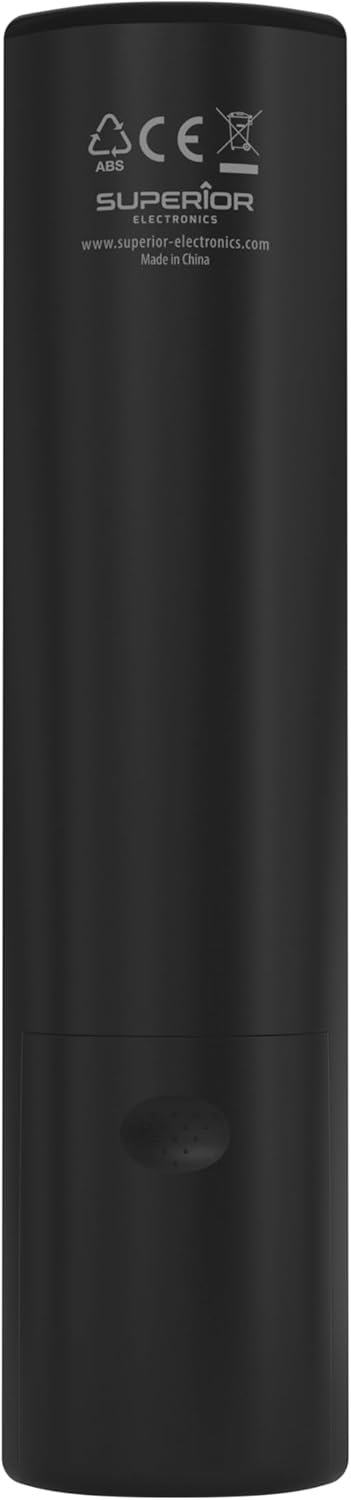
Image: The remote control with its approximate dimensions (4.8 cm width, 19.5 cm length) highlighted for reference.
Informacija apie garantiją
Specific warranty details for the Superior Electronics Ready5 Smart Universal Remote Control are typically provided with your purchase documentation or can be found on the official Superior Electronics website. Please refer to these resources for comprehensive information regarding warranty coverage, terms, and conditions.
Palaikymas
For further assistance, technical support, or additional product information, please visit the official Superior Electronics website or contact their customer service department. Contact details are usually available on the product packaging or the manufacturer's websvetainę.
Manufacturer: Superior Electronics
Daugiau informacijos galite rasti adresu Superior Electronics Store on Amazon.


