1. Produktas baigtasview
The myCharge HubMax HBLC10V is a portable power bank designed to charge various mobile devices. It features an internal 10050mAh battery, built-in Lightning and USB-C cables, and an integrated foldable wall plug for convenient recharging.

Image 1.1: The myCharge HubMax HBLC10V portable charger, showcasing its compact design with integrated Lightning and USB-C cables, and a foldable wall plug.
2. Pakuotės turinys
- myCharge HubMax HBLC10V Portable Charger
- Integruotas žaibo kabelis
- Integruotas USB-C laidas
- Integrated Wall Plug
3. Sąranka ir pradinis įkrovimas
Before first use, it is recommended to fully charge your myCharge HubMax HBLC10V.
- Locate the Wall Plug: Extend the foldable wall prongs located on the side of the device.
- Prijunkite prie maitinimo: Plug the device directly into a standard AC wall outlet.
- Monitoriaus įkrovimas: The LED indicator lights on the device will illuminate to show the charging status. A full charge typically takes approximately 4.6 hours. All indicator lights will be solid when fully charged.
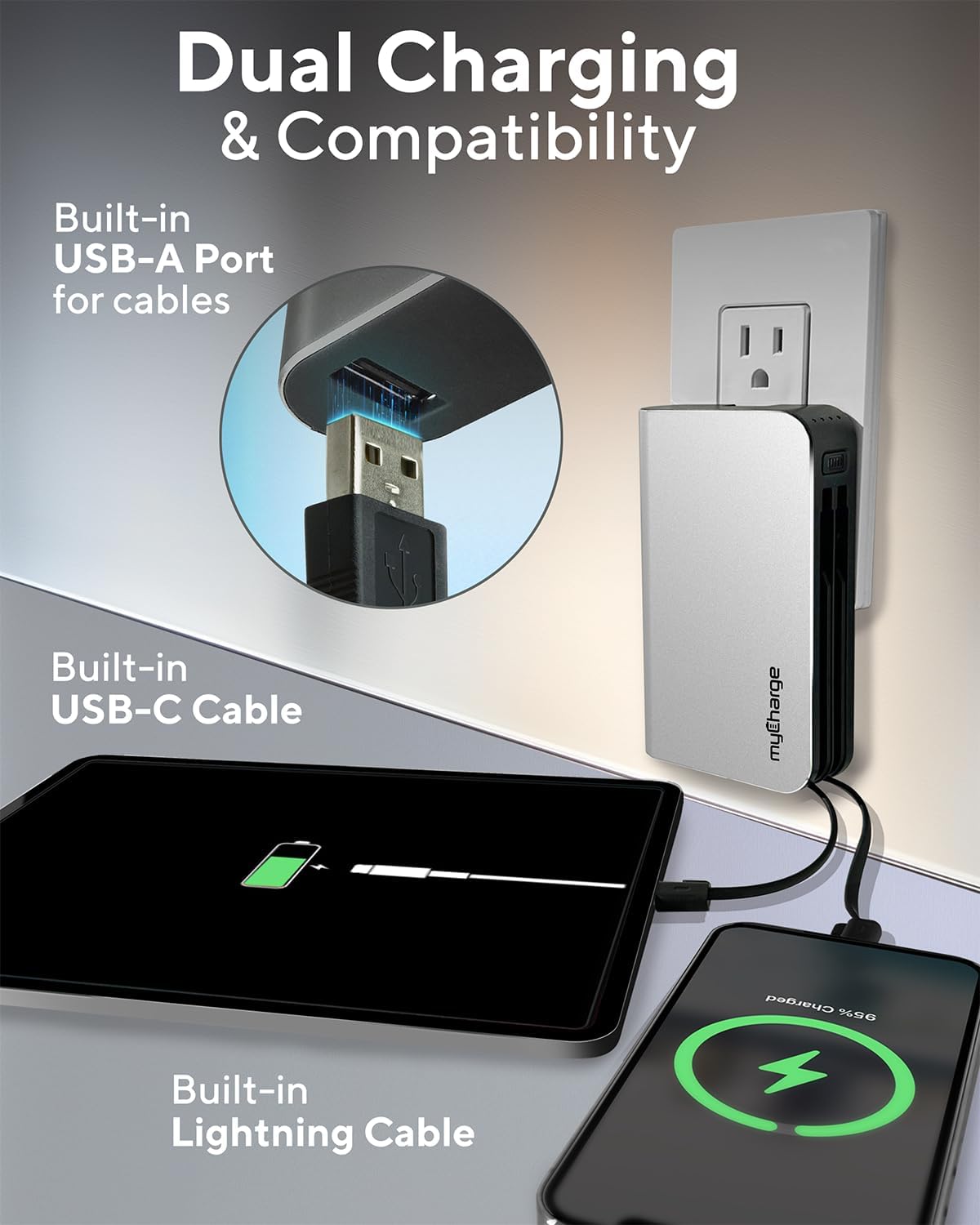
Image 3.1: The myCharge HubMax HBLC10V connected to a wall outlet for recharging, illustrating its integrated wall plug and multiple charging outputs.
4. Naudojimo instrukcijos
The myCharge HubMax HBLC10V allows you to charge up to three devices simultaneously.
4.1 Įkrovimo įrenginiai su integruotais laidais
- Identify Cable: Select the appropriate built-in cable for your device (Lightning for Apple devices, USB-C for compatible Android and other devices).
- Prijunkite įrenginį: Plug the selected cable directly into your mobile device's charging port.
- Pradėti įkrovimą: The myCharge HubMax will automatically begin charging your device. The LED indicator lights will show the remaining battery level of the power bank.
4.2 Charging a Third Device via USB-A Port
For devices requiring a standard USB-A connection, use the integrated USB-A port.
- Connect Your Cable: Plug your device's USB-A charging cable (not included) into the USB-A port on the myCharge HubMax.
- Prijunkite įrenginį: Plug the other end of your cable into your mobile device.
- Pradėti įkrovimą: Įkrovimas prasidės automatiškai.

4.1 paveikslėlis: Išsamus view of the myCharge HubMax HBLC10V, emphasizing its all-in-one design with built-in wall prongs, Lightning and USB-C cables, and an additional USB-A port for charging up to three devices.
4.3 Greito įkrovimo galimybės
The HubMax supports Power Delivery and Quick Charge 3.0 via its USB-C cable, enabling faster charging for compatible devices. This can charge devices up to 2.4 times faster than standard chargers.
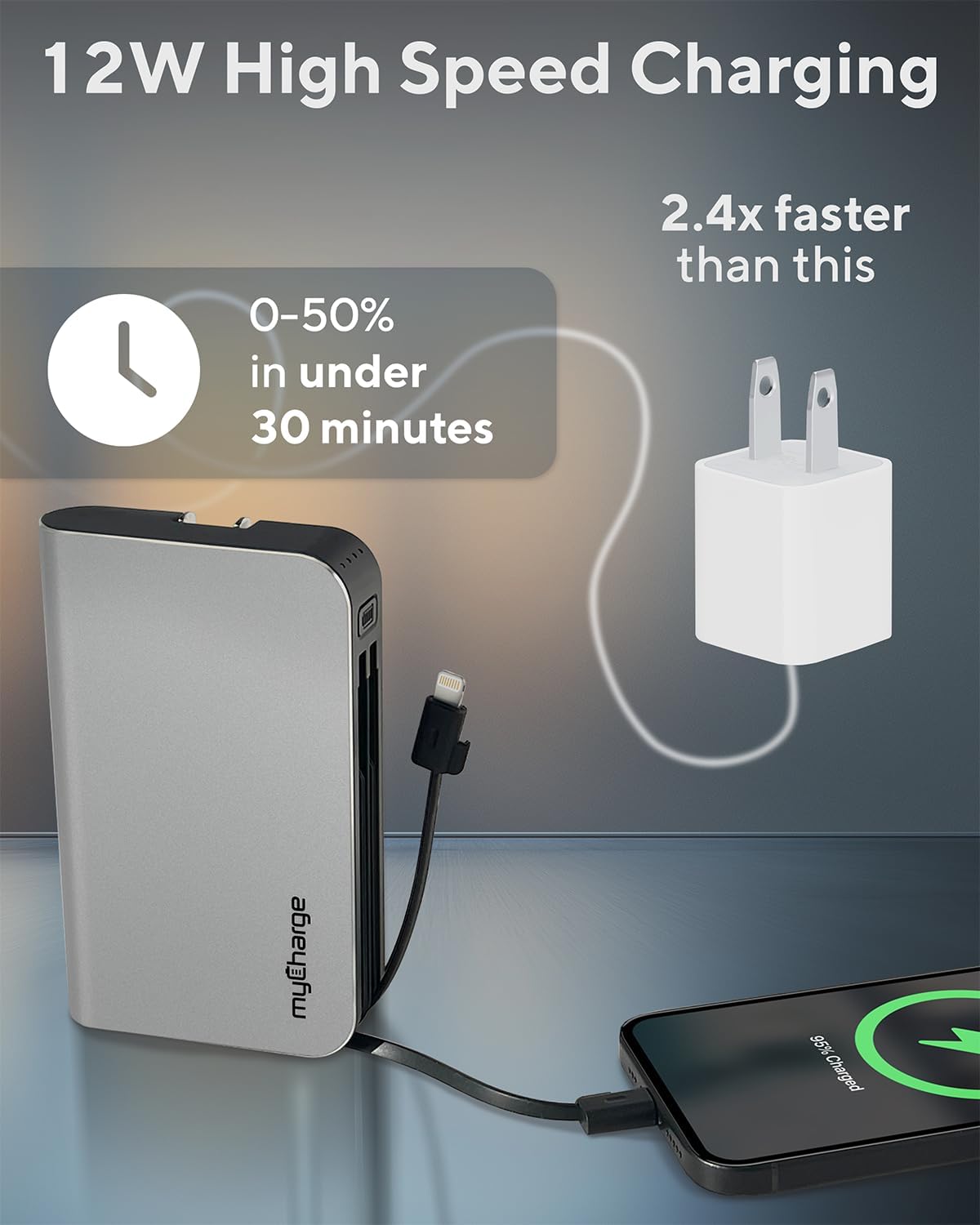
Image 4.2: The myCharge HubMax HBLC10V demonstrating its 12W high-speed charging capability, capable of charging a device from 0% to 50% in under 30 minutes.
5. Priežiūra ir priežiūra
- Saugykla: Laikykite išorinę bateriją vėsioje, sausoje vietoje, toliau nuo tiesioginių saulės spindulių ir ekstremalių temperatūrų.
- Valymas: Prietaiso išorei valyti naudokite minkštą, sausą šluostę. Venkite naudoti stiprių cheminių medžiagų ar abrazyvinių medžiagų.
- Tvarkymas: Handle the device with care. Avoid dropping it or subjecting it to strong impacts, as this can damage internal components and shorten its lifespan.
- Baterijos veikimo laikas: Siekiant optimalios akumuliatoriaus veikimo trukmės, venkite dažnai visiškai iškrauti išorinę bateriją. Įkraukite ją, kai akumuliatoriaus įkrovos lygis žemas.
6. Problemų sprendimas
If you encounter issues with your myCharge HubMax HBLC10V, refer to the following common solutions:
- Įrenginys neįkraunamas:
- Ensure the myCharge HubMax itself is sufficiently charged. Check the LED indicators.
- Verify that the built-in cable or your external USB-A cable is securely connected to both the power bank and your device.
- Try a different device or cable to rule out issues with the connected device or cable.
- Lėtas įkrovimas:
- Ensure your device supports fast charging protocols (Power Delivery, Quick Charge 3.0) to benefit from the HubMax's fast charging capabilities.
- Kelių įrenginių įkrovimas vienu metu gali sumažinti atskirų įrenginių įkrovimo greitį.
- Patikrinkite, ar įkrovimo laidas nepažeistas.
- Išorinė baterija neįkraunama:
- Ensure the wall plug is fully extended and securely inserted into a working AC wall outlet.
- Išbandykite kitą sieninį lizdą.
If problems persist, please contact myCharge customer support for further assistance.
7. Specifikacijos
| Funkcija | Detalė |
|---|---|
| Modelio numeris | HBLC10V |
| Baterijos talpa | 10050 mAh (ličio jonų) |
| Gaminio matmenys | 2.8 x 0.9 x 4.6 colio |
| Prekės svoris | 10.2 uncijos |
| Integruoti kabeliai | Žaibas, USB-C |
| Additional Port | USB-A |
| Įkrovimo laikas | Approx. 4.6 hours (via integrated wall plug) |
| Ypatingos savybės | Integrated Wall Plug, Fast Charging (PD, QC 3.0) |
| Gamintojas | „myCharge“ |
8. Garantija ir palaikymas
myCharge products are typically covered by a manufacturer's warranty. For specific warranty details, registration, or to initiate a warranty claim, please refer to the official myCharge websvetainėje arba susisiekite tiesiogiai su jų klientų aptarnavimo tarnyba.
For technical assistance, troubleshooting not covered in this manual, or general inquiries, please visit the myCharge support page or contact their customer service department.
Note: Warranty terms and support availability may vary. Always refer to the latest information provided by the manufacturer.


