1. Įvadas
Welcome to the user manual for your new TCL 55S525 55-inch Class 5-Series 4K UHD Dolby Vision HDR Roku Smart TV. This guide provides essential information for setting up, operating, maintaining, and troubleshooting your television to ensure optimal performance and enjoyment.
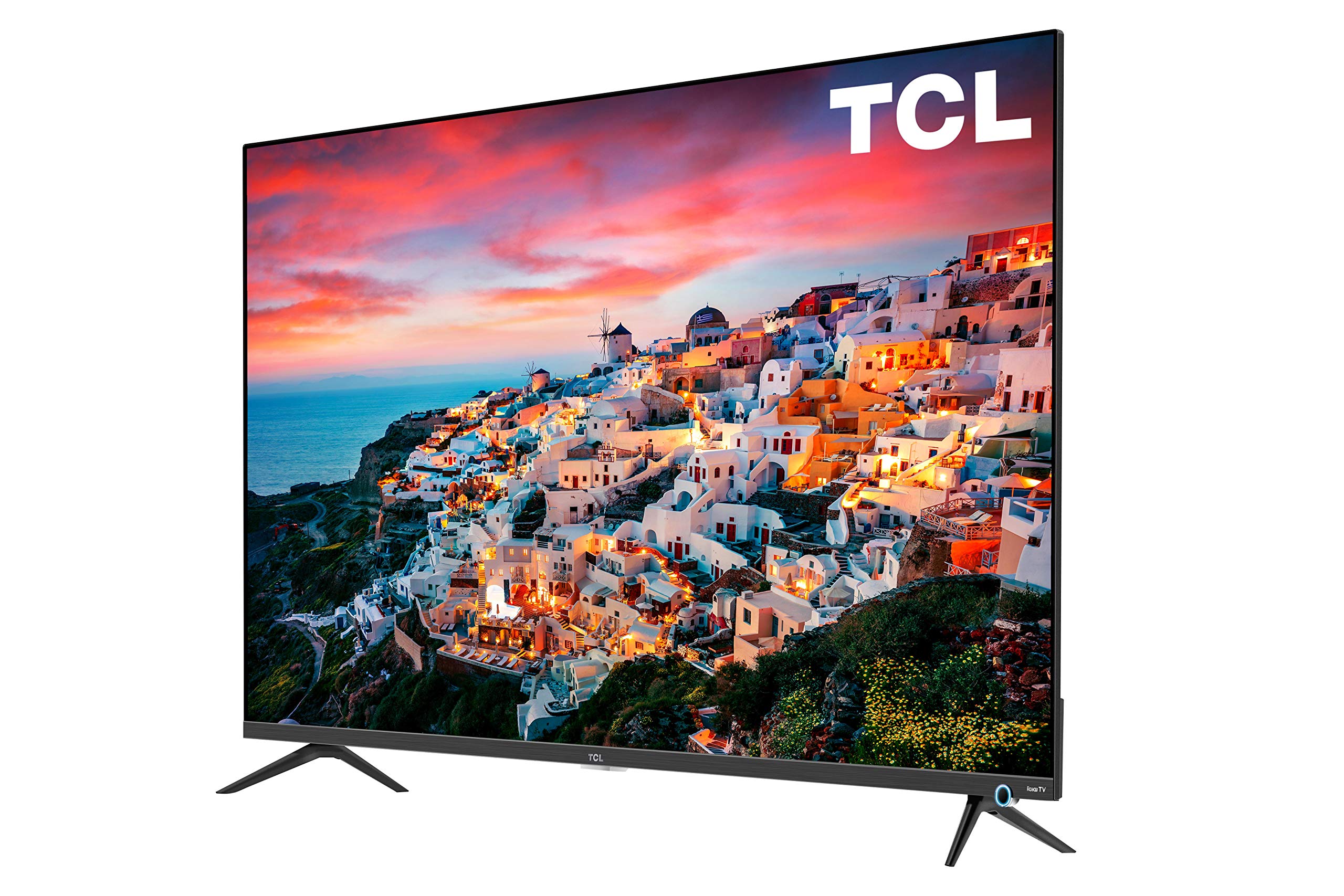
Image: The TCL 55S525 55-inch 4K UHD Roku Smart TV displayed on a media console in a modern living room.
2. Sąranka
2.1 Išpakavimas ir pradinis įdėjimas
Atsargiai išimkite televizorių iš pakuotės. Padėkite televizorių ant stabilaus, lygaus paviršiaus arba paruoškite jį tvirtinimui prie sienos. Užtikrinkite tinkamą vėdinimą aplink televizorių.
2.2 Attaching the Stand (Optional)
If you choose not to wall mount, attach the included stands to the bottom of the TV using the provided screws. Refer to the quick start guide for detailed instructions on stand attachment.
2.3 Įrenginių prijungimas
Your TCL Roku TV offers multiple connectivity options:
- HDMI įėjimai: 4 HDMI 2.0 ports with HDCP 2.2 (one with HDMI ARC) for connecting devices like gaming consoles, Blu-ray players, or cable boxes.
- USB įvestis: 1 USB port for media playback.
- Kiti įėjimai: RF (Antenna/Cable), Composite, Headphone Jack, Optical Audio Out, Ethernet.
Connect your desired devices to the appropriate ports on the back or side of the TV.

Paveikslėlis: detalus view of the side-mounted input ports on the TCL 55S525 TV, including HDMI, USB, and other audio/video connections.
2.4 Power On and Network Connection
Plug the power cord into an electrical outlet. Press the power button on the remote control. Follow the on-screen instructions to connect your TV to your home Wi-Fi network. A stable internet connection is essential for Roku Smart TV features.
Video: An official TCL video demonstrating the unboxing, setup, and initial impressions of a TCL 5-Series 4K UHD TV, including stand attachment and basic connectivity.
3. Televizoriaus valdymas
3.1 Roku Smart Platform
Your TCL TV features the award-winning Roku TV smart platform, providing access to thousands of streaming channels and over 500,000 movies and TV episodes. The intuitive interface makes navigation simple.
- Pagrindinis ekranas: Access all your streaming channels, connected devices, and settings from a single, customizable home screen.
- Srautinio perdavimo kanalai: Popular apps like Netflix, Prime Video, Hulu, Disney+, YouTube, Spotify, and many more are available.
- Tiesioginė TV: Access live television through compatible apps or an antenna connected to the RF input.
Video: An official TCL video showcasing the features and user interface of the TCL Class 5-Series 4K UHD Dolby Vision HDR Roku Smart TV, highlighting its smart capabilities and app selection.
3.2 Nuotolinis valdymas
The included remote control provides easy access to all TV functions. It features dedicated buttons for popular streaming services for quick access.
- Navigacija: Use the directional pad to navigate menus and select options.
- Valdymas balsu: Some Roku remotes include voice control for searching content or controlling playback.
- Greitos prieigos mygtukai: Dedicated buttons for Netflix, Disney+, Hulu, and Sling provide instant access to these services.
3.3 Vaizdo ir garso nustatymai
Tinkinkite savo viewnaudojimo patirtį per televizoriaus nustatymų meniu:
- Vaizdo režimai: Select from various preset picture modes (e.g., Movie, Sports, Vivid) or customize settings like brightness, contrast, and color.
- Dolby Vision HDR: Experience superior 4K UHD picture clarity with enhanced contrast, color, and detail.
- Garso nustatymai: Adjust volume, sound mode, and other audio preferences.
- Automatinis žaidimo režimas: Automatically enhances performance for gaming by offering smoother action, lower latency, and optimized picture settings.
Video: An official TCL video discussing the features of the TCL 5-Series, including its 4K HDR capabilities and suitability for gaming, providing insights into picture quality and performance.
4. Priežiūra
4.1 Ekrano valymas
Norėdami išvalyti televizoriaus ekraną, švelniai nuvalykite jį minkštu, sausu, nepūkuotu skudurėliu. Jei dėmės sunkiai pašalinamos, lengvai nuvalykiteampNuvalykite šluostę vandeniu arba specialiai televizoriams skirtu ekrano valymo tirpalu. Venkite naudoti stiprias chemines medžiagas ar abrazyvines medžiagas.
4.2 Išorės valymas
Wipe the TV's exterior surfaces with a soft, dry cloth. Do not use liquid cleaners directly on the TV to prevent damage to internal components.
4.3 Programinės įrangos naujiniai
Jūsų „Roku“ televizorius automatiškai ieškos ir įdiegs programinės įrangos atnaujinimus, kai bus prijungtas prie interneto. Įsitikinkite, kad jūsų televizorius yra prijungtas prie „Wi-Fi“, kad galėtumėte naudotis naujausiomis funkcijomis ir našumo patobulinimais.
5. Problemų sprendimas
5.1 Nėra vaizdo / Nėra signalo
- Ensure the TV is powered on and the correct input source is selected.
- Check all cable connections (HDMI, RF, etc.) to ensure they are secure.
- Verify that connected devices are powered on and functioning correctly.
5.2 Nuotolinio valdymo problemos
- Pakeiskite nuotolinio valdymo pulto baterijas.
- Įsitikinkite, kad tarp nuotolinio valdymo pulto ir televizoriaus IR jutiklio nėra jokių kliūčių.
- If the remote is a Wi-Fi direct remote, try re-pairing it according to the Roku TV instructions.
5.3 Tinklo ryšio problemos
- Iš naujo paleiskite „Wi-Fi“ maršrutizatorių ir modemą.
- Check the TV's network settings to ensure it's connected to the correct network and the signal strength is adequate.
- If issues persist, try connecting the TV via an Ethernet cable.
6. Specifikacijos
| Funkcija | Aprašymas |
|---|---|
| Prekės ženklas | TCL |
| Modelio numeris | 55S525 |
| Ekrano dydis | 55 colių |
| Ekrano technologija | LED |
| Rezoliucija | 4K Ultra HD (3840 2160 x XNUMX XNUMX) |
| HDR palaikymas | Dolby Vision HDR |
| Atnaujinimo dažnis | 120 Hz |
| Išmaniosios televizijos platforma | Roku televizija |
| Įėjimai | 4 HDMI 2.0 (HDCP 2.2, 1 ARC), 1 USB, RF, Composite, Headphone Jack, Optical Audio Out, Ethernet |
| Ryšio technologija | HDMI, Wi-Fi |
| Gaminio matmenys (su stovu) | 48.4 colių pločio x 30.6 colio aukščio x 10.0 colio gylio |
| Gaminio matmenys (be stovo) | 48.4 colių pločio x 28.1 colio aukščio x 3.0 colio gylio |
| Prekės svoris | 39.8 svaro |
| Ypatingos savybės | Flat, Auto Game Mode |
| Įtraukti komponentai | Remote, Stand |
7. Garantija ir palaikymas
Informacijos apie garantiją ir klientų aptarnavimą ieškokite prie gaminio pridėtoje garantijos kortelėje arba apsilankykite oficialioje TCL pagalbos svetainėje. websvetainę. Papildomų išteklių ir DUK taip pat galite rasti internete.


