Įvadas
This manual provides detailed instructions for the safe and effective operation of your Donner DJ Par Light. Please read this manual thoroughly before use and retain it for future reference. This device is designed to produce various lighting effects for events, parties, and stage pasirodymai.
Saugos informacija
- Užtikrinkite maitinimo šaltinio ttage atitinka įrenginio reikalavimus.
- Do not expose the device to rain or moisture to prevent electric shock or fire.
- Prieš valydami ar atlikdami techninę priežiūrą, visada atjunkite nuo maitinimo šaltinio.
- Venkite tiesioginio šviesos šaltinio poveikio akims, nes tai gali pažeisti akis.
- Užtikrinkite tinkamą vėdinimą, kad išvengtumėte perkaitimo. Neužblokuokite ventiliacijos angų.
- Elkitės su įrenginiu atsargiai. Venkite jo numesti ir stipriai sutrenkti.
- Laikyti vaikams nepasiekiamoje vietoje.
Pakuotės turinys
Išpakuodami patikrinkite, ar yra visi daiktai:
- Donner DJ Par Light (1 unit)
- Nuotolinio valdymo pultas (1 vnt.)
- Tvirtinimo laikiklis (1 vnt.)
- Maitinimo kabelis (1 vnt.)
- Vartotojo vadovas (šis dokumentas)
Produkto savybės
- 18 RGB šviesos diodų: Features 18 x 3W RGB LED lights (6 Red, 6 Green, 6 Blue) for a wide range of color effects.
- Kelių režimų veikimas: Includes Static Color, Color Changing, Color Fade, Auto, Sound-activated, Master-slave, and DMX modes.
- Nuotolinio valdymo pultas: Easy control via the included IR remote.
- Suderinamas su DMX512: For professional lighting control.
- Integruotas aušinimo ventiliatorius: Ensures stable operation and extends lifespan.
- Adjustable Dual Brackets: Allows for flexible mounting on trusses, walls, or standing on the floor.
Sąranka
- Išpakavimas: Atsargiai išimkite šviestuvą ir visus priedus iš pakuotės.
- Kronšteino montavimas: Attach the dual brackets to the sides of the light using the provided screws and knobs. Ensure they are securely fastened.
- Montavimas:
- Grindų stovas: Position the light on a flat, stable surface using the brackets as a stand. Adjust the angle as desired.
- Hanging/Truss Mount: Naudokite atitinkamą klamps (not included) to secure the light to a truss or ceiling. Always use a safety cable (not included) when hanging the unit.
- Maitinimo jungtis: Prijunkite maitinimo laidą prie šviestuvo maitinimo įvesties, o tada – prie tinkamo maitinimo lizdo.

Veikimo režimai
The Donner DJ Par Light offers multiple operating modes, selectable via the remote control or the control panel on the back of the unit.

- Statinis spalvų režimas: Displays a single, constant color. Use the remote's color buttons (Red, Green, Blue) or the control panel to select specific colors or mix RGB values.
- Color Changing (Jump) Mode: The light rapidly switches between different colors. The speed of the color change can be adjusted.
- Color Fade (Gradual) Mode: The light smoothly transitions from one color to another. The transition speed can be adjusted.
- Automatinis režimas: The light cycles through various pre-programmed lighting effects automatically.
- Garsu suaktyvintas režimas: The light reacts to ambient sound or music, changing colors and patterns in sync with the beat. Ensure the built-in microphone is not obstructed.
- Pagrindinis-pagalbinis režimas: Connect multiple lights using DMX cables. One unit acts as the master, controlling all connected slave units, ensuring synchronized lighting effects.
- DMX režimas: For advanced control using a DMX512 controller. This mode allows precise control over individual light parameters such as color intensity, strobe, and mode selection.
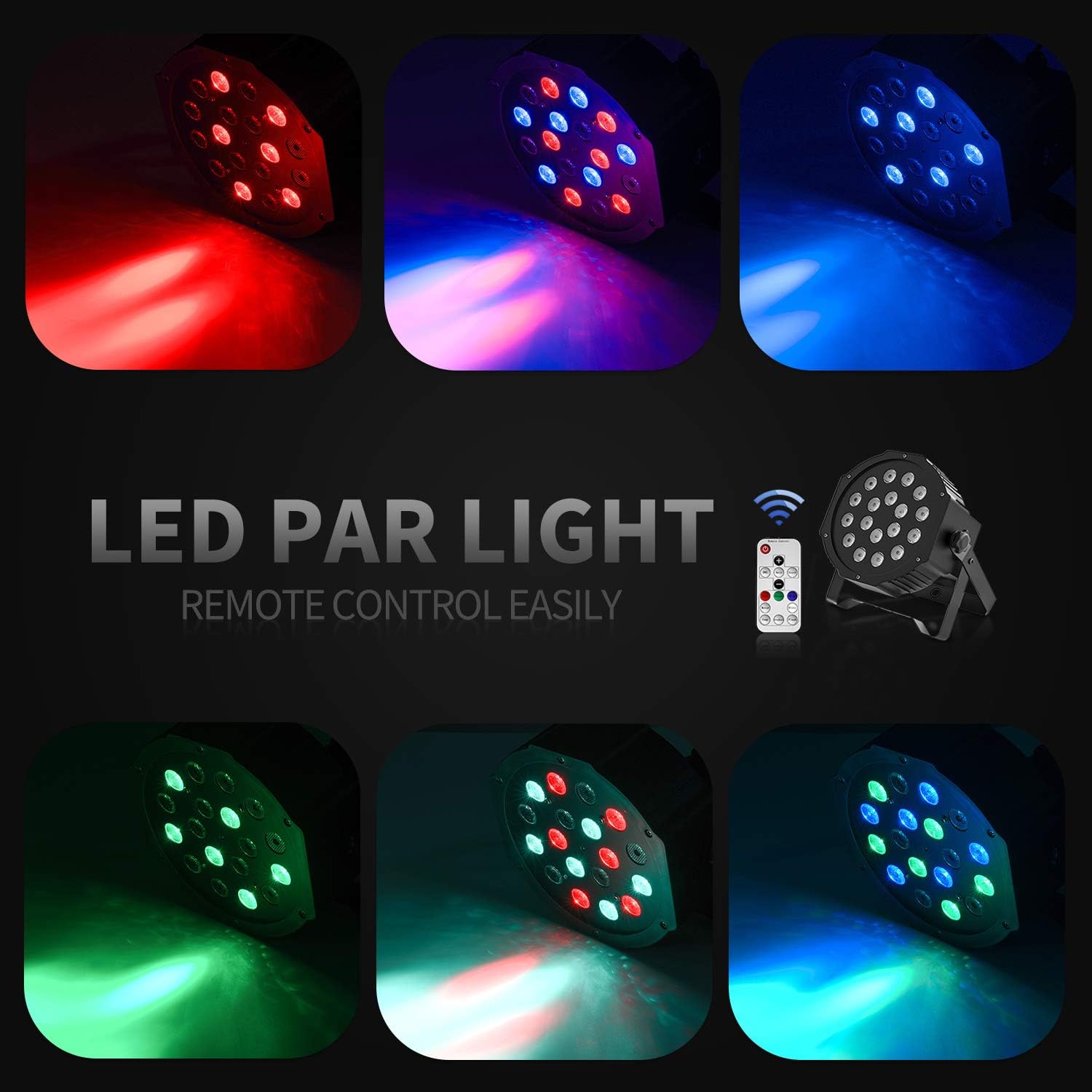
Nuotolinio valdymo pulto veikimas
The included IR remote control provides convenient access to the light's functions:
- ĮJUNGTAS / BUDĖJIMO REŽIMAS: Press to power on or put the device in standby mode.
- DMX: Activates DMX mode. Use '+' and '-' to adjust the DMX address.
- Auto: Activates Auto mode.
- Garsas: Activates Sound-Activated mode.
- Raudona/Žalia/mėlyna: Selects static red, green, or blue color.
- Balta: Selects static white color.
- Šokinėti: Activates Color Changing (Jump) mode.
- Laipsniškas: Activates Color Fade (Gradual) mode.
- Flash: Įjungia blykstės režimą.
- +/- mygtukai: Adjust speed in Jump/Gradual/Flash modes, or DMX address in DMX mode.
DMX valdymas
The Donner DJ Par Light supports DMX512 protocol for professional control. Connect a DMX controller to the DMX IN port using a 3-pin XLR cable. For multiple units, daisy-chain them by connecting the DMX OUT of one unit to the DMX IN of the next.
DMX Channel Functions (Example for 7-channel mode):
| Kanalas | Funkcija | Vertės diapazonas | Aprašymas |
|---|---|---|---|
| 1 | Meistras Dimmeris | 0-255 | Overall brightness (0=off, 255=max) |
| 2 | Raudonos spalvos intensyvumas | 0-255 | Red LED brightness (0=off, 255=max) |
| 3 | Žalios spalvos intensyvumas | 0-255 | Green LED brightness (0=off, 255=max) |
| 4 | Mėlynos spalvos intensyvumas | 0-255 | Blue LED brightness (0=off, 255=max) |
| 5 | Stroboskopas | 0-255 | Strobe speed (0=off, 255=fastest) |
| 6 | Režimo pasirinkimas | 0-255 | Selects various internal programs (Auto, Sound, Jump, Gradual) |
| 7 | Programos greitis | 0-255 | Adjusts speed of selected program (0=slow, 255=fast) |
Priežiūra
- Valymas: Regularly clean the lens and housing with a soft, lint-free cloth. Do not use abrasive cleaners.
- Saugykla: Kai nenaudojate, laikykite prietaisą sausoje, be dulkių aplinkoje.
- Patikra: Periodically check the power cable and DMX connections for any signs of damage.
Trikčių šalinimas
| Problema | Galima priežastis | Sprendimas |
|---|---|---|
| Šviesa neįsijungia. | No power, faulty cable, device in standby. | Check power connection. Ensure outlet is functional. Press ON/STANDBY button on remote or control panel. |
| Nuotolinio valdymo pultas neveikia. | Low battery, remote not aimed correctly, IR sensor blocked. | Replace remote battery. Point remote directly at the IR sensor on the front of the light. Ensure no obstructions. |
| Light not responding in DMX mode. | Incorrect DMX address, faulty DMX cable, incorrect DMX mode selected. | Verify DMX address matches controller. Check DMX cable connections. Ensure DMX mode is active on the light. |
| Garso aktyvavimo režimas neveikia. | Microphone obstructed, sound level too low. | Ensure the microphone on the back panel is clear. Increase music volume or move the light closer to the sound source. |
Specifikacijos
| Modelis: | Remote Control/DMX |
| Šviesos šaltinis: | 18 x 3W RGB LEDs (6 Red, 6 Green, 6 Blue) |
| Maitinimo šaltinis: | Su laidu elektra |
| Valdymo režimai: | Static Color, Color Changing, Color Fade, Auto, Sound-activated, Master-slave, DMX512 |
| Medžiaga: | Plastikiniai |
| Gaminio matmenys: | 7.48 colio ilgio x 5.12 colių pločio x 7.48 colio aukščio |
| Prekės svoris: | 1.45 svaro |
Garantija ir palaikymas
Donner provides a 12-month warranty for this product, covering manufacturing defects from the date of purchase. For warranty claims, technical support, or service inquiries, please contact Donner customer service through the retailer where the product was purchased or visit the official Donner websvetainė kontaktinei informacijai.


